
HelpLook vs Archbee: Which AI Knowledge Base Fits Your Team in 2026?
Choosing between HelpLook and Archbee often comes down to one question: Do you need a full-service, AI-powered support and knowledge platform, or a rich documentation portal tailored for technical teams? Both tools promise ease of use and AI smarts, but they serve noticeably different scenarios.
This comparison breaks down the real-world differences across AI self-service, content creation, integrations, pricing, and more—so you can pick the right solution without guesswork.
At a Glance: HelpLook vs Archbee

HelpLook vs Archbee: Which AI Knowledge Base Wins in 2026? product interface and feature overview.
HelpLook is an all-in-one, AI-powered self-service platform. It lets you create customer-facing help centers, internal knowledge bases, e-commerce product manuals, and even enterprise blogs—all without coding. Its four core components (Portal, Site, Widget, and HelpLook AI) work together to deliver a unified experience, crowned by an embeddable AI chatbot that answers user questions instantly using models like OpenAI, ERNIE Bot, and Azure.
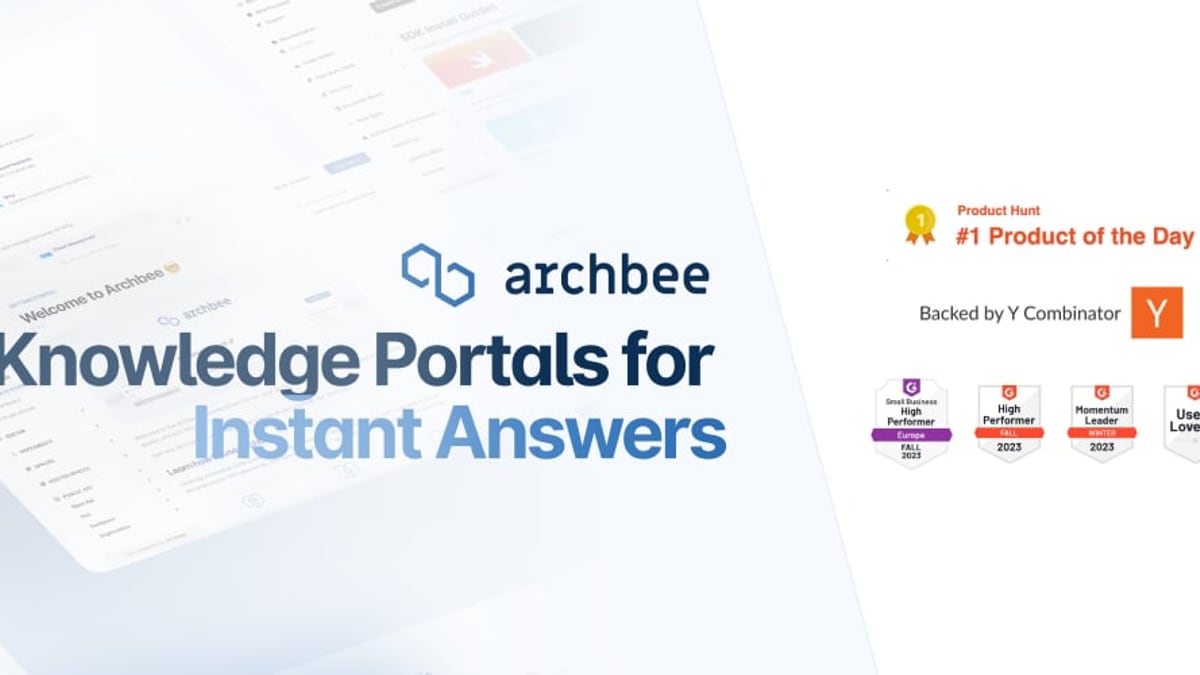
Archbee is built as a knowledge portal platform, excelling at product documentation, API references, developer guides, and internal wikis. It brings Git-like branching, reusable content variables, and strong integrations with GitHub and GitLab into a polished environment. In its own words, it aims to be “the first knowledge portal platform”—and for documentation-heavy teams, it’s a serious contender.
For a deeper look at Archbee’s pricing model and real user feedback, see our Archbee Review 2026.
Key Comparison: Where HelpLook Outshines Archbee
HelpLook vs Archbee: Which AI Knowledge Base Wins in 2026? product interface and feature overview.
AI-Powered Self-Service and Support
HelpLook’s AI doesn’t just sit inside the knowledge base—it travels. The HelpLook AI Widget can be embedded into any web page or application, serving instant answers pulled from your documentation. The system integrates with multiple external AI engines, giving you fine-tuned control over response quality and language comprehension.
Archbee offers AI-powered writing and translations, plus an in-portal search that answers user questions. However, it lacks a standalone, embeddable chatbot widget designed for proactive customer engagement. If your goal is to deflect tickets with an always-on assistant that lives outside the knowledge base interface, HelpLook clearly leads.
All-in-One Content Management vs. a Documentation Portal
HelpLook is not just a wiki—it’s a content hub. You get:
- A Portal for creating and organizing articles, FAQs, and manuals with an intuitive, no-code editor.
- A fully customizable Site with SEO tools, custom domains, and analytics.
- The Widget for on-site AI assistance.
- HelpLook AI powering search and automated replies.
This range makes HelpLook ideal for organizations that want to combine help desks, product documentation, and company blogs under one roof. A legal firm, for instance, could maintain a public knowledge base, an internal wiki, and a client-facing FAQ—all branded and managed centrally.
Archbee, by contrast, focuses on technical documentation portals: API docs, developer guides, and changelogs. Its branching workflow mimics Git, which is brilliant for developers but adds friction for non-technical contributors. Marketing teams or support agents won’t find the same ease of use they would in HelpLook’s drag-and-drop environment.
Ease of Use and Onboarding Speed
HelpLook was built for speed. No markdown shortcuts to memorize, no Git concepts to master. The visual editor, ready-made templates, and straightforward navigation let teams publish a professional knowledge base within hours. Over 10,000 companies already use it, many from non-technical industries like healthcare and education.
Archbee’s power features—branches, custom JavaScript/CSS, Markdown shortcuts, and 20+ custom blocks—deliver deep customization (source). But that power assumes a certain technical comfort. If your primary content creators are product managers or support staff rather than developers, Archbee’s learning curve can slow things down.
Multilingual and SEO Readiness
Helping global audiences requires more than translation—it demands SEO-optimized sites that rank locally. HelpLook includes built-in multilingual support and SEO configuration tools that ensure your help center shows up in regional search results. The Site component turns your knowledge base into a discoverable, indexable website.
Archbee does offer localization and AI translations, but its SEO capabilities are more limited because the underlying platform is tuned for documentation portals, not marketing-style discoverability. For customer self-service portals that must attract organic traffic, HelpLook’s SEO toolset is a decisive advantage.
Archbee’s Strengths (and When You Might Still Choose It)
HelpLook vs Archbee: Which AI Knowledge Base Wins in 2026? product interface and feature overview.
Archbee remains a top choice for developer-first organizations. If your team lives in GitHub, writes Markdown, and needs native OpenAPI/GraphQL documentation, Archbee’s workflow feels natural. The branching feature enables isolated content drafts that can be reviewed and merged just like code—a productivity boost for development teams.
Similarly, Archbee’s reusable variables and display rules make maintaining complex, versioned documentation simpler at scale. For a SaaS company with an API-first product, Archbee can become the single source of truth that developers actually enjoy using.
But remember: Archbee is a knowledge portal platform, not a full help desk or support system. It doesn’t offer the kind of out-of-the-box customer service widget that HelpLook does. If your priority is reducing support tickets through AI self-service, you’ll quickly hit Archbee’s functional boundaries.
For a wider perspective that includes GitBook, read our HelpLook vs Archbee vs GitBook showdown.
Pricing and Value Comparison
HelpLook vs Archbee: Which AI Knowledge Base Wins in 2026? product interface and feature overview.
Both tools offer free entry points, but their value curves differ.
- HelpLook provides a free plan with 200 MB of storage, covering essential knowledge base capabilities. Paid plans scale with your needs—full details are available on its pricing page. Given its AI chatbot, multilingual SEO, and widget packaging, the total cost of ownership often lands lower than assembling equivalent functionality with separate tools.
- Archbee’s free tier is generous for personal use (unlimited docs, 2 collections, 1 GB uploads). The Growing plan starts at $30/month for 5 users and adds custom domains; the Scaling plan at $80/month for 10 users includes full branding, advanced integrations, and user groups (Crozdesk comparison).
When comparing, consider what you get outside the publishing layer. HelpLook folds help desk, chatbot, and SEO into one subscription; Archbee requires additional tools to fill those gaps.
Which One Should You Choose?
The right choice depends squarely on your team’s makeup and business goals:
- Choose HelpLook if you need a complete self-service ecosystem with AI chat support, customer-facing knowledge bases, multilingual SEO, and simple content management for non-developers. It’s a standout fit for SaaS, e-commerce, legal, and healthcare organizations wanting to turn knowledge into instant answers.
- Choose Archbee if your priority is API-driven developer documentation, you already have a docs-as-code workflow, and you don’t need a separate support chatbot outside the knowledge portal.
If your requirements fall somewhere in the middle, you might benefit from testing both with a real sample of your content and team.
Related reading
- DocsBot Review 2026: Real Pricing, Features & Use Cases - We tested DocsBot’s AI chatbots for support, pre-sales, and internal knowledge. Read our evidence-based review of pricing, features, training sources, and alternatives.
- KnowledgeOwl Review: Transparent Pricing & AI Knowledge Base Tested - Evidence-based KnowledgeOwl review covering real pricing, AI features, setup, and user ratings. See if it fits your team's knowledge base needs.
Sources and further reading
- Compare HelpLook vs Document360 vs Archbee - Compare HelpLook vs Document360 vs ArchbeeCrozdeskhttps://crozdesk.com › compare › helplook-vs-docume...Crozdeskhttps://crozdesk.com › compare › helplook-vs-docume...Side-by-side comparison of HelpLook (78%), Document360 (93%) and Archbee (88%) including features, pricing, scores, reviews & trends.
Frequently Asked Questions
Which platform is easier for a non-technical team?
HelpLook’s no-code editor and intuitive dashboard make it significantly easier for marketing, support, and operations teams. Archbee’s Markdown-centric, Git-like branching is optimized for developers, which can intimidate less technical users.
Does Archbee offer an AI chatbot for customer support?
Archbee includes AI-powered search within its knowledge portal, but it does not provide a standalone embeddable chatbot widget like HelpLook’s. HelpLook’s widget can be placed directly on any page to handle common questions from customers automatically.
Can I host both public and private knowledge bases?
Yes, both platforms support public and private collections with custom domains. HelpLook additionally offers dedicated SEO and site-building tools to make public-facing help centers more discoverable.
How do the free plans compare?
Archbee’s free plan (personal use) offers unlimited docs, 2 collections, and 1 GB file uploads. HelpLook’s free plan includes 200 MB storage and core knowledge base features. Paid plans for both adapt to team size and advanced needs—evaluate based on your storage and user counts.
Final Verdict
HelpLook and Archbee each shine in their respective domains. HelpLook wins as an all-in-one AI knowledge base and support platform that lowers barriers for the entire organization, while Archbee excels as a documentation portal for engineering-first teams.
If you’re ready to turn your content into a self-service machine with embedded AI assistance, HelpLook will likely get you there faster and with fewer moving parts. Whichever route you pick, making an informed, hands-on evaluation is key.
At HelpLook, we cut through the noise with evidence-based comparisons like this one. Explore more reviews—including our Document360 Review 2026—to find the knowledge platform that fits your team perfectly.