
HelpLook vs Document360 vs Docmost: Which Knowledge Platform Fits Your Team?
Choosing the right knowledge platform means balancing AI capabilities, deployment preferences, and budget. HelpLook, Document360, and Docmost each take a distinct approach to solving documentation and self-service challenges. This comparison breaks down their strengths so you can match a tool to your actual workflow—whether you need a no-code customer portal, an enterprise-grade AI knowledge base, or a self-hosted collaborative wiki.
Document360: The Enterprise AI Knowledge Base

Document360 product interface.
Document360 is built for teams that need a structured, AI-rich knowledge management environment. It serves customer support portals, product documentation, standard operating procedures, and API references with equal depth. Over 100 features cover the full content lifecycle, from authoring to analytics.
AI That Works Across the Knowledge Workflow
Document360 embeds AI at multiple touchpoints, not just search. Its AI-powered search engine uses natural language processing to surface precise answers from large documentation sets. The AI writing agent, known as Eddy, helps draft, rewrite, and improve articles directly inside the editor. An AI FAQ generator scans existing content and produces question-answer pairs automatically, saving hours of manual work.
Beyond content creation, AI-driven analytics reveal which articles users find helpful, where they drop off, and which search terms return no results. These insights feed directly into content improvement loops. The platform also offers smart content categorization and tag recommendations, reducing the manual effort of organizing a growing knowledge base.
Security, Integrations, and Scale
Document360 holds SOC 2, ISO 27001, and GDPR certifications, making it suitable for regulated industries like finance and healthcare. It integrates natively with helpdesk tools such as Zendesk and Freshdesk, enabling agents to search and link knowledge base articles without leaving their ticket interface. Multilingual support extends to over 50 languages through integrations with Crowdin and Phrase.
The platform’s workflow builder, versioning with rollback, and private hosting options give large teams the control they need. A 4.7/5 G2 rating and leadership position in the G2 Knowledge Base category reflect consistent user satisfaction across thousands of reviews.
Document360 is a strong fit when:
- You need a dedicated, AI-powered knowledge base for customer support or product documentation.
- Regulatory compliance and enterprise security are non-negotiable.
- Your team wants AI assistance throughout writing, organizing, and analyzing content.
Docmost: The Self-Hosted, Open-Source Wiki
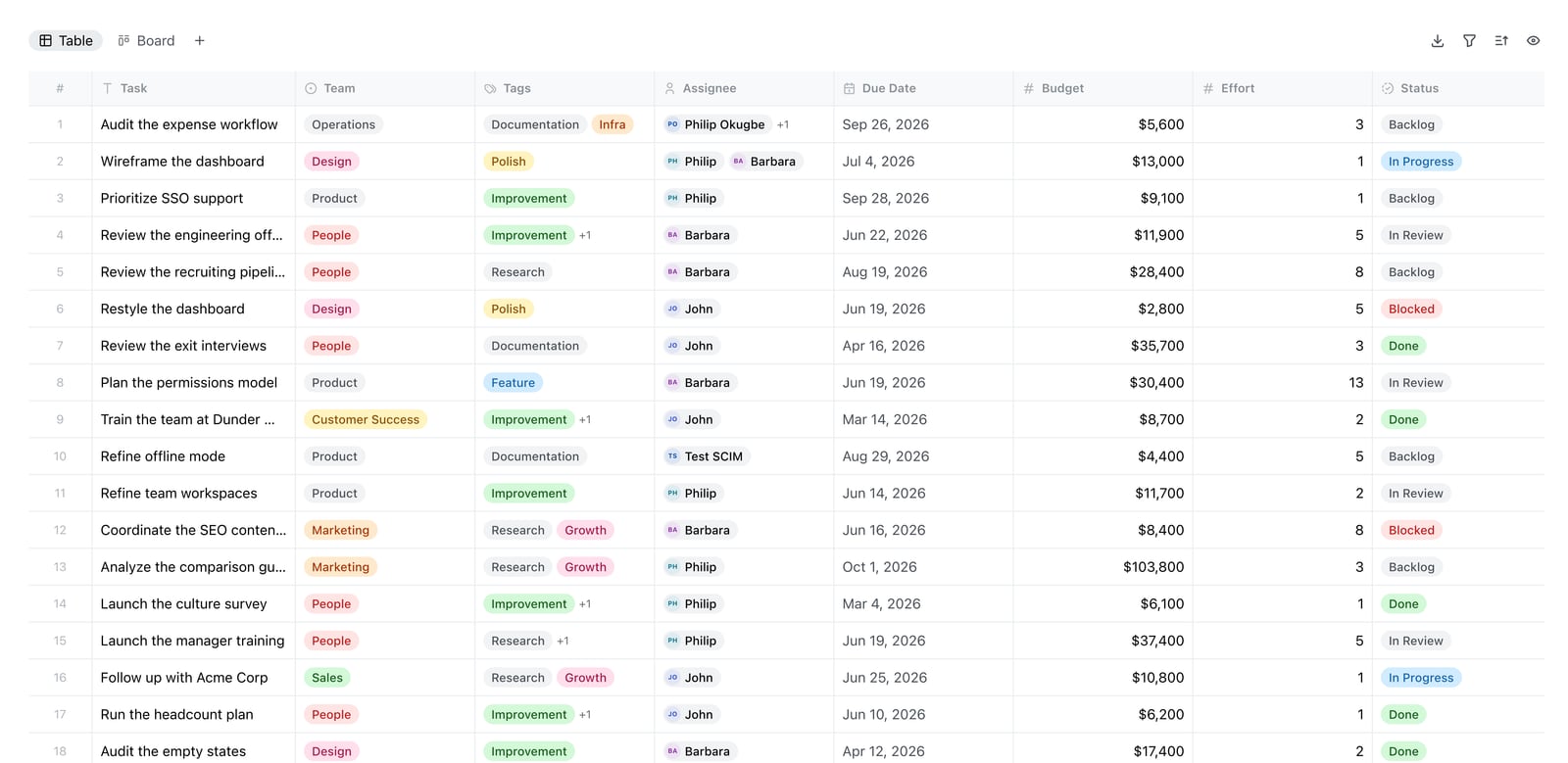
Docmost Bases table view.
Docmost takes a fundamentally different path. It is an open-source, enterprise-ready collaborative wiki designed for teams that must retain full control over their data. Where Document360 and HelpLook operate as cloud SaaS platforms, Docmost runs on your own infrastructure—on-premises, in a private cloud, or even air-gapped environments.
Full Data Control and Compliance
The self-hosted model means your documentation never leaves servers you control. For organizations subject to ITAR, FedRAMP, or strict data residency requirements, this is a decisive advantage. Docmost supports SAML, OIDC, LDAP, and SCIM provisioning, so it slots into existing identity management systems. Multi-factor authentication, audit logs, and role-based access controls provide layers of security that compliance teams expect.
Real-Time Collaboration with AI Flexibility
Docmost offers real-time collaborative editing similar to Confluence or Notion, but without the vendor lock-in. Multiple team members can work on the same page simultaneously. The platform includes Kanban boards and database views (called Bases), extending its utility beyond pure documentation into lightweight project tracking.
Its AI assistant is notably flexible: you can connect it to self-hosted large language models through Ollama or vLLM, or use cloud providers like OpenAI. This means AI features can operate entirely within your private network, with no data sent externally—a critical requirement for sensitive environments.
Community and Adoption
With over 3 million downloads and adoption by leading organizations, Docmost has proven its reliability. Page verification workflows ensure content accuracy, while public sharing options let you expose selected pages to external audiences when needed.
Docmost is a strong fit when:
- Data sovereignty, air-gapped deployment, or on-premises hosting is mandatory.
- You want an open-source alternative to Confluence or Notion with modern collaboration features.
- Your team needs AI assistance that can run against self-hosted models without data leaving your network.
Where HelpLook Excels: No-Code Simplicity and SEO Reach

Gradient.
HelpLook focuses on getting a public-facing knowledge base or help center live quickly, with minimal technical overhead. It is designed for businesses that want to reduce support tickets through self-service, without building a complex documentation infrastructure.
Fast Setup with Ready-Made Templates
Unlike Document360, which requires a work email for trial signup, HelpLook lowers the barrier with simplified registration. Its library of knowledge base templates provides pre-built structures for customer support portals, e-commerce product manuals, and enterprise blogs. Teams can customize branding, connect a custom domain, and publish within hours rather than days.
Built-In SEO Optimization
HelpLook gives content teams direct control over SEO fundamentals. Users can manage title, description, and keyword (TDK) elements for every page, customize URLs, and generate sitemaps—all from the dashboard. This makes it a practical choice for organizations that rely on organic search to drive product documentation or help center traffic. The platform’s CMS capabilities treat your knowledge base as a discoverable website, not just an internal repository.
AI Search and Multilingual Support
HelpLook integrates with leading AI models—including OpenAI, ERNIE Bot, and Azure—to power its search and chatbot features. The AI understands user queries and returns instant answers from the knowledge base, reducing the load on human agents. A built-in translation feature supports multiple languages, enabling businesses to serve global audiences without external localization tools.
HelpLook is a strong fit when:
- You need a customer-facing knowledge base live quickly, with no coding required.
- Organic search visibility is central to your support strategy.
- Budget-conscious teams want all features available on every plan, starting at a low monthly cost.
Side-by-Side Comparison
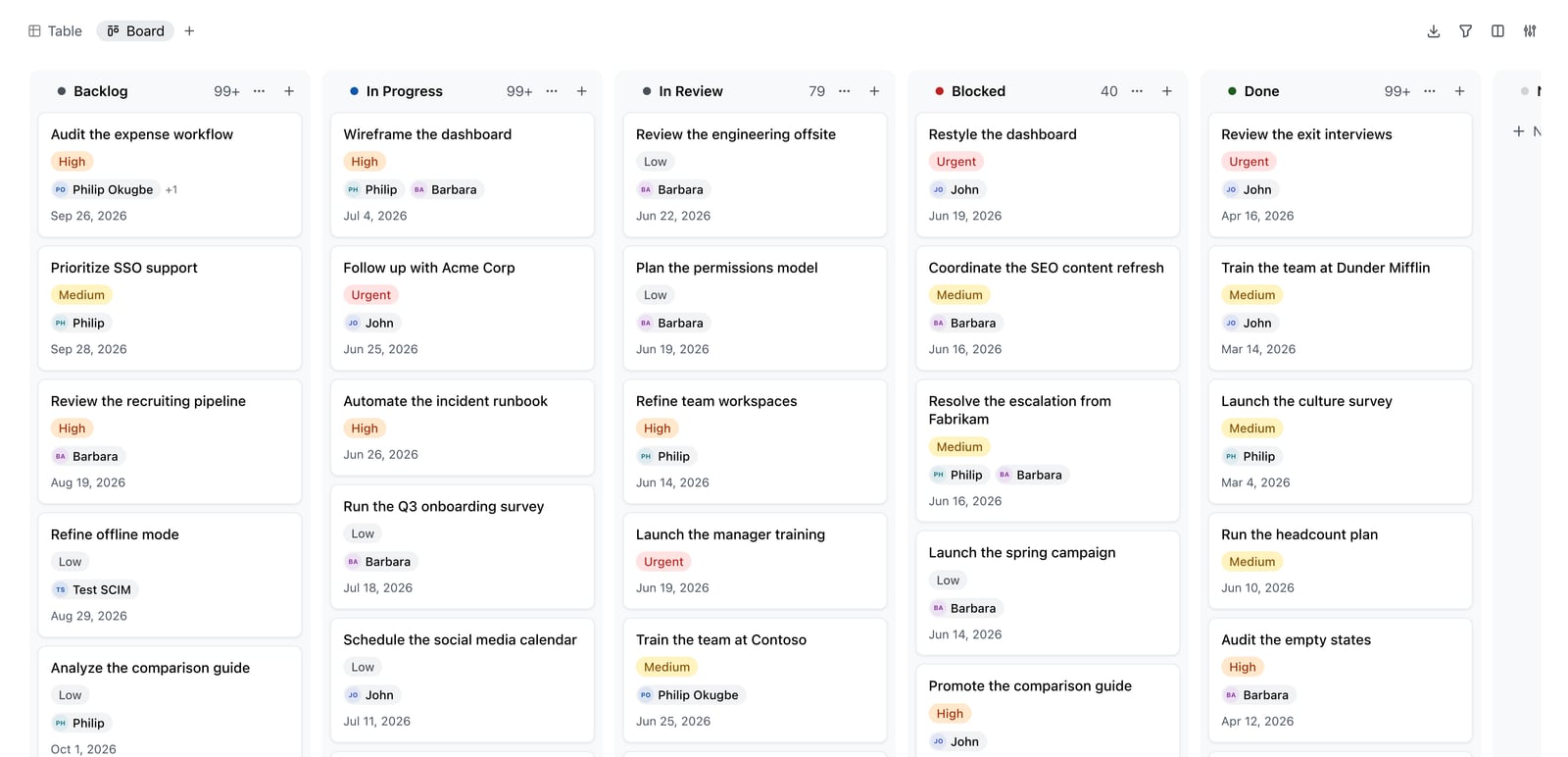
Docmost Kanban board.
| Capability | Document360 | Docmost | HelpLook |
|---|---|---|---|
| Deployment | Cloud SaaS, private hosting option | Self-hosted (on-premises, private cloud, air-gapped) | Cloud SaaS |
| AI Features | AI search, AI writing agent, AI FAQ generator, AI analytics | AI assistant with self-hosted or cloud LLM support | AI search, AI chatbot, multi-model integration |
| Ease of Setup | Requires work email; structured onboarding | Requires server setup and technical administration | Simplified registration; template-based quick start |
| SEO Tools | SEO descriptions, tag recommendations | Not a primary focus | Full TDK management, custom URLs, sitemap generation |
| Compliance & Security | SOC 2, ISO 27001, GDPR | ITAR, FedRAMP, GDPR, SOC 2, ISO 27001 ready (self-hosted) | Data encryption, customizable access controls |
| Collaboration | Workflow builder, versioning, rollback | Real-time co-editing, Kanban, database views | No-code content creation, multi-user support |
| Pricing Model | Subscription tiers (higher cost for advanced features) | Free and open-source (infrastructure costs apply) | Subscription tiers; all features on all plans, starting at $7/month |
| Best For | Enterprise customer support and product documentation | Secure internal wikis and compliance-heavy documentation | Public help centers, e-commerce manuals, SEO-driven content |
How to Choose the Right Platform
Choose Document360 if your priority is a mature, AI-enhanced knowledge base with deep integrations into your support stack. It suits mid-sized to large teams that need structured workflows, compliance certifications, and analytics-driven content improvement. The higher price point reflects its enterprise feature set.
Choose Docmost if data control is non-negotiable. Organizations in defense, government, finance, or healthcare often cannot use cloud-only tools. Docmost gives you a modern wiki experience—real-time editing, AI assistance, Kanban views—while keeping everything on your own servers. The trade-off is that you need technical staff to deploy and maintain it.
Choose HelpLook if speed to launch and SEO performance matter most. It works well for businesses building public-facing help centers, product documentation sites, or e-commerce guides where organic search drives traffic. The flat feature access across plans and low starting price make it accessible for smaller teams, while AI search and multilingual support cover essential self-service needs.
For a broader look at how these tools compare with other alternatives, see our HelpLook vs Docmost vs DocsBot comparison or the Helpjuice vs Document360 vs HelpLook analysis.
Related reading
- HelpLook vs Bloomfire vs KnowledgeOwl: 2026 Comparison - Compare HelpLook, Bloomfire, and KnowledgeOwl on AI search, knowledge base use cases, pricing, and ease of use. Find the best fit for your team's self-service and knowledge management needs.
- HelpLook vs KnowledgeOwl vs DocsBot: Which AI Knowledge Base Wins? - Compare HelpLook, KnowledgeOwl, and DocsBot on AI search, granular permissions, chatbot automation, pricing, and ease of use. Find the best fit for your support team.
Sources and further reading
- Compare HelpLook vs Document360 vs Together Software - Side-by-side comparison of HelpLook (78%), Document360 (93%) and Together Software (82%) including features, pricing, scores, reviews & trends.
- HelpLook VS Document360: Which is Better for Knowledge Base Management? - Knowledge Base Management: HelpLook vs. Document360. Explore features, pricing, and more. HelpLook offers affordability, versatility, SEO optimization, AI search, and multi-language support.
- Choosing Documentation Tool for a Software Company - Document360: Best for a modern, AI-powered knowledge base that is intuitive, flexible, and integrates seamlessly with tools like Floik. If AI- ...Read more
Frequently Asked Questions
Is Docmost really free?
Yes, Docmost is open-source software available under a free license. You can download, install, and run it on your own infrastructure without paying licensing fees. However, you are responsible for server costs, maintenance, backups, and any cloud AI API usage if you choose not to use self-hosted models.
Does Document360 work for small teams?
Document360 serves teams of all sizes, but its pricing and feature depth are optimized for organizations that need enterprise-grade capabilities. Small teams with straightforward documentation needs may find more cost-effective options, while growing teams that anticipate scaling their knowledge base will benefit from its structured workflows and analytics.
Can I migrate my existing knowledge base to HelpLook?
HelpLook supports content import and offers templates to accelerate setup. For complex migrations, reviewing the platform’s documentation or contacting their support team will clarify the best approach for your specific source format.
Which platform offers the best AI search?
Document360 and HelpLook both provide strong AI search experiences. Document360’s search is deeply integrated with its analytics and content suggestion engine. HelpLook’s AI search leverages multiple model integrations and is designed to deliver instant answers from your knowledge base. Docmost’s AI assistant is more configurable—you choose the underlying model—but requires more setup to match the out-of-the-box search polish of the other two.
Can Docmost be used for customer-facing documentation?
Docmost supports public sharing of selected pages, but it is primarily designed as an internal collaborative wiki. For a fully public, SEO-optimized customer knowledge base, HelpLook or Document360 are purpose-built options with better branding controls, custom domains, and search engine optimization features.
Final Thoughts
Document360, Docmost, and HelpLook represent three valid but distinct philosophies. Document360 invests heavily in AI across the entire knowledge management lifecycle, making it a powerful choice for support-driven organizations. Docmost prioritizes data sovereignty and open-source flexibility, appealing to teams that treat documentation as internal infrastructure. HelpLook optimizes for speed and discoverability, helping businesses launch customer-facing knowledge bases that rank well and deflect tickets.
Your decision should hinge on where your documentation lives, who consumes it, and what level of control your organization requires. For further comparisons across the knowledge base landscape, explore our Top 10 AI Knowledge Base & Help Desk Software in 2026 guide.