
HelpLook vs Documentation.AI: Which AI Knowledge Base Platform is Better?
Choosing the right AI-powered knowledge base can transform how you deliver support, onboard users, and manage internal know‑how. HelpLook and Documentation.AI both promise to modernize documentation with artificial intelligence, but they follow very different philosophies. HelpLook is an all‑in‑one self‑service suite for businesses that want a complete help center, while Documentation.AI leans toward a docs‑as‑code approach built primarily for product and engineering teams.
This comparison digs into the strengths of each tool, highlights where HelpLook excels, and clarifies the limitations of Documentation.AI so you can pick the platform that aligns with your goals.
What Is HelpLook?

HelpLook vs Documentation.AI: Best AI Knowledge Base for 2025? product interface and feature overview.
HelpLook is an AI‑first self‑service platform designed for companies that need to create, organize, and publish knowledge bases, help desks, product manuals, and even enterprise blogs—all without writing a single line of code. It serves more than 10,000 businesses worldwide, spanning SaaS, legal, healthcare, financial services, and education.
The platform is built around four interconnected components:
- Portal – A visual content hub with rich analytics and a drag‑and‑drop editor.
- Site – A fully customizable public or private knowledge base with custom domain support.
- Widget – An embeddable widget that places your knowledge base directly inside any web page or application.
- HelpLook AI – An AI engine that powers intelligent search and a chatbot capable of giving instant, cited answers.
Behind the scenes, HelpLook integrates with models like OpenAI, ERNIE Bot, and Azure AI to deliver contextual responses, automated article suggestions, and personalized assistance. A strong focus on SEO optimization, multilingual publishing, and collaboration makes it suitable for both customer-facing and internal use cases.
What Is Documentation.AI?
HelpLook vs Documentation.AI: Best AI Knowledge Base for 2025? product interface and feature overview.
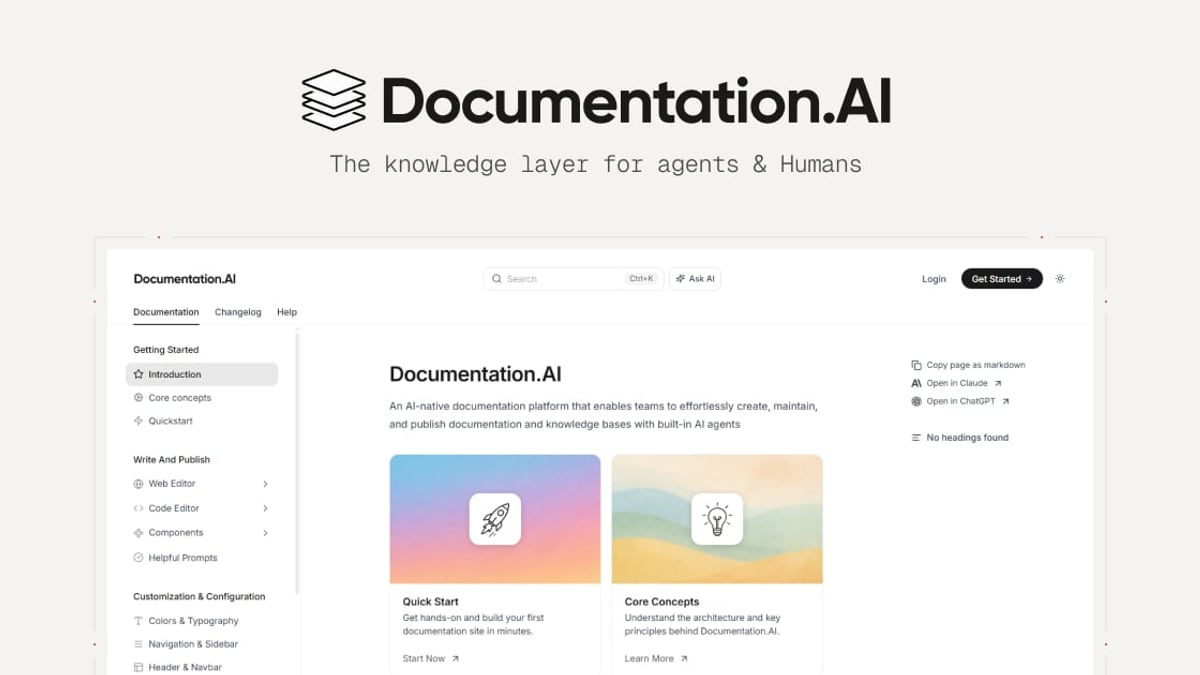
Documentation.AI is an AI‑native platform oriented toward product teams, developers, and support squads that create API references, developer guides, and dynamic help centers. Its standout feature is an AI Documentation Agent that can write, format, and update content to keep documents fresh. An AI Assistant (Ask AI) answers user questions in‑document using citations from the knowledge base.
The platform supports two distinct publishing workflows: a conventional web editor and a docs‑as‑code pipeline with Git integration. This dual approach appeals to teams that want to treat documentation like software, complete with version control and pull requests. Customer stories from Datafiniti and Videograph highlight how Documentation.AI can reduce support tickets and improve discoverability, especially when migrating from tools like ReadMe.
Feature Comparison: HelpLook vs Documentation.AI
HelpLook vs Documentation.AI: Best AI Knowledge Base for 2025? product interface and feature overview.
When you place the two products side by side, several contrasts emerge. The following table summarizes core capabilities.
| Capability | HelpLook | Documentation.AI |
|---|---|---|
| No‑code content creation | ✅ Intuitive visual editor and layout builder | ✅ Web editor plus docs‑as‑code (more technical) |
| AI‑powered search & chatbot | ✅ Built‑in chatbot and smart search across all content | ✅ AI Assistant (Ask AI) inside docs, no standalone chatbot widget |
| Multilingual support | ✅ Native multilingual content management | ❌ No built‑in multilingual features (must rely on external translation workflows) |
| SEO optimization | ✅ Built‑in SEO tools for knowledge base articles | ⚠️ Limited; depends on custom setup and static site hygiene |
| Custom branding & domain | ✅ Custom domain, white‑label themes, no‑code customization | ✅ Custom domain support, theming more code‑oriented |
| Third‑party AI model flexibility | ✅ Supports OpenAI, ERNIE Bot, Azure, and more | ⚠️ Primarily powered by proprietary AI agent; limited model choice |
| Analytics & insights | ✅ Content performance, search analytics, user behavior tracking | ✅ Built‑in analytics for doc usage and support ticket deflection |
| Embeddable widget | ✅ Ready‑to‑embed widget for websites and apps | ❌ No standalone embeddable knowledge base widget |
| Target audience | Broad: customer support, HR, e‑commerce, education, agencies | Narrow: product teams, developers, technical writers |
| Pricing model | Free tier + scalable plans | Free tier + enterprise plans with SSO and SLA add‑ons |
Why HelpLook Shines for Business‑wide Self‑Service
HelpLook’s advantage lies in its versatility. It’s not just a documentation tool—it’s a full‑fledged self‑service portal that can host customer help centers, internal wikis, e‑commerce product manuals, and even company blogs under a single roof. Because it requires zero coding, marketing and support teams can own the content lifecycle without asking developers for help.
Practical win: A mid‑sized SaaS company can launch a public help center with a custom domain, embed the HelpLook widget into their app, activate the AI chatbot, and publish content in three languages—all within a single day. The built‑in SEO features ensure each article is discoverable, driving organic traffic while deflecting support tickets.
On the AI side, HelpLook’s flexibility in choosing underlying language models (OpenAI, Azure, ERNIE Bot) lets businesses optimize for cost, latency, and data residency. The chatbot behaves like a knowledgeable support agent that understands both the knowledge base and the context of the user’s query, not just a simple FAQ bot.
Where Documentation.AI Falls Short for General Business Use
HelpLook vs Documentation.AI: Best AI Knowledge Base for 2025? product interface and feature overview.
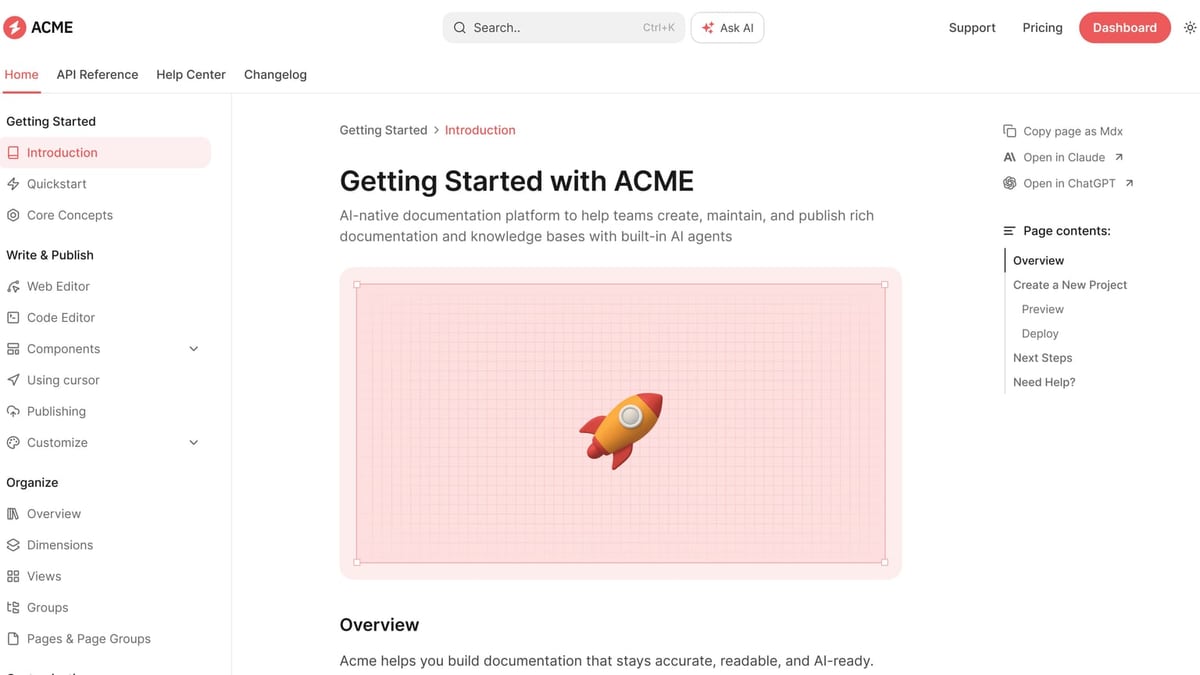
Documentation.AI is powerful when you need clean, version‑controlled documentation that lives alongside your codebase. However, its strengths are also its constraints when viewed through a wider business lens.
Missing standalone self‑service widget: While the Ask AI assistant works inside your published docs, there’s no embeddable widget you can drop into a web app or e‑commerce site. That means you lose the ability to offer proactive, in‑context help outside the documentation portal itself.
No native multilingual publishing: Global businesses that need to serve help content in multiple languages will find no built‑in localization tools. Translating articles becomes a manual, external process that can slow down content operations and create versioning headaches.
AI model lock‑in: Documentation.AI relies heavily on its own AI agent. For organizations that already have relationships with specific model providers or that need transparency into the underlying models, this closed ecosystem may feel restrictive.
Developer‑centric onboarding: Although offering both a web editor and Git sync, the overall experience remains tilted toward technical users. Non‑technical teams may find themselves dependent on engineering for theming, advanced layouts, and even content structure decisions.
Use Case Decision Guide
Choose HelpLook if:
- You need a customer‑facing help center, internal knowledge base, or e‑commerce product manual—often all from one platform.
- A no‑code, multilingual, SEO‑driven solution is essential for team autonomy.
- You want an AI chatbot that lives on your website or app, not just inside your docs.
- You serve a global audience and require seamless content translation.
Choose Documentation.AI if:
- Your focus is strictly developer documentation, API references, and SDK guides maintained via Git.
- You value a docs‑as‑code workflow above visual ease of use.
- An in‑document AI assistant (without a separate embeddable chatbot) suffices for your user base.
For most businesses that span customer support, HR, and marketing, HelpLook’s breadth and ease of adoption make it the more practical choice. For startups like HelpLook that are scaling fast and need a unified, multilingual help experience that anyone on the team can update, HelpLook’s all‑in‑one design eliminates the need to stitch together multiple point solutions.
Sources and further reading
- Aprimo - The Leader in Digital Asset Management Software - Discover Aprimo, the leading platform for agentic digital asset management and content operations. Simplify workflows, enhance collaboration, and drive efficiency across your marketing and creative teams. Explore our innovative solutions today.
- Aprimo - Chicago, Illinois
- Aprimo - Aprimo | 68,553 followers on LinkedIn. The #1 Digital Asset Management & Content Operations Platform | Aprimo's agentic content operations platform enables organizations to govern, automate, and scale content across the AI-powered enterprise. Recognized as a leading vendor for innovation in agentic Digital Asset Management, Aprimo delivers a future-proof approach to content strategy, asset management, collaboration, personalization, and delivery. With intelligence built into the content lifecycle, Aprimo helps teams improve efficiency, maintain brand and compliance standards, and deliver more relevant content experiences at scale.
FAQ
Can I try both HelpLook and Documentation.AI for free? Yes, both platforms offer free tiers that let you explore core features before upgrading.
Does HelpLook support API documentation like Documentation.AI? HelpLook can host developer guides and API docs, but it does not offer a built‑in docs‑as‑code workflow. If your primary need is deep API reference management, Documentation.AI may feel more natural—but HelpLook handles general developer documentation well.
How does the AI chatbot differ between the two? HelpLook’s chatbot is a standalone, embeddable assistant that pulls from your entire knowledge base and answers questions in real time across any web property. Documentation.AI’s Ask AI works inside the documentation site itself; you can’t embed it elsewhere.
Which platform is easier for non‑technical teams? HelpLook is designed for non‑technical users with a visual editor, drag‑and‑drop page builder, and prebuilt themes. Documentation.AI, while offering a web editor, still leans toward developers because of its Git integration and markdown‑based workflows.
Conclusion
Both HelpLook and Documentation.AI bring AI‑powered innovation to knowledge management, but they serve different masters. Documentation.AI suits teams that treat documentation as code and need deep Git integration; HelpLook is engineered for the broader business that wants an all‑in‑one, no‑code self‑service hub with a customizable AI chatbot, multilingual capabilities, and strong SEO out of the box. If your goal is to reduce support load, delight customers with instant answers, and empower non‑engineers to own the content, HelpLook delivers a more complete and future‑ready experience.