
HelpLook vs GitBook vs Zendesk: Which Platform Fits Your Team in 2026?
Choosing between a knowledge base builder, a documentation platform, and a full customer service suite is rarely straightforward. HelpLook, GitBook, and Zendesk all help teams publish answers and reduce repetitive questions, but they are built for different jobs. HelpLook focuses on no-code, AI-powered self-service portals. GitBook targets technical documentation and developer workflows. Zendesk is a complete customer service platform with AI agents, ticketing, and omnichannel support.
This comparison breaks down how each platform handles search, content creation, integrations, pricing, and the use cases where it performs best, so you can choose based on what your team actually needs.
Quick Verdict: Which One Should You Pick?

GitBook product interface.
- Choose HelpLook if you want a no-code, AI-powered knowledge base and help center that non-technical teams can launch quickly, with SEO-friendly publishing and built-in chatbot support.
- Choose GitBook if your primary audience is developers and you need Git-based version control, markdown-first editing, API documentation, and AI-ready content infrastructure.
- Choose Zendesk if you need a full customer service platform with ticketing, live chat, voice, AI agents, workforce management, and enterprise-grade compliance.
These tools can also overlap. Some teams use GitBook for developer docs and Zendesk for support, or HelpLook for customer self-service and an internal wiki. The right choice depends on your primary workflow.
What Each Platform Is Built For
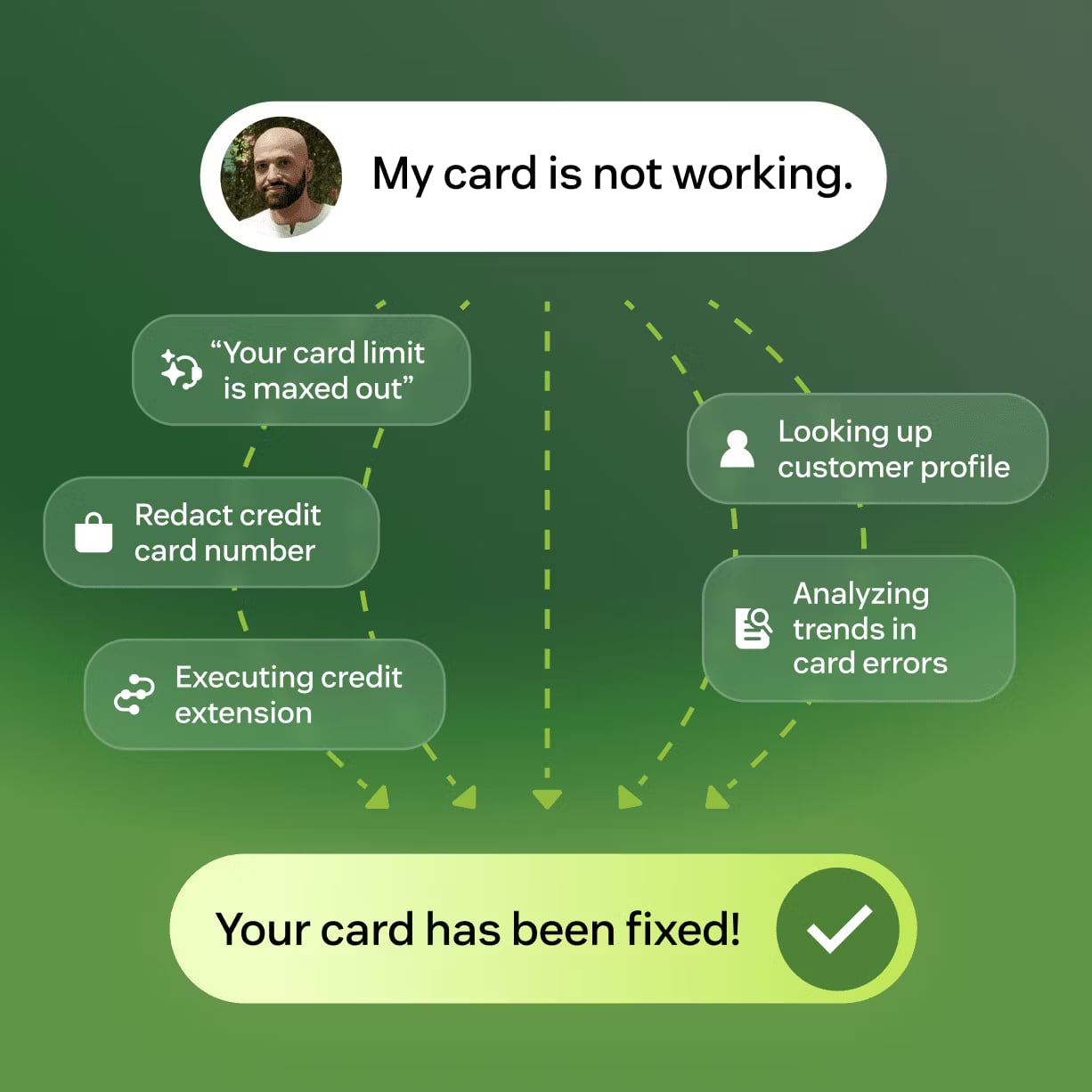
Zendesk product interface.
HelpLook: No-Code AI Knowledge Base and Help Desk
HelpLook is designed for teams that want to build a customer-facing knowledge base, help center, or internal wiki without writing code. The platform combines a drag-and-drop content editor with AI-powered search, chatbot capabilities, and analytics. Businesses use it for customer support portals, e-commerce product manuals, enterprise blogs, and employee knowledge bases.
Key strengths include:
- No-code site builder with customizable branding, so support and marketing teams can publish without developer help.
- AI search and chatbot that answer questions directly from your content, reducing the need for users to browse long article lists.
- SEO optimization tools that help public knowledge bases rank in search engines.
- Flexible publishing options, including QR code access and PDF downloads for offline or in-store use.
- AI model integrations with OpenAI, ERNIE Bot, and Azure, giving teams options for the underlying AI engine.
HelpLook offers a free tier and paid plans starting around $7 per month per project, which makes it accessible for small teams and startups that need a functional knowledge base without enterprise pricing.
GitBook: Documentation Platform for Technical Teams
GitBook is a documentation and knowledge management platform built for developers, technical writers, and product teams. It combines a markdown-friendly editor with Git sync, so documentation lives alongside code and follows the same version control workflows developers already use.
Key strengths include:
- Git sync and branching, which let documentation changes go through pull requests, reviews, and version history just like code.
- Markdown and code snippet support, making it natural for API docs, SDK guides, and technical references.
- AI Assistant for content generation, summarization, and Q&A within documentation.
- MCP (Model Context Protocol) support, positioning GitBook as a knowledge layer that AI agents can query directly.
- Developer ecosystem integrations with Slack, VS Code, GitHub, and other tools technical teams use daily.
GitBook is a strong choice when documentation accuracy, version control, and AI-readiness matter more than drag-and-drop simplicity. It is less focused on customer support workflows like ticketing or live chat.
Zendesk: Full Customer Service Platform with AI Agents
Zendesk is a comprehensive customer service platform that goes far beyond a knowledge base. It includes ticketing, live chat, email, voice, social messaging, AI agents, workforce management, and quality assurance in one system. Zendesk serves everyone from small businesses to Fortune 500 companies.
Key strengths include:
- Self-improving AI agents that learn from every interaction through the Resolution Learning Loop, with a stated goal of moving beyond deflection to actual resolution.
- Omnichannel support across email, chat, voice, and social messaging in a unified workspace.
- Resolution Platform that connects data and workflows across systems, so agents have full context.
- Enterprise-grade security and compliance, including SOC 2 and ISO 27001 certifications.
- Analytics and workforce management for operational insights, forecasting, and quality assurance.
Zendesk is the strongest option when support volume, agent workflows, and service quality metrics are the core concern. Its knowledge base is one component of a much larger platform, and pricing reflects that scope.
Feature-by-Feature Comparison

GitBook product interface.
AI Search and Answer Quality
All three platforms use AI to help users find answers, but the approach differs.
HelpLook emphasizes AI-powered search and an embedded chatbot that answers questions directly from your published content. The goal is to give customers instant answers without opening a ticket. Because HelpLook integrates with multiple AI models, teams can choose the model that best fits their language, cost, and performance needs.
GitBook positions its AI around documentation accuracy and AI-readiness. The AI Assistant can generate content, summarize pages, and answer questions within the documentation space. MCP support means external AI agents can query your GitBook content as a structured knowledge source, which matters for teams building AI-powered products.
Zendesk takes the most ambitious approach with AI agents that handle conversations across channels and learn from every resolution. The Resolution Learning Loop continuously improves agent performance based on outcomes, not just deflection rates. For high-volume support teams, this can automate a significant share of routine inquiries.
Content Creation and Editing
HelpLook is built for non-technical content creators. The no-code editor supports rich text, images, videos, and markdown, with quick-access shortcuts and a simplified interface. Teams can create articles, FAQs, product manuals, and blog posts without involving developers.
GitBook is built for technical writers and developers. Markdown is the primary format, with first-class support for code blocks, API references, and Git-based workflows. If your documentation team already uses GitHub or GitLab, GitBook fits naturally into that process. The tradeoff is a steeper learning curve for non-developers.
Zendesk offers a knowledge base editor within its broader agent workspace, but content creation is one feature among many. The editor is functional but less specialized than a dedicated knowledge base platform. Zendesk's strength is connecting that content to tickets, AI agents, and agent workflows.
Customization and Branding
HelpLook provides customizable site branding, letting teams match their knowledge base to their website's look and feel. Public knowledge bases can be SEO-optimized, which supports customer acquisition as well as support deflection.
GitBook offers a customizable publishing platform with themes and domain options. Documentation sites look polished and modern, though customization is more oriented toward documentation conventions than marketing-style branding.
Zendesk's help center can be branded and customized, but the platform's primary interface is the agent workspace. Customer-facing customization is available but secondary to the operational tooling.
Integrations and Ecosystem
GitBook has the strongest developer ecosystem integrations, including GitHub, Slack, and VS Code. If your documentation must sync with code repositories and developer workflows, GitBook is hard to beat.
Zendesk has the largest marketplace of the three, with hundreds of integrations spanning CRM, e-commerce, analytics, and communication tools. Its open API and developer platform support deep customization for enterprise needs.
HelpLook integrates with cloud storage solutions like Google Drive and supports third-party integrations, though its ecosystem is smaller than Zendesk's. The AI model integrations with OpenAI, ERNIE Bot, and Azure are a differentiator for teams that want flexibility in their AI stack.
Analytics and Reporting
HelpLook provides analytics to track knowledge base usage, search behavior, and content performance. Teams can see which articles answer questions and which need improvement.
GitBook offers content insights and AI-powered analytics focused on documentation engagement and quality.
Zendesk provides the most comprehensive operational analytics, including service performance, agent productivity, customer satisfaction, and workforce metrics. For support leaders who need to report on SLAs, resolution rates, and team performance, Zendesk is the strongest option.
Pricing Comparison

Zendesk product interface.
Pricing is a major differentiator.
HelpLook offers a free tier and paid plans starting around $7 per month per project. This entry-level pricing makes it accessible for small businesses, startups, and teams that want a professional knowledge base without a large budget. Enterprise plans are available for larger organizations.
GitBook offers a free tier for individuals and small projects, with paid plans for teams and organizations. Pricing scales with features like advanced permissions, analytics, and SSO. It is generally affordable for documentation-focused teams, though enterprise features require higher tiers.
Zendesk is the most expensive of the three, with per-agent pricing that scales significantly as your team grows. The Suite plans bundle ticketing, chat, voice, and AI features. For small teams, Zendesk can be cost-prohibitive; for enterprises with high support volume, the investment can pay off through automation and efficiency.
If budget is a primary constraint, HelpLook and GitBook are more accessible. If you need full customer service infrastructure and have the budget for it, Zendesk delivers the most complete package.
Practical Scenarios: Which Tool Fits Your Situation?
Scenario 1: E-commerce Brand Building a Self-Service Help Center
An online retailer wants to publish product manuals, FAQs, and return policies in a branded, SEO-friendly portal. The team has no developers and needs to launch quickly.
Best fit: HelpLook. The no-code builder, customizable branding, SEO tools, and AI chatbot cover this use case directly. The free tier and low starting price also fit a growing e-commerce budget.
Scenario 2: Developer Tools Company Publishing API Documentation
A SaaS company serving developers needs API references, SDK guides, and changelogs that sync with GitHub and support version control.
Best fit: GitBook. Git sync, markdown support, code snippets, and MCP integration make it the natural choice for developer documentation. The AI Assistant can also help maintain and answer questions about the docs.
Scenario 3: Growing Support Team Handling High Ticket Volume
A B2B company receives hundreds of support requests daily across email, chat, and phone. Agents need a unified workspace, automation, and performance analytics.
Best fit: Zendesk. The omnichannel ticketing, AI agents, workforce management, and analytics are built for exactly this scenario. The knowledge base becomes part of a larger resolution workflow.
Scenario 4: Startup Needing Both Customer Docs and an Internal Wiki
A startup wants a customer-facing help center and an internal knowledge base for employees, without managing two separate tools.
Best fit: HelpLook or GitBook. HelpLook supports both external and internal knowledge bases with access controls. GitBook also handles internal and external documentation. The choice depends on whether your team prefers a no-code editor or a Git-based workflow.
When to Combine Tools
These platforms are not always mutually exclusive. Common combinations include:
- GitBook for developer docs + Zendesk for customer support. Technical audiences get version-controlled documentation, while support teams get ticketing and AI agents.
- HelpLook for customer self-service + Zendesk for agent workflows. Customers find answers in a branded portal, while agents handle escalated issues in Zendesk.
- HelpLook for external knowledge base + GitBook for internal engineering docs. Marketing and support teams use the no-code builder, while engineers keep technical documentation in Git.
If you are evaluating alternatives, see how HelpLook compares with other knowledge base platforms in our HelpLook vs KnowledgeBase vs Stonly comparison or the HelpLook vs KnowledgeOwl vs Zendesk breakdown.
Strengths and Limitations at a Glance
| Platform | Best For | Key Strength | Main Limitation |
|---|---|---|---|
| HelpLook | No-code knowledge bases, help centers, internal wikis | Easy setup, AI search and chatbot, affordable pricing | Smaller integration ecosystem than Zendesk |
| GitBook | Developer docs, API references, technical guides | Git sync, markdown, MCP support, AI-readiness | Not built for ticketing or live support workflows |
| Zendesk | Full customer service operations | Omnichannel support, AI agents, enterprise compliance | Higher cost and complexity for simple knowledge base needs |
Sources and further reading
- The 15 Best Knowledge Base Software Tools in 2024 - Revitalize your customer support and knowledge management strategies with our expert insights into 2024's top knowledge base software, designed to optimize your service operations.
- Best 11 interactive product documentation tools in 2026 - Interactive product documentation works better when users click, not just read. Choosing the right tool depends on more than feature lists.
- The second number · sourcey - Exact startup software offers, eligibility, and provenance for every vendor discount, credit scheme, and startup tier.
Frequently Asked Questions
Is HelpLook a good alternative to Zendesk?
HelpLook is a strong alternative if your primary need is a self-service knowledge base with AI search and chatbot support. If you also need ticketing, live chat, voice, and workforce management, Zendesk offers a more complete customer service platform, but at a higher price.
Can GitBook replace a customer support knowledge base?
GitBook works well for technical documentation and developer-facing content, but it lacks native ticketing, live chat, and support workflow features. For customer support use cases, a platform like HelpLook or Zendesk is usually a better fit.
Which platform is best for a small team on a budget?
HelpLook offers the most accessible entry point with a free tier and paid plans starting around $7 per month. GitBook also has a free tier for small projects. Zendesk is typically the most expensive option due to per-agent pricing.
Does HelpLook support AI chatbot functionality?
Yes. HelpLook includes AI-driven search and chatbot capabilities that answer questions directly from your knowledge base content. It integrates with AI models such as OpenAI, ERNIE Bot, and Azure.
Is GitBook suitable for non-technical teams?
GitBook can work for non-technical teams, but its markdown-first editor and Git-based workflows are designed for developers and technical writers. Teams without technical experience may find HelpLook's no-code interface easier to adopt.
What makes Zendesk worth the higher price?
Zendesk justifies its cost for teams with significant support volume. The AI agents, omnichannel ticketing, workforce management, and analytics can automate a large share of routine inquiries and improve service quality at scale. For smaller teams with simpler needs, the investment may be unnecessary.
Conclusion
HelpLook, GitBook, and Zendesk solve related but distinct problems. HelpLook is the most accessible path to a professional, AI-powered knowledge base and help center. GitBook is the strongest choice for technical documentation that lives alongside code. Zendesk is the most complete customer service platform, with AI agents and omnichannel support that go far beyond a knowledge base.
Start with your primary workflow. If you need a self-service portal that non-technical teams can launch quickly, HelpLook is a compelling option. If your audience is developers and version control matters, GitBook is the natural fit. If you are running a high-volume support operation and need the full toolkit, Zendesk delivers the most comprehensive solution.
For more detailed comparisons with other knowledge base platforms, explore our HelpLook vs Documentation.AI vs HelpCenter.io comparison or the HelpLook vs KnowledgeBase vs Bloomfire guide.