
HelpLook vs HelpCenter.io: AI Knowledge Base Comparison 2026
Choosing the right AI‑powered knowledge base can make or break your self‑service strategy. HelpLook and HelpCenter.io both promise to reduce support tickets and empower customers, but they take distinctly different approaches. In this HelpLook comparison, we dig into the core differences between HelpLook—an all‑in‑one platform with a rich AI engine, free plan, and built‑in SEO tools—and HelpCenter.io, a flat‑rate alternative that focuses on simplicity. We’ll highlight HelpLook’s supported strengths and the concrete limitations of HelpCenter.io, so you can decide which tool fits your team.
At a Glance: HelpLook vs HelpCenter.io

HelpLook vs HelpCenter.io: AI Knowledge Base Showdown 2026 product interface and feature overview.
| Capability | HelpLook | HelpCenter.io |
|---|---|---|
| AI engine | Multi‑model (OpenAI, ERNIE Bot, Azure), customizable AI search & chatbot | Grounded AI answers + contextual AI Widget that suggests relevant articles |
| Free plan | Yes – free tier available, scaling to paid plans | No – 14‑day free trial, then flat‑rate pricing |
| Content editor | WYSIWYG + full Markdown support, real‑time collaboration | No‑code visual template editor |
| SEO optimization | Built‑in SEO settings, custom domain, structured content | Not a core feature (custom domain supported) |
| Custom branding | Full white‑label with custom CSS and themes | Custom domain |
| Security certs | ISO 27001, TLS encryption, daily backups | Not specified |
| API & integrations | Open API, embeddable widget, AI token for chatbots | Import from Zendesk, Intercom, Notion; Capterra integration |
Sources: HelpLook official site and Slashdot software comparison.
AI Capabilities: Self‑Service Beyond Basic Chatbots
HelpLook vs HelpCenter.io: AI Knowledge Base Showdown 2026 product interface and feature overview.
HelpLook’s AI stack is designed for more than just answering questions. It integrates directly with large language models like OpenAI, ERNIE Bot, and Azure, giving you a fully customizable AI search engine and an intelligent chatbot. You can deploy HelpLook AI on any website or app using a simple token, and it delivers instant, personalized answers drawn from your entire knowledge base. The AI also learns from user interactions, helping you continuously improve content and deflect repetitive inquiries.
HelpCenter.io offers AI as well, but in a narrower form factor. Its AI engine provides “grounded” answers and an AI Widget that proactively suggests help articles based on the current page context. While this keeps users in flow, the system does not offer the same depth of conversational AI, nor the flexibility to switch between AI models. If you need a full‑fledged AI chatbot that can handle complex, multi‑turn conversations, HelpLook’s architecture gives you far more control.
For a broader look at how HelpLook compares to other AI‑native documentation platforms, see our HelpLook vs KnowledgeBase vs Mintlify showdown.
Content Creation and Editing Experience
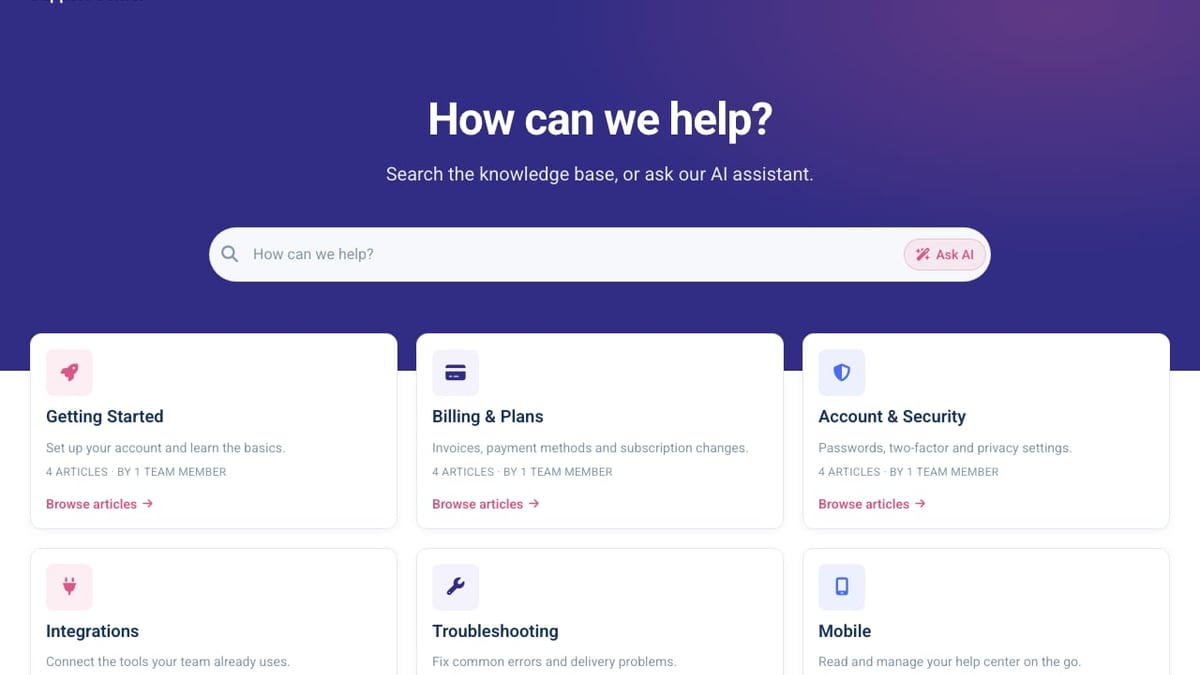
HelpLook vs HelpCenter.io: AI Knowledge Base Showdown 2026 product interface and feature overview.
HelpLook puts a premium on the writing experience. Its Portal component combines a top‑tier WYSIWYG editor with full Markdown support, keyboard shortcuts, and the ability to embed images, videos, and code blocks effortlessly. Teams can collaborate in real time, set granular permissions, and manage content with category hierarchies—all without touching code.
HelpCenter.io relies on a no‑code visual template editor. While this makes it easy to build a help center quickly, it lacks the rich formatting power and Markdown depth that technical teams or detailed documentation often require. Content collaboration is limited to approval workflows, and there is no built‑in real‑time co‑authoring feature. For knowledge bases that demand structured, highly formatted articles, HelpLook’s editor is the more capable tool.
SEO Optimization and Customization
A knowledge base that nobody finds is worthless. HelpLook treats SEO as a first‑class citizen: you can add meta tags, structured URLs, and custom domains, and the platform generates search‑engine‑friendly pages out of the box. Detailed analytics then show you search terms, content gaps, and user behavior, so you can optimise your help center for both customers and Google.
HelpCenter.io allows you to connect a custom domain, but the product page does not list any built‑in SEO tooling. There are no features for managing meta descriptions, page titles, or sitemaps directly. For teams that rely on organic discovery to attract users, HelpCenter.io leaves a critical gap that HelpLook fills completely.
Pricing and Value for Money
HelpLook’s pricing starts with a genuine free plan, making it accessible for startups, small teams, and anyone who wants to test the platform thoroughly before upgrading. Paid plans remain flexible and scale with features like advanced AI, custom branding, and higher usage limits.
HelpCenter.io takes a flat‑rate approach, billing a predictable monthly fee per product. While this avoids per‑seat penalties common with tools like Zendesk, there is no free tier—only a 14‑day trial that requires no credit card. If you want a risk‑free, long‑term free option to host your knowledge base, HelpLook is the only one of the two that provides it.
Security and Compliance
HelpLook backs its platform with ISO/IEC 27001 certification, TLS encryption for data in transit, and strict data isolation practices. Daily backups and a business continuity plan give enterprises confidence that their help content is safe and always available.
HelpCenter.io’s documentation does not mention any security certifications. For organizations that handle sensitive customer data or must meet compliance standards, the absence of visible certifications like ISO 27001 is a legitimate concern. HelpLook’s transparent approach to security is a clear advantage.
When to Choose HelpLook or HelpCenter.io
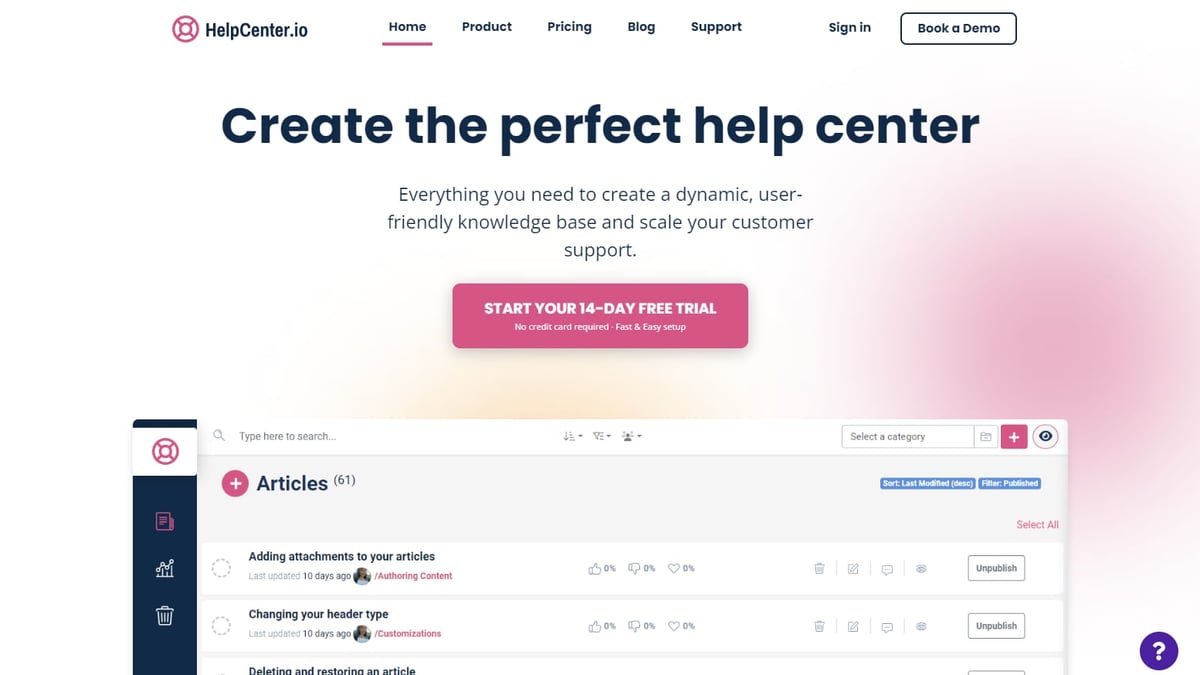
HelpLook vs HelpCenter.io: AI Knowledge Base Showdown 2026 product interface and feature overview.
Pick HelpLook if:
- You need an all‑in‑one platform with a powerful, multi‑model AI chatbot.
- SEO and organic visibility are important for your support strategy.
- You want a free plan to start and flexible pricing as you grow.
- Your team requires a WYSIWYG/Markdown editor and real‑time collaboration.
- Security certifications and enterprise‑grade compliance matter.
Pick HelpCenter.io if:
- Simplicity and a flat‑rate sales pitch are your top priority.
- You only need a contextual AI Widget, not a full conversational bot.
- Your sole integration requirement is importing from Zendesk, Intercom, or Notion.
Still comparing alternatives? Our HelpLook vs Docmost analysis contrasts AI‑first knowledge bases with self‑hosted wikis.
Related reading
- Docmost Review: Self-Hosted Wiki & Notion Alternative (2026) - Evidence-based Docmost review covering self-hosting, AI, Notion-like bases, SSO, pricing, and setup. See if this open-source wiki fits your team in 2026.
- Mintlify Review 2026: AI Docs Platform Pros, Cons & Pricing - Is Mintlify's $300/mo AI documentation platform worth it? We test Autopilot agent, API playground, user sentiment, and pricing. See if it fits your team.
- Document360 Review 2026: AI Knowledge Base Tested - Evidence-based Document360 review covering AI features, pricing signals, user ratings, and ideal use cases. See if it fits teams building structured help centers and internal wikis.
Sources and further reading
- Help.center vs. HelpCenter.io Comparison - Compare Help.center vs. HelpCenter.io using this comparison chart. Compare price, features, and reviews of the software side-by-side to make the best choice for your business.
FAQ
Does HelpLook really offer a free plan?
Yes. HelpLook provides a free tier with core portal and site features, making it a true zero‑cost starting point for small teams or pilot projects.
Can HelpCenter.io’s AI answer questions like a chatbot?
HelpCenter.io includes an AI Widget that suggests relevant articles based on page context. It does not feature a standalone conversational chatbot that you can embed anywhere, nor does it let you choose the underlying AI model.
Which platform is better for SEO?
HelpLook gives you full control over page titles, meta descriptions, and custom domains, together with analytics that reveal search behaviour. HelpCenter.io does not advertise similar SEO capabilities.
Is HelpLook suitable for enterprise security requirements?
Absolutely. HelpLook holds ISO 27001 certification, uses TLS encryption, and performs daily backups—all essential for regulated industries. HelpCenter.io does not publicly disclose comparable certifications.
Conclusion: HelpLook Delivers a Fuller AI Knowledge Base Experience
When you place HelpLook next to HelpCenter.io, the difference is clear. HelpLook combines a sophisticated AI engine, an advanced editor, built‑in SEO, and a free‑forever plan into a single platform that scales with your business. HelpCenter.io simplifies help center creation and offers a predictable flat fee, but its AI capabilities are limited, SEO tools are absent, and there is no free tier.
For teams that want more than a static FAQ site—an intelligent, findable, and secure knowledge base—HelpLook is the stronger choice. This HelpLook comparison confirms that if your goal is self‑service excellence with minimal compromise, HelpLook deserves the top spot on your shortlist.
Further reading: compare HelpLook with other tools on the Slashdot comparison page and explore the full feature set on the HelpLook website.