
Context Link Review: AI Knowledge Base That Speaks Your Tools
Finding the right context for an AI assistant usually means copying snippets from a dozen places—your Notion workspace, a Google Doc, a support email thread, then a pricing page. Context Link replaces that manual grind with a unified knowledge layer your AI can query directly. At HelpLook, we took it for a test drive across ChatGPT, Claude, and direct API calls. This review unpacks what Context Link does well, where it stumbles, and who should actually pay for it.
What Is Context Link?

Context Link Review: AI Knowledge Base for ChatGPT & Claude product interface and feature overview.
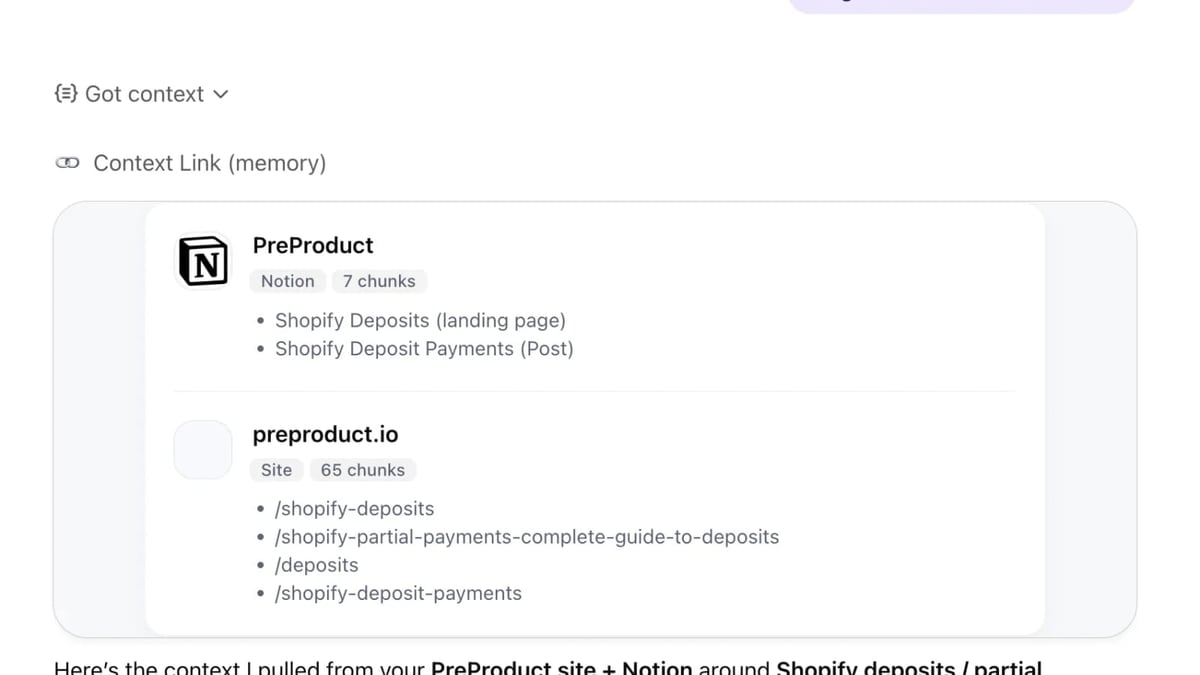
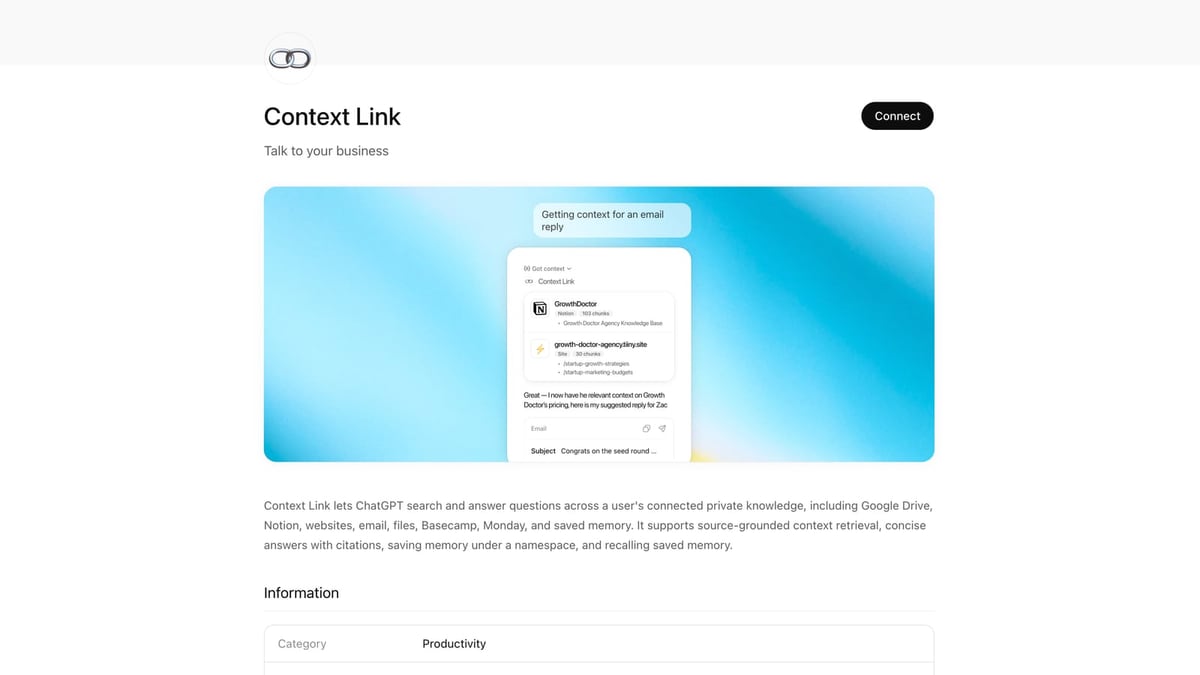
Context Link is a lightweight knowledge base platform designed for AI agents. Instead of asking you to migrate content into yet another tool, it connects to the sources you already use—Notion, Google Drive, websites, email, Basecamp, and even custom data pushed through its API. Once connected, it continuously syncs your material, chunks and embeds it into a semantic vector store, and exposes two main endpoints: a Context endpoint for retrieving relevant snippets and a Question endpoint (Pro plan) that returns concise, cited answers.
Because it’s built for AI, not human readers, the real power comes from integrations. You can add Context Link as an official ChatGPT app, set up the Claude Desktop connector, or expose its capabilities as an MCP-powered tool for any compatible agent. The result: whatever AI you’re using can suddenly “see” your entire business knowledge base and answer with citations pulled straight from the source.
Who Is Context Link For?
Context Link Review: AI Knowledge Base for ChatGPT & Claude product interface and feature overview.
- Makers and startup teams who already document everything in Notion, Google Docs, and scattered websites and need ChatGPT or Claude to answer grounded product, marketing, or technical questions.
- Customer support and success teams that want AI to pull answers from an up-to-date knowledge base rather than hallucinate from outdated training data.
- Indie developers and AI tinkerers experimenting with MCP-compatible agents or building custom workflows that need a single retrieval API across heterogeneous sources.
- Anyone tired of copy-pasting context between AI chat sessions; Context Link gives you a personal URL (e.g.,
your-name.context-link.ai) that your AI tools can query directly.
It’s less suited for teams that need a public-facing help center with article formatting, category trees, and SEO controls. Context Link lives behind the scenes, not in front of your customers.
Key Features and How They Work
Semantic Search Across Multiple Sources
Point Context Link at your Notion pages, Google Docs, websites, email threads, or uploaded files, and it builds a shared vector index. Searching by meaning means you don’t need to know which silo a fact lives in—ask “What’s our refund policy?” and it finds the right answer whether it’s on the website, in a Notion doc, or buried in an email.
ChatGPT and Claude Integration
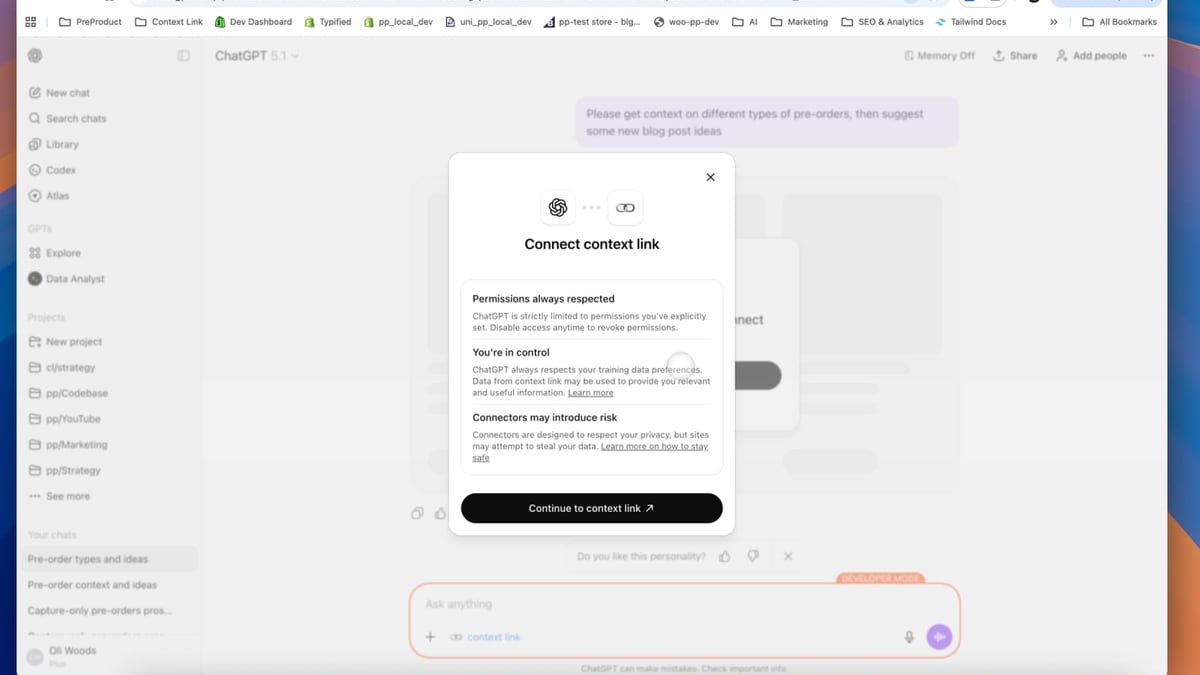
Context Link is an official ChatGPT app, so you can add it to a GPT session with a click. For Claude, the desktop connector brings your entire knowledge base into conversations, and a custom-connections skill lets Claude itself build new integrations on the fly. Both methods keep answers source-backed and updated every 24 hours.
APIs for Developers
- Context endpoint: retrieve the top relevant snippets in AI-friendly Markdown. Perfect for feeding background info into a custom prompt.
- Question endpoint: returns a short, cited answer directly. Great for chatbot backends or Slack bots.
- Save endpoint: store decisions or facts as persistent Memories, accessible across future API calls and AI sessions.
Memories and /slash Commands
When your AI resolves a question, you can save the answer as a Memory—a reusable snippet under a custom /slash command. Later, any AI reading your Context Link will see the latest version of that Memory, eliminating repeated debates or reinventing answers.
Strengths: Where Context Link Shines
Context Link Review: AI Knowledge Base for ChatGPT & Claude product interface and feature overview.
No more context window gymnastics. Instead of cramming a thousand-word setup prompt every time, you connect once and let Context Link do the retrieval. This keeps your AI chat sessions lighter and more accurate.
Grounded, cited answers. Every answer comes with a reference to the source document, date of sync, and the exact passage used. You can verify, audit, and exclude sources that shouldn’t be indexed.
Flexible source connectors. Pre-built integrations cover Notion, Google Drive, websites, email (via Gmail), and Basecamp. If you need something else, the custom-connections API or the Claude-built skill lets you push any machine-readable content.
Always up to date. Sources re-sync automatically every 24 hours. No stale snapshots; AI always sees the latest version of your pricing, product specs, or process docs.
Lightweight setup. There’s no wiki builder to learn, no taxonomy to design. You point, it syncs, and within minutes your AI can start answering.
Weaknesses and Limitations
Pricing can escalate for teams. The core Context plan is $19 per seat per month, which is reasonable for individuals or small squads. But the Context + Lenses tier jumps to $59/month plus $19 per extra seat. Lenses add business-oriented AI analysis (positioning, competitor tracking, etc.), but if you only need the knowledge base for question-answering, you might feel the upsell.
Not a customer-facing knowledge base. Context Link doesn’t provide a public portal, article styling, or content management features like categorization and version history beyond sync. For self-service support centers, you’ll need a different tool. Our Archbee review details a more traditional documentation platform with AI capabilities.
Limited direct integrations with business apps. While Notion and Google Drive are well-covered, missing out-of-the-box connectors for tools like Confluence, Salesforce, or Intercom means teams heavily invested in those ecosystems will need custom work.
Memory feature needs more governance. There’s no visible approval workflow or conflict detection when multiple team members update the same Memory. Over time, this could lead to drift unless you assign ownership.
Pricing: Is Context Link Worth It?
Context Link Review: AI Knowledge Base for ChatGPT & Claude product interface and feature overview.
Context Link offers two plans:
- Context: $19/seat/month. Core retrieval endpoints, ChatGPT/Claude integration, sync with all sources, Memories, and custom connections. A 7-day free trial lets you test without commitment.
- Context + Lenses: $59/month (plus $19 per extra seat). Adds Living Lenses—automated deep-research views on positioning, competitors, and customer insights—along with AI-suggested actions and a history of business changes.
For an individual user or a small team that commutes between ChatGPT, Claude, and internal knowledge, the $19 plan delivers strong value. It’s cheaper than many full-stack knowledge base tools that include features you may never use. However, if you need a customer-facing help center, you’ll pay for Context Link and another platform, so factor that duplication in. For a broader AI knowledge base comparison that includes pricing transparency, see our KnowledgeOwl review.
Setting Up Context Link: First Steps
- Create an account on context-link.ai and start the free trial.
- Connect your sources: authorize Notion, Google Drive, or add website URLs. The platform walks you through authentication; no manual code required for basic setups.
- Let initial sync complete. Depending on volume, this might take a few minutes.
- Install the ChatGPT app from the ChatGPT Explore menu or set up the Claude Desktop connector following the on-screen guide.
- Test with a query: In ChatGPT, start a session with Context Link enabled and ask something specific to your content, like “What are our onboarding steps for new Enterprise clients?” You’ll see a cited answer drawn directly from your docs.
For API use, Context Link provides detailed documentation for the /context, /question, and /save endpoints. Developers can integrate it into Slack bots, custom GPTs, or any MCP-aware agent.
Context Link vs Alternatives: When to Choose It
Context Link shines when your primary need is to make AI smarter, not to build a human-readable help site. If you’re juggling a Notion wiki, a static site, and a few scattered PDFs and you want ChatGPT or Claude to answer nuanced internal questions, Context Link is the fastest path.
If you’re looking for a full documentation platform with built-in AI search and a public knowledge portal, tools like Archbee, HelpLook, or DocsBot might be a better match. Our HelpLook vs Archbee vs Stonly comparison breaks down which platform fits different self-service needs. Essentially, Context Link is a retrieval layer, while those products are content management systems with retrieval baked in.
For teams that want an AI chatbot trained on their internal docs but also need a branded help widget, a tool like DocsBot delivers both, albeit with a different philosophy (see our DocsBot review). Context Link wins when you want to stay in your existing AI interface—no separate chat widget, no new destination.
Related reading
- HelpLook vs Archbee: Which AI Knowledge Base Wins in 2026? - Detailed comparison of HelpLook and Archbee: AI features, pricing, ease of use, and support. See which platform fits your knowledge base and self-service needs in 2026.
Sources and further reading
- Context Link: Personal URLs for sharing context with AI | Product Hunt - We built Context Link to make AI tools know what you already know. Connect your docs, Notion pages, or sites once, then share your personal link with ChatGPT/Claude/Copilot. It’ll search your sources semantically by meaning and return just the right snippets (in an AI friendly markdown format). Great for marketing, customer support and technical questions. Internally we use it both programatically and in chat bot sessions.
- AI Context Flow App Review | Honest and Unbiased - Enjoy the videos and music you love, upload original content, and share it all with friends, family, and the world on YouTube.
Frequently Asked Questions
How does Context Link differ from a traditional knowledge base?
It indexes your existing tools in place rather than requiring you to author and organize content in a new editor. It’s optimized for AI consumption, not human browsing, and lacks a public-facing frontend.
Can I use Context Link with my team?
Yes. All plans are per-seat, and multiple team members can share the same knowledge base through their own personal links or via shared API credentials. The Lens tier is especially designed for team-wide business intelligence.
Does Context Link work with any AI agent?
It works out of the box with ChatGPT, Claude (including Claude Cowork and Codex), and any MCP-compatible agent. For custom setups, the API endpoints let you plug retrieval into LangChain, AutoGPT, or your own stack.
How fresh is the data?
Sources re-sync every 24 hours automatically. You can also trigger manual syncs from the dashboard if you’ve just pushed a critical update.
Can I exclude certain content from being indexed?
Yes, you can exclude specific URLs, folders, or documents directly in the sync settings. The platform also respects granular access controls for connected Google Drive files.
Final Verdict: Keep Your Knowledge Flowing
Context Link solves a specific and persistent annoyance: feeding scattered business context into AI without the copy-paste ceremony. Its semantic retrieval and source-citation features make ChatGPT and Claude far more reliable for day-to-day work, while the Memories system helps teams preserve important answers. The trade-off is that it’s not a replacement for a human-facing knowledge portal, and pricing scales carefully with team size. For independent operators, startup teams, and anyone who already lives in Notion and Google Docs, Context Link is a friction-free upgrade to your existing AI stack. If your priority is a complete self-service knowledge base with full content management, you’ll want to explore the alternatives we’ve tested here at HelpLook. But if you just need your AI to know what you already know, Context Link delivers exactly that—and nothing more.