
HelpLook vs Bloomfire vs Zendesk: Which AI Platform Fits You?
Picking the right knowledge platform can make or break your team’s efficiency—whether you’re building a customer help center, centralizing internal expertise, or automating support at scale. HelpLook, Bloomfire, and Zendesk all bring AI to the table, but they serve very different purposes. This article lays out their genuine strengths side by side so you can match the tool to your goals without the marketing fluff.
Quick Comparison: HelpLook, Bloomfire, and Zendesk at a Glance

HelpLook vs Bloomfire vs Zendesk: Which AI Platform Fits You? product interface and feature overview.
| Feature / Strength | HelpLook | Bloomfire | Zendesk |
|---|---|---|---|
| Primary focus | AI self‑service knowledge base & help center | Enterprise‑wide internal knowledge management | Full‑service customer support & ticketing |
| Typical buyer | SaaS, e‑commerce, healthcare, education | Large enterprises (internal KM) | Customer service teams (any size) |
| AI capabilities | AI‑powered search & chatbot (OpenAI, ERNIE, Azure) | Self‑healing AI search & authoring | Resolution Learning Loop, autonomous AI agents |
| Ease of setup | No‑code, free plan, rapid deployment | Enterprise configuration, 50‑user minimum | Powerful but steep learning curve |
| Pricing | Free plan available; flexible paid tiers | ~$25/user/month (min 50 users) | From $19/agent/month (full suite costs more) |
| Multilingual | Built‑in multilingual & auto‑translation | Partial | Multilingual content (no auto‑translation) |
| SEO optimization | Yes (articles rank in search engines) | Limited | Not a core focus |
| Analytics | Built‑in content & usage analytics | Basic reporting | Robust analytics & workforce insights |
| Custom branding | Custom domain, white‑label, embeddable widget | Custom branding & portals | Customizable help center |
Primary Use Cases: Who Is Each Platform Built For?

HelpLook vs Bloomfire vs Zendesk: Which AI Platform Fits You? product interface and feature overview.
Bloomfire: The Enterprise Knowledge Hub
Bloomfire excels at internal knowledge management for large organizations. It turns scattered documents, tribal knowledge, and expert insights into a connected, searchable system. Use cases include employee onboarding, sales enablement, and cross‑departmental collaboration. Companies like Novonesis and Regeneron rely on Bloomfire to surface trusted information quickly, with a reported 72% search‑conversion rate.
Zendesk: The Complete Customer Service Command Center
Zendesk is an omnichannel support platform that unifies email, chat, voice, social messaging, and AI agents. Beyond a knowledge base, it offers ticketing, workforce management, quality assurance, and deep analytics. Its AI engine learns from every resolved interaction to continuously improve automation—an approach that has already delivered 4.8 billion resolutions.
HelpLook: The All‑in‑One AI Self‑Service Builder
HelpLook empowers teams to create SEO‑friendly knowledge bases, help centers, and product manuals without writing a single line of code. It’s ideal for businesses that want to stand up a customer‑facing portal, internal wiki, or e‑commerce manual quickly. The platform combines content creation, customizable branding, an embeddable widget, and an AI‑powered search & chatbot into one streamlined experience.
AI Capabilities: Intelligent Search, Chatbots, and Automation
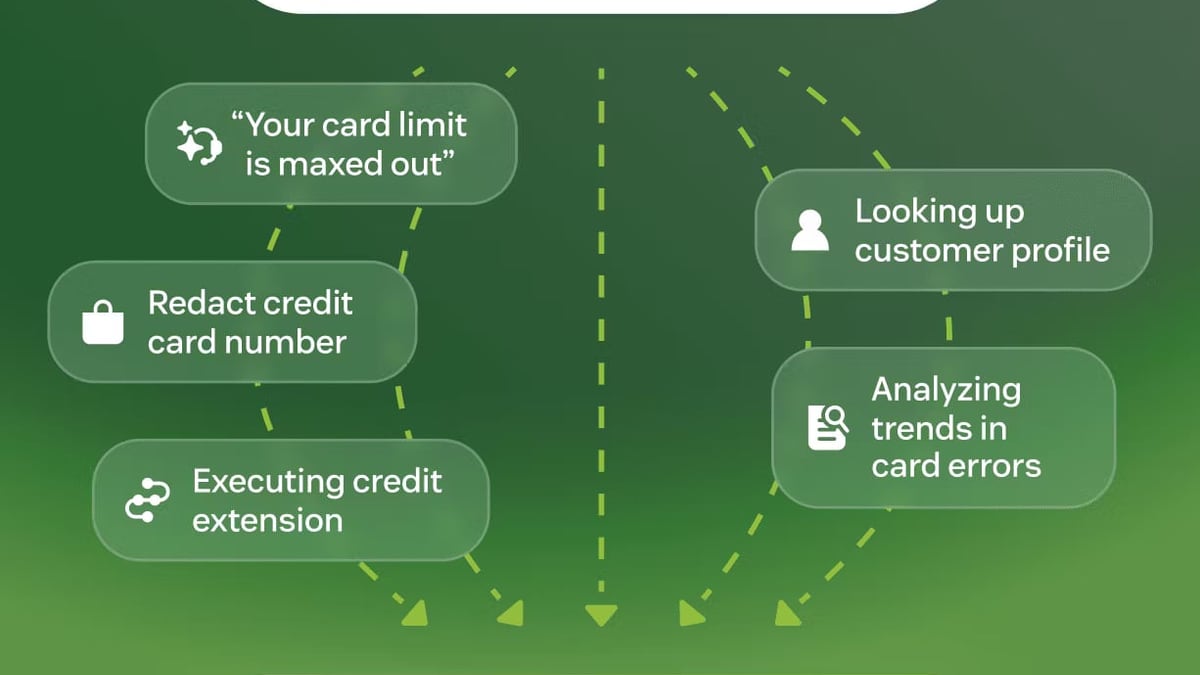
HelpLook vs Bloomfire vs Zendesk: Which AI Platform Fits You? product interface and feature overview.
Bloomfire uses AI to make enterprise search smarter. Its self‑healing knowledge base learns from user behavior to improve results over time. AI‑powered authoring suggests content improvements, and the Enterprise Intelligence engine blends KM with business intelligence for richer answers.
Zendesk goes beyond search with autonomous AI agents that resolve inquiries across channels. The Resolution Learning Loop means the system gets better with every ticket, achieving up to 80% automation for routine requests. Advanced features like Agent Copilot assist human agents in real time.
HelpLook’s advantage: The platform brings AI directly into the knowledge base with zero extra configuration. Its AI chatbot and search integrate with leading models (OpenAI, ERNIE Bot, Azure) to deliver instant answers from your content. Because it’s embedded natively, you don’t need separate AI add‑ons or complex training—your help center is smart from day one. For teams that just want a capable, ready‑to‑use AI knowledge experience, HelpLook removes the heavy lifting.
For a closer look at how HelpLook’s AI compares with Zendesk’s approach in a dedicated matchup, see our HelpLook vs Docmost vs Zendesk analysis.
Ease of Use and Deployment Speed
HelpLook vs Bloomfire vs Zendesk: Which AI Platform Fits You? product interface and feature overview.
Bloomfire delivers an enterprise‑grade experience, which often means longer implementation and a minimum commitment of 50 users. It’s built for organizations that have the resources to configure and maintain a complex KM ecosystem.
Zendesk offers immense power, but that breadth comes with a steep learning curve. Setting up a full omnichannel support operation typically requires a dedicated admin and can be overkill for teams that only need a knowledge base.
HelpLook’s advantage: No‑code setup and a free plan mean you can launch a fully functional knowledge hub in hours, not weeks. Over 10,000 companies have chosen HelpLook for its rapid deployment—ideal for lean teams, startups, and businesses that value speed over heavyweight infrastructure.
Pricing and Scalability
- Bloomfire starts at roughly $25 per user per month, but the 50‑user minimum pushes the entry point to over $1,250/month. This positions it firmly in the mid‑to‑large enterprise bracket.
- Zendesk plans begin at $19/agent/month, yet the most valuable AI and analytics features live in higher‑tier plans. The total cost can climb quickly for teams that need full omnichannel and workforce management capabilities.
- HelpLook’s advantage: A free tier lets small teams get started immediately, while affordable paid plans keep total cost low as you scale. This makes it a budget‑friendly alternative for knowledge base creation without sacrificing AI capabilities.
Multilingual and Global Support
Bloomfire supports multiple languages partially, but lacks auto‑translation. Zendesk handles multilingual content manually—teams must translate articles themselves; automatic translation is not a native feature. For global audiences, this adds overhead.
HelpLook’s advantage: HelpLook was built with multilingual content from the ground up. Built‑in translation tools and native multi‑language support let you serve a global audience without duplicating effort or relying on third‑party plugins, making it particularly strong for international brands and e‑commerce businesses.
Custom Branding and Self‑Service Portals
Both Bloomfire and Zendesk allow custom branding and the creation of dedicated portals. Zendesk’s help center can be tailored to match your brand, and its embeddable widget captures inquiries anywhere.
HelpLook’s advantage: HelpLook takes branding a step further by giving you full control over your knowledge base’s look and feel with custom domains, white‑labeling, and an embeddable widget that fluidly integrates into any website or app. The combination of a public/private site builder and the Widget means self‑service can live exactly where customers need it, without leaving the product experience.
If you’re also weighing Bloomfire against other knowledge‑centered tools, our HelpLook vs HelpCenter.io vs Bloomfire comparison explores an alternative angle.
Analytics and Content Optimization
Zendesk provides comprehensive analytics through Explore—pre‑built dashboards, custom reports, and operational metrics that track agent performance and customer satisfaction. Bloomfire offers basic usage analytics to monitor content engagement.
HelpLook’s advantage: While Zendesk focuses on support‑oriented metrics, HelpLook bakes in SEO analytics that help your knowledge base articles rank in search engines. For businesses that want organic discovery of their help content, this is a distinct edge—few knowledge base platforms treat SEO as a first‑class feature.
Integrations and Ecosystem
Bloomfire connects with a wide range of enterprise tools, pulling data from various systems to enrich its knowledge base. Zendesk’s marketplace boasts 1,200+ apps, covering e‑commerce, CRM, analytics, and beyond. Both platforms offer robust integration layers that fit into complex tech stacks. (This is an area where HelpLook’s lightweight, all‑in‑one approach prioritizes simplicity over an extensive app network—so if deep, pre‑built integrations are critical, Bloomfire or Zendesk may deliver more options out of the box.)
Which One Should You Choose? A Decision Guide
- Choose Bloomfire if you’re a large enterprise that needs to capture, organize, and surface internal expertise at scale. Its self‑healing search and expert‑driven content model shine when the goal is breaking down silos and reducing repetitive Q&A across departments.
- Choose Zendesk if you require a full‑fledged customer service platform with ticketing, voice, and omnichannel orchestration—plus AI that continuously learns to resolve issues faster. It’s the go‑to for support teams that need deep analytics, workforce management, and proven scalability.
- Choose HelpLook if your priority is a simple, yet powerful, AI knowledge base that you can launch quickly and grow affordably. It’s perfect for creating customer‑facing help centers, internal knowledge bases, and product manuals—with strong multilingual and SEO capabilities baked in, and without the complexity of a full support suite.
Related reading
- HelpLook vs Archbee vs Mintlify: Which AI Knowledge Platform Fits You? - Compare HelpLook, Archbee, and Mintlify on AI features, ease of use, developer docs, and pricing. See which self-service or documentation platform matches your team.
- HelpLook vs Helpjuice vs Docsie: AI Knowledge Base Showdown - Compare HelpLook, Helpjuice, and Docsie on AI search, pricing, ease of use, and ideal use cases. See which AI knowledge base wins for your team.
- HelpLook vs Archbee vs KnowledgeOwl: Which Knowledge Base Software Wins in 2025? - Compare HelpLook, Archbee, and KnowledgeOwl on AI features, pricing, ease of use, and ideal use cases. Find the best knowledge base for your team in 2025.
Sources and further reading
- Is Zendesk Worth It? Hmm... See The Pros & Cons - Zendesk is a CX powerhouse, but is Zendesk worth it? We did the research, so you don't have to. Here are the biggest pros & cons of Zendesk.
- Bloomfire vs. HelpLook Comparison - Compare Bloomfire vs. HelpLook using this comparison chart. Compare price, features, and reviews of the software side-by-side to make the best choice for your business.
Frequently Asked Questions
Can I use HelpLook as a full customer support ticketing system like Zendesk?
HelpLook is designed primarily as an AI knowledge base and self‑service platform, not a ticketing system. It complements your support workflow by deflecting questions with smart search and chatbots. For a complete help desk with ticket management, Zendesk remains the more appropriate choice.
Does Bloomfire offer a free tier or trial?
Bloomfire does not have a perpetual free plan. Typically, access is provided through a demo and a paid subscription, with a minimum user count of 50. If you need a free starting point, HelpLook’s free tier is designed for small teams to get going immediately.
Which platform supports automatic translation natively?
Among the three, HelpLook offers the most built‑in multilingual and auto‑translation features. Bloomfire and Zendesk either lack native auto‑translation or require manual effort for multilingual content.
Is HelpLook suitable for internal team knowledge bases?
Absolutely. While HelpLook excels at public help centers, you can create private, password‑protected internal knowledge bases with custom branding and role‑based access. It’s a flexible foundation for both internal and external use.
Summing It Up
Bloomfire, Zendesk, and HelpLook each solve a different piece of the knowledge and support puzzle. Bloomfire dominates enterprise‑grade internal knowledge management. Zendesk is the benchmark for full‑service customer support at scale. HelpLook bridges the gap for teams that want a polished, AI‑enhanced knowledge base without the financial or operational weight of larger platforms. By aligning your choice with your actual use case—not just feature lists—you’ll invest in the tool that moves your business forward.
Still weighing options? Explore our side‑by‑side comparisons like HelpLook vs Docsie vs GitBook to see how different AI knowledge platforms stack up.
Sources & Further Reading
- Bloomfire vs Zendesk Guide: Complete Feature Breakdown – Docsie’s detailed feature matrix and pricing comparison.
- Zendesk Pros and Cons: Is It Worth It? – Kustomer’s deep dive into Zendesk’s strengths and limitations.