
HelpLook vs Documentation.AI vs Archbee: Which AI Knowledge Base Fits Your Team?
Choosing between HelpLook, Documentation.AI, and Archbee means deciding what kind of documentation experience you actually want to deliver. HelpLook positions itself as an AI-powered help desk and knowledge base for customer self-service. Documentation.AI focuses on AI-native, self-updating product docs for developers and product teams. Archbee builds collaborative knowledge portals for both internal and external audiences.
All three reduce support load and speed up content creation. The differences show up in how they handle AI search, content maintenance, collaboration, and publishing workflows. This comparison breaks down those differences so you can pick the tool that matches your team's daily reality.
Quick Verdict
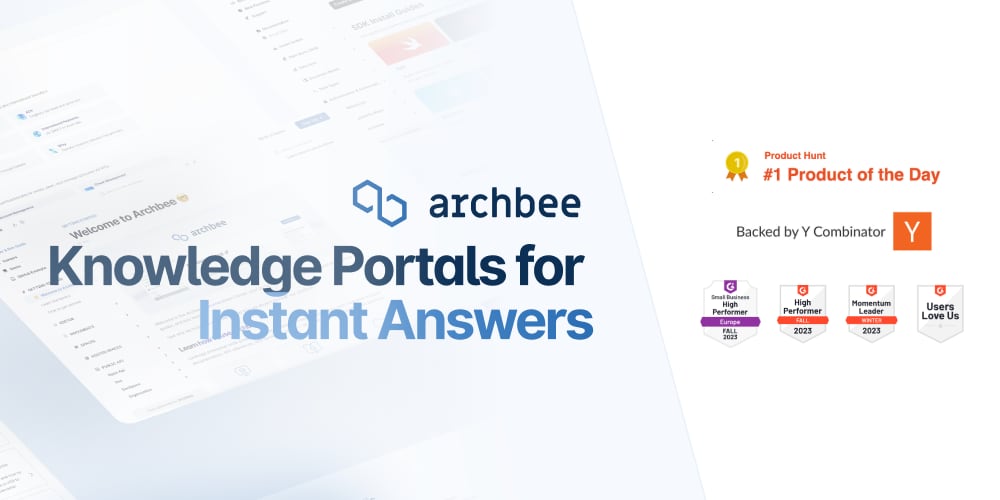
Archbee product interface.
- Choose HelpLook if you need a no-code, SEO-friendly customer help center with AI chatbot support and quick deployment.
- Choose Documentation.AI if your priority is AI-maintained product docs, API references, and cited answers for developer-facing content.
- Choose Archbee if you need collaborative knowledge portals with branching, reusable content, and strong internal documentation workflows.
AI Search and Question Answering
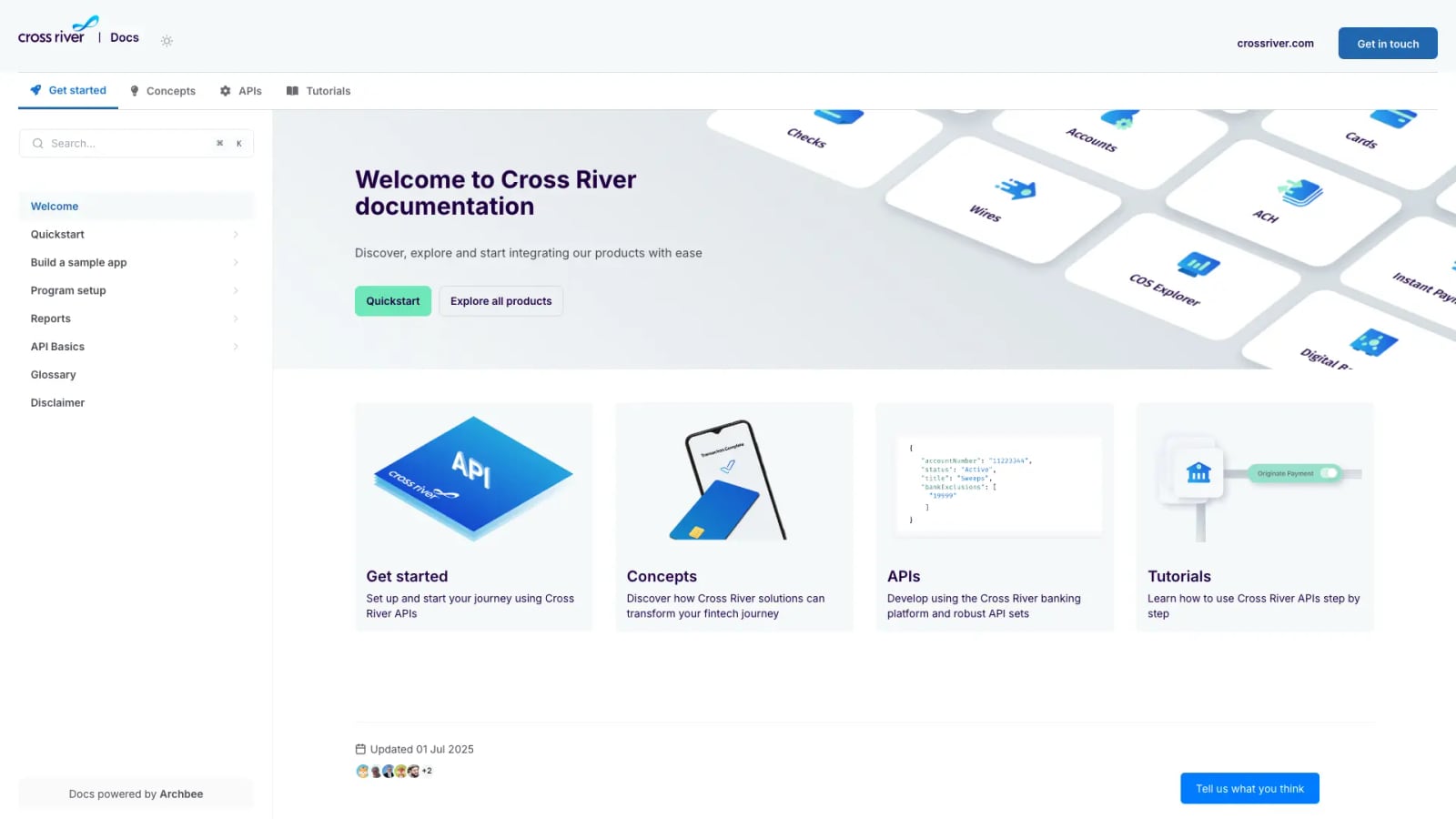
Cross River documentation portal.
AI search has become the centerpiece of modern documentation platforms. Users expect to type a question and get an instant, accurate answer rather than digging through a table of contents.
Documentation.AI: Cited Answers from Your Docs
Documentation.AI's Ask AI assistant provides instant, cited answers directly within your documentation. When a user asks a question, the assistant pulls from your content and shows the source, which builds trust and reduces follow-up tickets. The platform is also structured for AI agents and LLMs, meaning your docs can serve both human readers and automated systems.
This approach works especially well for technical audiences. Developers and product teams can verify the answer's source immediately, which matters when the content covers APIs, SDKs, or configuration details.
Archbee: Fast Search with AI Writing Support
Archbee emphasizes fast, scalable search across large documentation portals. Its AI capabilities extend into writing and translations, helping teams produce content faster while keeping search results responsive even as the knowledge base grows.
For teams managing thousands of pages across multiple products, Archbee's search performance and AI-assisted translation make it practical to maintain localized, current documentation without a dedicated localization team.
HelpLook: AI-Driven Search and Chatbot
HelpLook combines AI-powered search with a chatbot that answers customer questions directly. The platform integrates with leading AI models such as OpenAI, ERNIE Bot, and Azure, giving teams flexibility in which model powers their assistant. The goal is to deflect support tickets by resolving questions inside the help center itself.
For customer support teams, this chatbot-first approach can reduce the volume of repetitive questions that reach human agents.
Content Creation and Maintenance

HelpLook product interface.
How a platform handles content creation determines whether your documentation stays fresh or quietly becomes outdated.
Documentation.AI: Self-Updating Documentation
Documentation.AI's standout feature is its AI Documentation Agent, which suggests, writes, and formats content to keep documentation current. The platform supports two publishing workflows: a web editor for non-technical contributors and a docs-as-code workflow with Git integration for engineering teams.
This dual workflow is significant. Product managers can update content in the browser while developers keep API references in sync through Git. The AI agent then helps maintain consistency across both paths. Customers like Datafiniti and Videograph migrated from ReadMe specifically to gain AI-powered search, analytics, and easier maintenance.
Archbee: Branching, Drafts, and Reusable Content
Archbee approaches maintenance through collaboration features. Native branching and drafts let multiple contributors work on changes without affecting the live portal. Reusable content variables mean you can update a product name, pricing figure, or API endpoint once and have it propagate everywhere it appears.
Display rules add another layer of control, letting teams show or hide content based on user context. For organizations with complex documentation needs, these features prevent the drift that happens when the same information exists in five places and only three get updated.
HelpLook: No-Code Content Creation
HelpLook enables businesses to build self-service portals without coding. The no-code interface means support teams, product managers, or even marketing staff can create and publish articles without involving developers. Customizable site branding keeps the help center aligned with your company's visual identity.
The platform also offers SEO optimization, which matters if your help center serves as a public-facing resource that should rank in search results.
Use Cases and Team Fit
Documentation.AI product interface.
Each platform optimizes for a different primary user.
HelpLook for Customer Support and E-commerce
HelpLook supports multiple use cases including customer support knowledge bases, e-commerce product manuals, enterprise blogs, and internal knowledge bases. Features like QR code access and PDF downloads make it practical for physical products where customers might scan a code to reach the manual.
With over 10,000 global brands using the platform, HelpLook has proven appeal for teams that need a polished customer-facing help center without a technical build-out.
Documentation.AI for Product and Developer Teams
Documentation.AI is built for product teams, developers, and support teams who need to publish and maintain product docs, knowledge bases, API references, and help centers. The platform's focus on reducing support tickets, accelerating onboarding, and improving product adoption aligns with product-led growth strategies.
If your documentation is primarily developer-facing and needs to stay tightly coupled to your codebase, Documentation.AI's Git integration and AI maintenance agent address the core pain point: docs that lag behind the product.
Archbee for Technical and Internal Knowledge
Archbee serves technical teams, product managers, and customer success professionals. Its use cases span product documentation, developer/API documentation, internal knowledge bases, customer-facing help centers, and release notes. The platform positions itself as the first knowledge portal platform, emphasizing ease of use, fast search, and scalability.
With backing from Y Combinator and adoption by 3,000+ companies including Make, Rollstack, and Lemonbase, Archbee has strong validation in the technical documentation space. Make achieved approximately 92% documentation coverage and 5x faster publishing after adopting Archbee.
Pricing and Accessibility
All three platforms offer a free tier, which lowers the barrier to testing.
- HelpLook offers subscription plans ranging from a free tier to enterprise-level pricing, with AI credits and scalable resources.
- Documentation.AI starts with a free tier and scales to enterprise with features like SSO, custom SLAs, and advanced analytics.
- Archbee provides a startup program with a 50% discount on any plan for two years, making it attractive for early-stage companies.
For teams evaluating on a budget, starting with free tiers and testing AI search quality on your actual content is the most reliable way to compare.
Comparison Table
| Criteria | HelpLook | Documentation.AI | Archbee |
|---|---|---|---|
| Primary focus | AI help desk and customer self-service | AI-native product docs and API references | Collaborative knowledge portals |
| AI search | AI-driven search and chatbot | Cited answers via Ask AI | Fast, scalable search |
| Content maintenance | No-code editor, SEO optimization | AI Documentation Agent, self-updating docs | Branching, drafts, reusable variables |
| Publishing workflow | No-code web interface | Web editor or docs-as-code with Git | Web editor with Git integrations |
| Best for | Support teams, e-commerce, non-technical teams | Product and developer teams | Technical teams, internal and external docs |
| Free tier | Yes | Yes | Yes |
How to Decide
Start by identifying who writes your documentation and who reads it.
If support agents and non-technical staff write the content, HelpLook's no-code interface and AI chatbot reduce the friction of publishing and answering customer questions.
If developers and product managers own the docs, Documentation.AI's Git integration and AI maintenance agent keep technical content accurate without constant manual updates.
If multiple teams collaborate across internal and external documentation, Archbee's branching, drafts, and reusable content variables prevent duplication and version conflicts.
For a broader view of how these tools compare with other platforms, see our HelpLook vs Documentation.AI vs Helpjuice comparison or the HelpLook vs Documentation.AI vs HelpCenter.io comparison.
Related reading
- HelpLook vs HelpCenter.io vs Mintlify: 2026 Comparison - Compare HelpLook, HelpCenter.io, and Mintlify on AI search, knowledge base features, pricing, and ease of use. Find the best fit for support, docs, or dev teams.
- HelpLook vs HelpCenter.io vs Document360: 2026 Comparison - Compare HelpLook, HelpCenter.io, and Document360 on AI search, pricing, ease of use, and knowledge base features. Find the best fit for your support team.
Sources and further reading
- Top 10 AI Docs Generators to Create Documentations Beautifully - Explore the top 10 AI-powered and open-source documentation tools designed to simplify creating, managing, and maintaining high-quality API and project documentation. Discover features and benefits of tools like Apidog, Docusaurus, MkDocs, and more to find the best fit for your team.
- The second number · sourcey - Exact startup software offers, eligibility, and provenance for every vendor discount, credit scheme, and startup tier.
- All post content by year - Stay updated with best practices for technical writers. Includes an API documentation course for technical writers and engineers learning how to document APIs. The course includes sections on what an API is, API reference documentation, OpenAPI specification and Swagger, docs-as-code publishing and workflows, conceptual topics, tutorials, API documentation jobs, and more.
FAQ
Which platform is best for non-technical teams?
HelpLook is the strongest choice for non-technical teams. Its no-code content creation interface and AI chatbot let support staff build and maintain a help center without developer involvement.
Does Documentation.AI work with Git?
Yes. Documentation.AI supports a docs-as-code workflow with Git integration, allowing engineering teams to keep documentation synchronized with their codebase while non-technical contributors use the web editor.
Can Archbee handle both internal and external documentation?
Yes. Archbee is designed for both internal knowledge bases and customer-facing help centers, with features like display rules and access controls to manage what different audiences see.
Which platform offers the best AI search?
Documentation.AI's cited answers are particularly strong for technical audiences who need to verify sources. HelpLook's chatbot works well for customer support deflection. Archbee prioritizes fast search across large portals.
Do all three platforms offer free tiers?
Yes. HelpLook, Documentation.AI, and Archbee all provide free tiers, making it possible to test each platform with your own content before committing.
Conclusion
HelpLook, Documentation.AI, and Archbee each solve a distinct documentation problem. HelpLook excels at customer-facing self-service with AI chatbot support and no-code publishing. Documentation.AI stands out for AI-maintained product docs and developer workflows. Archbee offers the deepest collaboration features for teams managing complex internal and external knowledge portals.
Test the AI search on your actual content before deciding. The quality of answers your users receive will matter more than any feature list. For additional comparisons, explore HelpLook vs GitBook vs Zendesk or HelpLook vs KnowledgeBase vs Stonly.