
HelpLook vs Helpjuice vs KnowledgeOwl: Which Knowledge Base Fits Your Team in 2026?
Choosing a knowledge base platform in 2026 means weighing AI capabilities, authoring experience, pricing structure, and the specific audience you serve. HelpLook, Helpjuice, and KnowledgeOwl all promise to reduce support tickets and centralize documentation, but they approach the problem from different angles. HelpLook positions itself as an AI-first, no-code portal builder for customer and employee self-service. Helpjuice emphasizes flat-rate pricing, a fully customized design service, and AI that works out of the box. KnowledgeOwl focuses on ease of use, granular permissions, and transparent author-based pricing with a strong track record in regulated industries.
This comparison examines each platform's strengths, pricing, and ideal use cases so you can make a confident decision without sitting through three separate demos first.
Quick Comparison at a Glance

KnowledgeOwl product interface.
| Criteria | HelpLook | Helpjuice | KnowledgeOwl |
|---|---|---|---|
| Primary focus | AI-powered self-service portals and help desks | Custom-branded knowledge base with flat-rate pricing | Easy-to-manage knowledge base with granular permissions |
| AI search and chatbot | Yes, with OpenAI, ERNIE Bot, and Azure integrations | Yes, AI search and customizable AI chatbot | Yes, semantic search and AI chatbot |
| AI content creation | Yes | Yes, with 40+ language translation | Yes, AI article creation and summaries |
| No-code editor | Yes | Yes | Yes |
| Custom branding | Yes | Yes, with fully customized design service | Yes |
| Pricing model | Subscription tiers, free tier available | Flat-rate, starts at $249/month | Author-based, starts at $100/month |
| Best for | Teams wanting an AI-native portal with multi-model support | Teams wanting predictable pricing and polished design | Teams needing granular access control and quick setup |
Helpjuice: Strengths and Ideal Use Cases
Helpjuice product interface.
Helpjuice has earned a strong reputation among over 7,000 companies, including recognizable names like Amazon, Hertz, and Shipt. Its core pitch is simple: a knowledge base that teams actually use, backed by AI that works without extensive configuration.
Flat-Rate Pricing Removes Guesswork
One of Helpjuice's most frequently cited advantages is its pricing model. Plans start at $249 per month for 30 users, with an advanced tier at $449 per month for 100 users. Unlike platforms that charge per reader or per article view, Helpjuice keeps costs predictable as your audience grows. For organizations with large customer bases but a small authoring team, this flat-rate structure can be significantly more cost-effective than per-reader pricing.
Fully Customized Design Service
Helpjuice stands out for its design customization. The company offers a service where its team builds your knowledge base to match your brand's exact look and feel, rather than requiring you to work within rigid templates. For companies where brand consistency across customer-facing properties is non-negotiable, this white-glove approach removes a common implementation hurdle.
AI Article Writing and Translation at Scale
Helpjuice's AI capabilities extend beyond search. The platform can translate content into more than 40 languages, which matters for global support teams that need to maintain consistent documentation across regions. Its AI article writing feature helps teams convert support tickets into knowledge base articles, turning recurring customer issues into self-service content.
Proven Support Ticket Reduction
Helpjuice publishes concrete customer outcomes: up to 75% reduction in support tickets, 50% reduction in training sessions, and 26x faster ticket resolution. While individual results vary, these figures reflect the platform's emphasis on measurable ROI for support operations.
Best for: Mid-sized to enterprise teams that want predictable flat-rate pricing, polished custom design, and multilingual AI content creation without managing complex integrations.
KnowledgeOwl: Strengths and Ideal Use Cases
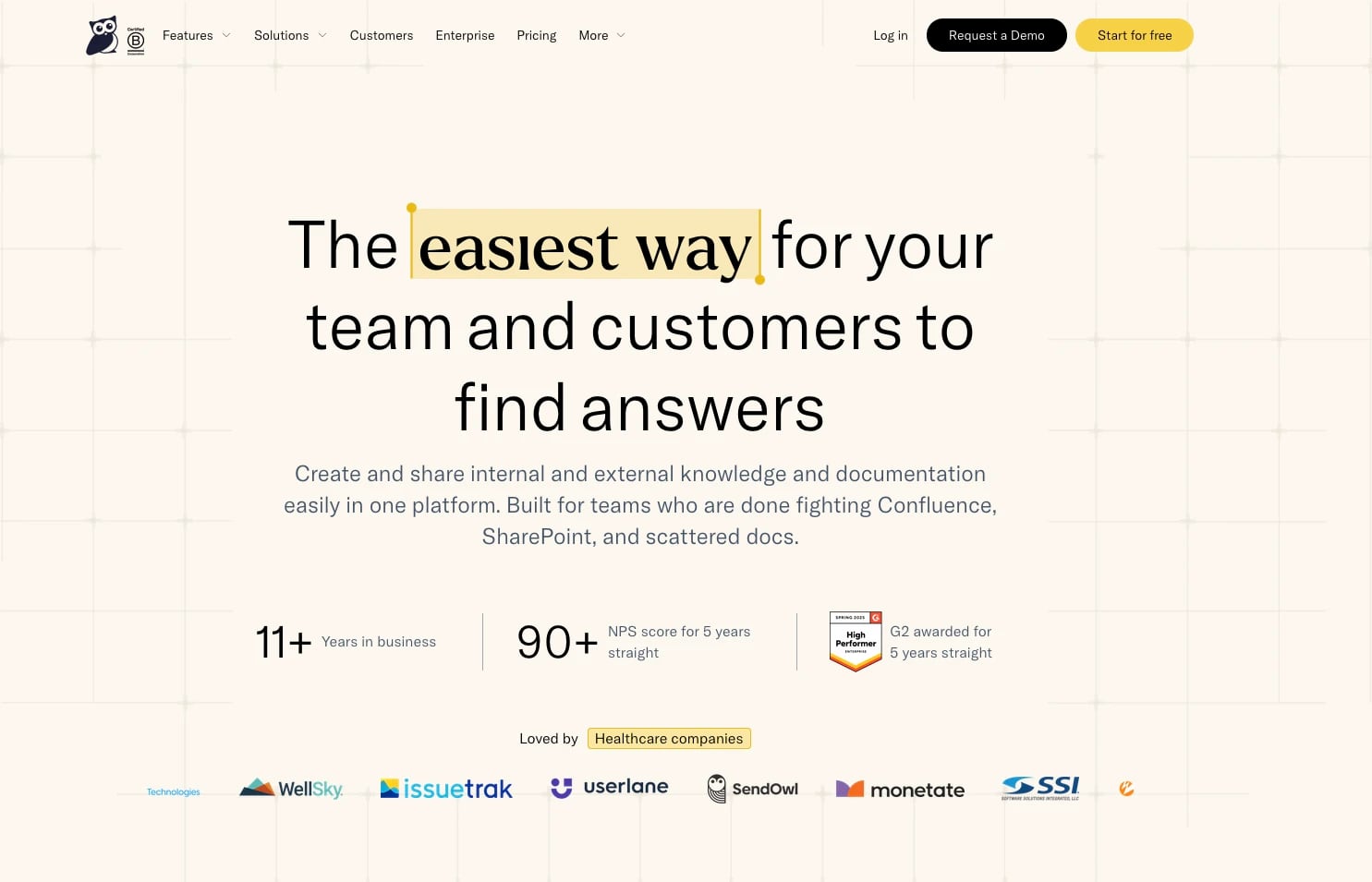
KnowledgeOwl product interface.
KnowledgeOwl has maintained an NPS score above 90 for five consecutive years and earned G2 awards for five years running. That consistency signals a platform that prioritizes user experience and customer support over feature bloat.
Transparent Author-Based Pricing
KnowledgeOwl's pricing starts at $100 per month and scales based on the number of authors, not readers. This model is especially attractive for organizations with many end users but only a handful of people creating and maintaining content. A call center supporting thousands of agents, for example, pays for its documentation team rather than its entire workforce.
Granular Access Controls and Versioning
KnowledgeOwl offers more than 70 permission options, giving administrators precise control over who can view, edit, publish, and manage content. The platform's version control system automatically preserves the last 10 saves of an article, shows exactly what changed between revisions, and allows teams to stage new versions ahead of product releases. For compliance-driven industries like healthcare, credit unions, and insurance, this audit trail is a critical requirement rather than a nice-to-have.
Glossary Tool with Automatic Tooltips
A unique KnowledgeOwl feature is its glossary system. You define organization-specific terms once, and they automatically appear as tooltips throughout your articles. This eliminates the need to repeatedly explain acronyms or internal terminology, which is particularly valuable in technical documentation and regulated environments where precise language matters.
Built-In Knowledge Base Analytics
KnowledgeOwl's Owl Analytics suite tracks search queries, user journeys, entry and exit pages, and engagement metrics without requiring a separate Google Analytics integration. The search analytics are especially useful: you can see what readers searched for, what they clicked, and which queries returned zero results, then address those content gaps directly.
Best for: Teams in regulated or compliance-heavy industries, organizations with a small authoring team serving a large readership, and anyone who values granular permissions and built-in analytics over flashy AI features.
Where HelpLook Fits in the Comparison

KnowledgeOwl product interface.
HelpLook takes a different approach from both substitutes by positioning itself as an AI-native knowledge base and help desk platform built for no-code deployment. It supports multiple use cases—customer support portals, e-commerce product manuals, enterprise blogs, and internal knowledge bases—within a single interface.
Multi-Model AI Flexibility
HelpLook integrates with leading AI models including OpenAI, ERNIE Bot, and Azure. This multi-model approach gives teams flexibility to choose the AI backend that best fits their data governance requirements, regional preferences, or performance needs. If your organization already standardizes on Azure AI services, for example, HelpLook can align with that existing infrastructure rather than forcing you into a proprietary model.
No-Code Portal Creation with SEO Optimization
The platform's no-code interface lets teams build self-service portals without developer involvement. HelpLook also includes built-in SEO optimization for public-facing knowledge bases, which matters for e-commerce businesses and SaaS companies that want their documentation to surface in search results and deflect support inquiries before they start.
Free Tier for Getting Started
Unlike Helpjuice and KnowledgeOwl, which both require paid subscriptions from day one, HelpLook offers a free tier. This lowers the barrier for small teams, startups, or departments that want to test an AI-powered knowledge base before committing budget.
QR Code Access and PDF Downloads
HelpLook includes practical distribution features like QR code access and PDF downloads. These are particularly useful for physical product manufacturers, field service teams, and e-commerce sellers who need to connect customers to documentation through packaging, printed materials, or offline channels.
Best for: Teams that want an AI-first platform with multi-model flexibility, a no-code portal builder, and a free tier to validate the approach before scaling.
Head-to-Head: Key Decision Criteria
Pricing Structure
- Helpjuice: Flat-rate pricing at $249/month for 30 users or $449/month for 100 users. Predictable, but the entry point is higher than KnowledgeOwl.
- KnowledgeOwl: Author-based pricing starting at $100/month. Most affordable for small authoring teams serving large audiences.
- HelpLook: Subscription tiers with a free tier available. Best for teams that want to start small and scale.
AI Capabilities
All three platforms now offer AI search and AI chatbots, but the depth differs. Helpjuice emphasizes out-of-the-box AI that requires minimal setup, plus 40+ language translation. KnowledgeOwl offers semantic search that understands intent, synonyms, and typos, along with AI article creation and summaries. HelpLook differentiates through multi-model AI integrations, giving teams flexibility in their AI infrastructure.
Customization and Branding
Helpjuice leads on design customization with its fully customized design service. KnowledgeOwl offers highly customizable design and branding options. HelpLook provides customizable site branding within its no-code interface, which is sufficient for most teams but may not match Helpjuice's white-glove design service for complex brand requirements.
Analytics
KnowledgeOwl's built-in Owl Analytics is the most comprehensive of the three, offering search analytics, user journeys, and engagement metrics without third-party integrations. HelpLook provides analytics to track usage, while Helpjuice offers analytics as part of its feature set. If deep insight into search behavior and content gaps is a priority, KnowledgeOwl has an edge.
Industry Fit
KnowledgeOwl has built a strong presence in regulated industries: healthcare, credit unions, insurance, and organizations pursuing CAPRA accreditation. Its version control, granular permissions, and audit trails align with compliance requirements. Helpjuice serves a broad range of companies, with notable adoption among customer support teams at large enterprises. HelpLook's multi-model AI and free tier make it accessible to startups, e-commerce businesses, and teams exploring AI-powered self-service for the first time.
How to Choose: A Decision Framework
Choose Helpjuice if:
- You want flat-rate pricing that won't scale with your reader count
- Brand-consistent design is a top priority and you want a team to build it for you
- You need multilingual content at scale (40+ languages)
- You value proven support ticket reduction metrics from enterprise customers
Choose KnowledgeOwl if:
- You have a small authoring team but a large readership
- You operate in a regulated industry that requires granular permissions and version control
- Built-in search analytics and content gap analysis matter to you
- You want a platform with a five-year track record of 90+ NPS scores
Choose HelpLook if:
- You want an AI-native platform with multi-model flexibility (OpenAI, ERNIE Bot, Azure)
- You need a no-code portal builder with SEO optimization for public-facing documentation
- You want to start with a free tier before committing to a paid plan
- You serve e-commerce customers or physical product users who benefit from QR code access and PDF downloads
For additional comparisons involving HelpLook and other knowledge base platforms, see our guides on HelpLook vs KnowledgeBase vs Helpjuice and HelpLook vs Document360 vs Zendesk.
Related reading
- HelpLook vs Archbee vs Bloomfire: 2026 Comparison - Compare HelpLook, Archbee, and Bloomfire on AI search, knowledge base features, pricing, and ideal use cases. Find the right knowledge platform for your team.
- HelpLook vs KnowledgeBase vs Docsie: Which AI Knowledge Base Wins? - Compare HelpLook, KnowledgeBase, and Docsie on AI search, content creation, pricing, and use cases. Find the right AI knowledge base for your team in 2026.
- HelpLook vs Mintlify vs GitBook: Which Docs Tool Wins? - Compare HelpLook, Mintlify, and GitBook on AI search, ease of use, pricing, and ideal use cases. Find the right documentation platform for your team.
Sources and further reading
- Helpjuice vs. KnowledgeOwl Comparison 2026 - G2 - G2 reviewers report that Helpjuice excels in user satisfaction, reflected in its higher G2 Score compared to KnowledgeOwl. Users appreciate the AI-powered ...
- The 12 best knowledge base software solutions for 2026 - Compare the best knowledge base software solutions for your team's needs. A guide through the forest of options to find your best fit among the leading platforms, with expert recommendations and key features.
- HelpLook vs. KnowledgeOwl Comparison - SourceForge - Compare HelpLook vs. KnowledgeOwl using this comparison chart. Compare price, features, and reviews of the software side-by-side to make the best choice for your business.
Frequently Asked Questions
Which platform is the most affordable?
KnowledgeOwl has the lowest starting price at $100 per month with author-based pricing. HelpLook offers a free tier, making it the most accessible for teams that want to explore before paying. Helpjuice starts at $249 per month but uses flat-rate pricing that can be more economical for large reader audiences.
Do all three platforms offer AI chatbots?
Yes. HelpLook, Helpjuice, and KnowledgeOwl all include AI chatbot capabilities. Helpjuice offers a customizable AI chatbot, KnowledgeOwl provides a conversational interface with semantic search, and HelpLook integrates with multiple AI models including OpenAI, ERNIE Bot, and Azure.
Which platform is best for regulated industries?
KnowledgeOwl is the strongest choice for regulated industries. Its 70+ permission options, version control with audit trails, and track record serving healthcare, credit unions, and insurance organizations make it well-suited for compliance requirements.
Can I migrate my existing knowledge base to these platforms?
KnowledgeOwl offers white-glove migration services and has received positive customer feedback about the transition process. Helpjuice and HelpLook also support content import, but KnowledgeOwl's dedicated migration support is a documented strength.
Which platform offers the best multilingual support?
Helpjuice leads on multilingual capabilities with AI-powered translation supporting more than 40 languages. This makes it the strongest choice for global support teams that need consistent documentation across regions.
Conclusion
HelpLook, Helpjuice, and KnowledgeOwl each serve distinct needs in the knowledge base market. Helpjuice wins on flat-rate pricing, custom design, and multilingual AI at enterprise scale. KnowledgeOwl excels in regulated environments, granular permissions, and built-in analytics at an accessible price point. HelpLook differentiates through multi-model AI flexibility, no-code portal creation with SEO optimization, and a free tier that lowers the barrier to entry.
The right choice depends on your authoring team size, audience, compliance requirements, and budget structure. Evaluate your must-have features against each platform's strengths, and where possible, test the free tier or request a demo with your own content to see which interface your team will actually use.