
HelpLook vs KnowledgeOwl: Which AI Knowledge Base Wins in 2026?
Choosing the right knowledge base software can make or break your support strategy. Two names that often appear on shortlists are HelpLook and KnowledgeOwl. One is an all-in-one, AI‑powered self‑service platform; the other is a purpose‑built, traditional documentation tool with a focus on simplicity. At HelpLook, we’ve dug into both solutions to uncover where they shine—and where one falls short. This evidence‑based comparison will help you decide whether HelpLook’s AI‑driven approach or KnowledgeOwl’s classic editor fits your team better.
Quick Overview

HelpLook vs KnowledgeOwl: AI-Powered Knowledge Base Compared product interface and feature overview.
HelpLook is a modern, no‑code platform that combines a knowledge base, help desk, AI‑powered search, and a customizable public/private site into a single workspace. It supports multilingual content, offers a free plan, and integrates generative AI models (OpenAI, ERNIE Bot, Azure) for intelligent self‑service. Over 10,000 companies use HelpLook across SaaS, legal, healthcare, finance, and education.
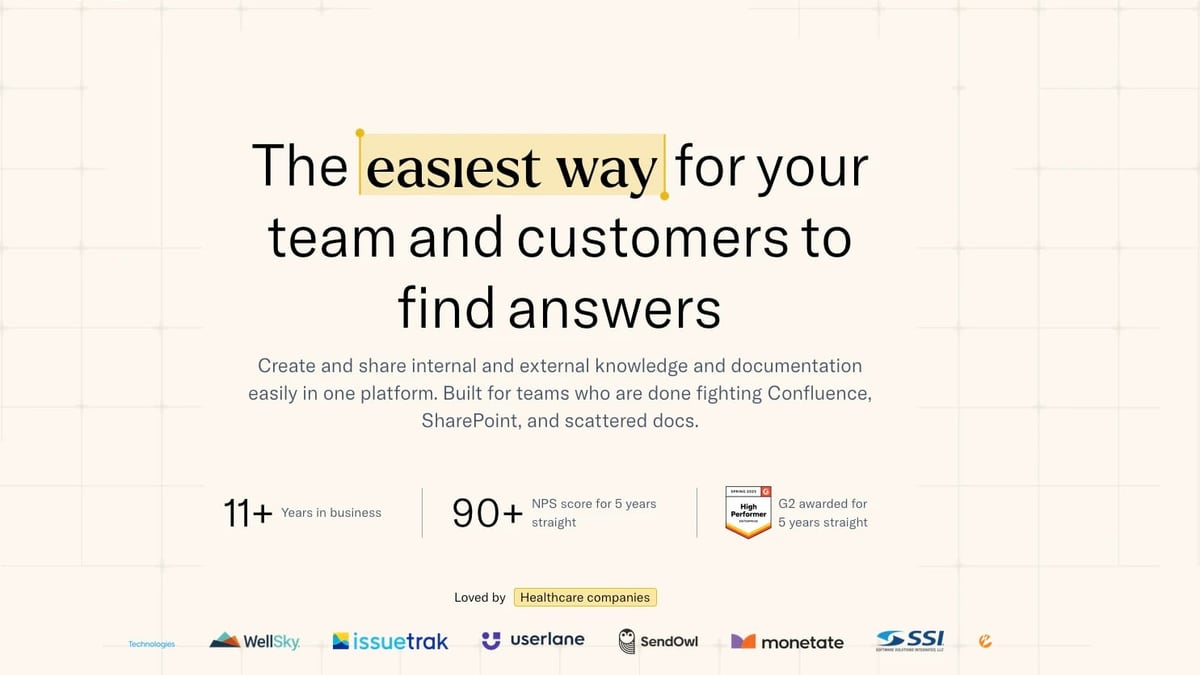
KnowledgeOwl is a standalone knowledge base software built for both internal and external documentation. It earns praise for its typo‑tolerant search, granular access controls, and white‑glove migration support. With an NPS of 90+ and multiple G2 awards, it’s a reliable choice for teams that prioritize a straightforward authoring experience—but it lacks any AI capabilities.
AI & Search Capabilities
HelpLook vs KnowledgeOwl: AI-Powered Knowledge Base Compared product interface and feature overview.
The most glaring difference is artificial intelligence. HelpLook embeds AI deeply throughout the product: its HelpLook AI engine powers an intelligent search bar and a conversational chatbot that answers user questions instantly. The platform connects to leading LLMs (OpenAI, ERNIE Bot, Azure), meaning you get semantic search that understands intent, not just keywords. This reduces support tickets drastically and gives customers a modern self‑service experience.
KnowledgeOwl has zero AI features. There is no AI‑driven search, no content generation, and no chatbot. Its search is well‑regarded for typo‑tolerance, but it cannot match the context‑aware, conversational answers HelpLook delivers. A third‑party analysis by Docsie confirmed that KnowledgeOwl lags behind competitors on automation and AI assistance [^1]. If AI‑assisted authoring or customer self‑service is on your roadmap, KnowledgeOwl is simply not in the race.
Content Creation & Management
HelpLook vs KnowledgeOwl: AI-Powered Knowledge Base Compared product interface and feature overview.
Both tools offer WYSIWYG editors, but their philosophies diverge.
HelpLook goes far beyond text editing with its four‑component architecture:
- Portal – a content hub with built‑in analytics, version history, and collaboration.
- Site – a fully customizable knowledge base (public or private) with custom domain support.
- Widget – an embeddable widget that brings your knowledge base into any web page or app.
- HelpLook AI – the intelligent layer linking search and chatbot.
You can structure content for SEO, preview rich media, and manage everything without a single line of code. Real‑time collaboration and analytics come standard, helping teams see what articles work and where gaps exist.
KnowledgeOwl delivers a clean, mature editor with content snippets and basic article history—features Help Scout lacks, but that still fall short of full version control. There is no real‑time collaborative editing, no multi‑step approval workflows, and no built‑in analytics dashboard that matches HelpLook’s depth. While the editor is serviceable for small to medium documentation sets, scaling complex hierarchies often feels manual.
For deeper insights on HelpLook’s editing experience versus other AI competitors, see our HelpLook vs Document360 comparison.
Multilingual Support

HelpLook vs KnowledgeOwl: AI-Powered Knowledge Base Compared product interface and feature overview.
HelpLook was built for global teams. It offers full multilingual support, letting you create and manage content in multiple languages within a single knowledge base. This is critical for SaaS companies, e‑commerce brands, and any business serving international audiences.
KnowledgeOwl has no built‑in multilingual functionality. If you need to serve documentation in French, Spanish, or Japanese, you would have to manually duplicate knowledge bases or rely on third‑party translation layers—adding cost and complexity.
Customization & Branding
Both platforms let you control branding. HelpLook’s Site component provides custom domains, CSS customization, and the ability to build a fully branded help center that feels like a natural extension of your product. The Widget can be styled to match any interface.
KnowledgeOwl also allows custom domains and CSS, but it lacks the embeddable widget concept. Its customisation is largely limited to the knowledge base itself, so embedding contextual help inside your app requires iframes or linking out, which can disrupt the user experience.
Pricing & Scalability
Pricing models reveal a sharp contrast.
HelpLook offers a free plan that includes core features, making it easy to start and scale. Paid plans are flexible and grow with your usage, typically based on features or usage, not per‑author caps. This makes HelpLook predictable for both small startups and large enterprises.
KnowledgeOwl has no free tier—only a 30‑day trial. Pricing starts at $79/month for one knowledge base and two authors, and the cost jumps when you add more knowledge bases (three cost $299/month). Because KnowledgeOwl charges per knowledge base, any scenario where you need separate portals for different products, clients, or audiences multiplies your bill quickly. It also lacks volume pricing that favors large teams [^2].
For a three‑way price and feature breakdown, check out our HelpLook vs Mintlify vs KnowledgeOwl match-up.
Security & Compliance
HelpLook targets regulated industries like healthcare, legal, and financial services, which implies a strong security posture. While you should confirm current certifications, the platform’s client list and data‑handling practices suggest a commitment to compliance.
KnowledgeOwl explicitly lacks SOC 2 and HIPAA certifications, as well as audit logs [^1]. GDPR compliance is present, and SAML SSO is available on the Enterprise plan, but for any organisation that requires enterprise‑grade security or handles protected health information, KnowledgeOwl fails the most basic procurement checks.
Ease of Use & Onboarding
HelpLook prides itself on rapid deployment and a no‑code interface. The learning curve is shallow—teams can go from sign‑up to a live help centre in hours. The widget integration is straightforward, and the AI often requires little configuration to deliver good answers.
KnowledgeOwl is also known for its ease of use, but its emphasis is on white‑glove migration for existing documentation. The initial setup can be quick, yet the absence of AI means you may spend more time manually optimising search and content discoverability later.
Customer Support & Service Quality
KnowledgeOwl boasts an outstanding Net Promoter Score of 90+ and is praised for hands‑on support during migration. Their team is responsive and genuinely helpful.
HelpLook serves over 10,000 companies and provides support channels alongside extensive onboarding resources. While third‑party validation like an NPS score isn’t publicly available, the platform’s growth and retention in demanding industries speak to a solid support structure.
Decision Guidance: Which One Is Right for You?
Choose HelpLook if you need:
- AI‑powered self‑service (chatbot + intelligent search) to deflect tickets.
- Multilingual documentation for a global audience.
- An all‑in‑one platform (knowledge base, help desk, analytics, widget) instead of stitching tools together.
- A free plan to start, with predictable scaling.
- Enterprise‑ready security that passes regulated industry audits.
Choose KnowledgeOwl if you need:
- A simple, standalone knowledge base with typo‑tolerant search and no desire for AI.
- Granular author controls and version history for a small team managing one or two documentation portals.
- You value a high‑touch, white‑glove migration experience above cutting‑edge features.
Related reading
- HelpLook vs Mintlify: Which AI Knowledge Platform Fits Your Team? - Compare HelpLook and Mintlify on AI search, multi-language support, ease of use, and pricing. See why HelpLook beats Mintlify for self-service help centers and internal knowledge bases.
- HelpLook vs Helpjuice: AI Knowledge Base Showdown 2025 - Compare HelpLook and Helpjuice for AI knowledge base needs. See why HelpLook offers better pricing, multilingual support, and faster setup. Uncover the key differences.
- HelpLook vs DocsBot: Which AI Knowledge Base Wins in 2026? - Compare HelpLook and DocsBot AI knowledge base platforms. See why HelpLook's all-in-one self-service portal beats DocsBot on SEO, multilingual support, pricing, and true AI search. Read the evidence-based guide.
Sources and further reading
- Knowledge Base Software: A Guide | KnowledgeOwl - A clear, practical guide to choosing knowledge base software. Understand key features, implementation, optimization, and explore how AI and analytics are changing documentation — from the team at KnowledgeOwl
- HelpLook vs. KnowledgeOwl Comparison - Compare HelpLook vs. KnowledgeOwl using this comparison chart. Compare price, features, and reviews of the software side-by-side to make the best choice for your business.
- Help Scout vs KnowledgeOwl (2026): Which Is Better? | Docsie - Help Scout vs KnowledgeOwl: honest feature comparison for 2026. See which KB tool wins—and why Docsie beats both.
FAQ
Does HelpLook offer a free plan?
Yes. HelpLook’s free tier includes core AI features, making it risk‑free to test. KnowledgeOwl only provides a 30‑day trial.
Can KnowledgeOwl support multiple languages?
Not natively. You would need to maintain separate knowledge bases or use external translation workflows. HelpLook builds multilingual management directly into the platform.
Does KnowledgeOwl have any AI capabilities?
No. As of 2026, KnowledgeOwl does not include AI‑generated content, AI search, or a chatbot [^1]. HelpLook, in contrast, connects to OpenAI, ERNIE Bot, and Azure for live AI‑powered search and answers.
Which platform scales better for multiple clients?
HelpLook. Its Site and Widget architecture lets you spin up distinct, branded knowledge bases without multiplying costs. KnowledgeOwl charges per knowledge base, so scaling to multiple brands quickly becomes expensive.
Is KnowledgeOwl suitable for HIPAA‑compliant projects?
No. KnowledgeOwl lacks HIPAA and SOC 2 certification. HelpLook’s client base in healthcare and legal indicates stronger compliance, but always verify current certifications directly.
The Bottom Line
For teams that see knowledge management as a strategic asset—not just a repository—HelpLook delivers modern AI, multilingual reach, and flexible pricing that KnowledgeOwl cannot match. While KnowledgeOwl remains a capable, well‑supported tool for basic documentation needs, its lack of AI, limited scalability, and missing enterprise certifications make it a tough sell in 2026. HelpLook’s all‑in‑one approach future‑proofs your self‑service strategy without locking you into high per‑KB fees. If you’re ready to reduce tickets and give customers instant, intelligent answers, you can start with HelpLook’s free plan and experience the difference firsthand.
[^1]: Docsie comparison highlights KnowledgeOwl’s lack of AI, SOC 2, HIPAA, and multilingual support. (https://www.docsie.io/solutions/vs/helpscout-vs-knowledgeowl/) [^2]: KnowledgeOwl pricing structure and feature overview. (https://www.knowledgeowl.com/knowledge-base-software)