
HelpLook vs Mintlify vs KnowledgeOwl: The Complete Comparison
When your team is drowning in support tickets or your documentation feels impossible to find, you need a knowledge platform that actually works. HelpLook, Mintlify, and KnowledgeOwl all promise to turn messy information into a seamless self‑service experience—but they were built for very different scenarios.
At HelpLook, we’ve analyzed the real strengths of each tool so you can stop guessing. This comparison shows you where Mintlify shines for developer‑centric documentation, why KnowledgeOwl wins over traditional support teams, and where HelpLook earns its place as the all‑in‑one, budget‑friendly knowledge hub.
Why teams consider Mintlify: the agent‑native documentation engine
HelpLook vs Mintlify vs KnowledgeOwl: Which Knowledge Platform Wins? product interface and feature overview.
Mintlify is the first name that comes up when engineering teams need documentation that “keeps itself alive.” It’s a platform built from the ground up for AI agents and developers, with a Git‑native workflow that commits every edit back to your repository.
What Mintlify gets right
- Self‑updating knowledge. Mintlify’s Workflows agent monitors your code changes and opens PRs so that your docs stay in sync with your product—no manual rework.
- AI‑ready by default. Each site automatically generates
/llms.txt, an MCP server, and content negotiation that serves Markdown to AI agents. Companies like Anthropic and Coinbase use Mintlify to power their own AI experiences. - A polished, human‑first reading surface. The API playground, interactive code snippets (cURL, Python, JavaScript), and built‑in translation support create a first‑class developer journey.
- Enterprise‑friendly delivery. With SOC 2 Type II, 99.99% uptime SLA, and SSO, it’s ready for procurement teams.
However, Mintlify’s model is opinionated. The editor is code‑first, the pricing scales steeply (Pro starts at $450/month, and AI credit overages can push costs higher), and the platform is optimized for product and API documentation, not for an HR policy wiki or a customer‑facing help desk built by non‑technical staff (GitBook blog).
Why teams choose KnowledgeOwl: the support‑friendly knowledge base
HelpLook vs Mintlify vs KnowledgeOwl: Which Knowledge Platform Wins? product interface and feature overview.
KnowledgeOwl takes a diametrically opposite approach. It’s a dedicated knowledge base designed for call centers, healthcare organizations, credit unions, and any team that needs to reduce support tickets fast.
Where KnowledgeOwl excels
- Typo‑tolerant search that actually works. Agents and customers can misspell queries and still land on the right article. That alone can slash resolution time (one customer reported a 92% reduction).
- No reader‑based pricing. You pay only for the number of authors, so you can share a knowledge base with unlimited readers—a godsend for public help centers.
- White‑glove service and compliance. The platform offers dedicated migration support, version control, granular access controls, and has helped customers meet CAPRA accreditation and other regulatory requirements.
- AI‑powered article creation. The AI chatbot, article summaries, and writing assistance help keep content fresh without requiring a full technical writing team.
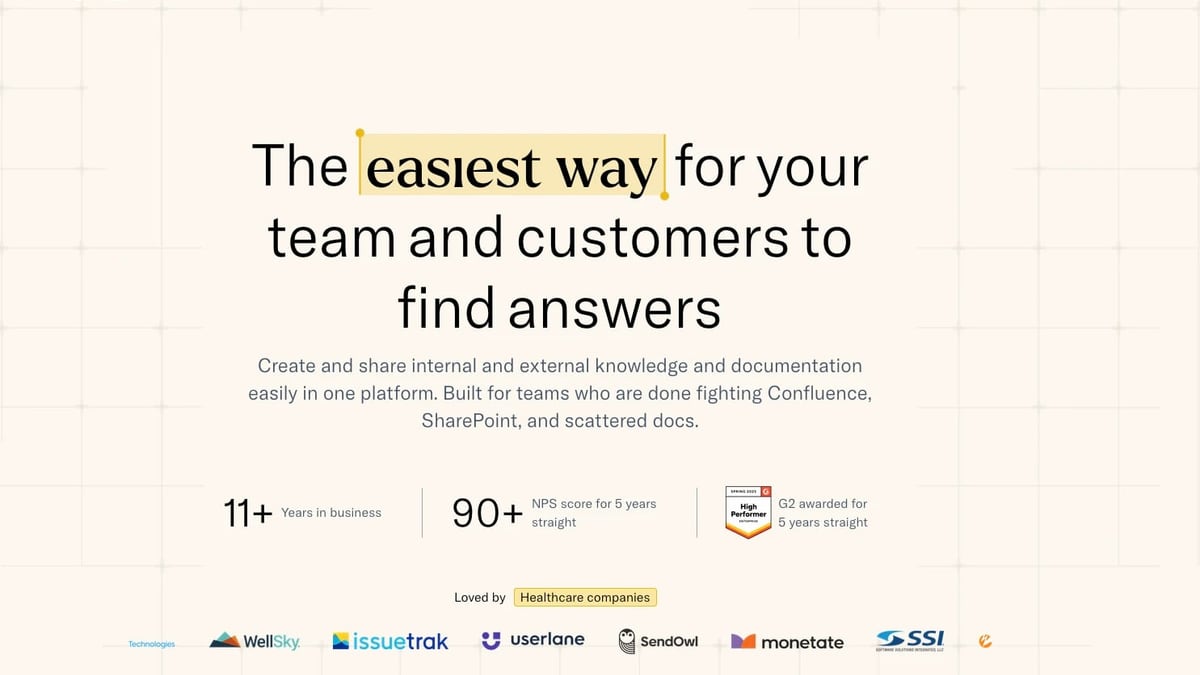
KnowledgeOwl’s simplicity and author‑based pricing make it a reliable workhorse. It boasts an NPS of 90+ for five years straight and has earned multiple G2 awards. Just be aware: the platform is purpose‑built for structured knowledge bases, not for API references, developer docs, or multi‑language global portals.
Feature comparison: where HelpLook pulls ahead

HelpLook vs Mintlify vs KnowledgeOwl: Which Knowledge Platform Wins? product interface and feature overview.
Rather than pretend every tool can do everything, here are the criteria where HelpLook has a clear, supported advantage over Mintlify, KnowledgeOwl, or both. (Where a tool is clearly stronger in a category, we’ve left that row out to avoid misleading claims.)
| Criterion | HelpLook | Mintlify | KnowledgeOwl |
|---|---|---|---|
| Free plan | Yes – full-featured free tier | Yes – Hobby plan with limited credits | No – paid plans only |
| Multilingual content | Built‑in multilingual support for knowledge bases, manuals, and blogs | Supports English, Spanish, French, Chinese (no full multi‑language help center) | Not a core capability |
| SEO optimization | Dedicated SEO tooling (meta tags, custom domains, analytics) | Basic SEO settings; relies more on developer‑site architecture | Limited SEO features |
| Embeddable widget | Embed your knowledge base directly into web pages or apps with customizable branding | No dedicated embed widget | No widget; knowledge base lives as a standalone portal |
| Ease for non‑technical teams | No‑code visual editor, pre‑built templates, drag‑and‑drop site builder | Code‑editor and Git‑first workflow; steep for non‑engineers | Simple, user‑friendly interface but no drag‑and‑drop site builder |
| All‑in‑one scope | Portal (content, analytics), Site (public/private knowledge base), Widget, AI Chatbot | Focused on developer docs, API references, and agent‑readable knowledge | Concentrated on traditional knowledge base articles |
| AI chatbot + search | Integrates OpenAI, ERNIE Bot, and Azure for instant, contextual answers | AI search and writing agent, but only on paid plans; overage pricing applies | AI chatbot available (newer feature); still maturing |
HelpLook’s free tier and multilingual capabilities give it an edge when you need to serve a global audience without stretching your budget. The embeddable widget lets you meet users where they are—inside your product or app—which neither Mintlify nor KnowledgeOwl currently offer.
Decision guide: which tool should you actually pick?
HelpLook vs Mintlify vs KnowledgeOwl: Which Knowledge Platform Wins? product interface and feature overview.
Choose Mintlify when…
- Your documentation is code. You’re shipping API references, developer docs, and want docs that update themselves when your codebase changes.
- You have dedicated technical writers or a docs‑as‑code culture, and you’re comfortable with a Git‑native workflow.
- You need to serve AI agents as first‑class consumers, with /llms.txt, MCP, and agent‑traffic analytics.
- Budget is not the primary constraint (Pro at $450/month + credits, enterprise custom).
Choose KnowledgeOwl when…
- Your primary goal is slashing support tickets. You want a search‑powered knowledge base that staff and customers can use without training.
- You need granular access controls, versioning, and compliance for a regulated industry (healthcare, insurance, utilities).
- You value transparent, author‑based pricing and a vendor with a proven 90+ NPS over five years.
- AI‑powered article creation sounds helpful, but you’re not trying to build an agent‑native ecosystem.
Choose HelpLook when…
- You want a single platform for your help center, knowledge base, internal wiki, and e‑commerce manuals—all without coding.
- You must serve users in multiple languages and need built‑in SEO to help them find answers organically.
- You’re looking for a free tier and affordable paid plans (starting from free), so you can launch fast and scale without a shock.
- An embeddable chat widget that brings AI‑powered answers right into your web app is essential to your support strategy.
If you’re still weighing HelpLook against other documentation platforms, our side‑by‑side analysis of HelpLook vs Archbee vs Stonly breaks down additional contenders.
Related reading
- HelpLook vs Docsie: Which AI Knowledge Base Wins in 2026? - Compare HelpLook vs Docsie on features, pricing, AI search, SEO, and ease of use. See which AI knowledge base platform fits your self-service and documentation needs.
- GitBook Review 2026: Features, Pricing, and Real-World Verdict - Evidence-based GitBook review covering AI-powered documentation, pricing, Git sync, ideal use cases, and limitations. See if GitBook fits your team in 2026.
- Context Link Review: AI Knowledge Base for ChatGPT & Claude - We tested Context Link, the AI knowledge base syncing your Notion, Google Docs, and websites into ChatGPT, Claude, and MCP agents. Evidence-based review of features, pricing, and setup.
Sources and further reading
- Best API documentation tools in 2026 - Here's our shortlist if you're looking for API documentation tools to keep up with fast-changing APIs and modern developer needs.
- Mintlify Alternative: DocsAlot vs Mintlify | DocsAlot - Mintlify and DocsAlot overlap heavily on the production surface most teams care about here: developer docs, API docs, help-center content, AI-ready delivery,...
Frequently Asked Questions
Is HelpLook a direct alternative to Mintlify?
Not exactly. HelpLook can replace Mintlify for companies that need a customer‑facing knowledge base with AI search, multilingual support, and an easy‑to‑use editor. But if your documentation is entirely developer‑focused and you rely on Git sync and self‑updating docs, Mintlify remains the stronger choice.
Does KnowledgeOwl offer AI capabilities like HelpLook?
KnowledgeOwl now includes an AI chatbot and AI article creation features. However, HelpLook’s AI integrates multiple large models (OpenAI, ERNIE Bot, Azure) and extends to an embeddable widget that answers questions outside the knowledge base. Both tools are improving AI features rapidly.
How much do these platforms actually cost?
- HelpLook offers a free plan and then scaled paid tiers (exact pricing on their site). It positions itself as cost‑effective compared to traditional search solutions.
- Mintlify has a free Hobby tier, but the Pro plan at $450/month—plus AI credit overages—can become expensive.
- KnowledgeOwl uses author‑based pricing (no free plan). The exact cost depends on the number of authors; it’s known for predictability.
Which tool is best for a non‑technical team?
HelpLook and KnowledgeOwl are both strong here. HelpLook’s drag‑and‑drop site builder and embeddable widget make it especially accessible for marketers, support leads, and product managers. KnowledgeOwl’s straightforward article editor also works well for non‑developers, but it lacks the visual site‑building extras.
The bottom line
Mintlify, KnowledgeOwl, and HelpLook are all excellent products—if they match your team’s actual workflow. Mintlify dominates the developer‑first, agent‑forward space. KnowledgeOwl is a trusted knowledge base champion for support teams that want search‑driven simplicity and transparent pricing.
HelpLook steps in when you need all those capabilities under one roof—AI‑powered search, multilingual content, embeddable self‑service, and a free starting point—without requiring a technical writer on every project. For a deeper look at KnowledgeOwl’s specifics, see our evidence‑based KnowledgeOwl review. Otherwise, pick the platform that makes your content feel less like a hidden document and more like the first place people go for answers.