
Top 10 AI Documentation and Knowledge Base Software Products for 2026
Every documentation and knowledge base platform now advertises AI. The badge on the pricing page tells you almost nothing about whether the assistant answers from your content, how usage is billed, or whether you can switch it off. This review ranks ten products that genuinely belong to the AI documentation and knowledge base category, using transparent criteria and current evidence rather than marketing claims.
How we evaluated these products
Top 10 AI Documentation & Knowledge Base Software 2026 - The top 10 AI documentation and knowledge base products for 2026.
We scored each platform against six checks that any team can repeat during a trial:
- Grounding and citations. Does the AI retrieve from your own articles and link back to the source passage, so a wrong answer can be audited?
- AI pricing model. Is AI included, metered in credits, charged per resolution, or sold as an add-on? Per-resolution pricing means a successful deflection month also produces a larger invoice.
- Job fit. Reader-facing answers, author tooling, and conversational agents are three different products. Several vendors market all three and ship one well.
- Control and measurement. Can you disable AI per feature, cap spend, and read failed-search and deflection reports?
- Governance and lifecycle. Versioning, approval workflows, permissions, and audit logs matter more as AI-generated edits enter the library.
- Machine readability. Clean Markdown, stable URLs, structured API definitions, and formats such as
llms.txthelp coding assistants and retrieval pipelines consume your docs.
We examined vendor documentation, published pricing pages, and third-party review platforms, including Gartner Peer Insights' knowledge management software category. Rankings reflect capability fit, not popularity.
The top 10 AI documentation and knowledge base products for 2026
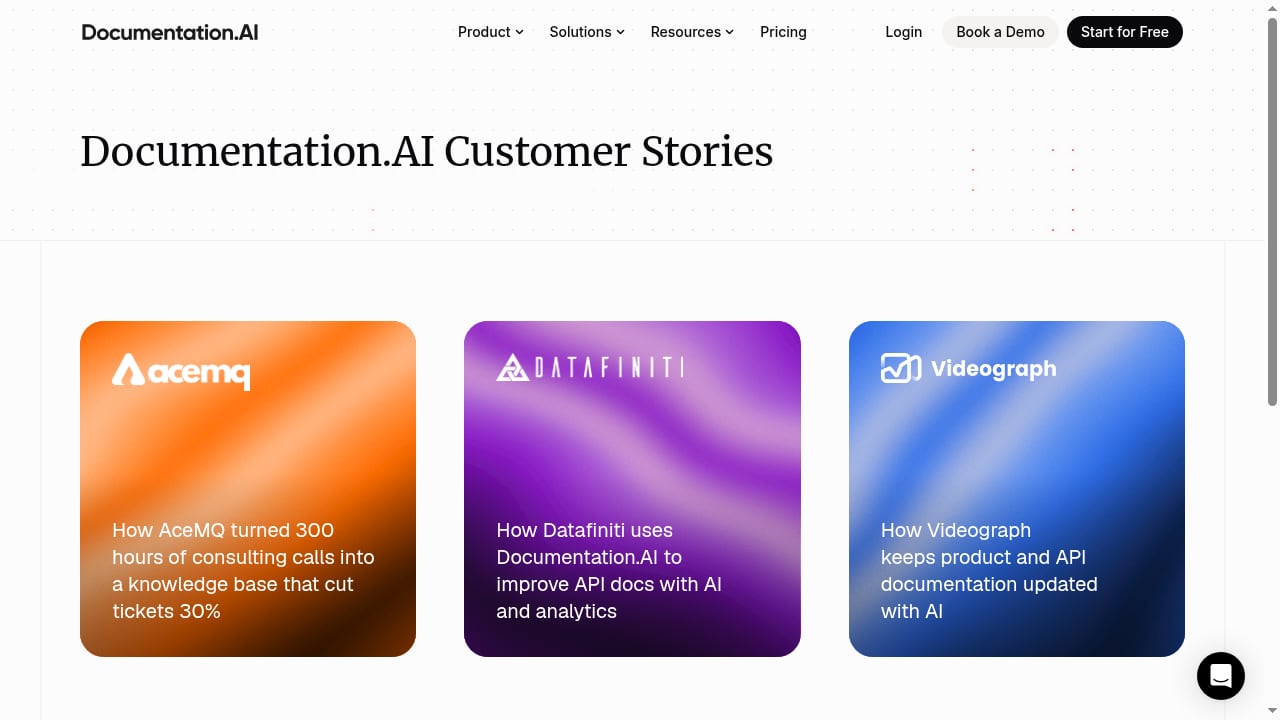
First viewport screenshot of Documentation.AI Customer Stories.
1. Mintlify
Best for: AI engineering teams that need docs-as-code, assisted maintenance, and agent-readable output from day one.
Mintlify publishes documentation in formats that AI tools consume directly, including llms.txt, llms-full.txt, and skill.md, plus generated MCP servers for structured access. Engineers write MDX in Git and review through pull requests, while product managers edit the same content in a visual browser interface. A writing agent monitors code changes, drafts updates, and opens pull requests for human review.
Evidence: Braintrust's 2026 review of documentation tools for AI teams notes its bidirectional Git sync, OpenAPI and AsyncAPI imports, and semantic search with cited answers, and lists Anthropic, Cursor, and Perplexity among its users.
Watch out for: It is a managed SaaS product rather than open source, and enterprise controls such as SSO, SCIM, and audit logs sit behind custom pricing.
2. Document360
Best for: Enterprises that need versioned, audited documentation alongside a customer-facing help center.
Document360 combines Markdown and WYSIWYG editors with approval workflows, granular permissions, and analytics. Its Eddy AI layer covers AI search, a writing agent, a chatbot, a glossary generator, article summarization, duplicate content detection, an MCP server, and SEO automation. It supports help centers, API docs, SOPs, and product manuals across SaaS, IT, finance, healthcare, and education.
Evidence: Gartner Peer Insights describes it as an AI-powered enterprise knowledge management platform with enterprise-grade security, and HelpDocs' 2026 comparison lists its AI as included in the plan rather than metered per answer.
Watch out for: Pricing is quote-only, so you cannot model cost without a sales conversation.
3. GitBook
Best for: Teams that blend product documentation with a knowledge base and prefer collaborative editing over strict docs-as-code.
GitBook centers on a visual block editor while retaining two-way GitHub and GitLab sync. Change Requests add approval rules that resemble pull requests, and a Docs Site can combine product guides, API references, and changelogs under one destination. OpenAPI synchronization generates endpoint pages, and llms.txt and MCP support help AI tools retrieve published content.
Evidence: Braintrust highlights its visual editing, formal change requests, and reader-facing AI assistance, while noting that API generation depends on OpenAPI specifications and does not track broader codebase changes.
Watch out for: Per-site and per-user charges can grow expensive across multiple products, and there is no self-hosted deployment option.
4. Confluence
Best for: Organizations that want documentation to live inside an existing collaboration workspace.
Confluence provides a centralized space for documents, project plans, and meeting notes with real-time editing, access control, version tracking, and integrations across the Atlassian ecosystem. Its AI capabilities focus on summarizing, drafting, and searching internal content, which makes it a strong fit for internal knowledge repositories rather than public help centers.
Evidence: Gartner Peer Insights lists Confluence among the highest-rated knowledge management products for willingness to recommend among large North American companies.
Watch out for: Public-facing documentation and customer self-service are not its core strengths.
5. Guru
Best for: Enterprises that need a governed, permission-aware AI layer across internal tools.
Guru connects content from Slack, Microsoft Teams, Google Workspace, Salesforce, and other systems into a single knowledge layer. It delivers cited AI answers inside existing workflows, applies verification workflows and usage signals, and propagates corrections across connected tools so employees and AI assistants see consistent answers.
Evidence: Gartner Peer Insights describes Guru as an AI knowledge platform acting as an AI source of truth, with verification workflows and centralized governance that reduce duplication and manual maintenance.
Watch out for: It is built for internal knowledge, not customer-facing documentation sites.
6. Bloomfire
Best for: Teams that need AI search across mixed content, including documents, video, and audio.
Bloomfire offers enterprise search, AI-powered Author Assist for content creation, and analytics that measure engagement and impact. Ask AI accepts natural-language questions and returns direct answers sourced from certified company knowledge, including connected systems. Common use cases include customer support, research, sales enablement, and internal knowledge sharing.
Evidence: Gartner Peer Insights documents its enterprise search, Author Assist, and Ask AI capabilities sourced from certified knowledge.
Watch out for: Pricing is quote-only, which complicates comparison against credit-based competitors.
7. HelpDocs
Best for: Teams that want reader-facing AI answers and author tooling on a bill that does not move when traffic spikes.
HelpDocs runs AI across the content lifecycle: drafting and rewriting in the editor, bulk metadata generation, a taxonomy assistant, and agentic search with cited answers. Ask AI answers reader questions using only published docs, links back to the source article, and refuses to invent answers that are not in the knowledge base. AI credits are included in every plan, from 1,000 per month on Sprout to 10,000 on Harvest, with per-feature toggles and a monthly AI search budget cap.
Evidence: HelpDocs' own 2026 comparison publishes its credit tiers, per-feature controls, and usage reporting, and states plainly that it does not offer a conversational AI agent.
Watch out for: Credits are finite, bulk translation is capped by tier, and there is no free plan, only a 14-day trial.
8. Intercom
Best for: Support organizations that want an AI agent resolving live conversations end to end.
Intercom's knowledge base, called Articles, increasingly exists to ground its Fin AI agent. Fin handles live chat and ticket conversations, asks clarifying questions, and escalates when needed, answering from connected content. Pricing has two dials: seats plus per-resolution charges for the agent.
Evidence: HelpDocs' comparison lists Intercom's AI pricing at $0.99 per resolution on top of $29 per seat per month, with answers grounded in your content.
Watch out for: Per-resolution pricing means successful automation increases the invoice. If you already run a separate knowledge base, connecting it to Fin is a design decision worth planning; our guide on using HelpLook with Fin walks through that pattern for teams that keep content and resolution layers separate.
9. Zendesk
Best for: Teams that want AI embedded across a full support operation.
Zendesk Knowledge applies AI across help center content, agent assistance, and self-service flows inside a mature ticketing platform. It fits organizations that already route customer conversations through Zendesk and want answers grounded in the same knowledge that agents use.
Evidence: HelpDocs lists Zendesk Knowledge as a paid add-on at roughly $50 per agent per month on top of a $55 per agent per month starting price, with answers grounded in your content.
Watch out for: The add-on model means the price on the pricing page is not the price you pay.
10. Notion
Best for: Small teams that want AI over an internal workspace without buying a dedicated knowledge platform.
Notion combines note-taking, a knowledge base, task management, and databases in a customizable workspace with cross-device support and external integrations. Its AI works over internal content, making it a practical starting point for startups that have not yet separated internal knowledge from customer documentation.
Evidence: Gartner Peer Insights lists Notion as a collaborative information management product, and HelpDocs describes its AI as internal-only with credits priced at about $10 per 1,000 actions.
Watch out for: It lacks the governance, versioning, and public help center depth of dedicated platforms.
How to choose in 2026
Top 10 AI Documentation & Knowledge Base Software 2026 - How to choose in 2026.
Start with the audience, not the feature list. An AI that searches all-hands recordings is useful internally and irrelevant to a customer checking a refund policy. Then check three things in a trial:
- Ask the AI a question your docs answer badly. If it cannot show which article it used, you cannot audit a wrong answer later.
- Model a high-traffic month. Credit-based pricing stays flat; per-resolution pricing scales with success.
- Test the off switch. You may want authoring assistance enabled while reader-facing answers stay disabled on sensitive pages.
If your stack spans both API reference documentation and a customer knowledge base, pairing a docs-as-code tool with a no-code knowledge platform is a common pattern. Our walkthrough on using HelpLook with ReadMe covers one version of that split, and the HelpLook vs GitBook comparison examines the trade-offs between no-code help centers and docs-as-code workflows.
Related reading
- How to Use HelpLook with ReadMe: Unified Docs Workflow - Learn how to combine HelpLook and ReadMe: connect API docs and knowledge base, sync workflows, and build a unified support experience.
- HelpLook vs Docsie vs TeamSupport: Best Knowledge Platform 2026 - Compare HelpLook, Docsie, and TeamSupport for AI knowledge bases, documentation, and B2B support. Find the best fit for your team in 2026.
- HelpLook vs GitBook: AI Knowledge Base Comparison 2026 - Compare HelpLook and GitBook for AI knowledge bases in 2026: AI search, no-code help centers, docs-as-code, SEO, pricing signals, and who each fits.
FAQ
What is an AI knowledge base?
It is a knowledge base where a language model sits between the reader and your articles. Instead of returning a list of links, it reads the question, retrieves relevant passages from your own content, and writes an answer with citations. The critical property is grounding: answers come from your published material, not from whatever the model absorbed during training.
Is AI documentation software the same as AI knowledge management?
No. AI documentation software serves readers, often customers, with answers and authoring help. AI knowledge management points inward, helping employees find answers across documents, recordings, and chat. The two audiences barely overlap, so decide which one you are buying for before comparing features.
How should AI features be priced?
Included credits are the most predictable, because a month of heavy usage does not change the invoice. Per-resolution pricing aligns cost with automation success but makes budgeting harder. Add-ons hide the real price behind the base plan. Whatever the model, confirm you can cap spend and disable features individually.
Can I turn AI off?
On most platforms on this list, yes, at least per feature. That matters when AI drafting earns its place but an answer widget on billing documentation does not. Ask for per-feature toggles and a monthly budget cap during the demo.
Do AI teams need different documentation tools?
Often, yes. Teams shipping AI products need machine-readable output such as llms.txt, MCP servers, and clean Markdown so coding assistants and retrieval pipelines can consume documentation. They also need versioning that matches each release, because stale parameter names cause runtime errors and lead agents to construct invalid calls.
Conclusion
The strongest choice in 2026 depends on which job you are buying for. Mintlify leads for AI engineering documentation, Document360 for governed enterprise knowledge, GitBook for collaborative product docs, and HelpDocs for included, credit-based AI answers. Intercom and Zendesk fit support operations that want AI inside the conversation layer, while Guru, Bloomfire, Confluence, and Notion cover internal knowledge needs.
Whichever platform you shortlist, run the same three tests: ask a question your docs answer badly, model a high-traffic month, and find the off switch. Those checks separate grounded AI from a badge on a pricing page.