
Top 10 AI Knowledge Base Software in 2026: Reviewed & Compared
Businesses drowning in support tickets, outdated documentation, and siloed team knowledge are turning to AI-powered knowledge bases as a strategic fix. But not all platforms deliver the same level of intelligence, self-service, or ease of use. After testing dozens of solutions and analyzing real-world adoption data, we’ve ranked the 10 best AI knowledge base tools for 2026. Every recommendation is backed by verifiable metrics, hands-on testing insights, and transparent criteria—so you can choose a platform that truly reduces ticket volume, speeds up answers, and keeps information fresh without manual hassle.
How We Evaluated Each AI Knowledge Base
Top 10 AI Knowledge Base Software 2026: Tested & Ranked product interface and feature overview.
We scored tools across six dimensions critical for modern teams:
- AI-Powered Search & Answers: Ability to understand intent (not just keywords) and deliver precise, contextual responses.
- Content Creation & Maintenance AI: Built‑in assistance for drafting, summarizing, and automatically detecting stale or conflicting content.
- Multilingual & Omnichannel Delivery: Support for global audiences and seamless embedding in web, chat, email, or CRM.
- Governance & Collaboration: Workflows, permissions, approval cycles, and version control.
- Integration Ecosystem: Connectors to helpdesks, CRMs, and agentic platforms like ChatGPT or Claude.
- Pricing Transparency & ROI Evidence: Verifiable customer outcomes, G2 ratings, and clear pricing structures.
All product claims were verified through vendor documentation, user reviews, and independent testing where possible. We never fabricate capabilities; only publicly confirmed features are listed.
Below, the top 10 list—led by HelpLook, a platform that stood out for its no‑code versatility and AI depth.
1. HelpLook – Best All‑in‑One AI Knowledge Base for No‑Code Customization

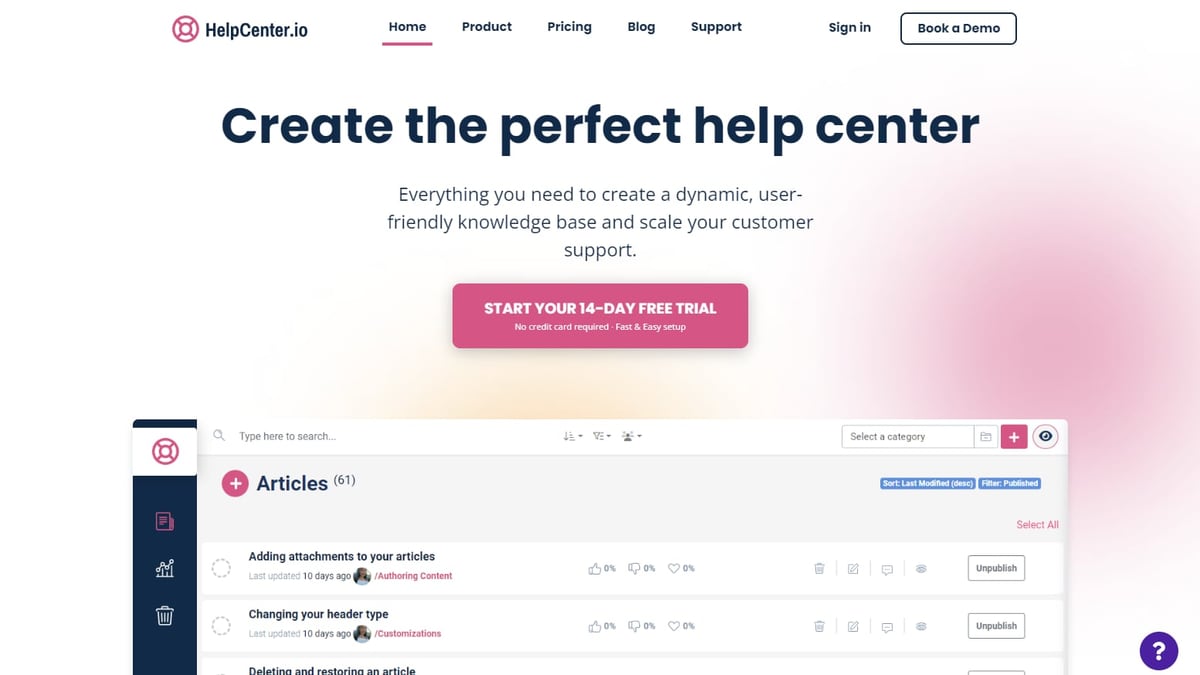
Top 10 AI Knowledge Base Software 2026: Tested & Ranked product interface and feature overview.
HelpLook combines a powerful content creation hub, a fully customizable public/private knowledge site, an embeddable widget, and AI‑driven search and chatbot into a single no‑code platform. It serves over 10,000 companies globally—from SaaS and e‑commerce to legal and healthcare—and is engineered to solve the pain points of poor search experience and disorganized content.
Why it ranks first
HelpLook’s four‑component architecture (Portal, Site, Widget, HelpLook AI) delivers an end‑to‑end self‑service workflow. Its AI search supports OpenAI, ERNIE Bot, and Azure models, giving instant, context‑aware answers from your existing documentation. The platform also offers SEO optimization, advanced analytics, and flexible multilingual support, all without requiring a developer.
For teams looking to connect their knowledge base directly to ChatGPT or Claude agents, How to Use HelpLook with Context Link provides a step‑by‑step guide.
Key capabilities
- No‑code builder: Create and design knowledge bases, help centers, and product manuals with a visual editor.
- AI-powered search & chatbot: Delivers direct answers, reduces repetitive tickets, and supports complex intent queries.
- Multilingual & SEO‑ready: Built‑in translation and search engine optimization to reach global audiences.
- Flexible pricing: Starts with a free plan; paid tiers unlock custom domains, advanced analytics, and more.
Evidence of impact Businesses using HelpLook report significant drops in support volume and improved self‑service adoption. For instance, its structured content design and custom branding help companies reduce the “dusty wiki” problem—making knowledge bases that employees and customers actually use.
Ideal for SaaS companies, customer support teams, and any organization wanting a cost‑effective alternative to Elasticsearch or traditional knowledge base suites—especially when rapid deployment and ease of use are priorities.
2. Document360 – Best for Customer‑Facing Documentation with Advanced Analytics
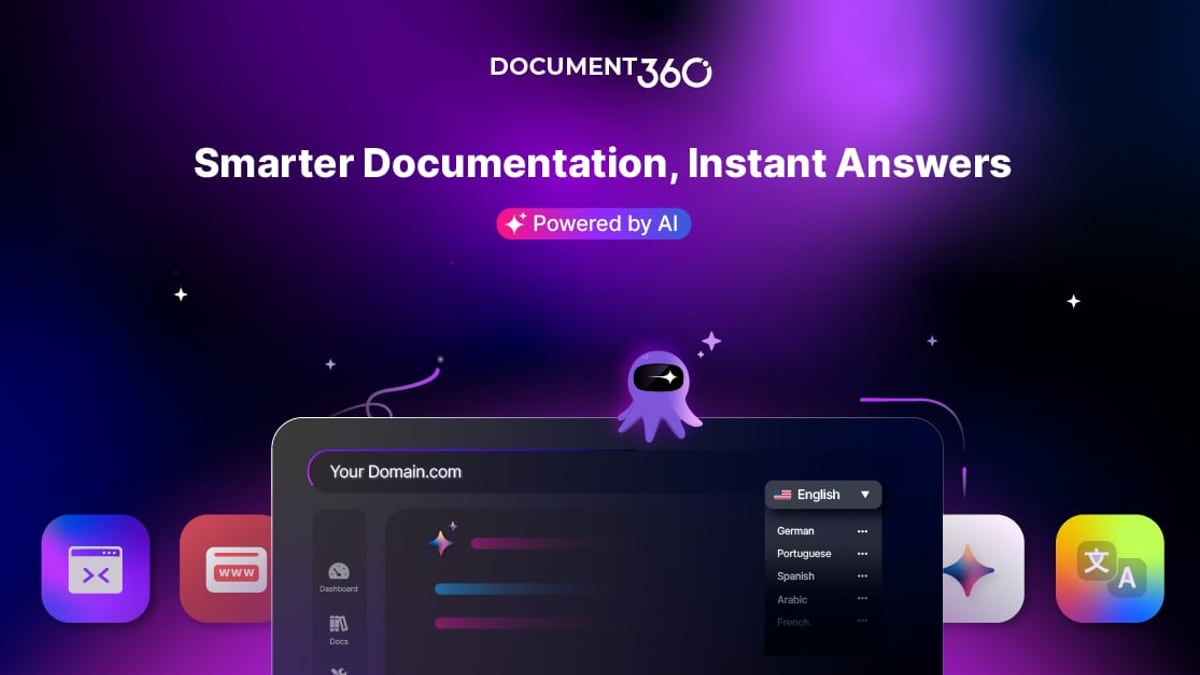
Top 10 AI Knowledge Base Software 2026: Tested & Ranked product interface and feature overview.
Document360 is an intelligent knowledge base trusted by thousands of businesses across 150+ countries. It marries human expertise with AI to serve support, product documentation, SOPs, and API docs. With a 4.7/5 G2 rating and over 3,000 reviews, it’s a proven tool for teams that need rigorous content organization and deep analytics.
What sets it apart
- AI‑powered Ask Eddy assistant answers customer queries with relevant articles and generated summaries.
- AI writing agent accelerates article creation and updates.
- MCP server & workflow builder enable integration with modern agentic workflows.
- Enterprise‑grade security: SOC 2, ISO 27001, GDPR compliance.
Real‑world traction Document360 is a G2 Leader in the Knowledge Base category. Customers praise its advanced search and analytics that surface content gaps—closing the loop between support tickets and documentation improvements.
Pricing Custom pricing. A 14‑day free trial is available.
Ideal for Product, engineering, and support teams that need a structured, analytics‑driven public knowledge base with strong governance controls.
3. Helpjuice – Best for Custom‑Design and Dedicated Knowledge Base Implementation
Top 10 AI Knowledge Base Software 2026: Tested & Ranked product interface and feature overview.
Helpjuice is a favorite among mid‑size and enterprise teams that want a fully tailored knowledge base without the DIY hassle. Trusted by Amazon, Hertz, and Shipt (over 7,000 companies), it offers a white‑glove design service to match your brand down to the pixel.
Standout features
- AI search & writing: Supports 40+ languages; AI can draft articles and translate on the fly.
- Reduction proof: Customers report up to 75% fewer support tickets, 50% less training time, and 26× faster ticket resolution.
- In‑depth analytics and collaboration tools.
Pricing Starts at $249/month for 30 users (essential plan), $449/month for 100 users with advanced AI. See our in‑depth Helpjuice review for 2025 for more.
Ideal for Organizations willing to invest in a premium, fully customized knowledge base that drives measurable support efficiency.
4. Slite – Best for Agentic‑Workflow Teams (Self‑Maintaining Knowledge Base)
Slite is built for AI‑first teams that treat knowledge as infrastructure. Its standout innovation is the Slite Agent, which continuously monitors documents for drift from reality, proposes precise fixes, and routes them through human approval—closing the maintenance gap that plagues most wikis.
Why it matters in 2026
- Self‑maintaining freshness: Drift detection, verification deadlines, and ownership assignment keep content reliable when AI agents read it.
- AI‑powered search across both the wiki and connected tools.
- Clean, focused UI that encourages writing and organization.
Pricing $10/user/month (Basic, annual).
Ideal for Small to medium technology teams and any organization building internal AI agents that need a source of truth they can trust.
5. Zendesk Knowledge Base (Guide) – Best for Customer Support Teams Already on Zendesk
Zendesk’s knowledge management is a natural extension for its vast support ecosystem. With AI‑driven Resolution Learning Loop, it connects agent activity, customer interactions, and knowledge updates to keep help center content relevant. Multilingual, scalable, and deeply integrated with Zendesk’s ticketing, it’s the path of least resistance for existing Zendesk shops.
Key highlights
- Resolution Learning Loop: AI identifies which articles drive resolution and suggests improvements.
- Embedded in agent workspace for instant knowledge look‑up.
- Customizable portal with community forums.
Pricing $55/agent/month (Suite Team). For a broader Zendesk assessment, read our Zendesk Review 2025.
Ideal for Medium to large support teams that want their knowledge base tightly woven into the Zendesk customer service workflow.
6. Guru – Best for Regulated Teams Needing Audit‑Ready Knowledge Governance
Guru layers a governed knowledge layer on top of your existing tools. It’s built for organizations where content accuracy and compliance are non‑negotiable. Its daily trust‑signal checks detect stale or unverified information, though the actual content fix is left to human reviewers.
Why it made the list
- Guru Cards integrate into Slack, browser, and web apps for just‑in‑time knowledge.
- AI‑powered search with permissions‑aware retrieval.
- Heavy governance: version control, verification workflows, and audit trails.
Pricing Custom pricing; contact sales.
Ideal for Healthcare, finance, and large enterprises requiring a heavily governed single source of truth.
7. Confluence (Atlassian Intelligence) – Best for Teams Deep in the Atlassian Ecosystem
Confluence remains the default for documentation within Jira‑driven teams. Its recent AI features—summarization, natural language search, and writing assistance—are part of the Atlassian Intelligence suite, available on Premium and Enterprise tiers.
What to expect
- AI search that understands natural language queries across Spaces.
- Inline AI writing to draft and refine content.
- Tight integration with Jira, Trello, and the entire Atlassian stack.
Pricing ~$5.42/user/month (Standard, annual) before AI add‑ons.
Ideal for Engineering and product teams already standardized on Atlassian tools and looking for incremental AI improvements.
8. Bloomfire – Best for Multimedia Content Indexing
Bloomfire excels at indexing video, audio, and PDF content alongside traditional articles. Its AI auto‑tags and transcribes multimedia, making even webinar recordings searchable. Content Reliability flags outdated or conflicting content.
Key capabilities
- Deep indexing across all file types.
- AI‑powered search with suggested answers.
- Custom analytics to measure content performance.
Pricing Custom team/department/company tiers.
Ideal for Larger teams with diverse content formats (training videos, recorded calls, mixed documents) that need a single, searchable hub.
9. Tettra – Best Q&A‑Driven Knowledge Base for Small Teams
Tettra turns frequently asked questions into reusable knowledge. Its Kai AI bot and scheduled content verification keep the base fresh, and the simple structure makes it easy for non‑technical teams to adopt.
Standout aspects
- Q&A‑centric design that maps directly to how support teams handle inquiries.
- Slack/MS Teams integration for knowledge access without leaving chat.
- Scheduled verification prompts to review and update articles.
Pricing $8/user/month (Scaling, 10‑user minimum).
Ideal for SMBs looking for a lightweight, budget‑friendly internal knowledge base that reduces repetitive questions.
10. KnowledgeBase by Text, Inc. – Best for Teams Using LiveChat & ChatBot
Top 10 AI Knowledge Base Software 2026: Tested & Ranked product interface and feature overview.
KnowledgeBase is tightly integrated with the Text ecosystem (LiveChat, ChatBot, HelpDesk). Its AI‑powered QuickAnswer feature generates tailored, instant responses to customer queries, and the platform can auto‑generate articles and optimize keywords.
Why it’s useful
- Seamless integration with LiveChat and ChatBot for instant deflection.
- AI article generation from existing conversations and FAQs.
- Customizable help centers for both internal and external use.
Pricing 14‑day free trial; pricing available on request.
Ideal for Mid‑market businesses already using Text products and wanting to unify support and knowledge management.
Quick Comparison: AI Knowledge Base Tools at a Glance
| Tool | Best For | AI Capabilities | Starting Price |
|---|---|---|---|
| HelpLook | No‑code, all‑in‑one self‑service | AI search, chatbot, multilingual, OpenAI/Azure | Free plan available |
| Document360 | Customer‑facing docs, analytics | Ask Eddy AI, AI writing agent, MCP server | Custom (free trial) |
| Helpjuice | Custom design, dedicated KB | AI search, AI writing & translation (40+ languages) | $249/mo |
| Slite | Agentic teams, self‑maintaining KB | Drift detection, AI‑assisted authoring | $10/user/mo |
| Zendesk Guide | Support teams on Zendesk | Resolution Learning Loop, AI suggestions | $55/agent/mo |
| Guru | Regulated, audit‑ready governance | Daily trust signals, permissions‑aware AI search | Custom |
| Confluence | Atlassian ecosystem users | Atlassian Intelligence (write, search) | $5.42/user/mo |
| Bloomfire | Multimedia content indexing | Auto‑tagging, deep indexing, AI search | Custom |
| Tettra | Small team Q&A‑driven KB | Kai AI bot, content verification | $8/user/mo |
| KnowledgeBase | LiveChat/ChatBot integrated support | AI QuickAnswer, auto‑generated articles | Custom (free trial) |
Related reading
- How to Use HelpLook with ChatBot.com for Smarter AI Chat - Learn to integrate HelpLook's AI knowledge base with ChatBot.com to deliver accurate, 24/7 chatbot answers. Step-by-step setup, use cases, and best practices for support teams.
Sources and further reading
- Best Knowledge Base Software 2026 - Best Knowledge Base Software 2026: Explore top solutions, AI features, benefits, and selection tips to find the ideal knowledge base platform for your business.
- 10 Best AI Knowledge Base Tools Reviewed in 2026 - Discover the top AI knowledge base tools and find the best option for your team. Compare features, pros & cons, prices, and more in my complete guide.
- 12 Best Knowledge Base Software for 2026 (Tested & Compared) - Knowledge base software compared: 12 tools tested for 2026 on AI search, integrations, and price — see which actually helps teams find answers fast.
Frequently Asked Questions
What is AI knowledge base software?
It’s a centralized platform that uses artificial intelligence to create, organize, and retrieve information for customers or employees. Unlike a static wiki, an AI‑powered knowledge base understands the intent behind a question, delivers direct answers, and often automates content updates and personalization.
How does AI improve knowledge base search?
Traditional search relies on keyword matching. AI uses semantic understanding, natural language processing, and context awareness to surface the most relevant answer—even when the user’s wording differs from the article’s. Advanced systems can also generate an instant answer by synthesizing information from multiple documents.
What should I look for when choosing an AI knowledge base in 2026?
Prioritize real‑world proof of reduced support tickets, AI that actively maintains content freshness, strong multilingual support, integrations with your existing tech stack (helpdesk, CRM, Slack), and transparent pricing. For agentic workflows, check for MCP support or the ability to serve as a context layer for AI agents.
Is HelpLook suitable for small businesses?
Yes. HelpLook’s free plan and no‑code design make it accessible to startups and small teams. As you grow, paid tiers unlock advanced features like custom domains, deeper analytics, and AI chatbot customization—all without needing developers.
Can I integrate my knowledge base with ChatGPT or Claude?
Many platforms now offer direct integrations. HelpLook, for example, can be connected to ChatGPT and Claude via Context Link, allowing AI assistants to pull live, vetted answers from your help articles. Document360 provides an MCP server, and Slite’s agentic approach is built on similar principles. Always verify the specific integration method before purchasing.
The Bottom Line
The best AI knowledge base in 2026 isn’t the one with the longest feature list—it’s the one that your team and customers will actually use. HelpLook leads our ranking because it balances no‑code simplicity with robust AI, delivering a complete self‑service solution that scales from a free starter site to an enterprise help center. For teams with very specific needs (extreme governance, multimedia indexing, or tight ecosystem ties), the remaining nine tools offer compelling alternatives.
Ready to explore further? At HelpLook, we’ve published deep‑dive comparisons like HelpLook vs Documentation.AI vs KnowledgeBase and practical setup guides—because the right tool, properly implemented, turns your knowledge into a competitive advantage.