
Zendesk Review 2025: AI-Driven Customer Service Platform
Zendesk has reshaped how customer service teams operate, embedding AI across every touchpoint to move beyond simple deflection toward real resolution. Trusted by 22,000+ AI-powered customers and recognized as a Leader in the 2025 Gartner Magic Quadrant for CRM Customer Engagement Center, it promises up to 80% automation without losing the human touch. But does the platform live up to the hype for your team? This review draws on third-party analyst studies, user feedback from Trustpilot and expert reviews, and Zendesk’s own performance data to give you a balanced, evidence-based look at its strengths, weaknesses, and ideal use cases.
What Is Zendesk and Who Uses It?
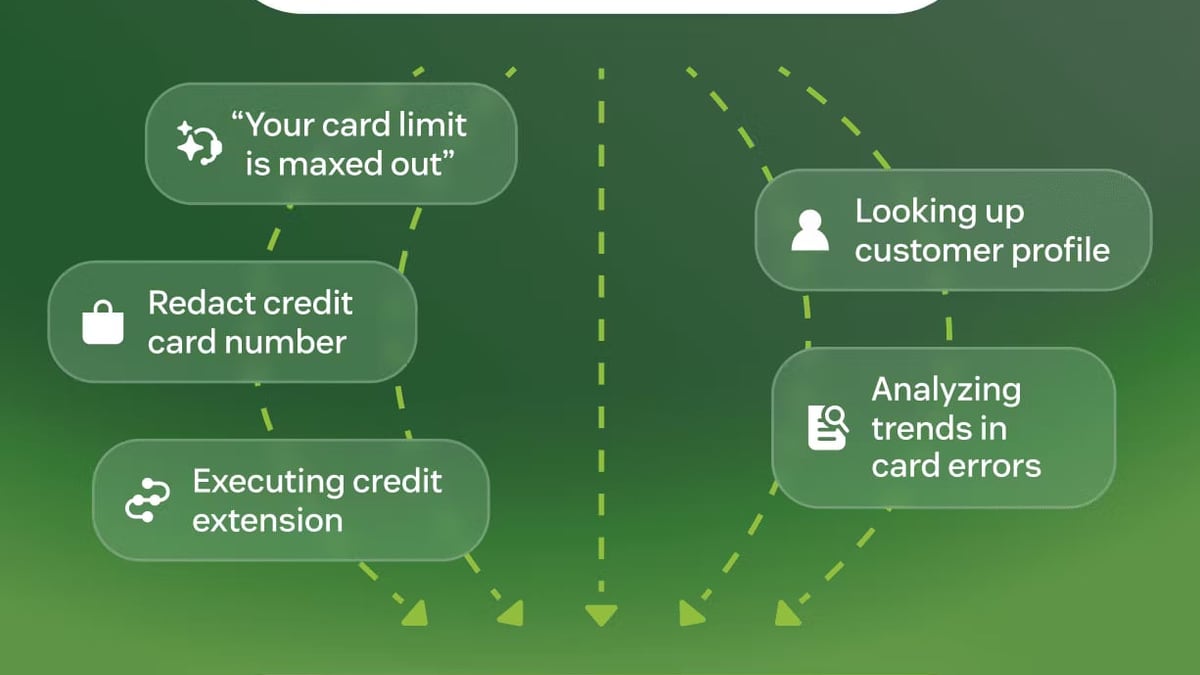
Zendesk Review 2025: AI-Driven Customer Service Platform product interface and feature overview.
Zendesk is a fully AI-powered customer service platform that unifies messaging, email, voice, chat, and social channels in a single agent workspace. Its AI agents learn from every interaction through a Resolution Learning Loop, improving answers autonomously. The platform also includes workforce management, quality assurance, and a marketplace of 1,200+ apps. Businesses from 50-seat startups to Fortune 500 enterprises rely on it to manage support at scale, with over 4.8 billion resolutions delivered.
Common use cases include:
- Automating Tier‑1 inquiries with AIbots that resolve, not just deflect
- Centralizing global support operations across time zones and languages
- Running data-driven quality programs with built-in speech and text analytics
- Connecting support with sales and success teams through shared customer views
Key Features That Drive Customer Service
AI Agents and the Resolution Learning Loop
Zendesk’s AI agents handle the full conversation lifecycle—from intent detection and knowledge suggestion to autonomous resolution. The system self-improves: every ticket closed, escalated, or re-opened trains the model so future recommendations grow more accurate. Early adopters have seen up to 80% of conversations resolved without human intervention, a leap beyond traditional deflection bots.
To get even more from self-service, some teams pair Zendesk’s native knowledge base with specialized AI knowledge management tools. Our comparison of HelpLook, Documentation.AI, and Docmost illustrates how dedicated AI knowledge bases can complement a help desk, whether you use Zendesk or another platform.
Omnichannel Support Unification
All channels—email, live chat, voice, SMS, social messaging (WhatsApp, Facebook Messenger)—flow into a single ticket interface. Side conversations let agents loop in internal experts via Slack or Microsoft Teams without leaving the ticket. Light-agent licenses grant read-only access to stakeholders, preserving context while controlling costs.
Analytics, QA, and Workforce Management
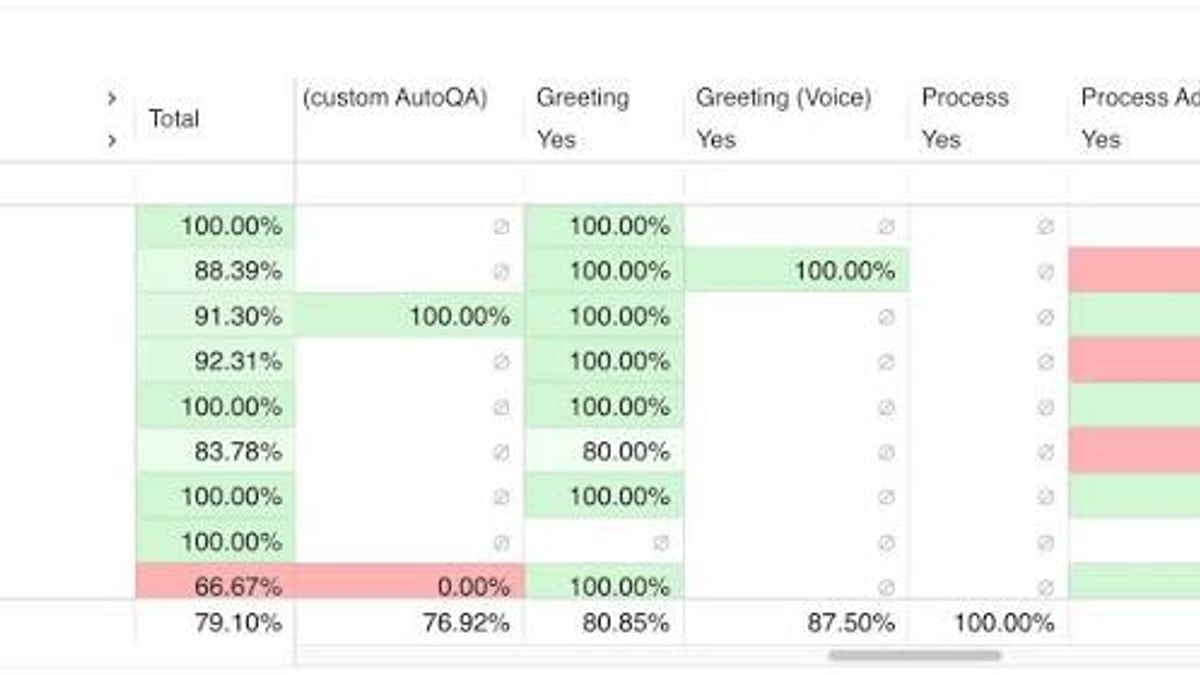
Zendesk Explore turns operational data into shareable dashboards. Managers can track SLA adherence, CSAT, and first-contact resolution, then drill into team performance. Quality Assurance (QA) tools let you score interactions automatically, while Workforce Management (WFM) forecasts staffing needs and suggests schedule adjustments based on historical ticket volumes.
Marketplace and Integrations
With over 1,200 pre-built apps and a robust API, Zendesk plugs into CRMs like Salesforce, ecommerce platforms like Shopify, and collaboration tools. The open architecture means you can build custom ticket forms, automations, and sidebars, though this flexibility does come with a learning curve.
Pros: Where Zendesk Excels

Zendesk Review 2025: AI-Driven Customer Service Platform product interface and feature overview.
AI-Powered Automation at Scale
Zendesk’s AI isn’t bolted on—it’s baked into the core. Real-world deployments show dramatic efficiency gains. Accor Plus, for example, improved agent response times by 352% and boosted self-service resolutions by 246% year over year, thanks largely to AI-driven workflows.
Unified Agent Workspace
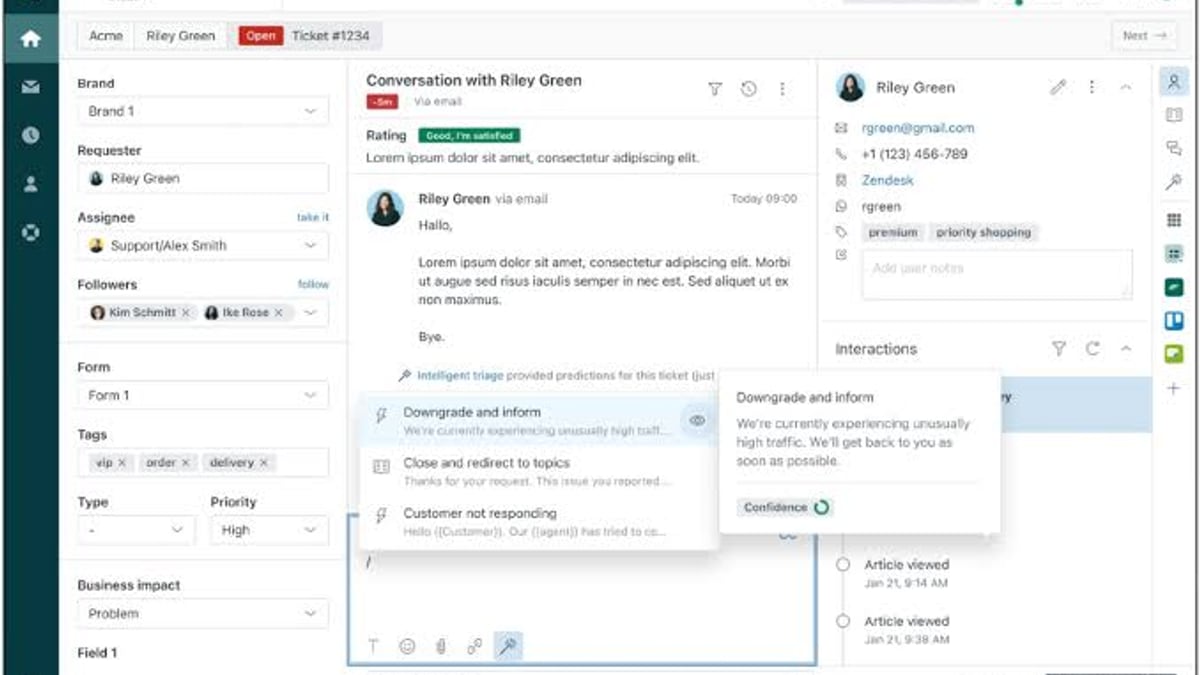
Agents see full customer history, past interactions, and suggested next steps in one view. Collision detection prevents duplicate replies, and presence indicators route chats to available reps. This design cuts handoff friction and helps teams hit sub‑18‑second answer times, as Dunlop Sports experienced after switching to Zendesk.
Enterprise-Grade Reliability and Security
Zendesk holds SOC 2 and ISO 27001 certifications and is trusted by Fortune 100 companies. It supports global deployments with multi-language capabilities, local data residency options, and 99.9% uptime SLAs on higher tiers.
Strong ROI and Fast Time to Value
A 2021 Forrester Total Economic Impact study commissioned by Zendesk found a composite organization achieved a 286% ROI over three years, with a 40% per-ticket cost reduction and 15% deflection increase. While the study is vendor-commissioned, it aligns with the operational metrics reported by customers like Tesco, which now resolves 79% of its 40,000 weekly IT tickets in a single touch.
Cons: Limitations to Consider
Customization Complexity
Despite the praises, user reviews on Trustpilot frequently mention that Zendesk requires extensive customization to match specific workflows. “Not a well-rounded product … lots of customisation needed” is a recurring sentiment. While this flexibility is powerful, smaller teams without dedicated admin resources may find the initial setup daunting.
Pricing Structure and Hidden Costs
Business.com’s review notes that to unlock advanced features like side conversations, self-service portals, or AI agents, you’ll likely need to step up to higher-priced tiers. The platform also enforces monthly API call limits; exceeding them can trigger additional fees. For budget-conscious teams, the total cost of ownership can climb quickly when adding QA, WFM, or premium integrations.
Support Access and API Ceilings
Zendesk requires customers to contact support through its own ticketing system—there is no direct phone line for urgent outages unless you’re on a premium plan. Additionally, API limits can constrain heavy integration use, making it less suitable for businesses that rely on real-time data syncs across dozens of tools.
Zendesk Pricing Signals
Zendesk Review 2025: AI-Driven Customer Service Platform - supporting product research image 3.
Exact figures depend on plan tier, channel mix, and add‑ons:
- Suite packages bundle support, guide, chat, and talk; AI agents are included on select plans.
- Component-based pricing lets you pick à la carte items (Support, Guide, Chat, etc.), but costs add up.
- Annual contracts unlock a 14‑day free trial, but there is no permanent free plan.
- Volume discounts are available for large teams, and nonprofits may qualify for reduced rates.
Because pricing changes frequently, always request a custom quote and compare against your required feature set. Keep in mind that workforce management, advanced QA, and high-volume API usage are often premium add‑ons.
Setting Up Zendesk: What to Expect
Zendesk Review 2025: AI-Driven Customer Service Platform - supporting product research image 4.
Zendesk is browser-based with a clean, intuitive interface. Most teams can configure basic ticketing, email forwarding, and knowledge base articles in days. Larger rollouts benefit from the paid implementation services or the extensive online documentation. Plan for:
- Data migration from legacy help desks
- Workflow automation rule design (triggers, automations, macros)
- Channel onboarding (connecting phone numbers, social pages, SMS)
- Agent training on the unified workspace and AI tooling
The platform’s professional services and partner network can accelerate enterprise deployments. SMBs, however, may find that getting the most out of AI requires additional configuration and time.
Decision Guide: When Zendesk Makes Sense (and When It Doesn’t)
Ideal Use Cases
- Mid‑market and enterprise teams handling high ticket volumes across multiple channels and languages.
- Organizations that want to automate resolutions, not just deflect, and are ready to invest in AI governance.
- Businesses that need tight collaboration between support, sales, and technical teams, using side conversations and shared ticket views.
- Compliance-heavy industries (finance, healthcare) that value SOC 2, ISO 27001, and data residency controls.
When to Look at Alternatives
- Small teams with simple needs may find the full Suite overkill; a leaner help desk or shared inbox might suffice.
- Budget‑constrained SMBs who need all advanced features but can’t justify the jump to higher tiers.
- Organizations requiring seamless IT service management alongside customer service may prefer a tool purpose‑built for ITSM—see our roundup of AI‑powered ITSM platforms for 2026 for options.
- Teams that depend on extremely high API call volumes for real‑time data syncing should verify that Zendesk’s limits won’t become a bottleneck.
Related reading
- How to Use HelpLook with Freshservice for Smarter IT Support - Learn to integrate HelpLook’s AI knowledge base with Freshservice ITSM. Step-by-step setup, embedding, chatbot deflection, and real-world examples for better self-service.
- HelpLook vs Documentation.AI: Best AI Knowledge Base for 2025? - Compare HelpLook & Documentation.AI for AI-powered knowledge bases. HelpLook offers all-in-one self-service with chatbots, SEO, multilingual support. See pros & cons.
Sources and further reading
- Zendesk reviews: What customers say about us - Discover how customers review Zendesk products, so you can confidently make the right choice for your business.
Frequently Asked Questions
What does Zendesk do best?
It excels at unifying omnichannel conversations with AI that learns and resolves tickets autonomously. Enterprises see the biggest gains when they automate high‑volume, low‑touch queries and let agents focus on complex cases.
Is Zendesk good for small businesses?
It can be, but smaller teams often feel the weight of setup complexity and premium pricing. If you only need email and chat with basic ticket management, a lighter tool might deliver faster value.
How does Zendesk’s AI compare to other platforms?
Zendesk’s Resolution Learning Loop is a differentiator—it continuously improves from real ticket outcomes rather than relying solely on static intent models. This makes its AI more adaptive over time than many rival chatbots.
Does Zendesk offer a free plan?
No. Zendesk provides a 14‑day free trial, but all plans require a paid subscription. Budget‑conscious teams should factor this into total cost calculations.
Can Zendesk replace a CRM?
Zendesk integrates with leading CRMs and offers a customer service‑focused CRM called Zendesk Sell. However, it is not a full CRM replacement for sales pipeline management; most enterprises use it alongside dedicated sales platforms like Salesforce.
Conclusion: Is Zendesk Worth It in 2025?
Zendesk stands out for its mature AI, omnichannel cohesion, and deep enterprise capabilities. The 2025 Gartner recognition, 22,000+ AI customers, and real‑world metrics—like a 286% ROI in Forrester’s study—validate its position at the top of the customer service market. For mid‑market and enterprise teams that can harness its automation and collaboration tools, the platform often pays for itself through efficiency gains and higher CSAT scores.
That said, Zendesk isn’t a one‑size‑fits‑all solution. Customization demands, pricing escalations, and API limits can frustrate smaller teams and those on a tight budget. Before committing, map your must‑have features to the appropriate plan tier, estimate your API usage, and check whether your team has the bandwidth to manage the initial setup.
If you need a capable, AI‑first service platform that scales with your business, Zendesk deserves a spot at the top of your shortlist. For teams that also need IT service management, be sure to explore specialized AI‑powered ITSM tools. And when building a self‑service knowledge base to feed Zendesk’s AI, compare tools like HelpLook and Documentation.AI—our three‑way comparison can help you decide which knowledge base best fits your stack.