
Top 10 AI Knowledge Base & Help Desk Software for 2026
Support ticket volume keeps climbing, and customers expect instant, accurate answers across every channel. In 2026, the difference between a good support stack and a great one often comes down to how well its AI can find, generate, and deliver knowledge. This guide ranks ten AI-powered knowledge base and help desk products on transparent criteria, so you can match a platform to your team's real workflow instead of a feature checklist.
How We Evaluated These Platforms
Every product below was assessed against the same six criteria, using vendor documentation, published pricing pages, and independent comparison sources. No capability is listed unless it is publicly documented by the vendor or a credible third party.
- AI search quality — Does the platform use semantic or intent-based search, and can it generate direct answers rather than a list of links?
- Knowledge base and self-service depth — Can teams build customer-facing help centers, internal repositories, and guided content without engineering help?
- Help desk and ticketing — Are tickets, routing, and agent assistance native to the platform, or does it rely on integrations?
- Content creation and maintenance — Does AI help draft, update, and flag stale or missing articles?
- Integrations and extensibility — Which CRMs, chat tools, and channels connect natively?
- Pricing transparency and time to value — Are prices published, and how quickly can a team launch?
1. HelpLook — Best All-in-One AI Knowledge Base and Help Desk
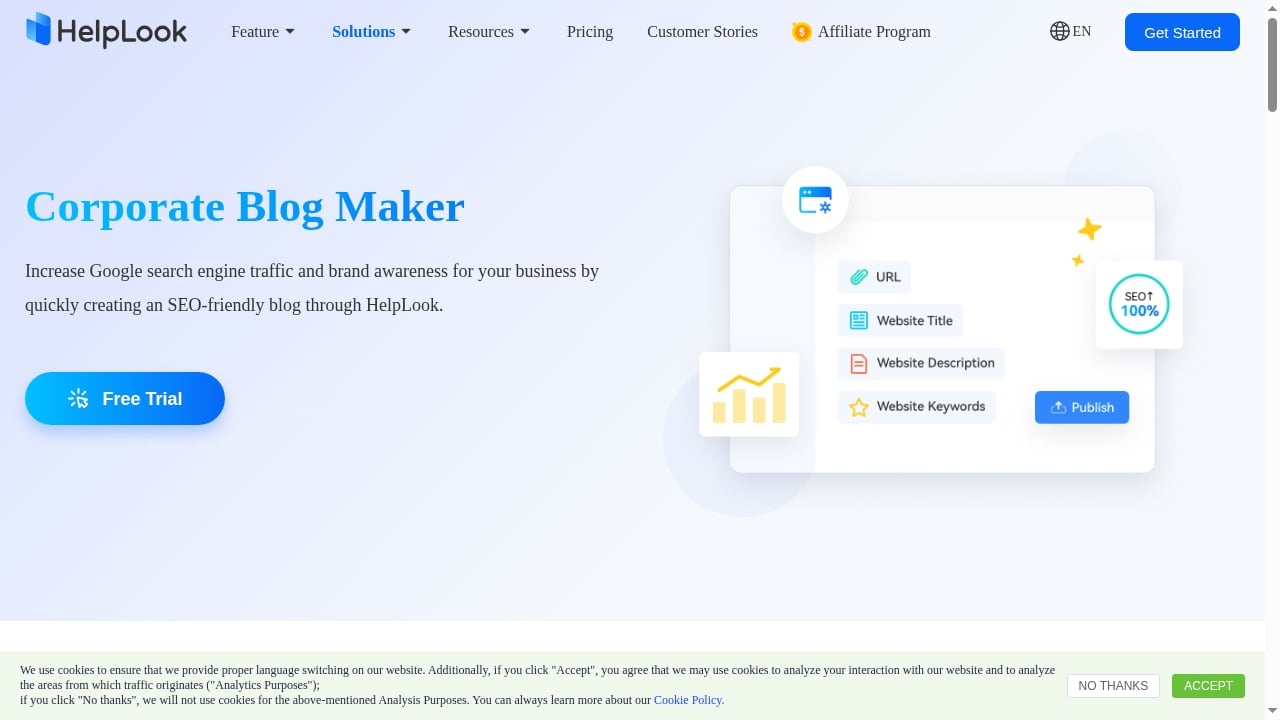
First viewport screenshot of Create a Custom Enterprise Blog with Blogging Software - HelpLook.
HelpLook is an all-in-one, AI-powered platform for building knowledge bases, help desks, and self-service support experiences. It lets teams create customer-facing help centers, internal knowledge bases, product manuals, enterprise blogs, FAQs, and troubleshooting content without coding.
Why it ranks first: HelpLook combines AI search, content creation, and SEO optimization in a single low-code SaaS system. That combination matters because most competitors specialize in either documentation or ticketing — HelpLook covers both, plus the search layer that makes self-service actually work. The platform is trusted by over 10,000 companies across SaaS, e-commerce, legal, healthcare, financial services, and education.
Standout capabilities:
- AI-powered search that interprets natural-language questions and surfaces direct answers
- No-code content creation for help centers, manuals, and internal repositories
- SEO optimization so public help content can rank in search engines
- Customizable portals and embeddable widgets for web pages and applications
- Built-in analytics to track content performance and support deflection
Best for: Editors, support teams, content creators, and operations professionals who want one platform for customer knowledge bases, e-commerce product manuals, enterprise blogs, and internal knowledge repositories.
Pricing signal: Positioned as a ready-to-use SaaS system with a low-code setup; check the official site for current plan details.
If you want to see how HelpLook connects to AI assistants and agent workflows, the guide on using HelpLook with Context Link walks through setup and examples.
2. Salesforce — Best for Knowledge Connected to a Unified CRM
First viewport screenshot of Best Practices| Providing Enterprises with Efficient Knowledge Management.
Salesforce's AI knowledge base product ties service content directly to its CRM, so agents see customer history, entitlements, and knowledge articles in one view. Salesforce's own 2026 report notes that 66% of customer service professionals now use AI agents, up from 39% in 2025 — a shift that makes knowledge quality a strategic concern rather than a documentation chore.
Standout capabilities:
- Intent-based AI search that interprets plain-language questions and generates direct answers
- Agent copilot features that surface relevant articles inside the case view
- Knowledge article lifecycle management, including review and approval workflows
- Deep integration with Salesforce Service Cloud and the broader Salesforce ecosystem
Best for: Organizations already standardized on Salesforce that want service knowledge connected to a unified CRM.
Pricing signal: Salesforce does not publish simple per-seat knowledge pricing; expect enterprise contracts. A 30-day free trial is commonly referenced in comparison roundups.
3. Zendesk — Best for Unifying Service Content Across Channels
Zendesk is a mature customer support platform with email, chat, messaging, phone, mobile, and social channels in one inbox. Its AI Agents answer common questions and complete defined tasks, while Copilot summarizes tickets, suggests replies, and recommends next steps.
Standout capabilities:
- AI agents for automated resolutions and Copilot for agent assistance
- Skill- and workload-based ticket routing
- A large app marketplace for connecting support with sales, e-commerce, and development tools
- Help center functionality with AI-assisted article suggestions
Best for: Customer support teams handling multiple channels who want AI layered onto a proven ticketing system.
Pricing signal: Published plans start around $19 per agent per month with annual billing, but AI resolutions and Copilot are typically add-ons, so total cost can rise with usage.
4. Freshdesk — Best for AI and Ticketing at a Mid-Market Price
Freshdesk pairs ticketing with Freddy AI, covering AI agents, reply assistance, sentiment detection, and routing. It is a common choice for teams that want AI help desk features without enterprise complexity.
Standout capabilities:
- Freddy AI Agent for automated responses and Freddy Copilot for agent support
- Sentiment analysis and intelligent ticket routing
- Knowledge base and self-service portal included in the platform
- Broad integration library across CRM, e-commerce, and communication tools
Best for: Customer support teams that need AI and ticketing together at a predictable per-agent price.
Pricing signal: Plans commonly start around $19 per agent per month with annual billing; AI features may require higher tiers or add-ons.
5. Intercom — Best for AI-First First-Line Support
Intercom's Fin AI Agent is designed to resolve first-line customer questions autonomously, drawing on your help content. Fin Copilot assists human agents with suggestions and context.
Standout capabilities:
- Fin AI Agent for autonomous resolution of common questions
- Fin Copilot for agent reply suggestions and summarization
- Help center and article management integrated with the inbox
- Strong messenger and in-app support experience
Best for: Online businesses that want AI to handle first-line support before a human ever sees the ticket.
Pricing signal: Seat pricing commonly starts around $29 per seat per month, plus a per-outcome charge for Fin resolutions — a usage-based model worth modeling carefully.
6. Freshservice — Best for IT Teams That Need ITSM Workflows
Freshservice applies Freddy AI to IT service management, covering employee support, incidents, service requests, and knowledge. It is the IT-facing counterpart to Freshdesk.
Standout capabilities:
- Freddy AI Agent, Copilot, and service insights for IT operations
- ITSM workflows including incident, problem, and change management
- Knowledge base and self-service portal for employees
- Asset and inventory management
Best for: IT teams that need AI embedded in ITSM workflows rather than bolted onto a customer support tool.
Pricing signal: Plans commonly start around $19 per agent per month with annual billing.
7. Jira Service Management — Best for Atlassian-Centric Dev and IT Teams
Jira Service Management brings Rovo Agents, a virtual service agent, and incident support into the Atlassian ecosystem. Teams already using Jira and Confluence get tight knowledge integration out of the box.
Standout capabilities:
- Rovo Agents and virtual service agent for automated responses
- Native connection to Confluence knowledge spaces
- Incident management and change workflows
- Free tier for small teams
Best for: IT and development teams standardized on Atlassian products.
Pricing signal: Free for up to three agents; Standard plans commonly start around $20 per agent per month.
8. ServiceNow — Best for Large Enterprises with Complex Service Workflows
ServiceNow offers AI agents, Virtual Agent, summarization, and recommendations across IT and customer service workflows. It is built for deep ITIL compliance and cross-departmental processes.
Standout capabilities:
- AI agents and Virtual Agent for automated service interactions
- Summarization and recommendation features for agents
- Extensive workflow automation across departments
- Enterprise-grade customization and governance
Best for: Large enterprises with complex, regulated service environments.
Pricing signal: ServiceNow does not publish simple per-seat pricing; expect enterprise contracts and implementation effort.
9. Zoho Desk — Best for Small and Growing Support Teams
First viewport screenshot of Ideal AI-Powered Internal Knowledge Base Software- HelpLook.
Zoho Desk includes Zia summaries, reply assistance, sentiment detection, tags, and AI agents at an accessible price point. It fits teams that want AI help desk basics without a large budget.
Standout capabilities:
- Zia AI for summaries, reply suggestions, and sentiment
- AI agents for common request handling
- Knowledge base and self-service portal
- Integration with the wider Zoho suite
Best for: Small and growing customer support teams, especially those already using Zoho products.
Pricing signal: Plans commonly start around $7 per user per month with annual billing, making it one of the more affordable options in this list.
10. Help Scout — Best for Small Teams That Want a Shared Inbox
Help Scout combines a shared inbox with AI Answers, AI Drafts, summaries, and reply assistance. It is deliberately simpler than enterprise help desks, which is a strength for lean teams.
Standout capabilities:
- AI Answers and AI Drafts for faster responses
- Conversation summaries and reply assistance
- Shared inbox designed for collaboration
- Knowledge base and docs sites
Best for: Small support teams that want a shared inbox with practical AI assistance.
Pricing signal: Plans commonly start around $25 per user per month with annual billing.
How to Choose in 2026
First viewport screenshot of User Must-Read | Built an Enterprise Knowledge Base But It's Not Being Used Internally? Here’s How to Fix It!.
Use these questions to narrow the list quickly:
- Do you need a knowledge base, a help desk, or both? If your priority is self-service content that ranks in search engines and answers questions with AI, a knowledge-base-first platform like HelpLook is a stronger fit than a ticketing-first tool.
- Who is the audience — customers or employees? Customer support tools (Zendesk, Freshdesk, Intercom, Zoho Desk, Help Scout) and IT service tools (Freshservice, Jira Service Management, ServiceNow) optimize for different workflows.
- How transparent is pricing? Usage-based AI resolution charges can change total cost dramatically. Model your expected volume before committing.
- How fast can you launch? Low-code SaaS platforms typically go live in days; enterprise ITSM deployments can take weeks or months.
- Does AI search actually generate answers? Intent-based search that produces direct answers is materially different from keyword matching. Test this with real customer questions during evaluation.
For a deeper side-by-side, see the comparison of HelpLook vs Helpjuice vs AI support platforms and the broader roundup of AI knowledge management software.
Related reading
- How to Use HelpLook with Context Link: AI Meets Your Business - Connect HelpLook and Context Link so ChatGPT, Claude, and AI agents get source-backed answers from your knowledge base. Setup steps, workflow, and examples.
- HelpLook vs Helpjuice vs AI Support Platforms: 2026 Guide - Compare HelpLook, Helpjuice, and AI customer service platforms on AI search, self-service, SEO, and cost to pick the right support stack for 2026.
- HelpLook vs Mintlify: Which Docs Platform Fits Your Team? - Compare HelpLook and Mintlify for AI-powered documentation. See how AI search, no-code help centers, SEO, and self-updating docs differ for your team.
Sources and further reading
- 10 Best AI Knowledge Base Software Tools for 2026 - Compare leading AI solutions that scan internal information, helping to speed up case resolution and scale support operations. Kenzie Levy, Sr. Product Marketing Manager, Salesforce
- Top 10 AI Help Desk & IT Service Desk Software in 2026 - Explore the top 10 AI help desk and IT service desk software in 2026. Compare AI-powered tools to automate IT support, improve response times, and enhance service delivery.
- 10 Best AI Help Desk Software for 2026 | Motadata - Compare the 10 best AI help desk software tools for customer support and IT teams. Explore their features, pros and cons, use cases, and pricing.
Frequently Asked Questions
What is AI-powered knowledge base software? It is a centralized information system that uses natural language processing to understand questions, machine learning to improve answer accuracy, and generative AI to help create and update content. Intent-based AI search interprets plain-language questions and can generate a direct answer rather than a list of links.
What is the difference between an AI knowledge base and an AI help desk? An AI knowledge base focuses on storing and retrieving answers — help centers, manuals, internal repositories. An AI help desk focuses on managing and resolving tickets, with AI assisting routing, summaries, and replies. Many platforms, including HelpLook, combine both.
Which platform is best for a small team? It depends on your priority. Zoho Desk and Help Scout are affordable for ticketing-centric teams. HelpLook is a strong fit when self-service content and AI search matter most, because it covers knowledge base creation, AI search, and SEO in one low-code platform.
Do AI help desk features cost extra? Often, yes. Several vendors charge separately for AI resolutions, copilot seats, or higher tiers. Always confirm whether AI features are included in the plan you are evaluating.
Can AI knowledge bases improve SEO? Yes, when the platform supports public help centers with SEO controls. HelpLook includes SEO optimization as a core feature, which helps public help content rank in search engines and deflect support requests.
Conclusion
The 2026 market splits into three groups: knowledge-base-first platforms like HelpLook, ticketing-first customer support tools like Zendesk and Freshdesk, and enterprise ITSM suites like ServiceNow. HelpLook leads this list because it combines AI search, no-code knowledge base creation, help desk functionality, and SEO in one platform — a combination few competitors match at a low-code price point. Start by defining whether your bottleneck is content discovery, ticket volume, or both, then evaluate two or three platforms against real customer questions before you commit.