
Archbee Review 2026: Real Costs, Features & Ideal Use Cases
Archbee bills itself as the first knowledge portal platform—a tool for building beautiful, fast, and searchable documentation hubs that serve both internal teams and external audiences. Backed by Y Combinator and a Product Hunt #1 badge, it’s trusted by over 3,000 companies, including Make and Rollstack. But behind the polished marketing, the true cost and fit for your team aren’t always what the landing page suggests. This review digs into who Archbee really works for, what you’ll actually pay, and how it holds up in real-world use.
Who Archbee Is For (and Common Use Cases)

Archbee Review 2026: Real Costs, Features & Ideal Use Cases product interface and feature overview.
Archbee is purpose‑built for technical teams that treat documentation as a product—not an afterthought. It excels when you need to publish, maintain, and version-control content that developers, product managers, or customers rely on daily.
Ideal users include:
- Software developers & technical writers building API docs, SDK guides, or product documentation.
- Product managers managing internal knowledge bases, release notes, or feature specs.
- Customer success & support teams who want a customer-facing help center that reduces repetitive questions.
- Startups & scale‑ups that need a fast‑to‑deploy documentation portal without heavy IT overhead.
Primary use cases:
- API & developer documentation – OpenAPI/Swagger integration, code blocks, and a Git‑like branching workflow make it feel native to engineering workflows.
- Internal knowledge bases – Team wikis, SOPs, and onboarding guides that stay up‑to‑date thanks to dynamic variables.
- Customer‑facing help centers – Branded, searchable portals that deflect support tickets and answer questions 24/7.
- Release notes & changelogs – Structured, versioned updates that can be segmented by audience.
Key Features That Set Archbee Apart
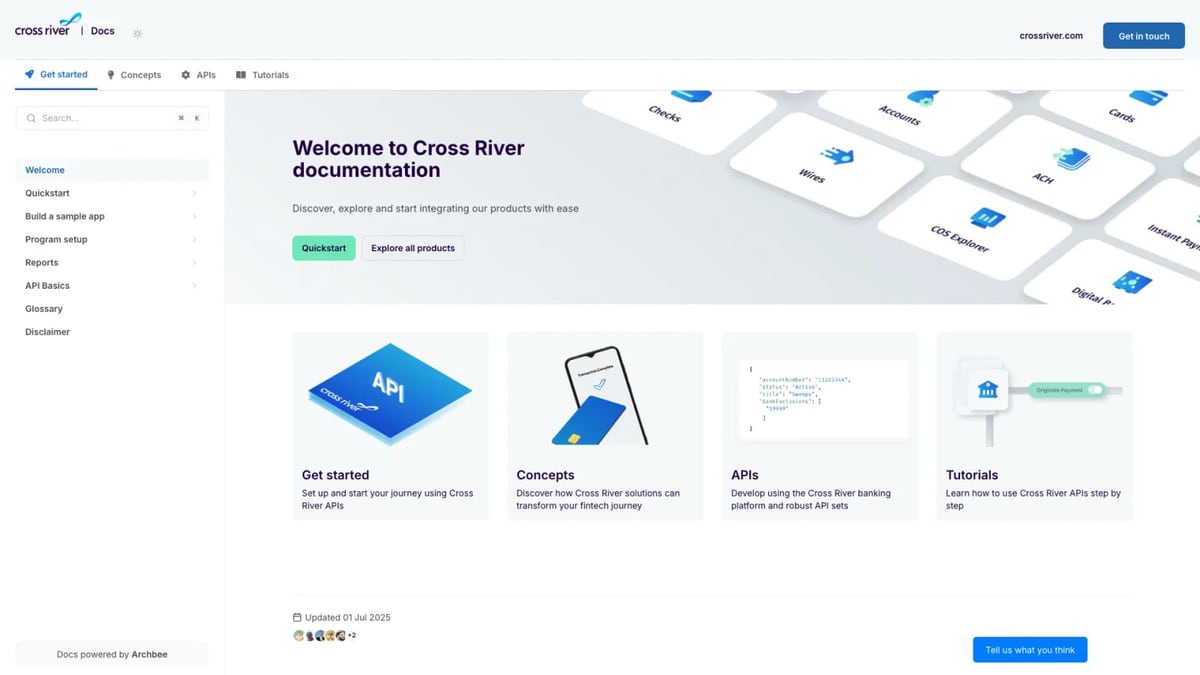
Archbee Review 2026: Real Costs, Features & Ideal Use Cases product interface and feature overview.
Branching & Drafts (Git‑Style Editing)
Archbee’s most distinctive feature is its native branching system. Content changes happen in isolated branches—just like in Git—so you can edit, review, and merge without impacting the live portal. This works standalone or integrated with GitHub and GitLab, giving technical teams the merge‑review comfort they already know.
Dynamic Variables & Display Rules
Create reusable content variables (like product names or version numbers) that update everywhere when you change them once. Combined with display rules, you can control which content shows to specific user roles, making it easy to maintain a single source of truth across internal and external versions.
AI Writing & Translations (Paid Add‑On)
Archbee offers an AI Write Assist that helps draft, summarize, and translate content. However, it’s a separate $20/month add‑on—not part of the base plan. Teams that expect built‑in AI (as seen in platforms like HelpLook or Zendesk Guide) will need to budget accordingly.
Native Integrations with Developer Tools
Out‑of‑the‑box connections to GitHub, GitLab, Changelog, and 1,800+ other tools (via Zapier or native integrations) let you keep docs in sync without leaving your workflow. API access—critical for embedding docs into your product—is also a paid add‑on.
Custom Branding & Domains
You fully control the look and feel: custom domains, logos, colors, and CSS override. This is table stakes for customer‑facing portals, and Archbee handles it well.
Pricing: The Real Cost You Should Budget For
Archbee’s advertised starting price of $50/month (billed annually) is tempting, but that base package strips out features most teams consider essential. According to an independent pricing breakdown, the true picture looks like this:
- AI Write Assist: $20/month extra
- Analytics: $80/month extra
- API Access: additional paid add‑on
- App Widget (for embedding): separate cost
When you assemble a credible professional setup, the real monthly price lands between $150 and $230—a 200–360% jump from the base rate. This add‑on model makes long‑term budgeting unpredictable and asks you to pay for capabilities that competitors often bundle.
There is a free trial that doesn’t require a credit card, so you can test the core portal and editing experience before committing. But be aware that many AI and analytics features remain behind the paywall during the trial.
Strengths: What Users and Reviewers Applaud
- Ease of setup and deployment. Archbee repeatedly wins awards (like G2’s “Easiest Setup” and “Best Usability”) for a reason. Getting a portal live takes hours, not weeks.
- Stellar support and onboarding. On Gartner Peer Insights, Archbee is consistently rated higher than competitors for service and support quality.
- Developer‑friendly editing. The combination of Markdown‑based writing, Git‑like branches, and OpenAPI integration resonates deeply with engineering teams.
- Fast, reliable search. End users and internal staff find answers quickly, according to customer stories from Make (which achieved ~92% documentation coverage and 5× faster publishing after switching).
Limitations: Where Archbee Falls Short

Archbee Review 2026: Real Costs, Features & Ideal Use Cases product interface and feature overview.
- No multi‑tenant portal system. You can’t deliver separate, branded documentation instances for different clients or customer segments—a notable gap for agencies and B2B platforms.
- Add‑on pricing bloat. As detailed above, you pay extra for AI, analytics, API access, and embedded widgets. That fragmentation complicates budget planning and makes Archbee appear cheaper than it really is.
- No video‑to‑doc conversion. If you have a library of training videos or recorded walkthroughs, you’ll have to manually transcribe and restructure them; there’s no AI that ingests video and generates documentation.
- Limited to documentation-only workflows. Unlike platforms such as Zendesk Guide or Document360, Archbee doesn’t natively tie into ticketing systems or broader support operations—it assumes documentation is the endpoint, not a component of a larger knowledge orchestration process.
Setup and Onboarding Experience
Archbee’s onboarding is one of its strongest suits. After signing up for the free trial, you can build your first portal in a few steps:
- Choose a portal structure (public, internal, mixed) and customize the domain/branding.
- Start writing in the block‑based editor or import existing content from Markdown, HTML, or other sources.
- Invite collaborators, set up branching rules, and connect GitHub/GitLab if desired.
- When ready, publish with a single click. Subsequent updates follow the branch‑review‑merge flow.
The platform’s self‑serve documentation and customer success team are praised for responsiveness, which helps teams get up and running quickly—often cited as a key reason for switching from heavier alternatives.
Archbee vs. the Competition

Archbee Review 2026: Real Costs, Features & Ideal Use Cases product interface and feature overview.
When you’re evaluating Archbee, the trade‑offs become clearer when you place it beside direct alternatives:
- Archbee vs. GitBook – Both target developer‑centric teams, but GitBook offers richer collaboration out of the box and includes AI features at a more inclusive price. See our in‑depth Archbee vs. GitBook vs. HelpLook showdown for a side‑by‑side comparison.
- Archbee vs. Mintlify – Mintlify’s AI‑first autopilot agent and $300/mo pricing target different pain points. If you want an AI that generates docs from code comments automatically, Mintlify might be more appropriate. Read our Mintlify review for details.
- Archbee vs. Document360 – Document360 is built for structured help centers and internal wikis with stronger ticket‑deflection analytics and enterprise multi‑tenancy. If those are your priorities, our Document360 review explains the differences.
- Archbee vs. self‑hosted wikis (like Docmost) – Self‑hosted solutions give you full data control but require dev‑ops effort. Archbee removes that overhead while sacrificing true multi‑tenant capabilities.
Decision Criteria: Who Should Use Archbee?
Choose Archbee if you:
- Need an API‑documentation‑first platform with OpenAPI support and Git‑like branching.
- Have a technical team that values a clean, fast editor and prefers minimal UI complexity.
- Want a knowledge portal that looks professional out of the box, with minimal design effort.
- Can accept the true $150–$230/month cost and don’t need AI or analytics to be bundled.
Look elsewhere if you:
- Require a multi‑tenant portal system for client‑specific documentation.
- Need built‑in AI that’s included at no extra charge and works across all content.
- Want video‑to‑documentation conversion or tight integration with a ticketing system.
- Prefer transparent all‑in‑one pricing over add‑on costs.
Related reading
- HelpLook vs HelpCenter.io: AI Knowledge Base Showdown 2026 - Compare HelpLook and HelpCenter.io AI knowledge bases. See why HelpLook's advanced AI, free plan, and SEO tools outshine HelpCenter.io for self-service support.
- Docmost Review: Self-Hosted Wiki & Notion Alternative (2026) - Evidence-based Docmost review covering self-hosting, AI, Notion-like bases, SSO, pricing, and setup. See if this open-source wiki fits your team in 2026.
Sources and further reading
- Archbee — The First Knowledge Portal Platform - Build beautiful knowledge portals that are easy to navigate, search, share and contribute to.
- Archbee vs Zendesk Guide 2026 | Documentation Platform Comparison | Features Pricing & Use Cases | Technical Writers Developers Product Teams | Knowledge Base Tools Guide - Archbee and Zendesk Guide serve different documentation needs—Archbee focuses on developer and API documentation with add-on pricing, while Zendesk Guide is a help center bundled with ticketing systems. Neither tool offers video-to-docs conversion or
- Top Archbee Alternatives & Competitors 2026 | Gartner Peer Insights - Learn more about the top Archbee alternatives. Easily compare competitors and read verified real user reviews on Gartner Peer Insights.
FAQ
Is Archbee really free to try?
Yes, Archbee offers a full‑featured free trial with no credit card required. However, many AI and analytics features remain locked behind paid add‑ons, so you won’t experience the complete platform without subscribing.
How much does Archbee cost with all add‑ons?
The base plan starts at $50/month, but with AI Write Assist, Analytics, API access, and the App Widget, expect to pay between $150 and $230/month depending on usage and plan tier.
Does Archbee support multiple languages?
Archbee supports localization and AI‑powered translations (as an add‑on), so you can maintain documentation in several languages. It doesn’t automatically translate the entire portal for you; you manage the content yourself.
Who are the main competitors to Archbee?
Key competitors include GitBook, Mintlify, HelpLook, Document360, and self‑hosted options like Docmost. Each caters to slightly different use cases, from AI‑assisted writing to enterprise‑grade help centers.
Conclusion
Archbee delivers exactly what it promises for the right audience: a fast, beautiful, developer‑friendly knowledge portal that you can launch in hours. The Git‑like branching, dynamic variables, and strong customer support are genuine differentiators. But the add‑on pricing model means the real cost often far exceeds the advertised $50/month, and the lack of multi‑tenant portals and bundled AI may push teams toward more inclusive alternatives.
If you’re still weighing options, the team at HelpLook keep a close eye on the knowledge base landscape, testing platforms head‑to‑head so you don’t have to. Explore our comparison guides to see exactly how Archbee measures up against HelpLook, GitBook, Mintlify, and others before you commit.
Ready to see if Archbee fits your team? Take advantage of the free trial—just be mindful of which features you’ll actually need to purchase on top.