
DocsBot Review 2026: Real Pricing, Features & Use Cases
When technical documentation becomes your main support channel, turning those help articles into an instant‑answer AI agent sounds like the obvious next step. DocsBot promises exactly that: a platform to train custom AI chatbots on your own knowledge base, documentation, and support content. But does it live up to the enthusiasm of its 75k+ users, and where do the real limits show up? This evidence‑based review digs into DocsBot’s pricing, training flexibility, real‑world performance, and how it compares to other AI‑powered knowledge base platforms so you can decide if it’s the right fit for your team.
What Makes DocsBot Different?
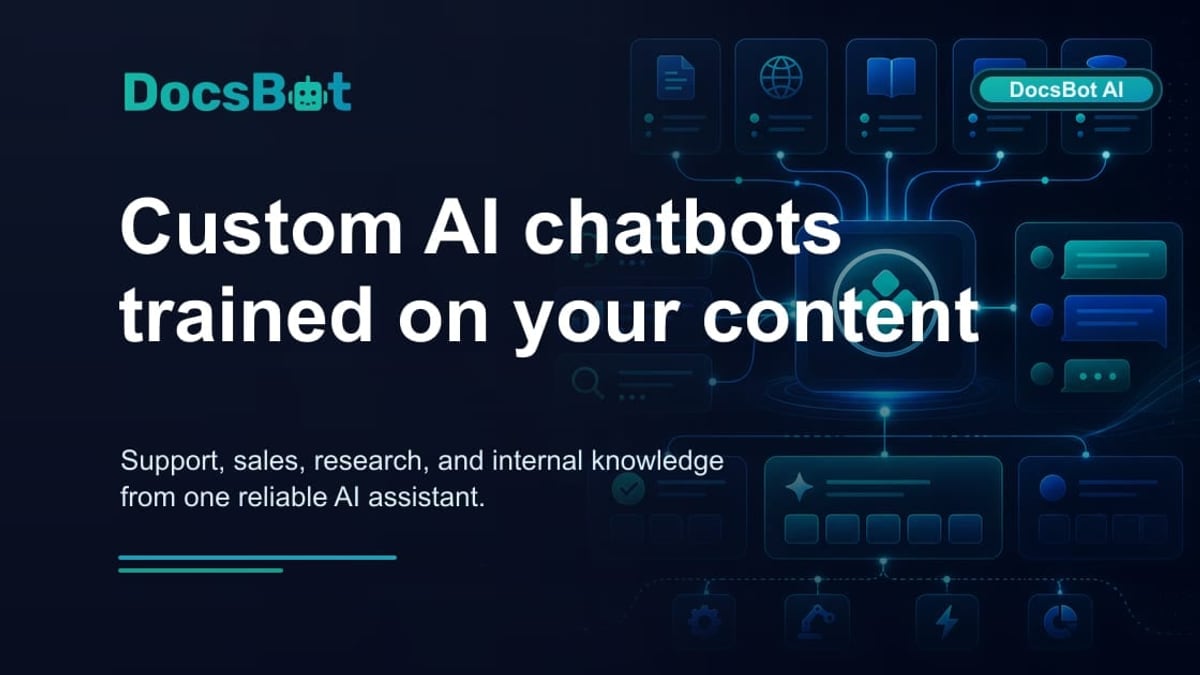
DocsBot Review 2026: Real Pricing, Features & Use Cases product interface and feature overview.
DocsBot positions itself as an AI agent builder that turns static business documentation into interactive chatbots. Unlike general‑purpose ChatGPT wrappers, it uses a retrieval‑augmented generation (RAG) pipeline – the platform calls it an “agentic RAG” – that retrieves, reranks, and uses the most relevant chunks from your content before generating answers. This focus on source‑grounded replies makes the tool particularly attractive for support teams who need to reduce repetitive tickets without sacrificing accuracy.
Three core value propositions stand out:
- Source‑first accuracy: Answers are anchored to your indexed webpages, PDFs, helpdesk tickets, or cloud documents, not just the AI model’s prior knowledge.
- No‑code deployment: A branded chat widget can be embedded on your website or connected to Slack and WordPress in minutes.
- Multi‑purpose use cases: The same bot engine serves customer support, pre‑sales lead capture, and internal knowledge retrieval.
While other platforms like SiteGPT focus heavily on website‑content chatbots, DocsBot broadens the source reach to 28+ content types, including Notion, Confluence, Zendesk, YouTube videos, and Salesforce knowledge articles. This flexibility makes it a compelling bridge between a standalone documentation site and a fully‑fledged support automation system.
Key Features and Capabilities

DocsBot Review 2026: Real Pricing, Features & Use Cases product interface and feature overview.
Training and Knowledge Sources
DocsBot accepts over 28 source types, from standard website URLs and sitemaps to documents (PDF, Word, Markdown, HTML), audio/video files (with transcription), cloud storage (Google Drive, Dropbox, OneDrive, SharePoint, Box), and business tools like Notion, Confluence, Zendesk, Salesforce, GitHub, Slack conversations, and Help Scout. You can also upload Q&A pairs or raw CSV data.
This breadth makes onboarding existing content straightforward. The system can auto‑sync with RSS feeds or cloud folders to keep the bot up‑to‑date. However, source page limits are tied strictly to the pricing tier – a critical detail we’ll examine in the pricing section.
AI Model Selection
Users can choose between GPT‑4o, GPT‑4.1, GPT‑3.5 Mini, and the newer GPT‑5 models, balancing cost, speed, and reasoning depth. Paid plans also support bringing your own OpenAI API key, giving you direct control over token spend. This flexibility addresses a common concern: you can start with a faster, cheaper model for high‑volume support and switch to a more powerful model for sensitive or complex queries.
Deployment and Integration
Embedding is simple: copy‑paste the widget code onto your site, or use the WordPress plugin. DocsBot integrates natively with Slack, Microsoft Teams, and Help Scout, while Zapier connects it to over 7,000 other apps. A REST API opens the door for custom web or mobile app integrations. Despite the wide connector library, direct two‑way sync with major CRMs (like HubSpot or Salesforce) still relies on Zapier, which can introduce latency and cost for high‑volume workflows.
Analytics and Reporting
All plans include conversation logs and basic message counts. The Standard plan and above unlock conversation analytics, sentiment analysis, CSAT (customer satisfaction) tracking, and resolution rate monitoring. For teams that need to prove ROI, these metrics are essential – but the lower tiers leave you guessing about bot effectiveness.
Security and Compliance
DocsBot takes enterprise‑grade security seriously. It offers AES‑256 encryption, SOC 2 Type II certification (on Business and Enterprise), GDPR compliance with data processing agreements, role‑based access controls, and HIPAA availability on Enterprise. This makes it a viable choice for regulated industries, provided you’re on the right plan.
Free Tools Worth Noting
Beyond the core platform, DocsBot provides free AI assistants without login: a YouTube video summarizer (paste a link, get key points) and a prompt generator. While these are mainly lead magnets, they demonstrate practical AI skills and can be genuinely useful for quick research.
Pricing and Plan Limits
DocsBot’s pricing is tiered by the number of source pages you can train on, making it essential to estimate your content library size before committing. Here’s a summary based on publicly available information (verified from the official site as of early 2026):
| Plan | Source Pages | Key Features | Monthly Price (Billed Annually) |
|---|---|---|---|
| Free | 50 | 1 bot, GPT‑3.5 Mini, basic widget, 50 questions/month | $0 |
| Personal | 5,000 | 3 bots, GPT‑4o & 4.1, bring your own key, question credits apply | $19 |
| Standard | 15,000 | 10 bots, advanced analytics, sentiment, remove branding option | $99 |
| Business | 100,000 | 30 bots, SOC 2, unbranded widget, priority support, custom CSS | $499 |
| Enterprise | Custom | Dedicated infrastructure, HIPAA, SSO, custom source limits | Custom quote |
Annual billing offers a discount; month‑to‑month pricing is higher.
The source page ceiling is a hard limit. If you have a large documentation library – common with SaaS companies that maintain hundreds of help articles, API references, and release notes – you may hit the Personal or Standard cap quickly. The jump from 15,000 to 100,000 pages requires the $499/month Business plan, a significant cost leap for small or mid‑sized teams. Also note that the Free tier is limited to 50 questions per month, making it a trial sandbox rather than a production tool.
Before choosing a plan, inventory how many unique URLs and document pages your bot truly needs. Over‑indexing with rarely‑accessed content can waste valuable source slots.
Real‑World Use Cases and Performance
DocsBot’s versatility shows up in how different teams apply it:
- Customer support automation: Sony Network Communications reported that DocsBot handled over 30,000 inquiries within the first month, reaching an 80% resolution rate. This kind of deflection frees human agents for complex issues.
- Pre‑sales lead capture: Embedding the bot on pricing or product pages turns passive browsing into instant conversations. Fast responses, trained on product details and pricing, can dramatically increase lead conversion – DocsBot’s data suggests a 10× uplift.
- Internal knowledge retrieval: Companies like Very Good Plugins use DocsBot to let developers query internal documentation, reducing the time spent hunting through Confluence or Google Drive folders.
- Educational assistance: University instructors have built bots to help students review lecture material, answer assignment questions, and reinforce concepts without one‑on‑one office hours.
These cases highlight a core strength: the same bot engine can support customers, sales prospects, and employees, provided you organize content into separate bots with clear system instructions.
Strengths
- Broad content source support: 28+ native integrations cover the tools documentation teams already use.
- Transparent AI model choices: Ability to switch models or bring your own OpenAI key puts cost control in your hands.
- Enterprise‑ready security: SOC 2, GDPR, and HIPAA options make it suitable for regulated environments.
- Quick setup: Train a bot on a website or a handful of PDFs and embed it in minutes, with no coding.
- Clear value for high‑volume support: The Sony case study proves substantial ticket deflection is realistic.
Limitations and Gaps
- Source page limits per plan: The sharp cap forces you to pick and choose which documentation to include. Upgrades get expensive quickly.
- Analytics behind paywall: Essential metrics like sentiment and CSAT require the $99/month Standard plan, leaving free and Personal users blind to bot quality.
- No native CRM integration: While Zapier fills the gap, direct sync with Salesforce or HubSpot would streamline lead handoffs and reduce middleware costs.
- Limited support for non‑documentation content: If your knowledge base relies heavily on dynamic database records or complex software simulations, DocsBot’s document‑centric training may not capture the full context.
- Free tier is a teaser: With only 50 source pages and 50 questions/month, it’s insufficient for any live production test. You’ll need at least the Personal plan to evaluate real‑world performance.
DocsBot vs. Alternatives: When to Choose It

DocsBot Review 2026: Real Pricing, Features & Use Cases product interface and feature overview.
DocsBot lives in a competitive space that includes pure chatbot builders (SiteGPT, Chatbase), platform‑specific AI search tools, and comprehensive knowledge base systems with built‑in AI. Your choice depends on whether you need a standalone AI agent or an AI‑enhanced documentation platform.
- If you already have a well‑structured help center and want a bot on top, DocsBot is a strong fit. Its ability to ingest Zendesk or Help Scout tickets directly sets it apart from simpler website‑only scrapers.
- If your priority is building a full‑scale knowledge base with integrated AI search, platforms like Document360 offer authoring, versioning, and an AI assistant in one package. Check our Document360 review for a deep dive.
- For developer documentation teams that need API references and code‑centric guides, Archbee combines powerful editor features with AI‑powered search. Read our Archbee review to see how it handles developer portals.
- If you’re comparing AI‑first documentation tools specifically for customer self‑service, our HelpLook vs KnowledgeBase vs Mintlify comparison breaks down how different platforms tackle AI accuracy, pricing, and SEO.
Essentially, DocsBot excels when your primary goal is to wrap an AI chatbot around existing documentation, without rebuilding your content infrastructure. If you need a new authoring environment or a complete help center redesign, a dedicated knowledge base platform with AI capabilities might be a better long‑term investment.
Setup and Onboarding Experience
Getting started feels deliberately frictionless. After creating an account, you can connect content sources in a few clicks: paste a site URL, upload a batch of PDFs, or connect a cloud drive. The platform automatically indexes the content, and within minutes your bot is ready for testing. The widget customization panel allows you to match brand colors, set a logo, upload a custom welcome message, and define conversation starters without touching code.
More advanced options, like custom CSS and unbranded widgets, are reserved for the Business tier. The system prompt configuration lets you define the bot’s personality, response style, and fallback behavior – a critical step to avoid off‑brand answers. Testing the bot against a set of representative support tickets before going live is strongly recommended; while the RAG pipeline reduces hallucinations, it isn’t immune to misinterpreting ambiguous source content.
Decision Criteria: Is DocsBot Right for You?

DocsBot Review 2026: Real Pricing, Features & Use Cases product interface and feature overview.
Use this quick checklist to evaluate fit:
- You have a substantial library of structured documentation (help articles, PDFs, knowledge base sites) that answers the majority of customer questions.
- You need a bot that can be trained, tweaked, and deployed by a non‑technical team.
- Your security requirements include SOC 2 or GDPR compliance, and you’re willing to select the appropriate plan.
- You value flexibility in AI models and want to bring your own API key to control costs.
- You don’t require deep, native CRM integrations immediately – Zapier can handle initial routing.
Conversely, reconsider if:
- Your documentation sources exceed 100,000 pages, and custom enterprise pricing seems opaque.
- You need advanced analytics (sentiment, CSAT) without moving to the $99/month Standard plan.
- You’re building a knowledge base from scratch and prefer an all‑in‑one platform with integrated AI search, authoring, and analytics – in which case, alternatives like Document360 or Archbee might offer a more cohesive experience.
Related reading
- KnowledgeOwl Review: Transparent Pricing & AI Knowledge Base Tested - Evidence-based KnowledgeOwl review covering real pricing, AI features, setup, and user ratings. See if it fits your team's knowledge base needs.
- HelpLook vs Archbee vs GitBook: AI Knowledge Base Showdown - Compare HelpLook, Archbee, and GitBook head-to-head. See which AI-powered documentation platform best fits your team's knowledge base, API docs, and self-service needs.
- HelpLook vs HelpCenter.io: AI Knowledge Base Showdown 2026 - Compare HelpLook and HelpCenter.io AI knowledge bases. See why HelpLook's advanced AI, free plan, and SEO tools outshine HelpCenter.io for self-service support.
Sources and further reading
- DocsBot AI Review 2026: The Complete Guide to Pricing, Features & Better Alternatives - Comprehensive DocsBot AI review for 2026 covering pricing plans, features, YouTube summarizer, prompt generator & more. Discover why SiteGPT is the best DocsBot alternative.
- DocsBot - AI Agents for Business | AI Customer Support & Team Automation - Build AI agents that combine trusted knowledge with real actions for customers and teams across your business tools and workflows.
- DocsBot - AI Agents for Business | AI Customer Support & Team Automation - Build AI agents that combine trusted knowledge with real actions for customers and teams across your business tools and workflows.
Frequently Asked Questions
What can I train DocsBot on? You can train it on 28+ source types: websites, sitemaps, PDF, Word, Markdown, HTML, audio/video files (with transcription), cloud storage (Google Drive, Dropbox, OneDrive, SharePoint, Box), Notion, Confluence, Zendesk, Salesforce, Slack, GitHub, Help Scout, and many others.
Does DocsBot integrate with Slack? Yes. Native integrations are available for Slack and Microsoft Teams. You can also connect to over 7,000 apps via Zapier.
Is there a free plan? Yes, but it’s limited to 50 source pages, 1 bot, and 50 questions per month. It’s meant for testing, not production use.
Can I remove the DocsBot branding? Unbranded widgets are available on the Business plan ($499/month). Custom CSS styling is also included at this tier.
How does DocsBot handle accuracy and hallucinations? It uses a retrieval‑augmented generation (RAG) pipeline that retrieves, reranks, and contextualizes source documents before generating an answer. This dramatically reduces hallucinations, but responses still depend on the quality and completeness of your training content.
Is white‑labeling possible? Yes, white‑label options are available on Business and Enterprise plans.
Conclusion
DocsBot successfully bridges the gap between static documentation and interactive AI support. Its strongest points – the sheer variety of training sources, transparent model selection, and enterprise‑grade security – make it a credible choice for teams that need to reduce support ticket volume without overhauling their existing content systems. The Sony case study isn’t a fluke; with well‑prepared documentation, an 80% deflection rate is within reach.
However, the pricing model’s source‑page limits demand careful planning. The jump from the inexpensive Personal plan to a production‑ready Standard or Business tier can surprise mid‑sized teams. The lack of advanced analytics on lower plans also obscures bot performance just when you need it most.
If you’re already invested in a robust knowledge base, DocsBot offers a fast, no‑code way to put an AI agent in front of your users. For teams still evaluating whether a standalone bot or an integrated knowledge base platform is the right path, tools like Document360 and Archbee provide alternative approaches worth exploring. At HelpLook, we regularly test and compare these solutions so you can match the tool to your exact workflow – not the other way around.