
HelpCenter.io Review: Is the Flat-Rate AI Knowledge Base Right for You?
When support tickets pile up because customers can't find answers on their own, the fix often isn't more agents—it's a better knowledge base. HelpCenter.io promises exactly that: one unified help center that fuels self-service, proactively suggests articles with an AI Widget, and does it all on predictable flat-rate pricing without charging per seat.
But does it live up to the promise for SaaS, ecommerce, and support teams who need to slash ticket volume while keeping users in flow? In this evidence-based review, we unpack HelpCenter.io's core features, ideal use cases, limitations, pricing, and how it stacks up against alternatives—so you can decide if it fits your team.
What Makes HelpCenter.io Different?
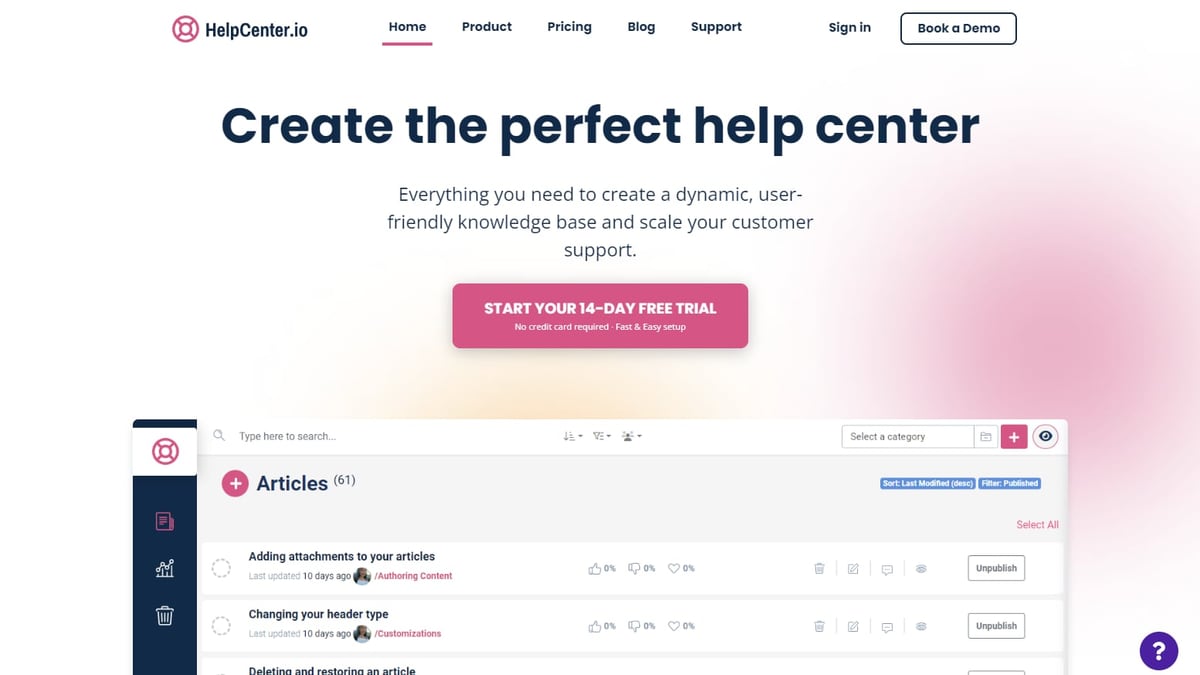
HelpCenter.io Review 2026: AI Knowledge Base Worth It? product interface and feature overview.
Two things immediately set HelpCenter.io apart from many knowledge base platforms: a genuine flat-rate model and an AI Widget that recommends help based on where a visitor is, not just what they type.
- Flat pricing, unlimited teammates. While Zendesk and similar tools charge per agent, HelpCenter.io starts at $29/month flat—no extra cost for adding more colleagues. For growing teams, that alone can translate to hundreds of dollars saved each month.
- AI Widget that reads context. Embed a single snippet, and the widget detects which page it's on to suggest relevant articles before the customer even asks. That reduces friction on pricing, checkout, or onboarding pages where hesitation costs conversions.
- One source of truth, many surfaces. You write and update articles once; the same content powers your public help center, the widget, dynamic FAQ embeds, and the AI search experience.
The platform doesn't try to be a full help desk—no ticketing, no live chat. It focuses on making self-service so good that fewer tickets get created in the first place.
Key Features Deep Dive
No-Code Branded Help Center
You don't need a developer to launch a polished, on-brand knowledge base. The visual template editor lets you drag and drop components, tweak colors, fonts, and layouts, and see every change in a live preview. Teams switching from Intercom Articles, Notion, or Zendesk can import all existing content in one pass, making migration surprisingly painless. Custom domains come standard, so your help center sits on your own URL.
AI Widget and Contextual Suggestions
The AI Widget is the standout feature. It reads the page context where it's embedded—say, your /pricing page—and proactively surfaces relevant help articles in a non-intrusive panel. If a customer still has a question, they can ask the AI directly right there; answers are grounded only in your published help content, never hallucinated from the open web. Because the interaction happens in-place, users don't have to leave the flow to find answers, which can boost self-service rates and keep buying momentum alive.
Dynamic FAQ Embeds
Instead of manually copying answers across multiple pages, you centralize FAQs in HelpCenter.io and embed them where decisions happen: checkout pages, onboarding steps, product pages, even inside your app. When you update the source answer, every embedded FAQ block updates automatically. This keeps pricing disclaimers, refund policies, and feature comparisons consistent everywhere customers look.
Analytics & Gap Analysis
HelpCenter.io turns your help center into a user research engine. The analytics dashboard tracks what customers search for, which articles they read, when they still open a ticket after reading, and what searches return no results. Failed searches become a prioritized list of content gaps—and sometimes, as the product team notes, a signal that a better feature, not a better article, is what's needed. Every AI answer gets a thumbs-up or thumbs-down rating, feeding directly into quality tracking.
Multi-Language & Integrations
You can publish your help center in multiple languages natively, with AI search working across all of them. On the integrations front, HelpCenter.io connects with tools like Zendesk, Intercom, and Notion for imports, and offers a Capterra tracking integration—though it's not a sprawling ecosystem like some competitors. For most teams, the built-in capabilities plus the import tool cover the essentials.
Pricing: Simple and Predictable
HelpCenter.io publishes straightforward, flat-rate pricing:
- $29/month plan: full access to the branded help center, AI Widget, dynamic FAQs, analytics, multi-language support, and unlimited teammates.
- A 14-day free trial requires no credit card, and all plans come with a 100% money-back guarantee.
- The flat-fee structure contrasts sharply with per-agent models. For a team of 10, a comparable Zendesk seat-based plan can easily run $500+/month before add-ons; HelpCenter.io stays at $29 flat.
No enterprise plans are advertised publicly, which suggests the product is optimized for small to midsize teams, though larger organizations can certainly benefit from the predictable cost.
Ideal Users and Use Cases
HelpCenter.io fits teams that want self-service-first support rather than a traditional help desk. Ideal profiles include:
- SaaS companies looking to deflect repetitive product questions and reduce ticket volume.
- Ecommerce stores that need consistent FAQ embeds on product, checkout, and shipping pages, especially during high-traffic periods.
- Startups and small businesses where every support tool must be affordable and engineer-independent.
- Product and customer success teams who want to surface contextual help inside web apps without re-architecting the UI.
- Agencies managing multiple client knowledge bases and seeking predictable per-client costs.
If you already have a full help desk (e.g., Zendesk) and only need a standalone knowledge base that integrates with it, HelpCenter.io's import tools and embed capabilities can complement your stack without forcing a rip-and-replace.
Strengths: Where HelpCenter.io Excels
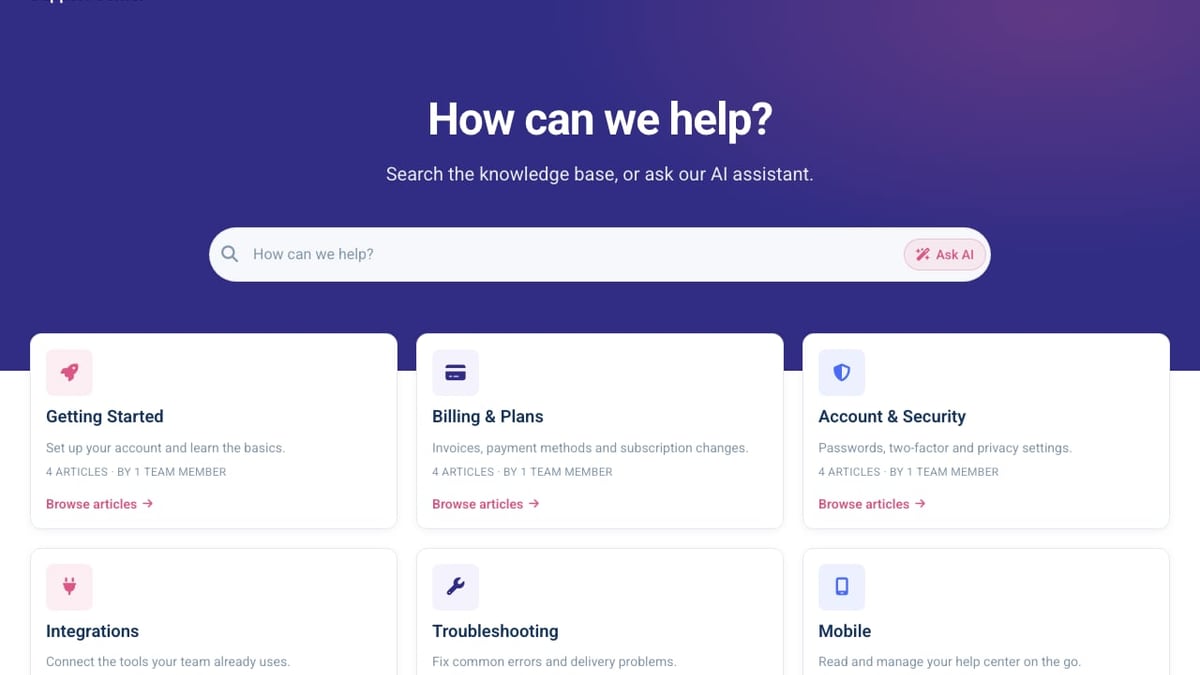
HelpCenter.io Review 2026: AI Knowledge Base Worth It? product interface and feature overview.
- Cost predictability – Unlimited teammates for a flat $29/mo removes budget guesswork.
- Proactive AI Widget – Context-aware article suggestions meet users where they are, often before they even search.
- Lightning-fast AI search – Instant results as you type, plus a one-tap grounded AI answer drawn strictly from your articles.
- Truly no-code – Marketing, support, and ops teams can build, brand, and update the help center without engineering sprints.
- Centralized FAQ management – Update once, propagate everywhere; a huge time-saver for frequently changing policies.
- Built-in content gap analytics – Failed searches and article ratings show exactly what to improve next.
Limitations: What It Doesn't Do
- No built-in ticketing or live chat – HelpCenter.io is a knowledge base and AI widget, not an omnichannel help desk. If you need advanced ticketing, you'll still need a separate tool.
- Integrations are focused, not extensive – While you can import from Zendesk, Intercom, or Notion, the platform lacks a broad marketplace of app integrations.
- Limited AI answer sources – AI answers come only from your own published content; it cannot tap into external databases, PDFs, or APIs (which some enterprise knowledge platforms offer).
- Public pricing tops out at $29/mo – Large enterprises might wonder about higher-tier SLAs, SSO, or dedicated support, none of which are detailed publicly.
- Smaller user review footprint – At the time of writing, public review sites like Capterra show a limited but positive set of reviews (4.8/5 from 11 ratings). The sample size is small, so early adopters love it but broader reliability data is still growing.
Setup and Ease of Use
Getting started takes minutes, not days. The no-credit-card trial lets you test everything immediately. The import wizard pulls articles from Zendesk, Intercom, or Notion in one shot, preserving structure. You then pick a template, adjust branding with the live editor, set your custom domain, and embed the widget with a single JavaScript snippet. The entire flow is designed for non-technical users.
Because the widget is context-aware from the start, early value often appears within a few hours—embed it on a high-traffic pricing page and watch article suggestions reduce checkout hesitation right away.
HelpCenter.io vs. Alternatives
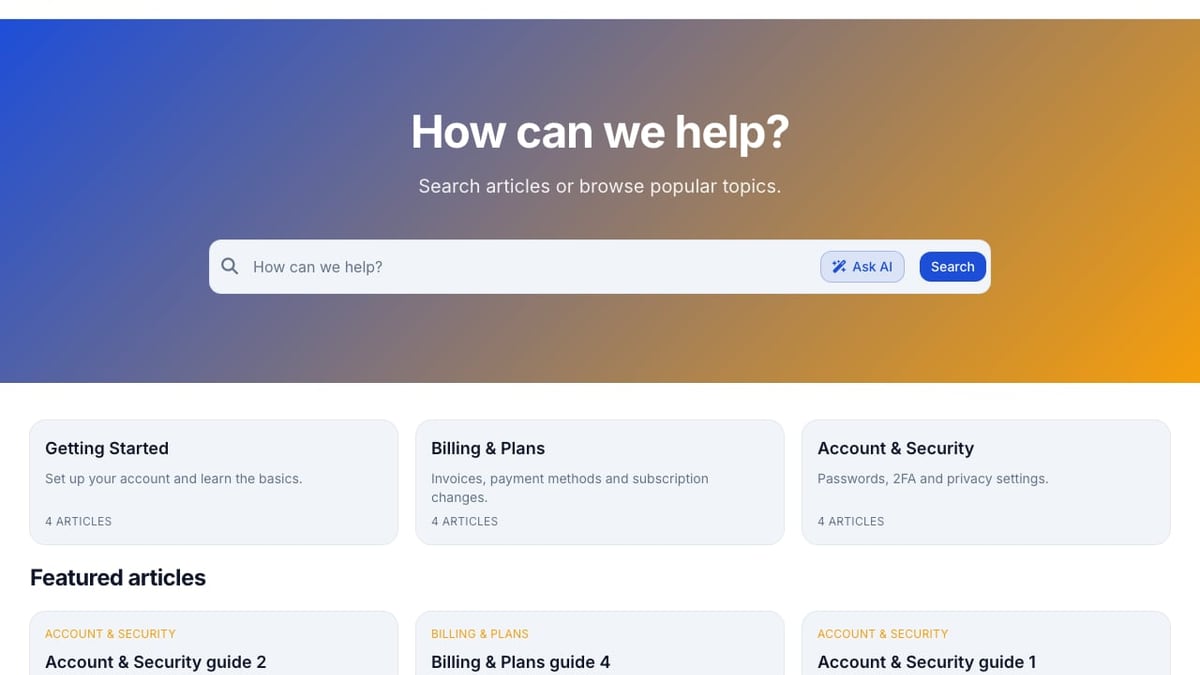
HelpCenter.io Review 2026: AI Knowledge Base Worth It? product interface and feature overview.
Choosing the right tool often comes down to whether you want a dedicated knowledge base or an all-in-one platform. Here's how HelpCenter.io compares at a high level:
- HelpCenter.io vs. Zendesk: Zendesk offers powerful ticketing, AI agents, and omnichannel support—but charges per agent, which can become expensive fast. Read our Zendesk Review 2025 for details. HelpCenter.io flips the model: flat-rate, unlimited teammates, but no ticketing. Many teams use both: Zendesk for tickets, HelpCenter.io for the self-service experience.
- HelpCenter.io vs. Helpjuice: Helpjuice also provides strong knowledge base and AI search, but pricing starts at $249/month and scales with usage. HelpCenter.io's flat fee and AI Widget give it a different edge for teams prioritizing proactive, contextual help.
- HelpCenter.io vs. HelpLook: HelpLook is a no-code AI knowledge base designed for quick deployment and AI search, often appealing to teams wanting a lighter, modern alternative. If you're evaluating across the category, HelpLook' Top 10 AI Knowledge Base Software 2026 list breaks down feature sets and pricing for all major players.
What Users Are Saying
Early adopters praise the ease of setup, the polished look of the help center, and the significant reduction in repeat support questions. On Capterra, the platform holds a 4.8/5 rating with feedback highlighting the visual template editor and the flat pricing. Some users note that while the feature set is narrow, it does what it promises exceptionally well. The small number of reviews on sites like Trustpilot suggests the user community is still building, but the sentiment from the available feedback is overwhelmingly positive.
Decision Guide: Is HelpCenter.io for You?
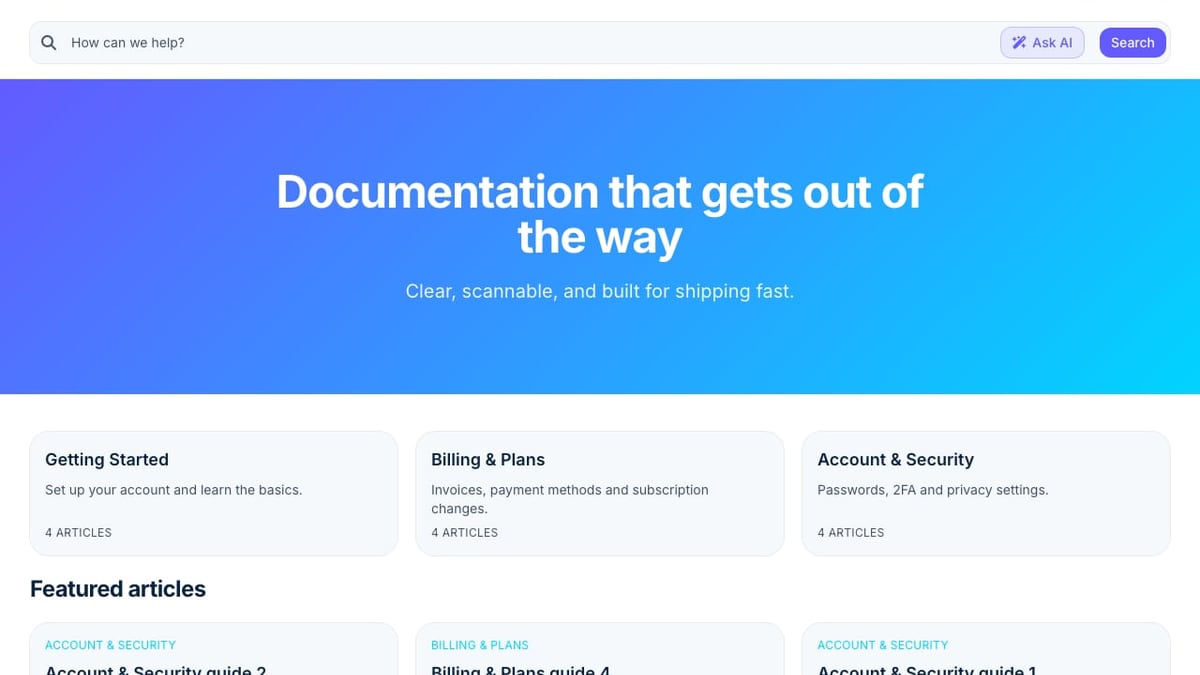
HelpCenter.io Review 2026: AI Knowledge Base Worth It? product interface and feature overview.
Choose HelpCenter.io if:
- You want to reduce support tickets by improving self-service without adding headcount.
- Predictable costs matter, and you're tired of per-agent pricing spikes.
- You need a no-code help center that non-engineers can own entirely.
- Contextual, in-page help suggestions would meaningfully lift conversions or user onboarding.
Look elsewhere if:
- You require a full help desk with built-in ticketing, live chat, or omnichannel routing.
- Your knowledge base needs to ingest answers from diverse, unstructured data sources outside your published articles.
- You prefer a platform with a vast integrations ecosystem and marketplace apps.
Related reading
- How to Use HelpLook with Context Link: A Step-by-Step Guide - Learn to connect HelpLook's AI knowledge base with Context Link to give ChatGPT, Claude, and MCP agents access to your help articles. Step-by-step setup and practical examples.
- HelpLook vs Documentation.AI vs KnowledgeBase: Which AI Knowledge Base Is Best in 2025? - Compare HelpLook, Documentation.AI, and KnowledgeBase for AI-powered knowledge management. See features, pricing, and use cases to choose the right self-service platform.
- Helpjuice Review 2025: Features, Pricing, Pros & Cons - In-depth Helpjuice review covering AI search, article editor, pricing from $249/mo, pros & cons, ideal use cases, and setup. Read honest user feedback & decision guide.
Sources and further reading
- HelpCenter.io Reviews - HelpCenter.io ReviewsTrustpilothttps://www.trustpilot.com › ... › Software CompanyTrustpilothttps://www.trustpilot.com › ... › Software CompanyFeb 12, 2021 — Do you agree with HelpCenter.io's 4-star rating? Check out what 2 people have written so far, and share your own experience.3.8(2)
FAQ
Does HelpCenter.io offer a free trial?
Yes, a 14-day free trial is available with no credit card required. The trial includes all features so you can test the AI Widget, template editor, and analytics fully.
What languages does HelpCenter.io support?
You can publish your help center in multiple languages natively, and the AI search works across all supported languages out of the box.
Can I import articles from Zendesk or Intercom?
Absolutely. The platform provides a one-pass import tool for Zendesk, Intercom, and Notion, making migration straightforward.
Is the AI answer grounded in my own content?
Yes. When a user taps the “Ask AI” button, the answer is composed solely from your published help articles—never from the open internet. This ensures consistency and trust.
Does the AI Widget work on any page?
It works on any page where you embed the widget script. The widget reads the page URL and content to recommend relevant articles automatically.
Conclusion
HelpCenter.io carves out a clear position: a focused, flat-rate knowledge base with an AI Widget that makes self-service more proactive and contextual than a traditional search bar ever could. It's not trying to be a help desk, and that restraint is a strength for teams that already have a support workflow but need a better knowledge foundation.
The $29/month unlimited-teammate pricing makes it risk-free to try, and the no-code editor means the team that writes the content can actually own the experience. If ticket deflection and a consistent, always-up-to-date FAQ presence sound like your priority, HelpCenter.io is well worth the 14-day trial.
For a broader comparison with other AI knowledge base tools—including those with deeper integration ecosystems or different pricing models—explore HelpLook' top 10 AI knowledge base software guide.