
HelpCenter.io vs DocsBot vs HelpLook: Which AI Knowledge Base Fits Your Support Stack?
Choosing an AI-powered knowledge base today means moving beyond simple FAQ pages. You need a tool that can answer questions instantly, reduce repetitive tickets, and keep your content fresh without relying on developers. HelpCenter.io, DocsBot, and HelpLook each take a different path to that goal. This comparison breaks down their strengths, ideal use cases, and where each platform shines—so you can match the right tool to your team’s workflow.
HelpCenter.io: Contextual Help Centers Built for Simplicity
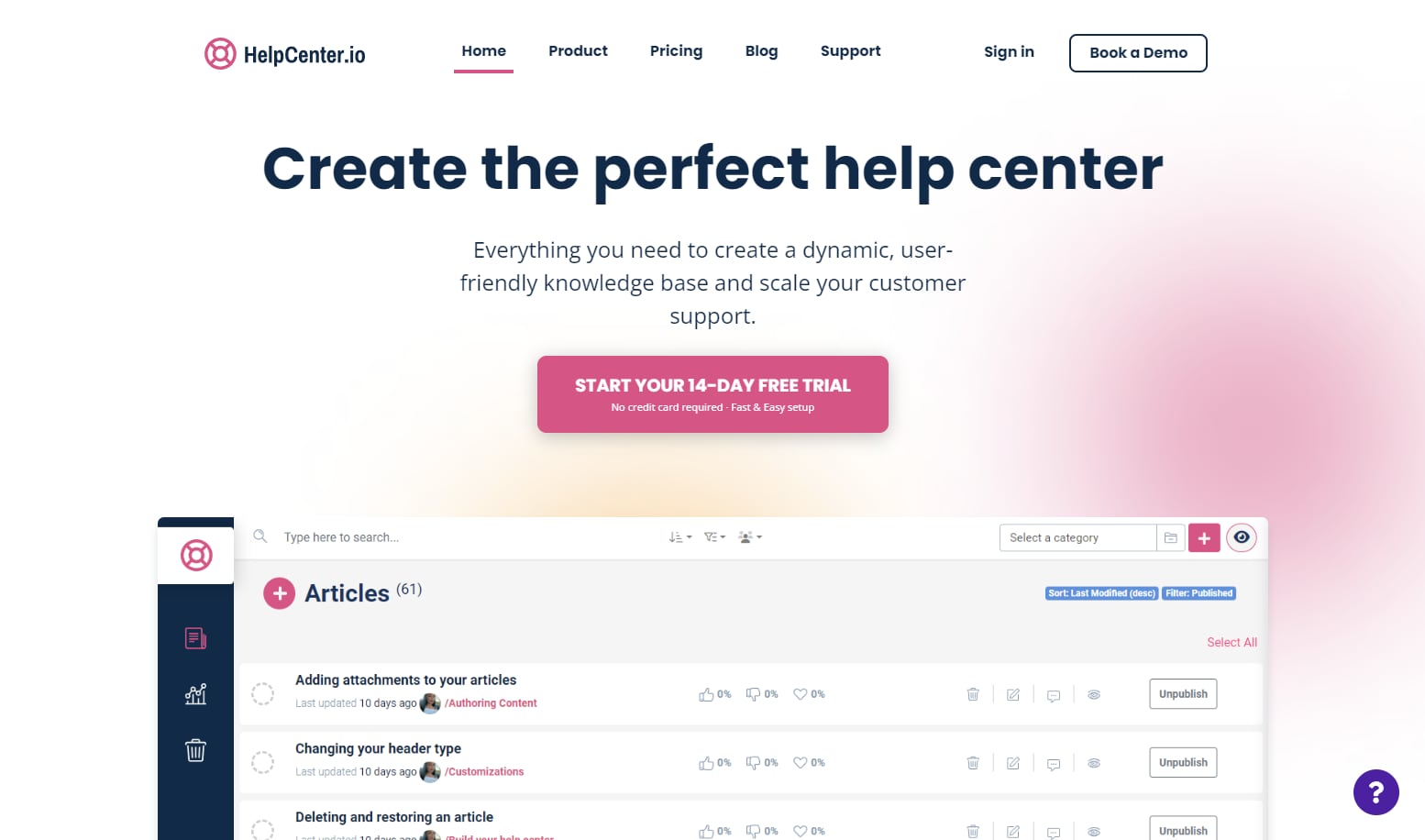
HelpCenter.io product interface.
HelpCenter.io focuses on making help centers that feel native to your product. Its standout feature is the AI Widget, which proactively suggests relevant articles based on the page a user is viewing. Instead of waiting for a customer to search, HelpCenter.io surfaces answers in context—reducing friction before a question even gets typed.
Core Strengths
- Visual template editor with no code required. Teams can build a branded help center, customize domains, and manage multiple languages without touching CSS.
- Dynamic FAQ embeds. You can embed article suggestions directly into product pages, checkout flows, or onboarding screens, keeping users in flow.
- Flat-rate pricing. HelpCenter.io positions itself as a predictable alternative to per-seat pricing models. This makes it attractive for growing teams who want to avoid ballooning costs as they add members.
- Approval workflows and analytics. Content teams get built-in review processes and insights into which articles deflect the most tickets.
- Seamless imports. Migrating from Zendesk, Intercom, or Notion is straightforward, lowering the switching cost for established support teams.
Where HelpCenter.io Fits Best
HelpCenter.io is a strong pick for ecommerce brands, SaaS companies, and mobile apps that want to reduce support volume by meeting users where they are. If your priority is contextual, embedded help that blends into the product experience, this platform delivers.
DocsBot: AI Agents That Go Beyond the Knowledge Base
DocsBot product interface.
DocsBot takes an AI-first approach. Rather than just hosting articles, it lets you train custom AI agents on your existing documentation, helpdesk tickets, websites, and internal wikis. Those agents can then answer questions, escalate to humans when needed, and even trigger actions in other tools via Zapier.
Core Strengths
- Training on 28+ source types. DocsBot can ingest content from websites, PDFs, Notion, Confluence, Google Docs, and even past support tickets. This breadth means your bot can answer questions that span multiple silos.
- Smart escalation and handoff. When the AI can’t resolve an issue, it can route the conversation to a human agent with full context, avoiding the frustrating loop of repeating information.
- Pre-sales and internal use cases. Beyond customer support, DocsBot offers chatbots that capture leads and internal knowledge assistants that help employees find company information.
- Extensive integrations. With 7,000+ app connections through Zapier, you can automate actions like creating tickets, updating CRMs, or sending follow-up emails directly from a chat.
- Multilingual support out of the box. The platform handles queries in multiple languages, making it suitable for global teams.
Where DocsBot Fits Best
DocsBot shines for businesses that want to automate answers across many content sources and channels. If you need an AI agent that can pull from a messy mix of documentation, tickets, and internal notes—and then act on that information—DocsBot is a compelling choice.
HelpLook: AI Search and No-Code Portals with SEO Focus

HelpLook product interface.
HelpLook combines an AI-powered knowledge base with a no-code site builder. It is designed for teams that want to create public-facing help centers, product manuals, or internal wikis that are both search-friendly and visually polished. The platform’s AI engine indexes your content continuously and generates summarized answers to natural language questions.
Where HelpLook Holds an Advantage
- Built-in SEO optimization. HelpLook provides tools to customize meta tags, URLs, and site structure, helping your knowledge base rank in search engines. This is particularly valuable for companies that want their help content to attract and convert organic traffic.
- AI-driven search with custom prompts. You can tailor the AI’s response behavior using custom prompts and even connect your own OpenAI or Azure API key for unlimited AI answers. This gives technical teams more control over response quality and cost.
- Rich content creation without coding. A WYSIWYG editor supports images, videos, documents, and audio files, while automatic saving and version control streamline content management.
- Multi-channel access. HelpLook supports QR code generation and PDF downloads, making it easy to distribute help content in physical products, printed manuals, or offline settings.
- Analytics for continuous improvement. The platform tracks popular search queries and user feedback, helping teams refine content based on real usage data.
For a deeper look at how HelpLook stacks up against other documentation tools, see our HelpLook vs HelpCenter.io vs GitBook comparison.
Side-by-Side Feature Comparison
HelpLook product interface.
| Feature | HelpCenter.io | DocsBot | HelpLook |
|---|---|---|---|
| Core approach | Contextual help center with AI widget | Custom AI agents trained on your content | AI-powered knowledge base with SEO tools |
| No-code builder | Yes, visual template editor | No-code chat widget | Yes, WYSIWYG editor and site builder |
| AI search/answers | Grounded AI answers, contextual suggestions | Natural language answers from 28+ source types | AI search with custom prompts and API key support |
| Multilingual | Yes | Yes | Yes |
| Integrations | Zendesk, Intercom, Notion imports | 7,000+ via Zapier, APIs for custom dev | OpenAI, ERNIE Bot, Azure, third-party integrations |
| Pricing model | Flat-rate, predictable cost | Free plan up to $499/month (Business) | Free tier to enterprise, AI credits included |
| Best for | Reducing tickets with contextual, embedded help | Automating answers across many content sources | Building SEO-optimized, public-facing help portals |
How to Choose the Right Platform
Pick HelpCenter.io if:
- Your main goal is deflecting tickets by showing help articles inside your product.
- You want predictable, flat-rate pricing without per-seat surprises.
- You need a quick, no-code setup with approval workflows for content teams.
Pick DocsBot if:
- You have content scattered across websites, docs, tickets, and internal wikis.
- You want AI agents that can answer questions and trigger actions in other tools.
- You need both customer-facing chatbots and internal knowledge assistants.
Pick HelpLook if:
- You want your knowledge base to rank in Google and attract organic traffic.
- You need fine-grained control over AI responses, including using your own API keys.
- You serve audiences that need offline access via QR codes or PDF downloads.
If you are evaluating other combinations, our HelpLook vs HelpCenter.io vs Stonly comparison explores how interactive guides fit into the picture.
Related reading
- HelpLook vs Bloomfire vs GitBook: 2026 Comparison - Compare HelpLook, Bloomfire, and GitBook on AI search, knowledge management, pricing, and ease of use. Find the best fit for your team in 2026.
- HelpLook vs KnowledgeOwl vs Docmost: 2026 Comparison - Compare HelpLook, KnowledgeOwl, and Docmost on AI search, self-hosting, permissions, and pricing. Find the best knowledge base or wiki for your team in 2026.
Sources and further reading
- Compare HelpCenter.io vs. HelpLook in 2026 - What’s the difference between HelpCenter.io and HelpLook? Compare HelpCenter.io vs. HelpLook in 2026 by cost, reviews, features, integrations, and more
- Smarter Customer Support With HelpLook AI - Enhance support with HelpLook AI: smart, rapid responses tailored to user needs for a revolutionized service experience.
- HelpLook | Software Reviews & Alternatives - HelpLook Review: 'HelpLook is a zero-code, ready-to-use tool for creating help centers and blog websites'
Frequently Asked Questions
Can I try these platforms before committing?
Yes. HelpCenter.io offers a 14-day free trial with no credit card required and a 100% money-back guarantee. DocsBot provides a free plan with limited usage. HelpLook has a free tier that lets you explore core features before upgrading.
Which platform is easiest to set up for a non-technical team?
All three emphasize no-code setup. HelpCenter.io’s visual template editor and HelpLook’s WYSIWYG editor are particularly friendly for content teams without engineering support. DocsBot requires a bit more configuration to train AI agents on multiple sources, but the chat widget itself is straightforward to deploy.
Do these tools support multiple languages?
Yes. HelpCenter.io, DocsBot, and HelpLook all support multilingual content and queries, making them viable for global customer bases.
Can I integrate these platforms with my existing support stack?
DocsBot offers the broadest integration ecosystem through Zapier (7,000+ apps) and APIs. HelpCenter.io provides direct imports from Zendesk, Intercom, and Notion. HelpLook integrates with leading AI models and supports third-party connections, though its integration marketplace is more focused.
Which platform offers the best analytics?
HelpLook provides intelligent analytics that track popular search queries, content performance, and user feedback. HelpCenter.io includes analytics to measure ticket deflection. DocsBot offers conversation analytics to monitor bot performance and identify gaps in your knowledge base.
Final Thoughts
HelpCenter.io, DocsBot, and HelpLook all solve the core problem of delivering instant answers to customers and employees—but they optimize for different workflows. HelpCenter.io excels at contextual, embedded help that keeps users inside your product. DocsBot stands out when you need AI agents that can ingest messy, multi-source content and take action across your tool stack. HelpLook differentiates with SEO-optimized public portals and flexible AI configuration that appeals to teams wanting both search visibility and response control.
Your choice should hinge on where your audience asks questions and how much automation you need behind the scenes. For teams that want to explore how AI-powered knowledge bases compare to more traditional wiki tools, our HelpLook vs Document360 vs Docmost comparison offers additional perspective.
Take advantage of free trials and free tiers to test which platform feels most natural for your team and your customers before making a long-term decision.