
HelpLook vs KnowledgeOwl vs Docmost: Which Knowledge Base Fits Your Team in 2026?
Choosing the right knowledge base software means balancing ease of use, access control, AI capabilities, and deployment preferences. HelpLook, KnowledgeOwl, and Docmost each address these needs from a different angle. HelpLook delivers a no-code, AI-first help desk and knowledge base for customer self-service. KnowledgeOwl specializes in granular reader permissions and hands-on onboarding for dedicated knowledge bases. Docmost offers an open-source, self-hosted wiki for teams that demand full data control and real-time collaboration. This comparison breaks down where each tool excels so you can match your priorities to the right platform.
How HelpLook, KnowledgeOwl, and Docmost Differ at a Glance

KnowledgeOwl product interface.
These three products serve overlapping but distinct audiences. Understanding their core philosophies will help you narrow the field before diving into feature details.
- HelpLook is built for teams that want to launch a branded, AI-powered self-service portal quickly without writing code. It combines a knowledge base with an AI chatbot, SEO tools, and analytics, making it a strong fit for customer support and product documentation.
- KnowledgeOwl is a dedicated knowledge base platform prized for its reader groups, white-glove migration, and typo-tolerant search. It suits organizations that need to show different content to different audiences—such as customers, partners, and staff—from a single help center.
- Docmost is an open-source, enterprise wiki designed for teams that require self-hosted, real-time collaborative documentation. It appeals to IT, compliance, and engineering teams that prioritize data sovereignty, air-gapped deployment, and on-premises AI.
Feature-by-Feature Comparison
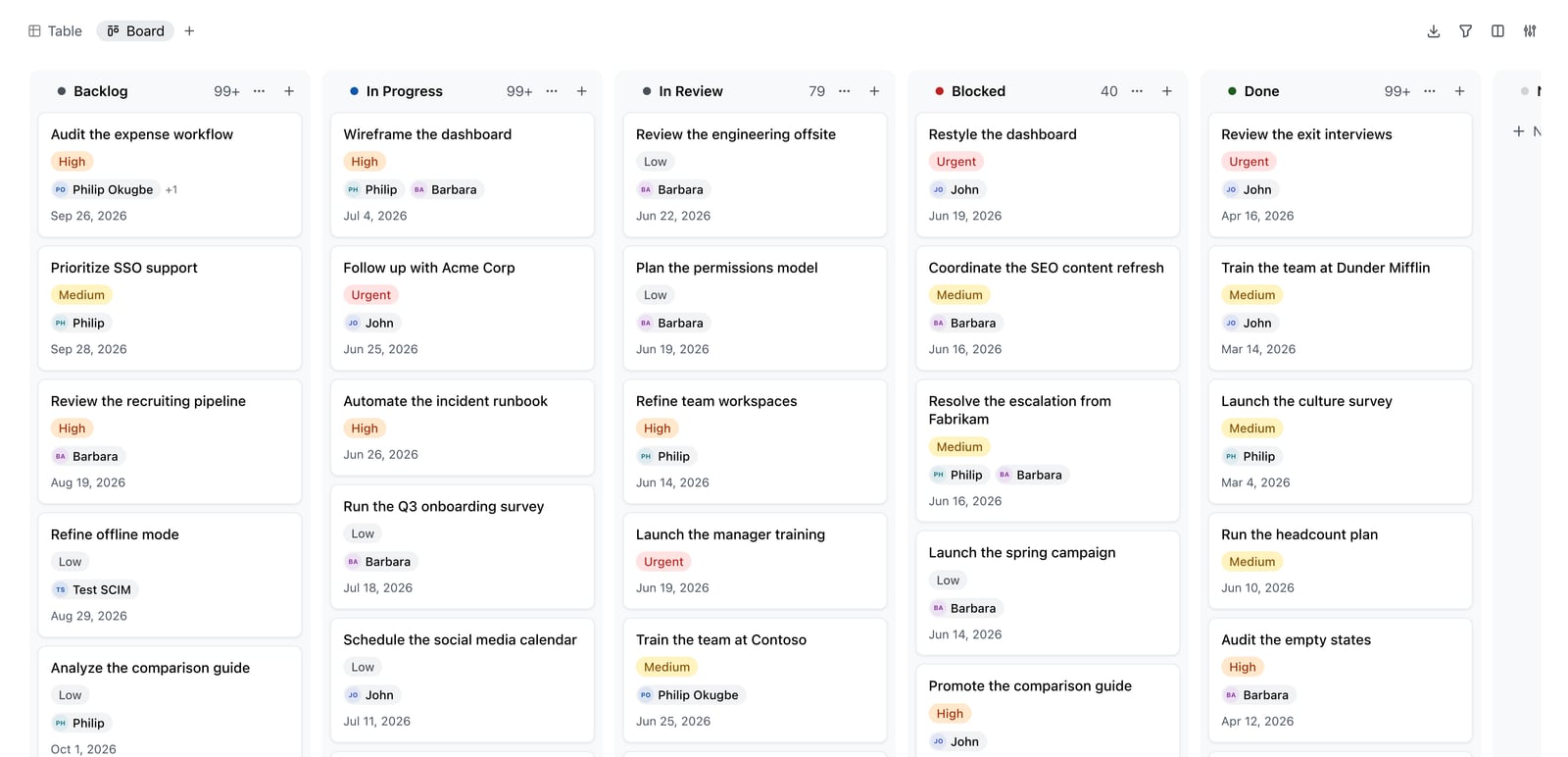
Docmost Kanban board.
Authoring and Content Creation
KnowledgeOwl provides a WYSIWYG editor with an HTML source mode, reusable content snippets, merge variables, and a glossary feature. Its version history lets you restore any prior article version, and a review workflow with automatic reminders helps keep content accurate. The AI assistant can draft full articles from prompts and perform style guide reviews, though these actions draw from a monthly credit allowance.
Docmost excels at real-time collaborative editing, similar to Notion or Confluence but self-hosted. Teams can co-author pages simultaneously, embed databases and Kanban boards, and use an AI assistant backed by self-hosted large language models (Ollama, vLLM) or OpenAI. Page verification workflows ensure documentation stays approved, and RBAC permissions control who can edit or publish.
HelpLook offers a no-code, block-based editor that lets non-technical teams build articles, FAQs, and announcements without touching HTML. Its AI assistant helps generate drafts, summaries, and SEO meta descriptions directly in the editor, reducing the time spent on content optimization.
AI Search and Chatbot Capabilities
AI-powered search and chatbots have become essential for deflecting support tickets. Here is how the three platforms compare:
HelpLook integrates with leading AI models—including OpenAI, ERNIE Bot, and Azure—to power an AI-driven search and an embedded chatbot. The chatbot answers reader questions using your knowledge base content and includes source citations. Semantic search handles vague queries, and analytics track AI answer effectiveness and deflection rates. AI credits are bundled into subscription plans, making advanced AI accessible without complex setup.
KnowledgeOwl includes an AI chatbot that answers from your articles with citations, and its semantic search is one of its strongest features, handling synonyms and imprecise queries effectively. AI article drafting and style guide reviews are available in the editor. However, AI usage is metered by monthly credits that do not roll over, and the base allowance on lower-tier plans is relatively modest.
Docmost takes a unique approach by supporting self-hosted LLMs through Ollama and vLLM, alongside cloud options like OpenAI. This lets organizations deploy AI search and writing assistance entirely within their own infrastructure—critical for air-gapped or highly regulated environments. The AI assistant helps with drafting, summarizing, and answering questions from your documentation.
Access Control and Permissions
Granular access control is a standout strength for KnowledgeOwl and Docmost, though they implement it differently.
KnowledgeOwl offers reader groups that gate access down to individual articles and categories. You can maintain a single knowledge base where customers, partners, and employees each see only the content relevant to them. This is one of the platform's most praised features and a primary reason organizations choose it over alternatives.
Docmost provides role-based access control (RBAC), team spaces, and public sharing with fine-grained permissions. Combined with SSO/SAML/OIDC/LDAP, MFA, and SCIM provisioning, it meets the strict requirements of enterprises that need to enforce least-privilege access across documentation.
HelpLook supports password-protected and private knowledge bases, making it suitable for internal documentation and gated customer portals. While it does not offer article-level reader groups, it provides a straightforward way to restrict access to entire sites.
Deployment and Data Control
Deployment preferences often dictate the final choice, especially for compliance-heavy industries.
Docmost is purpose-built for self-hosted, on-premises deployment. Organizations retain full control over their data, which is essential for meeting ITAR, FedRAMP, GDPR, SOC 2, and ISO 27001 requirements. It supports air-gapped environments, audit logs, and SCIM provisioning out of the box.
KnowledgeOwl is a cloud-hosted SaaS platform, but it offers extensive branding control, including full HTML, CSS, and JavaScript customization on Pro and Business plans. White-labeling removes vendor branding entirely, and custom domains are supported.
HelpLook is a cloud-based SaaS solution that emphasizes fast setup. Users can connect a custom domain, apply brand colors and logos, and launch a fully functional help center the same day. It does not offer self-hosting, but its no-code approach appeals to teams that prioritize speed over infrastructure control.
Pricing and Value
Pricing transparency varies across the three products.
KnowledgeOwl publishes straightforward pricing for Basic, Pro, and Business plans, with Enterprise available via custom quote. Pricing is based on authors, not readers, so unlimited end-users can access your knowledge base at no extra cost. A 30-day free trial requires no credit card, and every plan includes white-glove migration and recurring onboarding calls.
Docmost is open-source and free to self-host, which appeals to teams with the technical resources to manage their own infrastructure. The value lies in avoiding per-user SaaS fees while gaining full data control. Organizations that need managed hosting or enterprise support can explore commercial arrangements.
HelpLook offers a tiered subscription model ranging from a free plan to enterprise-level pricing. AI credits and scalable resources are included, making it a cost-effective entry point for teams that want AI-powered search and chatbot features without per-use metering surprises.
For a broader look at how HelpLook stacks up against other documentation platforms, see our HelpLook vs Document360 vs Docmost comparison.
Integrations and Ecosystem
KnowledgeOwl integrates with tools like Salesforce, Zendesk, and other platforms through its API and Zapier connections. Its focus remains on being a standalone, best-in-class knowledge base rather than a suite.
Docmost integrates with enterprise identity providers via SSO/SAML/OIDC/LDAP and supports SCIM provisioning. Its open-source nature allows teams to build custom integrations as needed.
HelpLook provides third-party integrations and supports embedding the knowledge base widget into existing websites and applications. QR code access and PDF downloads extend content distribution options.
When to Choose Each Platform
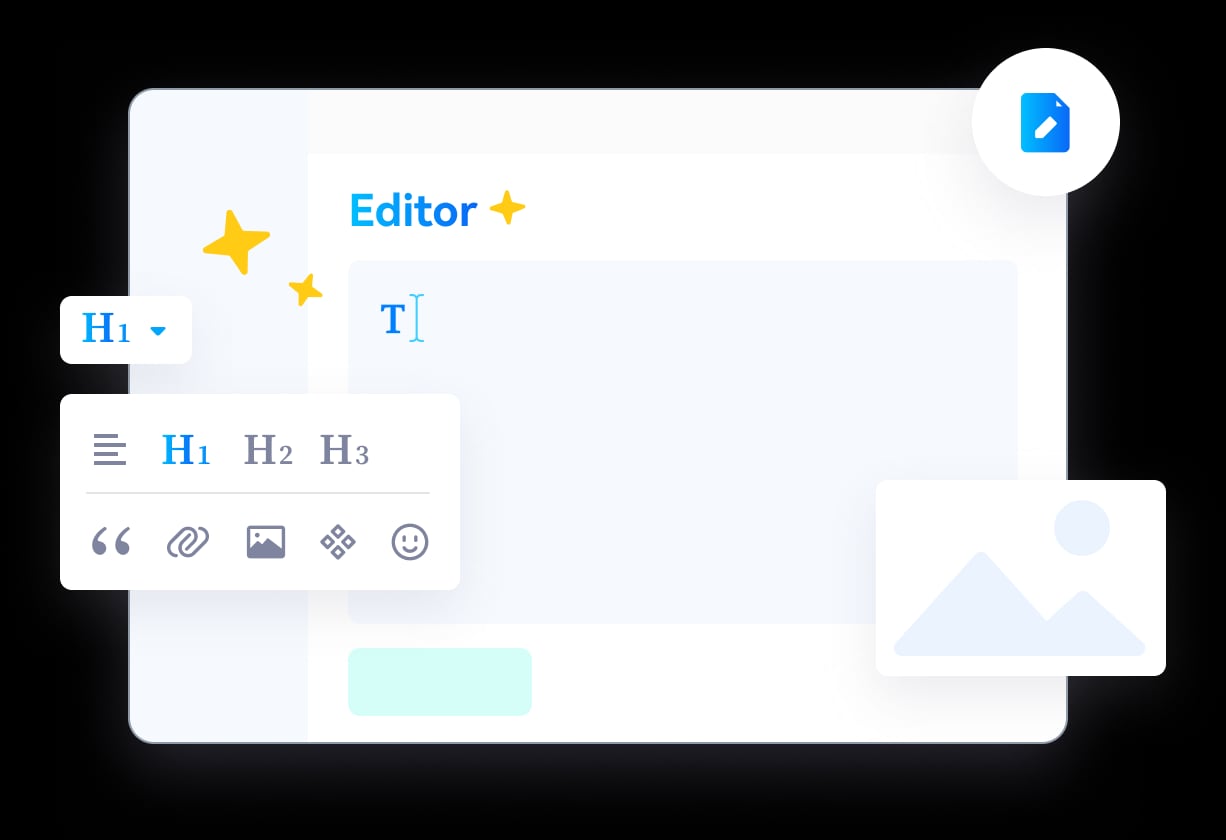
HelpLook product interface.
Choose HelpLook if:
- You need an all-in-one AI knowledge base and help desk with a chatbot, SEO tools, and analytics.
- Your team lacks technical resources and wants to launch a branded portal without coding.
- AI-driven search and content generation are top priorities, and you prefer bundled AI credits over metered usage.
- You serve a global audience and want built-in multilingual support and QR code distribution.
Choose KnowledgeOwl if:
- Granular reader groups are essential—you need to show different articles to customers, partners, and staff from one help center.
- You value hands-on onboarding and white-glove migration from a vendor with a 90+ NPS score.
- Full HTML, CSS, and JavaScript theme control matters for your brand.
- You want transparent, author-based pricing with unlimited readers on every plan.
Choose Docmost if:
- Data sovereignty is non-negotiable—you need self-hosted, on-premises deployment with air-gapped capability.
- Your team requires real-time collaborative editing with database and Kanban views.
- You want to run AI assistants on your own infrastructure using self-hosted LLMs.
- Compliance with ITAR, FedRAMP, SOC 2, or ISO 27001 is a hard requirement.
For teams evaluating additional alternatives, our HelpLook vs Bloomfire vs KnowledgeOwl comparison explores how these platforms compare on AI search and knowledge management use cases.
Related reading
- HelpLook vs HelpCenter.io vs GitBook: Which AI Knowledge Base? - Compare HelpLook, HelpCenter.io, and GitBook on AI search, pricing, ease of use, and core use cases. Find the best knowledge base for support or documentation teams.
- HelpLook vs Docsie vs Mintlify: Compare AI Knowledge Bases - Compare HelpLook, Docsie, and Mintlify on AI search, knowledge base use cases, pricing, and ease of use. Find the best self-service platform for your support or dev team.
- HelpLook vs Stonly vs Zendesk: Which Platform Fits Your Team? - Compare HelpLook, Stonly, and Zendesk on AI search, interactive guides, ticketing integration, pricing, and ease of use. Find the best knowledge base and help desk for your support team.
Sources and further reading
- HelpDocs vs KnowledgeOwl: features and pricing | HelpDocs - Looking for a KnowledgeOwl alternative for your knowledge base? Compare HelpDocs and KnowledgeOwl on pricing, AI credits, search, permissions, and migration.
- Top private knowledge base software tools for 2026 - A biased (but honest) comparison of top private knowledge base solutions: KnowledgeOwl, HelpDocs, Helpjuice, and Document360. Written by KnowledgeOwl's CEO to help you find the right fit for your documentation needs.
- HelpDocs vs KnowledgeOwl (2026): Which Is Better? | Docsie - HelpDocs vs KnowledgeOwl: compare features, pricing, and limits to find the best knowledge base tool for your team in 2026.
FAQ
Can I use KnowledgeOwl for both internal and external documentation?
Yes. KnowledgeOwl's reader groups let you mix public and private content in a single knowledge base. You can restrict access to specific articles and categories so employees, customers, and partners each see only what is relevant to them.
Does Docmost require technical expertise to set up?
Docmost is designed for self-hosted deployment, so it requires familiarity with Docker, server management, and networking. Teams without in-house DevOps resources may find the initial setup more involved than a SaaS solution, but the trade-off is full data control and no recurring per-user fees.
How does HelpLook's AI chatbot differ from KnowledgeOwl's?
HelpLook's AI chatbot is integrated into a broader help desk workflow and draws on leading AI models like OpenAI and ERNIE Bot. KnowledgeOwl's chatbot focuses on answering questions from your knowledge base with citations and is powered by its semantic search engine. HelpLook bundles AI credits into plans, while KnowledgeOwl meters AI usage through monthly credit allowances.
Is Docmost a good alternative to Confluence?
Yes. Docmost positions itself as an open-source Confluence and Notion alternative with real-time collaborative editing, self-hosted AI, and enterprise compliance features. It suits teams that want Confluence-like functionality without vendor lock-in or cloud dependency.
Final Thoughts
HelpLook, KnowledgeOwl, and Docmost each lead in different areas. HelpLook combines AI-powered search, a chatbot, and a no-code builder into a single platform for customer self-service. KnowledgeOwl delivers unmatched reader segmentation and personalized onboarding for dedicated knowledge bases. Docmost gives technical teams an open-source, self-hosted wiki with real-time collaboration and on-premises AI. Your choice should reflect your team's technical capacity, compliance requirements, and how you want readers to access and interact with your documentation.
Still comparing options? Read our HelpLook vs Docmost vs DocsBot comparison to see how chatbot automation and self-hosting factors influence the decision.