
HelpLook vs Archbee vs Bloomfire: Which Knowledge Platform Fits Your Team?
Choosing between HelpLook, Archbee, and Bloomfire comes down to one question: what kind of knowledge problem are you actually solving? HelpLook targets customer-facing self-service and AI-assisted support. Archbee is built for technical documentation teams that need version control and developer workflows. Bloomfire focuses on enterprise knowledge management where capturing and surfacing institutional expertise matters most. This comparison breaks down where each platform excels, where it falls short, and how to decide based on your use case.
Quick Overview: Three Different Tools, Three Different Jobs
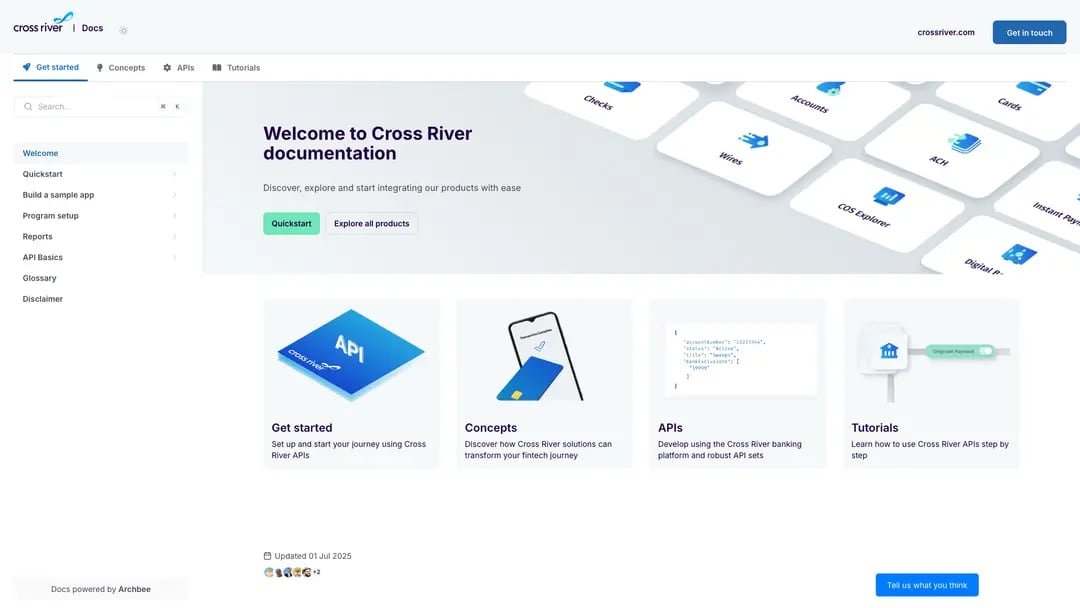
Archbee product interface.
| Criteria | HelpLook | Archbee | Bloomfire |
|---|---|---|---|
| Primary use case | Customer self-service portals and AI help desks | Developer docs, API docs, product documentation | Enterprise knowledge management and collaboration |
| Best for | Support teams, e-commerce, SaaS businesses | Technical writers, product teams, developers | Large organizations, cross-departmental knowledge sharing |
| AI capabilities | AI search, AI chatbot, AI content generation | AI writing, AI translations, AI-powered search | AI-powered enterprise search, AI authoring, self-healing knowledge base |
| Entry price | Free tier available | $50/month for 3 users | ~$1,250/month with 50-user minimum |
| Free trial | Yes | 14 days | Demo only |
These platforms are rarely true substitutes. A support team evaluating HelpLook has different requirements than a developer documentation team evaluating Archbee, or an enterprise knowledge manager evaluating Bloomfire.
HelpLook: AI-Powered Customer Self-Service Without Code
HelpLook is designed for businesses that want to reduce support tickets and let customers help themselves. The platform combines a no-code knowledge base builder with AI-driven search and chatbot capabilities, so teams can launch a branded self-service portal without involving developers.
Where HelpLook Stands Out
No-code content creation. HelpLook's WYSIWYG editor lets support agents, product marketers, and non-technical staff create and update articles directly. There is no dependency on engineering for routine content changes, which speeds up publishing cycles for customer-facing documentation.
AI search and chatbot integration. HelpLook connects with leading AI models including OpenAI, ERNIE Bot, and Azure. This powers both intelligent search within the knowledge base and an AI chatbot that can answer customer questions from existing content. For support teams, this translates into fewer repetitive tickets and faster resolution times.
Built-in SEO and branding controls. HelpLook supports custom domains, SEO optimization, and customizable site branding. Businesses can create a help center that looks like their own product rather than a third-party portal, with QR code access and PDF downloads for offline distribution.
Flexible pricing from free to enterprise. HelpLook offers a free tier, making it accessible for small teams and startups that need a functional knowledge base before committing budget. Paid plans scale with AI credits and resources as usage grows.
Where HelpLook Has Limitations
HelpLook is not positioned as a developer documentation platform. Teams that need native OpenAPI/Swagger support, Git-based workflows, or deep version control should evaluate Archbee instead. Similarly, organizations focused on enterprise-wide knowledge capture and analytics may find Bloomfire's data foundations and Enterprise Intelligence engine more aligned with their needs.
For a deeper comparison of HelpLook against other documentation-focused tools, see our HelpLook vs Mintlify vs GitBook comparison.
Archbee: Purpose-Built for Technical Documentation
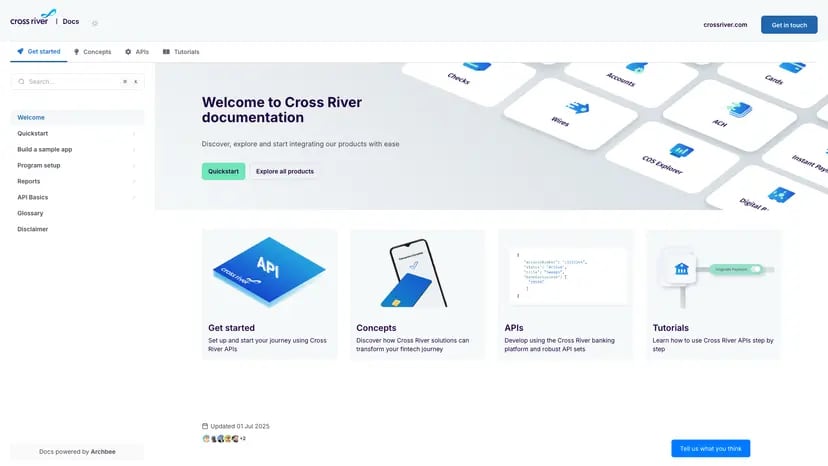
Archbee product interface.
Archbee positions itself as the first knowledge portal platform, and its feature set reflects a strong focus on technical teams. Backed by Y Combinator and trusted by over 3,000 companies, Archbee has earned credibility among product managers, developers, and technical writers.
Where Archbee Stands Out
Developer-centric workflows. Archbee supports native branching and drafts for collaborative editing, versioning, and integrations with GitHub, GitLab, and Changelog. This makes it a natural fit for teams that already work in Git-based environments and want documentation to follow the same review and merge processes as code.
Reusable content and display rules. Content variables and display rules let teams create a single source of truth for repeated information. When a product name, endpoint, or configuration value changes, teams update it once rather than across dozens of pages.
AI-powered writing and translations. Archbee includes AI features for drafting content and translating documentation into multiple languages. For global product teams, this reduces the manual overhead of maintaining localized docs.
Proven documentation coverage improvements. Customer stories highlight tangible results. Make, an Archbee customer, achieved approximately 92% documentation coverage and 5x faster publishing after adopting the platform. These metrics matter for product teams held accountable for documentation completeness.
Where Archbee Has Limitations
Archbee's AI content generation is an add-on at $20/month rather than a core feature, and its free plan is limited compared to HelpLook's free tier. The platform is also less focused on customer support workflows like ticketing or chatbot-driven deflection. Teams that need a support-oriented help desk with AI chatbot capabilities may find HelpLook more directly aligned.
Bloomfire: Enterprise Knowledge Management at Scale
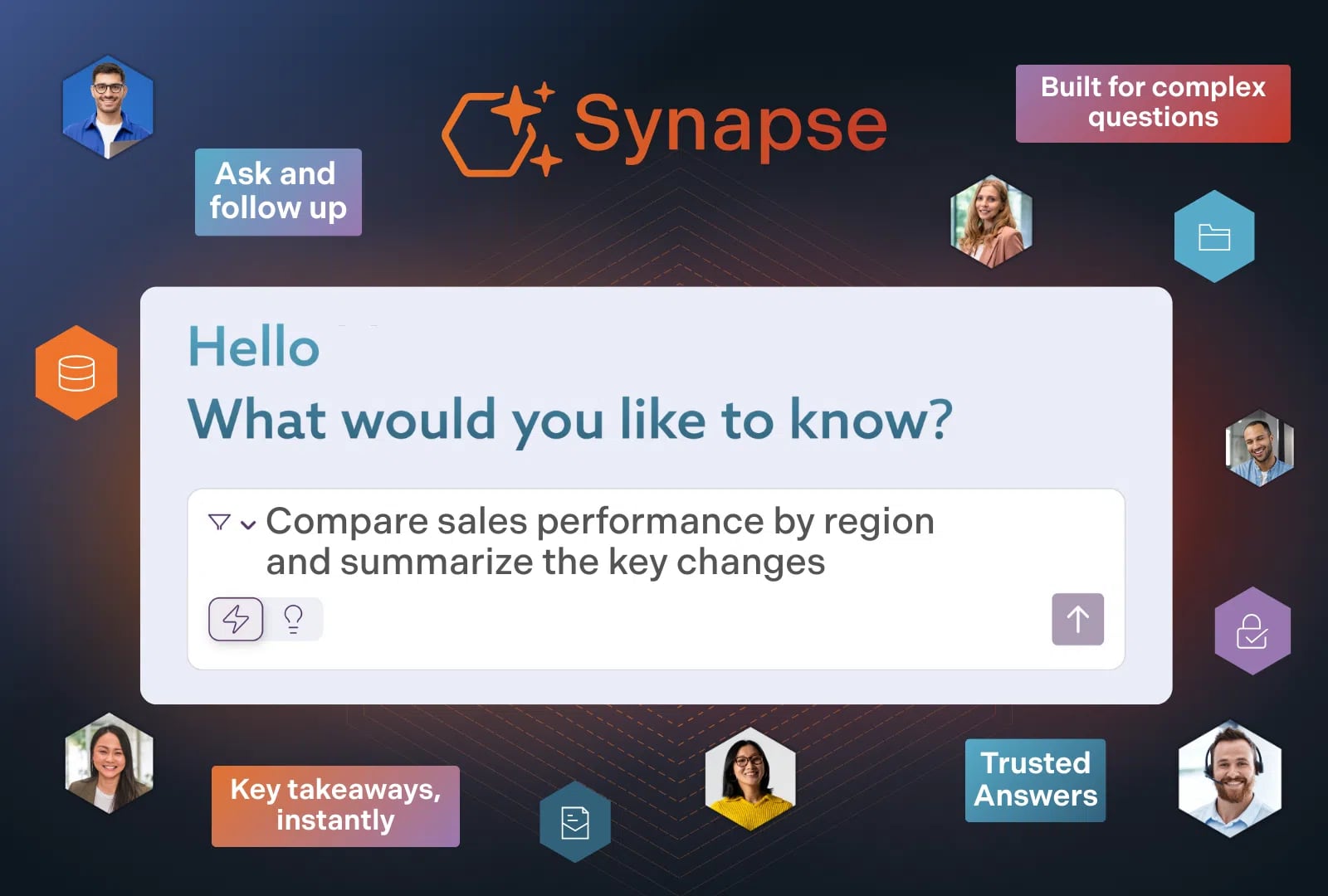
Bloomfire product interface.
Bloomfire takes a different approach: it treats knowledge as a strategic enterprise asset. The platform is built for organizations that need to capture expertise, surface trusted information, and support decisions across departments.
Where Bloomfire Stands Out
Self-healing knowledge base. Bloomfire's self-healing capability identifies outdated or underperforming content and prompts owners to update it. For large organizations where knowledge decays quickly, this automated maintenance reduces the risk of employees acting on stale information.
AI-powered enterprise search and discovery. Bloomfire reports a 72% search conversion rate, meaning nearly three-quarters of searches lead to a useful result. The platform's AI search is designed to surface relevant knowledge across silos, which is a persistent challenge in large enterprises.
Enterprise Intelligence engine. Bloomfire converges knowledge management, business intelligence, and generative AI. This goes beyond a standard knowledge base: organizations can connect structured data with unstructured knowledge to support better decisions.
Compliance and security. Bloomfire is SOC2, GDPR, SSO, SCIM, and encryption compliant, and is trusted by Global 2000 companies like Novonesis, Regeneron, and Germania Insurance. For regulated industries such as finance, insurance, and manufacturing, these certifications are often non-negotiable.
Measurable business impact. Bloomfire reports a 13% reduction in call volumes and annual time savings equivalent to $469,000 for a major credit union. These outcomes resonate with enterprise buyers who need to justify knowledge management investments in financial terms.
Where Bloomfire Has Limitations
Bloomfire's pricing starts around $1,250/month with a 50-user minimum, which puts it out of reach for small teams and startups. There is no free plan, and evaluation requires a demo rather than a self-serve trial. Teams that need a lightweight, affordable knowledge base should look at HelpLook or Archbee first.
Head-to-Head: HelpLook vs Archbee vs Bloomfire

Bloomfire product interface.
AI Capabilities
All three platforms incorporate AI, but the emphasis differs. HelpLook focuses on AI search and chatbot capabilities for customer-facing deflection. Archbee uses AI for writing assistance and translations in technical documentation workflows. Bloomfire applies AI to enterprise search, content discovery, and knowledge maintenance through its self-healing feature.
For support teams that want an AI chatbot answering customer questions from existing content, HelpLook's integration with OpenAI, ERNIE Bot, and Azure is directly relevant. For technical writers who need AI-assisted drafting, Archbee's writing features address that need. For enterprise knowledge managers who need AI to surface trusted information across departments, Bloomfire's search conversion metrics are compelling.
Pricing and Accessibility
HelpLook offers the most accessible entry point with a free tier and scalable paid plans. This makes it practical for small teams to start building a knowledge base immediately.
Archbee starts at $50/month for 3 users with a 14-day free trial. AI content generation costs an additional $20/month. This pricing suits small-to-mid-sized product and engineering teams.
Bloomfire requires a demo and starts around $1,250/month with a 50-user minimum. This is enterprise pricing for enterprise problems, and smaller teams will find the entry barrier high.
Ease of Use and Onboarding
HelpLook's no-code interface is designed for non-technical users who need to publish content quickly. Archbee's Git-style workflows will feel familiar to developers but may require more adjustment for non-technical contributors. Bloomfire's enterprise focus means onboarding typically involves more configuration, but the platform is designed to reduce ongoing content maintenance through automation.
Customization and Branding
HelpLook and Archbee both offer custom domains and branding, allowing teams to create portals that match their product identity. Bloomfire also supports customization, but its primary emphasis is on internal knowledge management rather than customer-facing branding.
How to Choose: A Decision Framework
Choose HelpLook if:
- You need a customer-facing self-service portal with AI chatbot capabilities.
- Your team is non-technical and needs a no-code content editor.
- You want to start with a free tier and scale as usage grows.
- SEO optimization and branded help centers are priorities.
- You are a support team, e-commerce business, or SaaS company reducing ticket volume.
Choose Archbee if:
- You are documenting APIs, developer tools, or technical products.
- Your team already works in GitHub or GitLab and wants docs to follow the same workflow.
- You need versioning, branching, and reusable content variables.
- AI-assisted writing and translations are important for your documentation pipeline.
- You are a product or engineering team that needs documentation coverage metrics.
Choose Bloomfire if:
- You are a large organization with knowledge scattered across departments.
- You need enterprise-grade security and compliance certifications.
- You want AI-powered search that surfaces trusted knowledge across silos.
- You can justify knowledge management investment with measurable ROI metrics.
- You are in a regulated industry such as finance, insurance, or manufacturing.
For another perspective on how HelpLook compares with enterprise knowledge platforms, see our HelpLook vs Documentation.AI vs Bloomfire comparison.
When HelpLook Is the Right Primary Choice
HelpLook earns its place as the primary option when the core problem is customer support deflection. The combination of a no-code knowledge base, AI chatbot, SEO optimization, and accessible pricing directly addresses the needs of support teams that want to reduce ticket volume without adding engineering overhead.
Consider a SaaS company that currently routes all customer questions through a shared inbox. With HelpLook, the support team can build a branded help center, connect an AI chatbot to answer common questions, and track which articles resolve issues. The free tier lets the team prove value before upgrading to paid AI credits.
However, if the primary problem is developer documentation or enterprise-wide knowledge capture, Archbee or Bloomfire respectively are stronger fits. HelpLook should not be forced into those roles.
Related reading
- HelpLook vs Documentation.AI vs Document360: 2026 Comparison - Compare HelpLook, Documentation.AI, and Document360 on AI search, content creation, pricing, and ideal use cases. Find the right knowledge base platform.
- HelpLook vs Zendesk vs DocsBot: Which AI Support Tool Wins? - Compare HelpLook, Zendesk, and DocsBot on AI chatbots, knowledge base features, pricing, and ease of use. Find the right support platform for your team.
Sources and further reading
- Archbee vs Bloomfire (2026): Which Is Better? | Docsie - Archbee vs Bloomfire: which documentation tool wins in 2026? Compare features, pricing, and find the better alternative.
- Bloomfire vs. HelpLook Comparison - SourceForge - Compare Bloomfire vs. HelpLook using this comparison chart. Compare price, features, and reviews of the software side-by-side to make the best choice for your business.
- Compare Bloomfire vs. HelpLook in 2026 - What’s the difference between Bloomfire and HelpLook? Compare Bloomfire vs. HelpLook in 2026 by cost, reviews, features, integrations, and more
Frequently Asked Questions
Is HelpLook a good alternative to Archbee?
It depends on the use case. HelpLook is a stronger alternative when you need customer-facing self-service with AI chatbot capabilities. Archbee is the better choice for developer documentation with Git-based workflows, versioning, and API doc support. They solve different problems.
Is HelpLook cheaper than Bloomfire?
Yes. HelpLook offers a free tier and scalable paid plans, while Bloomfire starts around $1,250/month with a 50-user minimum. For small and mid-sized teams, HelpLook is significantly more accessible.
Does Archbee have a free plan?
Archbee offers a 14-day free trial and starts at $50/month for 3 users. AI content generation is an add-on at $20/month. It does not have a permanent free tier like HelpLook.
Which platform has the best AI search?
Each platform approaches AI search differently. HelpLook integrates with OpenAI, ERNIE Bot, and Azure for customer-facing search and chatbot responses. Archbee emphasizes fast search within technical documentation. Bloomfire reports a 72% search conversion rate for enterprise knowledge discovery. The best choice depends on whether you are serving customers, developers, or employees.
Can I use HelpLook for internal knowledge bases?
Yes. HelpLook supports internal knowledge bases in addition to customer-facing portals. However, organizations with complex enterprise knowledge management requirements, such as compliance certifications or cross-departmental knowledge capture, may find Bloomfire more suitable.
Conclusion
HelpLook, Archbee, and Bloomfire are all capable knowledge platforms, but they serve different masters. HelpLook is the practical choice for customer self-service and AI-assisted support without code. Archbee is the specialist for technical documentation teams that need developer workflows and version control. Bloomfire is the enterprise solution for organizations that treat knowledge as a strategic asset and need measurable ROI.
The right decision starts with clarity about your primary use case. If you are building a customer-facing help center with AI chatbot capabilities, start with HelpLook's free tier and validate the approach. If you are documenting APIs and developer tools, evaluate Archbee's Git-native workflows. If you are a large organization with knowledge silos and compliance requirements, request a Bloomfire demo and assess the enterprise fit.
For additional comparisons that may inform your decision, see our HelpLook vs Document360 vs Zendesk comparison or the HelpLook vs KnowledgeBase vs Docsie comparison.