
HelpLook vs Archbee vs GitBook: Which Documentation Platform Fits Your Team?
Choosing the right knowledge base or documentation tool is a strategic decision for any team. HelpLook, Archbee, and GitBook each take a distinct approach to solving documentation challenges. HelpLook is an all-in-one, AI‑powered self‑service platform for creating customer‑facing help centers and internal wikis without code. Archbee and GitBook are more developer‑centric, with deep Git integration, API documentation capabilities, and version control. This comparison highlights where each excels, so you can match the platform to your workflow, audience, and growth goals.
Quick Overview

HelpLook vs Archbee vs GitBook: AI Knowledge Base Showdown product interface and feature overview.
HelpLook – An AI‑native platform that combines a knowledge base, help desk, and customizable widget with AI chatbot and smart search. It’s designed for rapid deployment, multilingual content, SEO optimization, and self‑service support. Over 10,000 companies use it across SaaS, legal, healthcare, and education.
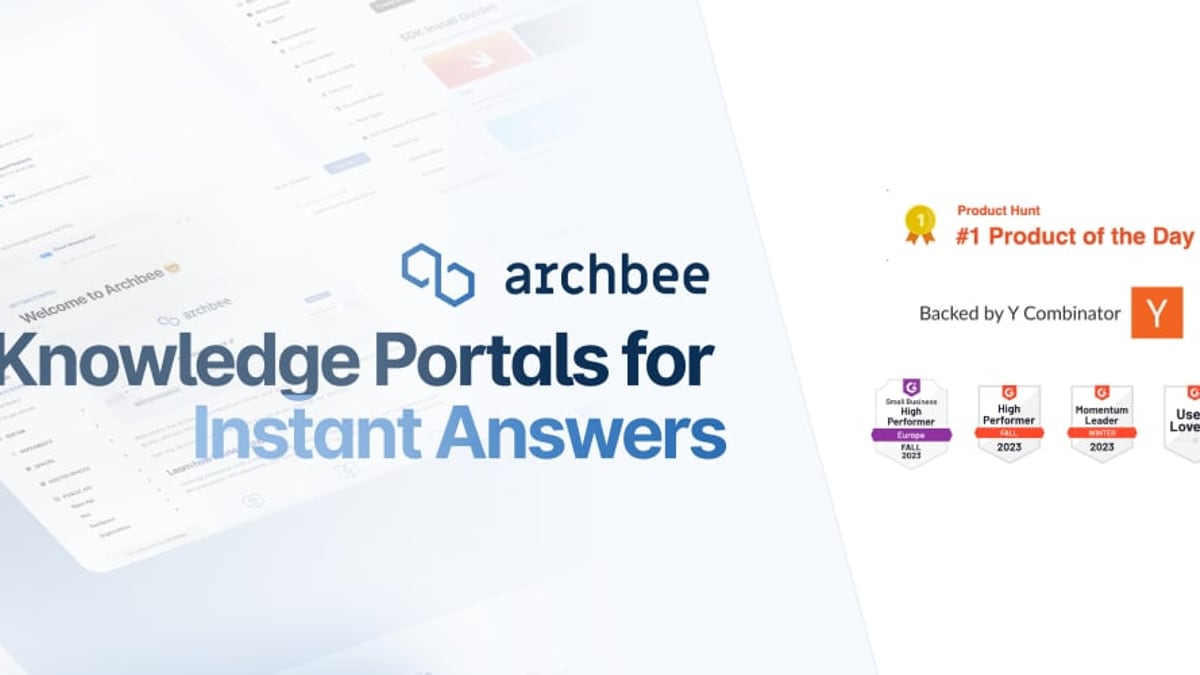
Archbee – A Y Combinator‑backed knowledge portal platform that enables teams to build beautiful, searchable documentation portals. It offers advanced branching, reusable content variables, AI writing, and Git‑based collaboration, making it a strong fit for product docs and API references.
GitBook – A modern, AI‑powered documentation platform with a reactive editor, two‑way Git sync, and a strong focus on turning docs into an AI‑ready knowledge layer. It’s used by over 30,000 teams, including Zoom, Nvidia, and Google.
AI and Search Capabilities
HelpLook vs Archbee vs GitBook: AI Knowledge Base Showdown product interface and feature overview.
Built‑in AI Chatbots and Self‑Service
HelpLook comes with HelpLook AI, an integrated chatbot that answers questions based on your knowledge base. It supports multiple AI models (OpenAI, ERNIE Bot, Azure) and provides instant, AI‑generated responses to visitors. This turns your help center into a genuine self‑service support channel out of the box. Archbee and GitBook both include AI writing assistants, but they lack a native, embeddable AI chatbot for end‑user self‑service in the same turnkey way.
Intelligent Search
All three platforms offer fast search. HelpLook’s search is optimized for self‑service scenarios, with AI‑powered suggestions and multilingual retrieval. GitBook’s AI can answer questions across your gesamte documentation, while Archbee provides natural‑language question answering. However, only HelpLook couples AI search with a dedicated customer‑facing widget that seamlessly embeds into your product or website for immediate help.
For a similar take on AI‑powered knowledge bases versus other tools, see our HelpLook vs HelpCenter.io comparison.
Content Creation and Editing

HelpLook vs Archbee vs GitBook: AI Knowledge Base Showdown product interface and feature overview.
No‑Code vs Developer‑First Editor
HelpLook’s Portal editor is built for non‑technical teams. You can create structured articles, drag‑and‑drop content blocks, and manage an entire help center without touching code. Archbee and GitBook offer rich WYSIWYG editors alongside Markdown support, but they lean heavily towards developer and technical writer workflows. Archbee’s drafts and branching are designed for collaborative review in a docs‑as‑code pipeline, while GitBook’s two‑way Git sync keeps content in sync with Git repositories automatically.
What this means:
- If your content creators include support, product, or marketing teams, HelpLook’s no‑code simplicity is a major advantage.
- If your documentation is code‑adjacent and requires Git workflows and API docs authorship, Archbee and GitBook hold the edge.
Document Type Support
HelpLook vs Archbee vs GitBook: AI Knowledge Base Showdown product interface and feature overview.
HelpLook shines for customer‑facing help centers, internal wikis, product manuals, e‑commerce manuals, and company blogs. Its widget embeds directly into your product, making help accessible without leaving the page.
Archbee and GitBook are particularly strong for product documentation, developer/API documentation, and release notes. Both support OpenAPI/Swagger references, code examples, and technical content reuse, which are essential for SaaS and API‑first products.
Since HelpLook does not target API‑reference generation as a core use case, teams that need full OpenAPI rendering and interactive endpoint testing will find a better fit with Archbee or GitBook.
Customization and Branding
Custom Domain and White‑labeling
All three platforms allow custom domains. HelpLook’s Site component lets you build a fully branded, public or private knowledge base with your logo, colors, and custom CSS. Archbee provides flexible branding and display rules, while GitBook offers custom branding and user‑friendly publishing settings. HelpLook goes a step further by enabling the same level of customization on the embeddable widget, making the in‑app help experience on‑brand.
Multilingual and Localization Support
HelpLook offers built‑in multilingual support across the knowledge base, search, and AI chatbot. You can serve content in multiple languages from a single portal, which is critical for global SaaS and e‑commerce businesses. Both Archbee and GitBook support localization and translation workflows, but HelpLook’s seamless integration with its AI search and chatbot ensures that users get accurate answers in their preferred language without extra configuration.
If you are evaluating a self‑hosted wiki as a multilingual alternative, reading our HelpLook vs Docmost analysis may offer additional perspective.
Analytics and Insights
HelpLook includes content analytics right inside the Portal—article views, search queries, and user engagement metrics. This data helps you spot gaps and improve content. Archbee requires an add‑on of $80/month for analytics, while GitBook includes analytics on paid tiers. For teams that want out‑of‑the‑box visibility into help center performance, HelpLook’s integrated analytics provide immediate value without extra charges.
Integrations and Workflows
Archbee and GitBook are built to fit into developer toolchains. Both offer:
- Two‑way Git sync (GitHub, GitLab)
- CI/CD integration
- OpenAPI / Swagger support
- Slack and other communication integrations
HelpLook focuses on integration with AI models (OpenAI, ERNIE Bot, Azure) and can be embedded as a widget in any web app. It also supports password‑protected sites and SSO. While it doesn’t offer Git‑native version control or a direct code‑to‑docs pipeline, its embeddable widget and AI chatbot integrate directly with customer support workflows, making it a stronger fit for sites and apps where immediate user assistance is the priority.
Security and Compliance
All three platforms take security seriously with SSO and encryption. GitBook and Archbee highlight SOC 2 Type II and enterprise‑grade security. HelpLook serves regulated industries like healthcare and financial services with role‑based access, private sites, and password protection. If you need strict compliance documentation, Archbee’s and GitBook’s explicit SOC 2 certifications may be more reassuring; yet for many businesses, HelpLook’s access controls and data security meet enterprise requirements.
Pricing and Plans
| Platform | Starting Price (Billed Monthly) | Free Plan Available |
|---|---|---|
| HelpLook | Free plan available; paid plans start modestly | Yes, includes core AI features |
| Archbee | $50/month for 3 users; AI writing add‑on $20/month | No |
| GitBook | From $65/site/month + $12/user/month | Free for open‑source & non‑profit |
HelpLook stands out with a generous free plan that already includes its AI chatbot and search, making it easy for startups and small teams to get started. Archbee’s pricing is per user, and many advanced features (analytics, API access, embeddable widget) sit behind $80/month add‑ons, which can add up quickly. GitBook has a free tier for open‑source projects, but commercial use requires paid plans that scale with users and sites.
According to Doc Holiday’s side‑by‑side cost analysis, for a team of 25 members, Archbee can cost over $8,750/month, while GitBook often requires an enterprise conversation. HelpLook’s pricing model is dramatically more accessible for growing knowledge bases.
Which One Should You Choose?
Choose HelpLook if…
- You need an AI‑powered customer self‑service portal with a chatbot in minutes, no coding required.
- Multilingual support and built‑in analytics are high priorities.
- Your team spans marketing, support, and product—and you want a free plan to start.
- SEO and custom branding for your help center matter just as much as the content itself.
Choose Archbee if…
- You produce extensive developer documentation, API references, and need rich version control with branching.
- Your workflow is Git‑centric, and you want reusable content variables and display rules.
- You’re willing to pay extra for analytics and embedding to scale a developer portal.
Choose GitBook if…
- You want a docs‑as‑code approach with two‑way Git sync and an AI‑native content layer.
- You value a reactive editor that feels like coding and need a platform loved by large engineering organizations.
- Your team prioritises making documentation AI‑ready for agents and internal knowledge queries.
Related reading
- Docmost Review: Self-Hosted Wiki & Notion Alternative (2026) - Evidence-based Docmost review covering self-hosting, AI, Notion-like bases, SSO, pricing, and setup. See if this open-source wiki fits your team in 2026.
- Mintlify Review 2026: AI Docs Platform Pros, Cons & Pricing - Is Mintlify's $300/mo AI documentation platform worth it? We test Autopilot agent, API playground, user sentiment, and pricing. See if it fits your team.
- Document360 Review 2026: AI Knowledge Base Tested - Evidence-based Document360 review covering AI features, pricing signals, user ratings, and ideal use cases. See if it fits teams building structured help centers and internal wikis.
Sources and further reading
- GitBook vs Archbee – 2026 comparison - How do GitBook and Archbee stack up in 2026? Compare their editing and publishing features side-by-side and see which one comes out on top.
- Archbee vs GitBook (2026): Which Is Better? | Docsie - Archbee vs GitBook: compare features, pricing, and limitations to find the best developer documentation platform for your team.
Frequently Asked Questions
Can I build a purely customer‑facing help center with Archbee or GitBook?
Yes, both support public documentation portals with custom domains and branding. However, they are more developer‑focused and might require more setup to achieve the turnkey self‑service experience that HelpLook provides out of the box.
Does HelpLook support API documentation?
HelpLook is not designed for interactive API references like Swagger/OpenAPI rendering. It is better suited for user guides, help articles, and knowledge bases. For API docs, Archbee or GitBook would be the more natural choice.
Is there a free tier that includes AI features?
HelpLook’s free plan includes its AI chatbot and smart search. GitBook offers a free plan for open‑source and non‑profit organisations, while Archbee does not have a free tier.
How does SEO compare across these platforms?
HelpLook includes built‑in SEO optimization for articles and public sites—meta tags, clean URLs, and sitemaps. GitBook and Archbee also follow SEO best practices, but HelpLook’s emphasis on non‑technical content creation makes SEO more accessible to content teams.
Conclusion
HelpLook, Archbee, and GitBook each serve different documentation philosophies. Archbee and GitBook are powerful tools for developer‑focused workflows, API documentation, and Git‑based collaboration. HelpLook differentiates itself as a no‑code, AI‑powered self‑service platform that lets any team build a multilingual, SEO‑optimised help center with a built‑in AI chatbot—and it starts free. For a deeper look at how HelpLook stacks up against other AI knowledge base tools, read our HelpLook vs KnowledgeBase vs Mintlify comparison.
Whichever direction you take, HelpLook is here to help you find the right AI knowledge platform to accelerate your growth and customer success.