
HelpLook vs Bloomfire: AI Knowledge Platform Comparison
When choosing between HelpLook and Bloomfire for your organization's knowledge management, you're really deciding between a modern, no-code AI knowledge base built for customer-facing help centers and an enterprise-grade intelligence platform for internal knowledge sharing. Both leverage AI to surface answers, but they serve different audiences. In this comparison, we'll break down core features, pricing, ease of use, and ideal use cases—so you can decide which tool aligns with your team's needs. We at HelpLook have tested both platforms and dug into the latest data to help you pick the right one.
HelpLook at a Glance

HelpLook vs Bloomfire: AI Knowledge Platform Comparison product interface and feature overview.
HelpLook is an all-in-one AI self-service platform that lets you build public or private knowledge bases, product manuals, and help desks without writing a single line of code. Its standout features include:
- No-code portal and site builder with a WYSIWYG rich text editor.
- HelpLook AI – an AI-powered search engine and chatbot that delivers instant answers from your content.
- Multilingual support out of the box, so you can serve global customers.
- Built-in SEO optimization and custom domain mapping for public help centers.
- Flexible plans: starts at $7/user/month (billed annually) with a free plan available for small teams.
HelpLook currently powers over 10,000 companies across SaaS, healthcare, finance, education, and more, offering a cost-effective alternative to traditional knowledge base solutions. It integrates with AI models like OpenAI and Azure to provide accurate, conversational search experiences.
Bloomfire at a Glance

HelpLook vs Bloomfire: AI Knowledge Platform Comparison product interface and feature overview.
Bloomfire is an award-winning knowledge management platform focused on enterprise intelligence. It transforms scattered documents, discussions, and tribal knowledge into a searchable, self-healing knowledge hub. Its key capabilities:
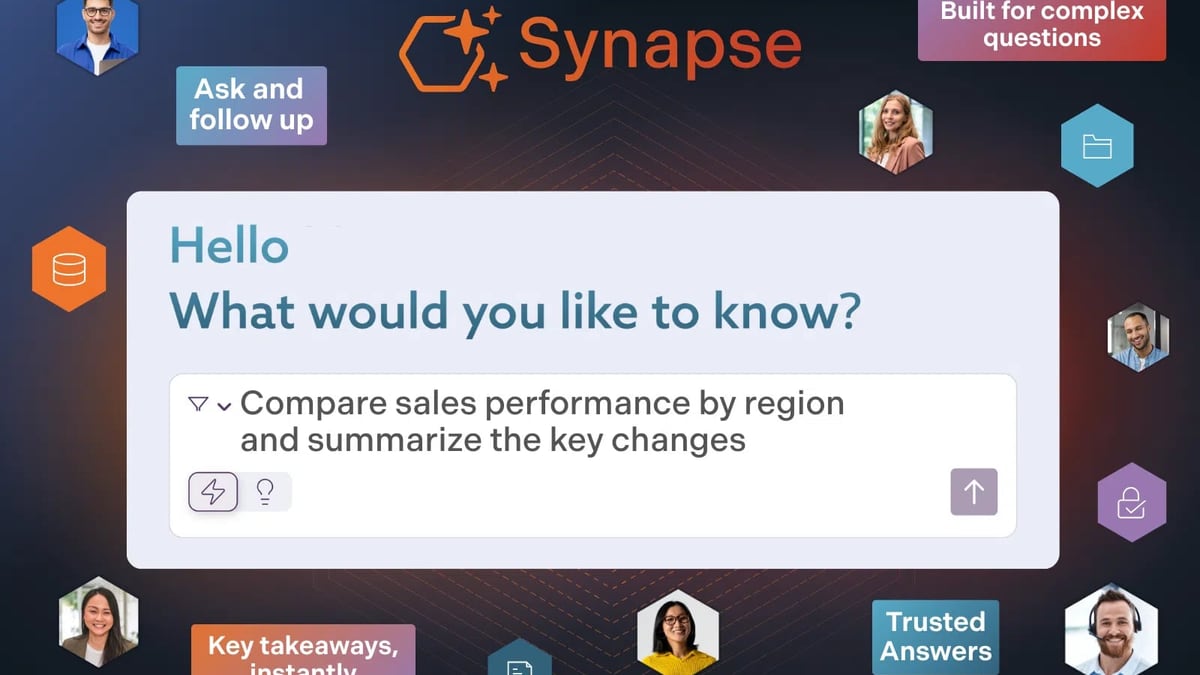
- AI-powered enterprise search (Synapse) that indexes and retrieves content across multiple formats, delivering contextually relevant answers.
- Self-healing knowledge base that automatically flags outdated or duplicate content.
- Advanced analytics to measure content engagement and identify gaps.
- Enterprise-grade security (SOC2, SSO, GDPR) and deep integrations with Salesforce, Slack, MS Teams, etc.
- Pricing starts at $25/user/month, with custom quotes for larger deployments; no perpetual free tier.
Bloomfire is trusted by Global 2000 organizations like Regeneron and Germania Insurance, and it reports a 72% search conversion rate with significant time savings.
Detailed Feature Comparison
| Feature | HelpLook | Bloomfire |
|---|---|---|
| AI Search & Chatbot | Built-in AI widget and search bar; conversational answers via GPT, ERNIE, Azure | Synapse AI enterprise search; contextual Q&A but no embedded chat widget out-of-the-box |
| Content Authoring | No-code, drag-and-drop editor; supports multimedia and tables | AI-powered authoring with automatic tagging and formatting; more complex for non-technical users |
| External-Facing Sites | Yes: fully customizable public knowledge base with custom domain & SEO | Primarily internal-facing; not designed for customer help centers |
| Multilingual Support | Native multilingual interface & content | Translation features possible but not core to the platform |
| Free Plan | Yes – free plan with core features | No free version, only free trial |
| Starting Price | $7/user/month (annual) | $25/user/month (annual) |
| Integrations | ChatGPT, Azure, others via API; focuses on self-service flows | 20+ popular apps (Salesforce, Slack, Tableau, Zendesk); wide enterprise ecosystem |
| Adoption Focus | Small to mid-size businesses, customer support teams, product documentation | Large enterprises, cross-departmental knowledge sharing, compliance-heavy industries |
Data sourced from Bloofire’s own product pages, third-party directories like Slashdot, and official pricing pages.
Where HelpLook Wins
HelpLook vs Bloomfire: AI Knowledge Platform Comparison product interface and feature overview.
1. Affordability and a free entry point. HelpLook’s free plan makes it immediately accessible for startups and small teams. Even at $7/user/month, it costs substantially less than Bloomfire’s starting point.
2. No-code, customer-facing help centers. If your primary goal is to build a polished, SEO-optimized help center for your customers, HelpLook’s dedicated Site builder—with custom domains and multilingual support—gives you everything you need without a developer. Bloomfire centers on internal knowledge sharing, so public-facing help content requires workarounds.
3. Embedded AI chatbot. HelpLook’s AI Widget can be dropped into your website or app to answer visitor questions instantly; it acts as your front-line support. Bloomfire’s AI shines for internal search, not for customer-facing chat.
4. Simplicity and rapid deployment. Thanks to a visual, no-code interface, you can launch a knowledge base in hours, not weeks. Bloomfire, while user-friendly for enterprises, may require more customization and internal buy-in for its advanced features.
Where Bloomfire Excels
HelpLook vs Bloomfire: AI Knowledge Platform Comparison product interface and feature overview.
- Deep enterprise search and intelligence. For large organizations with thousands of documents across departments, Bloomfire’s self-healing repository and multi-format indexing (PDF, video, presentations) are superior.
- Compliance and security features. SOC2, GDPR, SCIM, and encryption make it a safer pick for highly regulated industries.
- Strategic analytics. Rich dashboards and content gap analysis help knowledge managers prove ROI.
- Sales enablement and onboarding. The platform is built to support cross-functional teams, including sales and support, with seamless Salesforce and Slack integrations.
That said, these strengths come at a higher cost and with a steeper learning curve for smaller teams. For many SMBs, a full enterprise KM solution like Bloomfire may be overkill.
Which One Should You Choose?
- Choose HelpLook if you want to quickly create a customer-facing help center, product manual, or internal wiki with AI chat—on a budget. You value SEO, multilingual reach, and a free starter plan. See how it ranks among 2026’s top AI knowledge base software.
- Choose Bloomfire if your priority is a robust, enterprise-wide knowledge management system that connects departments, ensures compliance, and you have the budget for per‑user pricing from $25/month upward.
If you’re still exploring, you might also compare HelpLook vs Stonly for another productivity‑focused alternative.
Related reading
- HelpCenter.io Review 2026: AI Knowledge Base Worth It? - In-depth HelpCenter.io review: flat-rate pricing, AI Widget, analytics, and setup. See strengths, limitations, and best use cases for support teams.
- How to Use HelpLook with Context Link: A Step-by-Step Guide - Learn to connect HelpLook's AI knowledge base with Context Link to give ChatGPT, Claude, and MCP agents access to your help articles. Step-by-step setup and practical examples.
- HelpLook vs Documentation.AI vs KnowledgeBase: Which AI Knowledge Base Is Best in 2025? - Compare HelpLook, Documentation.AI, and KnowledgeBase for AI-powered knowledge management. See features, pricing, and use cases to choose the right self-service platform.
Sources and further reading
- Bloomfire vs. HelpLook Comparison - Compare Bloomfire vs. HelpLook using this comparison chart. Compare price, features, and reviews of the software side-by-side to make the best choice for your business.
FAQ
Does Bloomfire offer a free plan?
No, Bloomfire provides a free trial but no permanent free version. HelpLook includes a forever-free plan so you can evaluate its core features without time pressure.
Can I build a public knowledge base with Bloomfire?
Bloomfire is primarily designed for internal knowledge sharing. While you could expose some content externally, it lacks native customer-facing site features like custom domains, SEO, and a help center layout that HelpLook offers.
How do the AI search capabilities compare?
Both use semantic search. HelpLook integrates AI models (OpenAI, Azure, etc.) to power a search bar and chatbot widget that learns from your content. Bloomfire’s Synapse AI delivers deep enterprise search across diverse file formats and auto-tags content—stronger for internal document mining, but less focused on instant customer self‑service.
Is HelpLook secure enough for my business?
Yes, it offers data encryption, access control, and integrates with trusted AI backends. For heavily regulated industries requiring SOC2/GDPR compliance out of the box, Bloomfire may have an edge.
Conclusion
HelpLook and Bloomfire are both excellent AI-powered platforms, but they serve different masters. HelpLook democratizes knowledge base creation with a free tier, no-code builder, and customer-facing AI chatbot, making it ideal for small to medium businesses and support teams. Bloomfire’s enterprise intelligence engine excels at unifying internal knowledge for large organizations, but comes with a higher price tag and complexity. Assess your team’s size, budget, and whether you need an external help center or an internal knowledge hub—then choose the platform that aligns with your strategy.
HelpLook regularly reviews AI knowledge management tools to help you make informed decisions. For an objective look at how Bloomfire rates its own AI capabilities, see its comparison with Guru. Current pricing details were verified through independent software directories.