
HelpLook vs Docmost vs DocsBot: A Practical Comparison for Knowledge Management and AI Support
Choosing between a no-code AI knowledge base, a self-hosted enterprise wiki, and a dedicated AI chatbot platform can feel like comparing apples to oranges. Yet many teams find themselves weighing exactly these options: HelpLook, Docmost, and DocsBot. Each solves a distinct problem, but their paths often intersect when you need to organize knowledge and deliver it intelligently.
This comparison focuses on where each tool genuinely excels, helping you match the right platform to your specific workflow, security requirements, and support goals.
Docmost: When Data Control and Internal Collaboration Come First
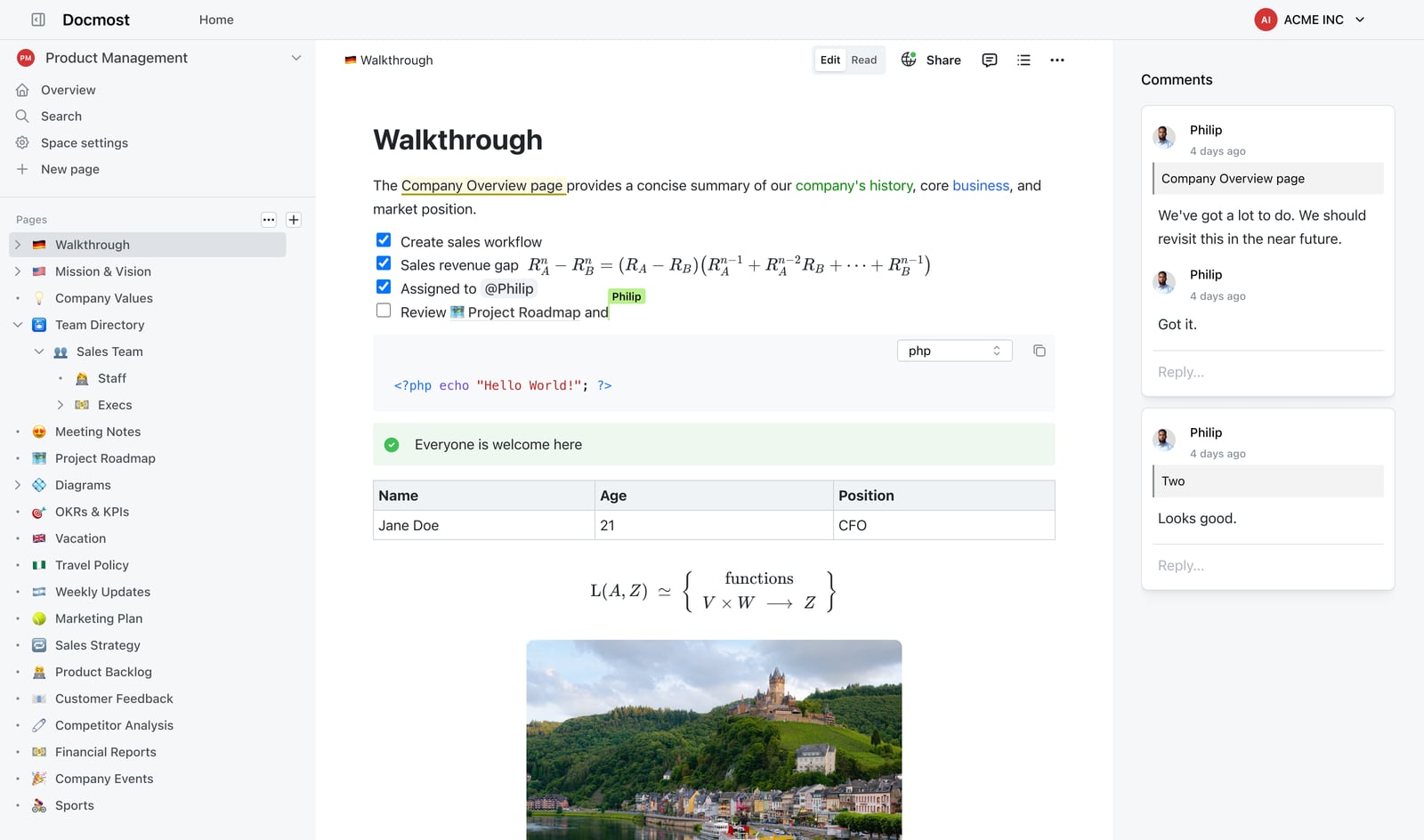
Powerful Editor.
Docmost is an open-source, self-hosted collaborative wiki built for organizations that cannot or will not store sensitive documentation in a third-party cloud. It positions itself as a Confluence or Notion alternative with a strong emphasis on security, compliance, and on-premises deployment.
Core Strengths
Complete data sovereignty. Because Docmost runs on your own infrastructure, you retain full control over every document, attachment, and backup. This makes it suitable for environments governed by ITAR, FedRAMP, GDPR, SOC 2, or ISO 27001 requirements. Air-gapped deployment is supported, meaning the software can operate entirely disconnected from the internet.
Enterprise-grade identity and access management. Docmost integrates with SSO, SAML, OIDC, and LDAP out of the box. Multi-factor authentication, SCIM provisioning, and detailed audit logs provide the controls expected by security-conscious IT teams. Role-based access control (RBAC) and page verification workflows ensure that only authorized users can view or approve content.
Real-time collaborative editing with modern views. Teams can co-author pages simultaneously, similar to cloud-based tools. Beyond standard document editing, Docmost offers Kanban boards and database views (called Bases), which help teams manage projects and structured data directly within the wiki.
Self-hosted AI assistant. Docmost includes an AI feature that can connect to self-hosted large language models through Ollama or vLLM, as well as cloud providers like OpenAI. This lets organizations use AI-powered search and writing assistance without sending data outside their controlled environment.
Where Docmost Fits Best
Docmost is ideal for internal wikis, compliance documentation, and project knowledge bases where security and self-hosting are non-negotiable. It is less suited for customer-facing help centers that require SEO optimization, public branding, or easy embedding into a website without developer involvement. As an open-source project, it also requires technical expertise to deploy and maintain, and its public documentation is still maturing.
DocsBot: AI-Powered Support Automation Across Channels

Brian D. Avery avatar image.
DocsBot is an AI chatbot platform that trains custom agents on your existing documentation, helpdesk tickets, and other content sources. Its primary goal is to deflect repetitive support questions and automate answers across multiple channels.
Core Strengths
Broad content ingestion. DocsBot supports training on over 28 source types, including websites, PDFs, Notion workspaces, Confluence spaces, Google Drive, SharePoint, and helpdesk imports. This wide connector library lets it pull knowledge from wherever your team already stores information.
No-code chat widget and multilingual support. You can deploy a trained chatbot widget to your website with minimal setup. The platform supports over 100 languages, making it viable for global customer bases.
Smart escalation and tool-calling actions. DocsBot can route complex questions to your existing helpdesk as tickets on its Standard plan and above. It also offers tool-calling Actions that let the bot perform tasks like looking up order statuses or triggering workflows, moving beyond simple Q&A.
Mature agentic RAG. With multi-query reasoning and a track record of millions of questions answered, DocsBot provides reliable, context-aware responses grounded in your content.
Where DocsBot Fits Best
DocsBot excels when your primary need is an AI agent that answers customer questions on your website and Slack, drawing from a diverse set of knowledge sources. It is a strong choice for documentation-heavy support use cases. However, its native channel support is limited to website and Slack; WhatsApp and Telegram require Zapier integrations. Human handoff routes to a helpdesk ticket rather than offering a live conversation takeover, and pricing scales with AI credits and add-ons.
HelpLook: No-Code Knowledge Base with Built-In AI Search and Chatbot
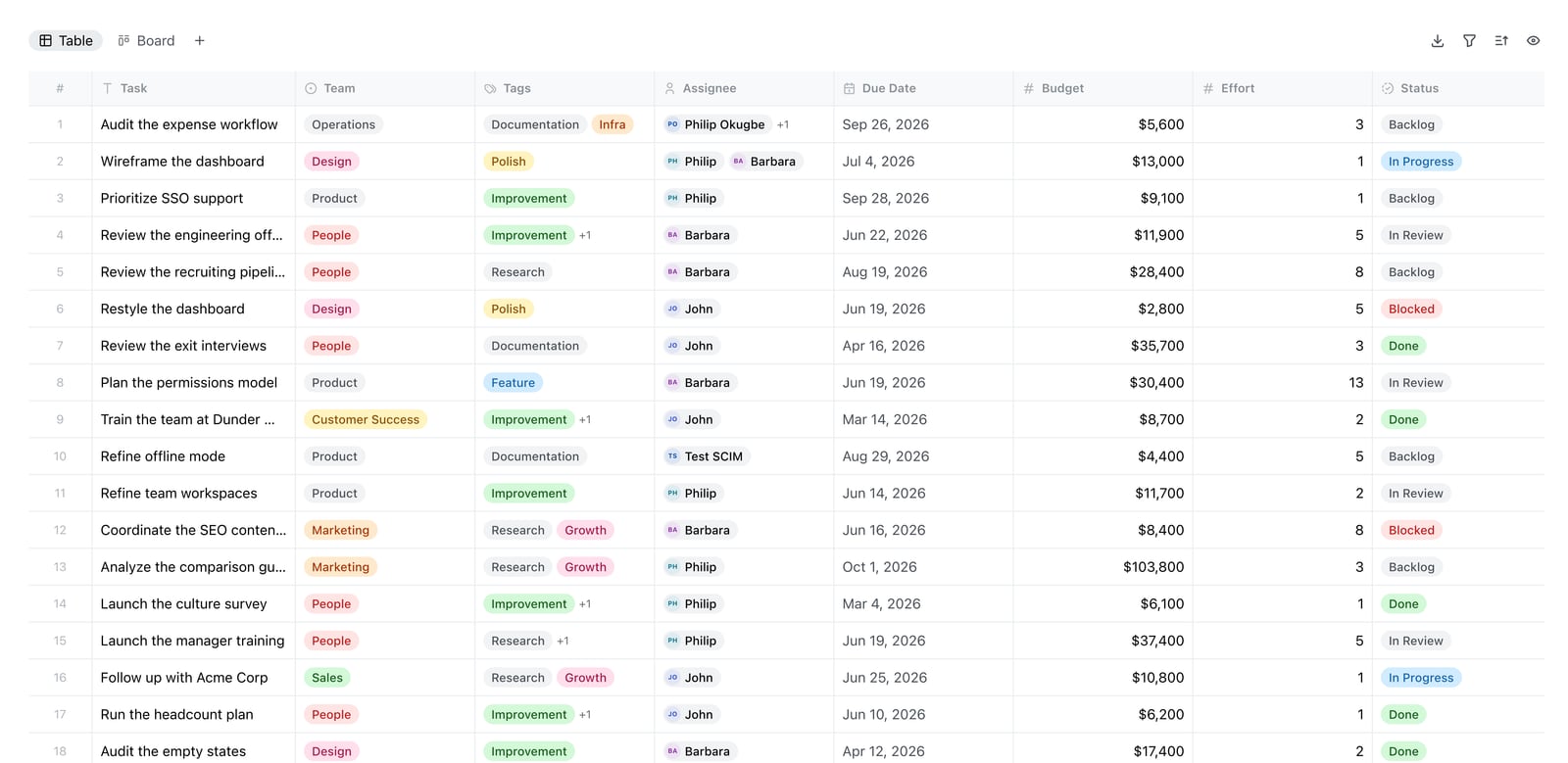
Docmost Bases table view.
HelpLook combines an AI-powered knowledge base with a built-in chatbot, enabling businesses to create self-service portals for both customers and employees without writing code. It focuses on reducing support costs while improving content discoverability through AI search and SEO optimization.
Where HelpLook Holds an Advantage
Unified knowledge base and AI chatbot. Unlike Docmost, which focuses on internal collaboration, or DocsBot, which layers a chatbot over existing sources, HelpLook provides a single platform where you create, organize, and publish content while an integrated AI chatbot answers questions from that same content. This tight coupling can simplify content management and reduce the need for multiple tools.
No-code site building with SEO controls. HelpLook offers a visual editor to build branded, public-facing knowledge bases, product manuals, or blogs. It includes SEO optimization features such as customizable meta tags, URLs, and site structure. This makes it a practical choice for teams that want their help content to rank in search engines and serve as a customer acquisition channel, a capability neither Docmost nor DocsBot prioritizes.
Flexible AI model integration. HelpLook supports multiple AI models, including OpenAI, ERNIE Bot, and Azure. This gives teams the flexibility to choose the model that best fits their language, performance, and cost requirements, rather than being locked into a single provider.
Content delivery options. Beyond the web portal, HelpLook enables QR code access and PDF downloads for offline or print distribution. These options can be useful for product manuals, in-store help, or field service documentation.
Scalable subscription plans. With a free tier and progressive paid plans that include AI credits and scalable resources, HelpLook accommodates businesses from early-stage startups to enterprises managing large content volumes.
Where HelpLook Makes Sense
HelpLook is a strong fit for customer support knowledge bases, e-commerce product manuals, and internal employee portals where ease of setup, public visibility, and integrated AI search are priorities. It is less appropriate for teams that require self-hosted, air-gapped infrastructure or those whose primary need is a standalone chatbot that ingests content from dozens of disparate sources without a centralized authoring environment.
How to Choose the Right Tool
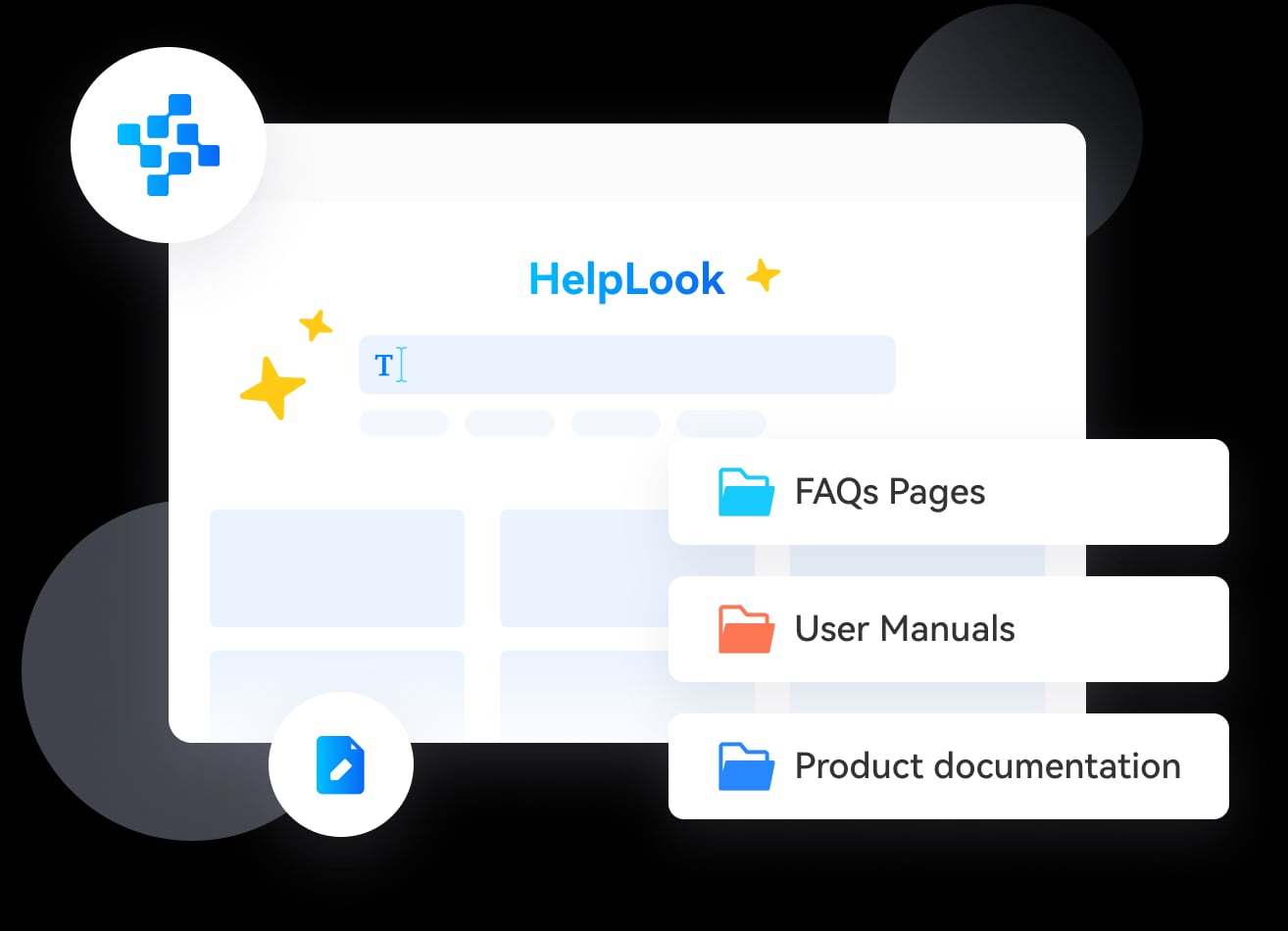
HelpLook product interface.
Your decision hinges on three fundamental questions:
Where must your data live? If it must stay on your own servers for compliance or security reasons, Docmost is the clear choice. If cloud-based storage is acceptable, HelpLook and DocsBot offer faster time-to-value.
Who is your audience? For internal teams collaborating on sensitive documentation, Docmost provides the permissions and verification workflows you need. For external customers searching for help articles and getting instant AI answers, HelpLook’s public-facing portal and SEO features add value. For automating support across your website and Slack using existing docs, DocsBot fits well.
What is your primary workflow? If you need to author and manage content alongside AI support, HelpLook’s integrated approach reduces tool sprawl. If you already have content scattered across many platforms and just need a smart AI layer on top, DocsBot’s ingestion breadth is advantageous. If your core need is a secure, collaborative wiki that replaces Confluence, Docmost is purpose-built for that.
For teams evaluating broader knowledge base options, our comparisons of HelpLook vs Bloomfire vs KnowledgeOwl and Helpjuice vs Document360 vs HelpLook explore how different platforms stack up on AI search, customization, and pricing.
Related reading
- HelpLook vs KnowledgeOwl vs DocsBot: Which AI Knowledge Base Wins? - Compare HelpLook, KnowledgeOwl, and DocsBot on AI search, granular permissions, chatbot automation, pricing, and ease of use. Find the best fit for your support team.
- HelpLook vs HelpCenter.io vs KnowledgeBase: 2025 Comparison - Compare HelpLook, HelpCenter.io, and KnowledgeBase on AI search, pricing, self-service, and more. Find the best AI knowledge base for your team's needs.
Sources and further reading
- DocsBot Alternative — Omnichannel AI Support | Chat Thing - A DocsBot AI alternative with native omnichannel and built-in human handoff. Chat Thing answers customers on your site, Slack, WhatsApp and more for a flat $49–$299/mo. Honest, sourced comparison.
- Docmost vs outline : r/selfhosted - Outline user here (coming from Confluence Server).I like it a lot for being fast and user friendly. Also you can use almost any IDP out there for authentication.What I don't like is the handling of screenshots:
- Best DocsBot Alternative 2026 | Top DocsBot Alternatives Compared - Looking for DocsBot alternatives? SiteSpeakAI starts at $29/month vs $49/month, includes live chat and human escalation, and supports multiple AI providers. Compare features and pricing.
FAQ
Can Docmost be used as a public-facing customer help center? Docmost supports public sharing of pages, but it is not designed as a customer-facing knowledge base with SEO optimization, customizable branding, or a built-in AI chatbot for visitors. It excels as an internal wiki.
Does DocsBot require coding to set up? No. DocsBot offers a no-code chat widget that you can embed on your website. However, advanced actions and API integrations may require some technical configuration.
Does HelpLook support self-hosting? HelpLook is a cloud-based SaaS platform and does not offer a self-hosted deployment option. Teams requiring on-premises infrastructure should evaluate Docmost or similar solutions.
Which tool is best for a small business with a limited budget? All three offer free or low-cost entry points. HelpLook and DocsBot both provide free tiers, while Docmost is free and open-source but requires your own hosting infrastructure, which carries its own costs and maintenance overhead.
Can I use DocsBot and HelpLook together? While possible, it may create content duplication. A more efficient approach is to choose the platform that best matches your primary use case. If you need both a structured knowledge base and advanced chatbot actions, consider whether HelpLook’s integrated AI or DocsBot’s broader ingestion fits your workflow better.
Conclusion
Docmost, DocsBot, and HelpLook each serve distinct priorities. Docmost gives security-conscious teams a self-hosted wiki with full data control and modern collaboration features. DocsBot provides a flexible AI agent that can ingest knowledge from a wide array of sources and automate answers on your website and Slack. HelpLook offers a unified, no-code platform for building SEO-optimized knowledge bases with integrated AI search and chatbot capabilities.
Match the tool to your non-negotiables—data sovereignty, channel coverage, or content creation and discoverability—and you will find the right foundation for your team’s knowledge management and support strategy. For a deeper look at how AI knowledge base platforms compare, see our Top 10 AI Knowledge Base & Help Desk Software in 2026 guide.