
HelpLook vs DocsBot: Which AI Knowledge Base Wins in 2026?
Choosing the right AI knowledge base platform can make or break your self-service support strategy. Two names that often come up are HelpLook and DocsBot. Both promise to turn your documentation into instant answers, but they are built for very different needs. At HelpLook, we’ve tested both to give you an honest, evidence-based comparison. Below we break down feature by feature whether HelpLook’s all-in-one self-service portal or DocsBot’s documentation chatbot is the smarter pick for your team.
What Is HelpLook? A Complete Self-Service Platform

HelpLook vs DocsBot: Which AI Knowledge Base Wins in 2026? product interface and feature overview.
HelpLook is an AI-powered knowledge base software that lets you create, manage, and publish a full self-service ecosystem—without writing a single line of code. Built as an all-in-one platform, it covers four core areas:
- Portal – a content creation hub with a rich editor, analytics, and collaboration tools.
- Site – a fully customizable public or private knowledge base with your own domain, SEO controls, and brand identity.
- Widget – an embeddable component that brings your knowledge base directly into any website or app.
- HelpLook AI – an AI-powered search and chatbot layer that uses models from OpenAI, ERNIE Bot, and Azure to deliver precise, context-aware answers.
Thousands of companies across SaaS, legal, healthcare, and education already rely on HelpLook. It tackles common pain points like disorganized content, poor search experience, and low adoption by combining structured content design with AI-driven search, multilingual support, and advanced analytics. This makes it not just a knowledge base builder, but a complete self-service command center.
What Is DocsBot? An AI Documentation Chatbot
HelpLook vs DocsBot: Which AI Knowledge Base Wins in 2026? product interface and feature overview.
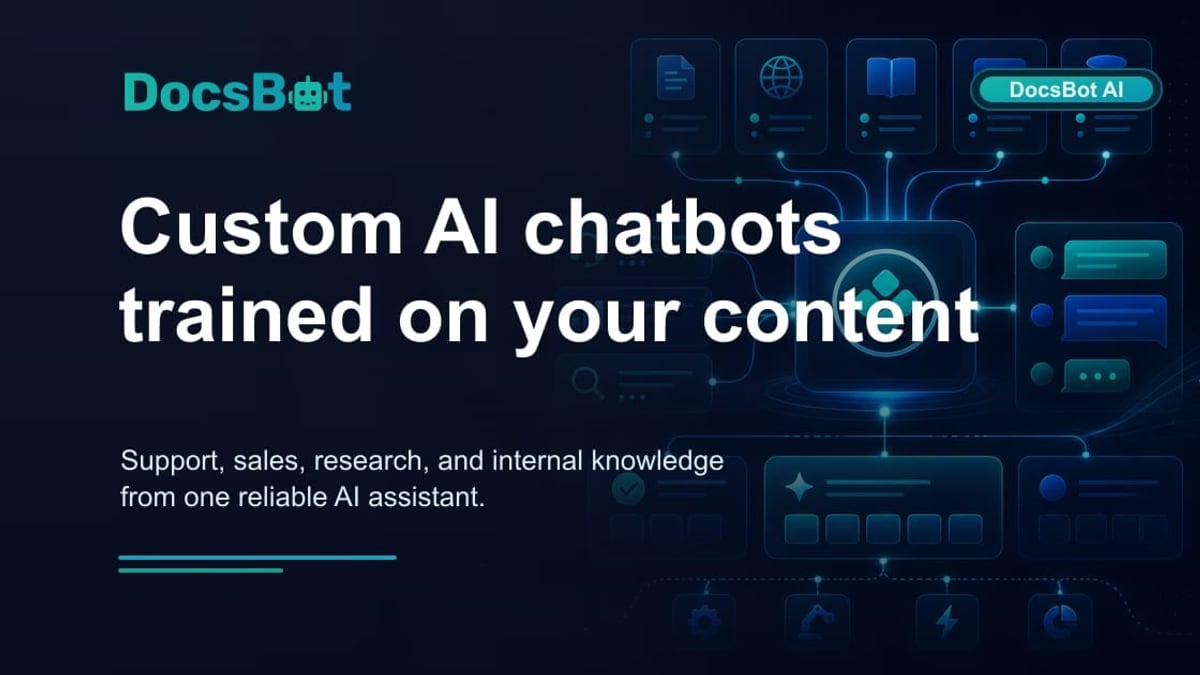
DocsBot is a focused AI chatbot platform that trains custom AI agents on your own knowledge base, documentation, and support content. It supports over 28 source types—websites, PDFs, Notion, Confluence, Zendesk, and more—so you can spin up a documentation Q&A bot quickly. The platform also offers free tools like a YouTube summarizer and prompt generator.
Key use cases include customer support chatbots, pre-sales assistants, and internal knowledge helpers. Integration with 7,000+ apps via Zapier and APIs give it decent connectivity. However, DocsBot’s strength is strictly chatbot-based Q&A. It is not a full content management system or knowledge base builder. That narrow focus shows when you start comparing core features.
HelpLook vs DocsBot: Feature-by-Component Comparison
HelpLook vs DocsBot: Which AI Knowledge Base Wins in 2026? product interface and feature overview.
To give you a clear picture, we compared the two platforms across five must-have dimensions for modern self-service.
Knowledge Base Creation & Content Management
HelpLook shines here. Its Portal gives you a rich, structured editor to write, organize, and version your help articles, product manuals, or e-commerce guides. You can design a public help center (Site) with a custom domain, full brand control, and built-in SEO optimization tools. No third-party CMS or plugin is needed. This all-in-one approach keeps your content management and smart search under one roof, reducing complexity and maintenance.
DocsBot lacks a native knowledge base builder. It ingests existing content but doesn’t offer a way to create, structure, or style a help center from scratch. If you need a customer-facing documentation portal, you’ll have to maintain a completely separate system. For a deeper look at how a full-platform alternative stacks up, see our HelpLook vs Document360 comparison.
AI Search and Chatbot Intelligence
Both platforms use AI to answer questions, but the scope differs sharply.
HelpLook AI integrates with multiple AI models—OpenAI, ERNIE Bot, Azure—giving you flexibility to switch or combine providers based on accuracy, language needs, or compliance requirements. Its chatbot can be embedded anywhere via the Widget, and it pulls answers directly from your structured knowledge base, ensuring consistent, high-quality responses. HelpLook’s AI search also respects user permissions for private/internal sites, so sensitive content stays protected.
DocsBot locks you into OpenAI models (GPT-4o, GPT-4.1, GPT-3.5 mini). As noted in a comprehensive DocsBot alternatives article, there is no support for Anthropic, Google Gemini, or other engines. That can be a deal-breaker if your documentation performs better with a different LLM or if you need to comply with data residency policies that restrict OpenAI. Moreover, DocsBot has no live chat or human escalation built in—when the AI can’t answer, there is no seamless handoff to a human agent (source). HelpLook’s integrated approach keeps AI responses and human support in the same workflow.
Multilingual & SEO Capabilities
Global teams and multilingual audiences will feel the difference immediately. HelpLook offers genuine multilingual knowledge base support: you can create and manage content in multiple languages natively, plus use AI to serve accurate answers in the user’s preferred language. Combined with built-in SEO controls (meta tags, clean URLs, sitemap generation), your help center becomes a discoverable asset that drives organic traffic.
DocsBot’s chatbot supports multiple languages in conversation, but it does not offer a multilingual content management system. That means if you need a French help center or an SEO-optimized German documentation site, you’ll have to build and host that separately. HelpLook consolidates everything into one platform.
Pricing & Scalability
HelpLook offers a free plan alongside flexible paid tiers that scale with content and team size. This makes it accessible to startups and enterprises alike, without forcing you into a steep upgrade ladder just to unlock features like analytics or collaboration.
DocsBot’s pricing starts at $49/month for just 3 bots and 5,000 source pages. Many essential features—advanced analytics, sentiment analysis, team collaboration—are gated behind the $149 or $499/month Business plans. According to an in-depth DocsBot AI review, content source limits on lower tiers can be restrictive, and the absence of a free, fully functional tier may turn small teams away. By comparison, HelpLook delivers more advanced knowledge base management at a lower cost barrier.
Integrations & Customization
DocsBot connects with Zapier, Slack, WordPress, and many help desk platforms, which is helpful for piping answers into existing tools. However, its customization is mostly visual—colors, logos, welcome messages—without deep control over the look and feel of a full help center.
HelpLook’s Widget and Site customization allow you to style the knowledge base to match your brand, embed it anywhere, and even embed the AI widget into web apps. The platform’s native analytics dashboard and collaboration features replace the need to cobble together multiple tools. For teams looking for a wholistic self‑service experience, HelpLook’s integrated design is a clear advantage.
Why DocsBot Often Falls Short for Growing Teams

HelpLook vs DocsBot: Which AI Knowledge Base Wins in 2026? product interface and feature overview.
Three recurring pain points emerge from user feedback and our own analysis:
- OpenAI-only model lock‑in. As highlighted by independent comparison data, DocsBot only supports OpenAI models. If you need the nuanced reasoning of Claude or the multilingual strengths of Gemini, you’re stuck.
- No native live chat or human handoff. When the AI gets it wrong, your customers hit a dead end. Competitor analyses confirm that DocsBot lacks built‑in live chat and escalation paths—a critical miss for support-heavy teams.
- Higher cost for key features. Advanced analytics, sentiment analysis, and team collaboration require the $149/month or $499/month plans, making the platform less accessible compared to HelpLook’s all-inclusive approach from lower tiers.
These gaps make DocsBot a reasonable choice only for teams whose sole need is a documentation-trained chatbot—not for those who want a full self-service portal that grows with them.
Why HelpLook Is the Smarter Long-Term Investment
HelpLook’s design philosophy is built around end-to-end self‑service. Instead of just answering questions, it gives you the tools to create, organise, and optimise the entire knowledge experience. That means:
- One platform for content creation and AI search – no need to pair a CMS with a separate chatbot.
- Custom brand experience – public and private knowledge bases with your own domain, no code.
- SEO as a native feature – your help articles actively attract users through organic search.
- Flexible AI model choice – not locked into a single vendor; adapt as technology evolves.
- Multilingual by design – serve global audiences without duplicating efforts.
For a broader look at how HelpLook compares with other AI documentation tools, check our HelpLook vs Docsie matchup.
How to Switch from DocsBot to HelpLook
Migrating is straightforward, especially if you already have your documentation sources identified.
- Export your content sources – List the URLs, PDFs, or help desk tickets you trained DocsBot on.
- Set up your HelpLook Portal – Sign up, create a new knowledge base, and use the structured editor to import or rewrite articles.
- Customise your Site – Add your domain, brand colors, and SEO settings.
- Activate HelpLook AI – Choose your preferred AI model (OpenAI, Azure, ERNIE Bot) and configure the chatbot widget.
- Replace the embed – Swap the DocsBot snippet with HelpLook’s single-line embed code on your website or app.
- Cancel DocsBot – Once your new help center is live, retire your old plan and start saving.
Related reading
- Documentation.AI Review 2026: AI-Driven Docs That Keep Themselves Fresh - Evidence-based Documentation.AI review covering AI Documentation Agent, Ask AI, pricing, setup, and ideal users. Learn if this AI-native knowledge base fits your team in 2026.
- KnowledgeBase Review 2026: Features, Pricing & Real-World Verdict - Unbiased KnowledgeBase review covering AI features, pricing from $49/mo, ideal users, setup, and limitations. See if it fits your support team in 2026.
- Docsie Review 2026: Features, Pricing & Real-World Verdict - We tested Docsie, the AI documentation platform that turns videos and files into structured docs. Read our evidence-based review of features, pricing, strengths, and limitations to decide if it fits your team.
Sources and further reading
- Replika - From Wikipedia, the free encyclopedia
Frequently Asked Questions
Is HelpLook better than DocsBot for SEO?
Yes. HelpLook includes built-in SEO controls (meta tags, sitemaps, clean URLs) for your entire knowledge base. DocsBot doesn’t offer a native content management layer, so all SEO work must be done separately.
Can I use my own AI model with DocsBot?
No. DocsBot only supports OpenAI models. HelpLook integrates with OpenAI, ERNIE Bot, and Azure, giving you freedom to choose the best performing model for your documentation.
Does HelpLook offer a free plan?
Yes. HelpLook has a free plan that lets you start building a knowledge base at no cost, making it more accessible than DocsBot’s $49/month starting tier.
Does DocsBot provide live chat or human escalation?
No. Independent reviews confirm that DocsBot lacks built-in live chat and human handoff. When the AI can’t answer, there’s no seamless way to connect customers with a person.
Conclusion
HelpLook and DocsBot serve different philosophies. DocsBot is a competent documentation chatbot for teams that only need a question‑answering widget trained on existing docs. But as you scale, the lack of a native knowledge base builder, limited AI model choice, missing live chat, and higher cost for essential features quickly become barriers.
HelpLook delivers a complete self‑service platform that unifies content creation, AI‑powered search, multilingual support, and full‑featured knowledge base publishing. For any business that treats its help center as a growth asset, not just a support ticket deflector, HelpLook is the clear, long‑term winner.