
HelpLook vs Document360 vs KnowledgeBase: Which AI Knowledge Base Fits Your Team?
Choosing knowledge base software in 2026 means weighing AI search quality, content creation speed, pricing, and how quickly your team can launch a self-service portal. HelpLook, Document360, and KnowledgeBase all promise to reduce support tickets and give customers instant answers, but they serve different team sizes, budgets, and workflows. This comparison breaks down where each platform excels, where it falls short, and how to decide based on your actual support operations.
Quick Verdict: Which One Should You Choose?

Gradient.
- Choose Document360 if you need a mature, feature-rich knowledge base with advanced workflow controls, versioning, API documentation support, and enterprise-grade security. It is the strongest option for mid-sized to large product and engineering teams that can justify a higher price.
- Choose KnowledgeBase if your support stack already includes LiveChat, ChatBot, or HelpDesk and you want an AI-powered self-service layer that integrates natively with those tools. It is built for speed and ticket deflection.
- Choose HelpLook if you want a no-code, budget-friendly knowledge base with strong SEO controls, multilingual publishing, and AI search without a steep learning curve. It is especially practical for small teams, e-commerce stores, and businesses that need a public help center that ranks on Google.
Search Intent: What Buyers Actually Want to Know

KnowledgeBase product interface.
People searching for "HelpLook vs Document360 vs KnowledgeBase" are usually evaluating alternatives before committing to a subscription. They want:
- A clear feature comparison without vendor fluff
- Honest pricing context, including hidden costs and free trial limits
- Realistic guidance on ease of use and onboarding time
- Which AI features actually work in daily support workflows
- Whether the tool fits their team size, industry, and existing help desk stack
This article answers those questions directly. For a broader look at other AI documentation tools, see our HelpLook vs Documentation.AI vs Archbee comparison.
Feature Comparison at a Glance
| Capability | HelpLook | Document360 | KnowledgeBase |
|---|---|---|---|
| AI search and answers | Yes, document-based AI search | Yes, AI search plus AI chatbot and writing agent | Yes, AI QuickAnswer for tailored responses |
| No-code content creation | Yes, template-based | Yes, but with a steeper learning curve | Yes, AI-generated articles and titles |
| SEO optimization | Strong: TDK controls, custom schemas, sitemap, URL customization | Moderate: SEO settings available but less flexible | Moderate: customizable help center, fewer advanced SEO tools |
| Multilingual support | Built-in translation for multiple languages | Available, often via higher-tier plans | Limited compared to dedicated translation features |
| Pricing entry point | Free tier; paid from roughly $7/month per project | Higher starting price; work email required for trial | 14-day free trial, no credit card required |
| Help desk integrations | Third-party integrations available | Zendesk, Freshdesk, and more | Native LiveChat, ChatBot, and HelpDesk integration |
| Security and compliance | Data encryption and access controls | SOC 2, ISO 27001, GDPR | Backed by Text, Inc. infrastructure |
| Best for | Small teams, e-commerce, public help centers | Product docs, API docs, regulated industries | Support teams using LiveChat ecosystem |
Document360: The Enterprise-Grade Powerhouse
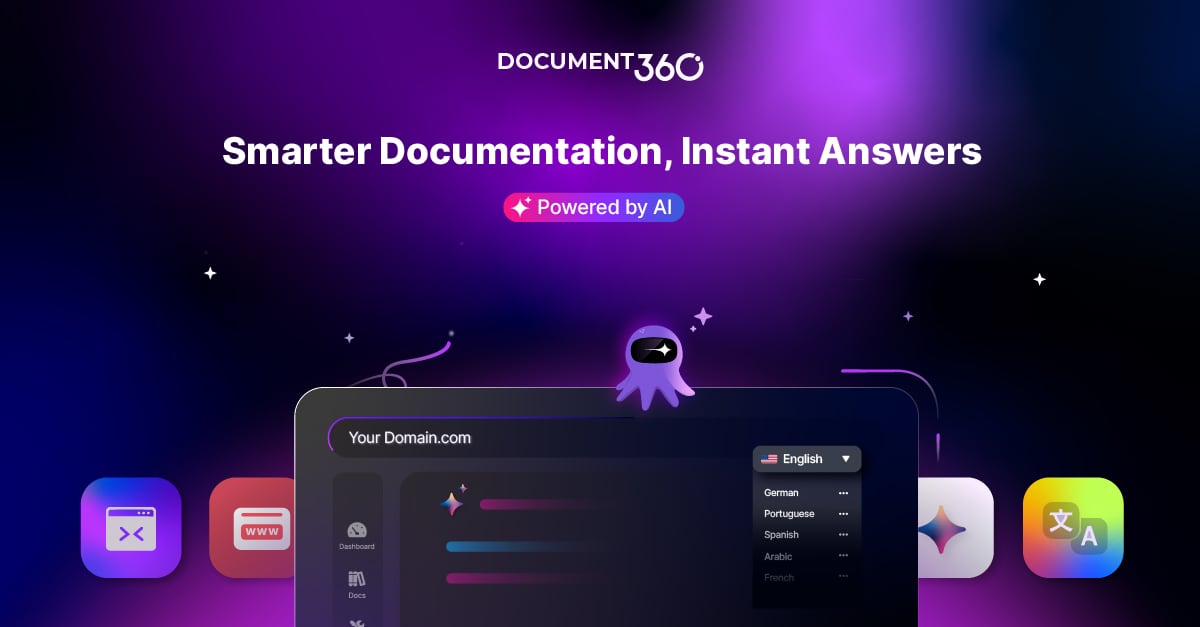
Document360 product interface.
Document360 is one of the most established names in the AI knowledge base category. It holds a 4.7/5 rating on G2 with more than 3,000 reviews and is recognized as a leader in the G2 Knowledge Base category. That track record matters if you need a platform that can handle complex documentation at scale.
Where Document360 Excels
Depth of documentation features. Document360 offers over 100 features, including a markdown editor, version control, workflow builder, and dedicated support for API documentation. Teams that publish technical product docs, SOPs, and user manuals will find the tooling they need without workarounds.
AI capabilities beyond search. The platform includes AI-powered search, an AI chatbot, and an AI writing agent. The writing agent can draft or refine articles, which helps documentation teams maintain consistency across hundreds of pages. Document360 also offers an MCP server for teams that want to connect knowledge content to custom AI workflows.
Security and compliance. For finance, healthcare, and other regulated industries, Document360's SOC 2, ISO 27001, and GDPR compliance is a significant advantage. Buyers in these sectors often cannot consider platforms without these certifications.
Help desk integrations. Native integrations with Zendesk and Freshdesk mean support agents can surface knowledge base articles directly inside their ticketing workflow. This reduces context switching and speeds up resolution times.
Where Document360 Requires Trade-offs
Document360's maturity comes with two main costs: price and onboarding friction. Subscription plans are positioned at the higher end of the market, which can be difficult for startups or small support teams to justify. The signup process also requires a work email address, and the free trial is restricted to users with company affiliations. For solo founders, freelancers, or teams evaluating tools before formal procurement, this creates an unnecessary barrier.
The platform also lacks a wide variety of ready-made knowledge base templates. Teams that want a pre-designed structure to launch quickly may need to invest more time in setup compared to template-first tools.
KnowledgeBase: Built for Speed and the LiveChat Ecosystem
KnowledgeBase product interface.
KnowledgeBase is an AI-powered knowledge base platform from Text, Inc., the company behind LiveChat, ChatBot, and HelpDesk. That lineage shapes the product: it is designed to plug directly into a support stack and start deflecting tickets immediately.
Where KnowledgeBase Excels
Native ecosystem integration. If your team already uses LiveChat, ChatBot, or HelpDesk, KnowledgeBase connects without third-party middleware. Support agents can access knowledge articles inside their existing tools, and customers can get answers through the same chat widget they already use. This tight integration is a genuine differentiator that standalone knowledge base tools cannot match.
AI QuickAnswer. KnowledgeBase uses AI to deliver instant, tailored responses to customer questions. Instead of simply returning a list of matching articles, QuickAnswer synthesizes an answer from your knowledge base content. This reduces the number of clicks customers need to resolve an issue.
AI-assisted content creation. The platform can generate articles, titles, and keywords automatically. For support teams that struggle to keep documentation fresh, this lowers the effort required to publish new content regularly.
Low-friction trial. A 14-day free trial with no credit card required makes it easy to test the platform without commitment. This is a practical advantage for teams that want to validate fit before involving procurement.
Where KnowledgeBase Requires Trade-offs
KnowledgeBase is optimized for customer support use cases rather than deep technical documentation. Teams that need advanced version control, API documentation tooling, or complex workflow automation may find the feature set thinner than Document360's. Multilingual publishing is also less developed compared to platforms with built-in translation workflows.
Pricing transparency is another consideration. KnowledgeBase does not publish a simple per-project starting price in the same way HelpLook does, so buyers need to engage with sales or trial the product to understand total cost.
HelpLook: The No-Code, SEO-Friendly Alternative
HelpLook is an AI-powered knowledge base and help desk platform used by more than 10,000 global brands. Its positioning is clear: make it fast and affordable to launch a self-service portal without coding, while giving content teams the SEO controls they need to rank on search engines.
Where HelpLook Excels
Low barrier to entry. HelpLook offers a free tier and paid plans starting around $7 per month per project. All plans include access to the full feature set, which means small teams are not locked out of advanced capabilities simply because they chose a lower tier. This pricing model is notably more accessible than Document360's enterprise-oriented plans.
SEO optimization built in. HelpLook treats your knowledge base as a public-facing website, not just an internal repository. Users can manage TDK elements (title, description, keywords), customize URLs, add custom schemas, and generate sitemaps directly from the dashboard. For e-commerce stores and SaaS companies that want their help articles to rank on Google, this is a meaningful advantage.
Multilingual publishing. The platform includes a translation feature that converts articles from the default language into Portuguese, Russian, Vietnamese, German, French, Spanish, and more. This simplifies localization for businesses serving international customers.
AI search and chatbot. HelpLook integrates with leading AI models including OpenAI, ERNIE Bot, and Azure. Its document-based AI search understands user queries and returns instant answers and suggestions from the knowledge base, while chatbot capabilities provide 24/7 assistance.
Template-driven setup. Ready-made knowledge base templates let teams launch a structured help center quickly. Combined with QR code access and PDF download options, HelpLook supports a variety of content distribution methods.
Where HelpLook Requires Trade-offs
HelpLook does not have the same depth of enterprise workflow features as Document360. Teams that need granular version control, complex approval workflows, or dedicated API documentation tooling may find it less suitable. Its security certifications are also less prominently documented than Document360's SOC 2 and ISO 27001 credentials, which may matter for highly regulated industries.
For teams comparing HelpLook against other AI documentation tools in the same price range, our HelpLook vs Documentation.AI vs Helpjuice comparison offers additional context.
Pricing: What You Actually Pay
Pricing is often the deciding factor in knowledge base software selection. Here is how the three platforms compare:
HelpLook uses a per-project pricing structure with a free tier and paid plans starting around $7 per month. The key differentiator is that all plans include access to the full feature set. You are not paying extra for AI search or SEO tools; you are paying for scale, such as additional projects or AI credits.
Document360 positions itself as a premium product, and its pricing reflects that. The platform requires a work email to start a trial, and subscription costs are higher than HelpLook's entry point. For enterprises with documentation teams and compliance requirements, the price may be justified. For small teams, it can be a significant budget line item.
KnowledgeBase offers a 14-day free trial without requiring a credit card. Pricing is not published as a simple per-project rate, so you will need to evaluate plans based on your team size and usage. The value proposition is strongest when bundled with other Text, Inc. products.
Ease of Use: Onboarding Time Matters
HelpLook is designed for speed. Template-based setup, a no-code editor, and simplified registration mean a small team can launch a functional help center in a day or two. The learning curve is minimal, which is valuable when support teams do not have dedicated documentation resources.
KnowledgeBase also prioritizes ease of use, particularly for teams already familiar with the LiveChat ecosystem. AI-generated articles and titles reduce the manual effort of content creation, and the interface is oriented toward support workflows rather than technical documentation.
Document360 has the steepest learning curve of the three. Its feature depth is an asset for large teams, but new users should expect a longer onboarding period. The requirement for a work email during signup adds friction before you even reach the product.
AI Search Quality: How Answers Are Delivered
All three platforms use AI to improve search, but their approaches differ.
HelpLook uses document-based AI search that understands user queries and returns instant answers and suggestions. The integration with OpenAI, ERNIE Bot, and Azure gives teams flexibility in choosing their AI model.
Document360 combines AI-powered search with an AI chatbot and an AI writing agent. The search experience is robust for large documentation sets, and the writing agent helps maintain content quality at scale. The MCP server extends AI capabilities to custom workflows.
KnowledgeBase focuses on AI QuickAnswer, which generates tailored responses rather than just returning article links. This conversational approach can resolve customer questions faster, especially when paired with the ChatBot widget.
Decision Guide: Matching the Tool to Your Team
Choose HelpLook if:
- Your budget is limited and you want a free tier or low-cost entry point
- You need a public help center that ranks on Google
- You serve customers in multiple languages
- You want to launch quickly without coding or extensive onboarding
- Your team values template-based content creation
Choose Document360 if:
- You manage complex product documentation, API docs, or SOPs
- You need SOC 2, ISO 27001, or GDPR compliance
- Your team already uses Zendesk or Freshdesk
- You have a dedicated documentation team that can handle a steeper learning curve
- Budget is secondary to feature depth and enterprise security
Choose KnowledgeBase if:
- Your support stack already includes LiveChat, ChatBot, or HelpDesk
- Your primary goal is reducing ticket volume through conversational AI answers
- You want AI to help generate articles and keywords automatically
- You prefer a no-commitment trial before buying
For teams evaluating KnowledgeBase against other interactive support tools, see our HelpLook vs KnowledgeBase vs Stonly comparison.
Related reading
- HelpLook vs HelpCenter.io vs Mintlify: 2026 Comparison - Compare HelpLook, HelpCenter.io, and Mintlify on AI search, knowledge base features, pricing, and ease of use. Find the best fit for support, docs, or dev teams.
- HelpLook vs HelpCenter.io vs Document360: 2026 Comparison - Compare HelpLook, HelpCenter.io, and Document360 on AI search, pricing, ease of use, and knowledge base features. Find the best fit for your support team.
Sources and further reading
- HelpLook VS Document360: Which is Better for Knowledge Base Management? - Knowledge Base Management: HelpLook vs. Document360. Explore features, pricing, and more. HelpLook offers affordability, versatility, SEO optimization, AI search, and multi-language support.
- Best AI Knowledge Base Software in 2026 | Techreviewer - Find the best AI knowledge base software of 2026. Compare search, automation, verified reviews, and pricing to give your team instant answers.
- The 15 Best Knowledge Base Software Tools in 2024 - Revitalize your customer support and knowledge management strategies with our expert insights into 2024's top knowledge base software, designed to optimize your service operations.
Frequently Asked Questions
Is HelpLook cheaper than Document360?
Yes. HelpLook offers a free tier and paid plans starting around $7 per month per project, while Document360 is positioned at a higher price point. HelpLook also includes all features on every paid plan, whereas Document360's advanced capabilities may require higher-tier subscriptions.
Does Document360 offer a free trial?
Document360 offers a free trial, but it requires a work email address. Personal email addresses are not accepted, which can be a barrier for freelancers, solo founders, or teams evaluating tools before formal company setup.
Can KnowledgeBase work without LiveChat?
Yes. KnowledgeBase functions as a standalone knowledge base platform, but its strongest value comes from native integration with LiveChat, ChatBot, and HelpDesk. If you do not use any Text, Inc. products, you may not unlock the full benefit of the ecosystem.
Which platform is best for SEO?
HelpLook has the most comprehensive built-in SEO tooling among the three, including TDK management, custom schemas, URL customization, and sitemap generation. Document360 and KnowledgeBase offer SEO settings, but they are less flexible for teams that treat their help center as a content marketing asset.
Which platform supports multiple languages best?
HelpLook includes a built-in translation feature that converts articles into multiple languages directly from the dashboard. Document360 supports multilingual content but often through higher-tier plans. KnowledgeBase has more limited multilingual capabilities.
Is Document360 worth the higher price?
For regulated industries, large documentation teams, and organizations that need SOC 2 or ISO 27001 compliance, Document360's price is often justified. For small teams or budget-conscious buyers, HelpLook or KnowledgeBase may deliver better value.
Conclusion
HelpLook, Document360, and KnowledgeBase each solve the same core problem—helping customers find answers without contacting support—but they optimize for different buyers. Document360 is the enterprise workhorse with deep features and compliance credentials. KnowledgeBase is the speed-focused option for teams already invested in the LiveChat ecosystem. HelpLook is the accessible, SEO-friendly choice for small teams, e-commerce businesses, and anyone who wants a public help center that ranks well without a large budget or technical overhead.
The right decision depends on your team size, existing support stack, compliance needs, and how much you value SEO versus deep documentation workflows. Start by defining your must-have features, then test the platforms that align with those priorities using their free trials.