
HelpLook vs Documentation.AI vs Docmost: Which Knowledge Base Fits You?
Choosing the right knowledge base platform means weighing how your team creates content, how your audience consumes it, and where your data lives. HelpLook, Documentation.AI, and Docmost each take a distinct path: a no‑code self‑service suite, an AI‑first documentation hub for product teams, and an open‑source enterprise wiki you can host yourself. At HelpLook, we break down the strengths of all three so you can match the tool to your workflow.
At a Glance: What Each Platform Brings
HelpLook vs Documentation.AI vs Docmost: Which Tool Wins? product interface and feature overview.
- HelpLook – an all‑in‑one cloud platform for customer‑facing help centers, internal knowledge bases, and e‑commerce manuals. Its visual editor, embeddable widget, and built‑in chatbot aim at rapid, no‑code deployment.
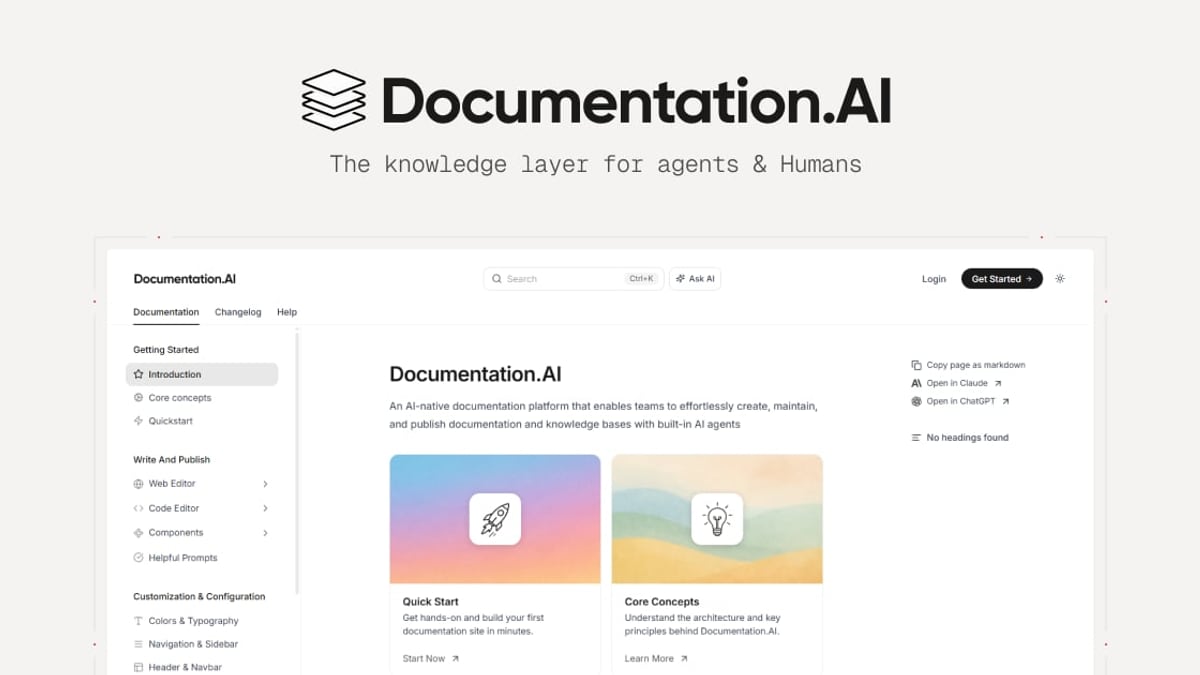
- Documentation.AI – an AI‑native platform built for developers and product teams. It combines a web editor with a docs‑as‑code workflow (Git integration), an AI agent that actively suggests content updates, and an intelligent assistant that answers user questions inside the docs.
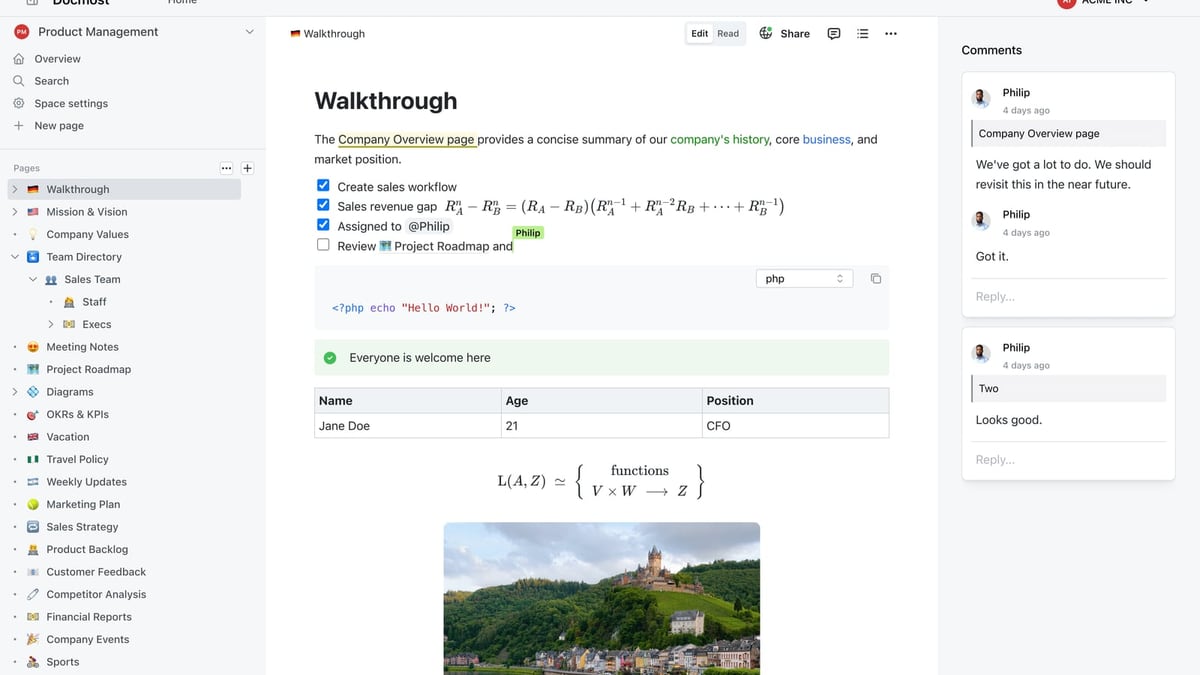
- Docmost – an open‑source, self‑hosted collaborative wiki and knowledge base. Real‑time editing, granular RBAC, self‑hosted LLM support, and certifications like SOC 2 and FedRAMP make it a natural fit for organizations with strict compliance and data‑residency requirements.
Strengths of Documentation.AI
HelpLook vs Documentation.AI vs Docmost: Which Tool Wins? product interface and feature overview.
Documentation.AI shines when product documentation and developer experience are the priority. Instead of treating docs as an afterthought, the platform embeds AI into the entire authoring and reading flow.
AI Documentation Agent That Keeps Content Fresh
Many knowledge bases rely on manual reviews to catch outdated pages. Documentation.AI’s AI agent proactively suggests additions, rewrites, and formatting tweaks. For teams that ship frequently, this turns documentation into a living asset rather than a lagging chore. Customers like Datafiniti and Videograph reported significantly reduced maintenance time after switching.
Docs‑as‑Code with Git Integration
Technical writers and engineers often prefer working in Markdown, version‑controlling everything through Git. Documentation.AI supports that workflow natively. You can author directly in the web editor or push changes from your repository. The platform then syncs and publishes automatically, bridging the gap between developer tooling and a polished help center.
AI Assistant That Answers with Citations
The built‑in Ask AI feature doesn’t just generate text—it points users to the exact source document. This builds trust with developers and technical audiences who want to verify information. For API references and complex product docs, cited answers lower the friction of self‑service support and can cut down on repetitive questions.
Use‑Case Focus: Product & API Documentation
Documentation.AI is purpose‑built for product documentation, help centers, and API references. Its structure is optimized for LLM discoverability, which means AI agents and search crawlers can easily parse the content—future‑proofing your docs as the landscape shifts toward AI‑powered search.
Strengths of Docmost
HelpLook vs Documentation.AI vs Docmost: Which Tool Wins? product interface and feature overview.
Docmost takes a fundamentally different approach: it puts the organization in full control. As an open‑source, self‑hosted solution, it appeals to teams that cannot—or will not—store knowledge assets on a third‑party cloud.
Complete Data Sovereignty and Self‑Hosting
With over 3 million downloads, Docmost is deployed directly on your infrastructure. You can run it on‑premises, in a private cloud, or even air‑gapped. This makes it one of the few knowledge base alternatives that can meet ITAR, FedRAMP, or stringent GDPR requirements without additional layers of complexity.
Self‑Hosted AI, Not Just Chatbot Answers
Docmost’s AI assistant can connect to locally hosted LLMs via Ollama or vLLM, alongside cloud options like OpenAI. For organizations that want AI‑powered search and writing assistance without sending data outside their network, this is a rare and powerful feature. The AI respects the same permission model as the wiki itself, so sensitive pages stay restricted.
Enterprise‑Grade Collaboration and Governance
Real‑time collaborative editing feels as fluid as Notion or Confluence, but with the security of role‑based access control (RBAC), page verification workflows, and detailed audit logs. Teams can set up dedicated spaces, share pages publicly when needed, and even link databases through Kanban and table views. SSO, SCIM provisioning, and MFA come standard, simplifying administration at scale.
Open‑Source and Community‑Driven
Being open‑source means no vendor lock‑in and the ability to extend functionality. The community actively contributes plugins and improvements, and the platform’s thorough feature comparison page reflects a commitment to transparency—a quality compliance‑focused buyers appreciate.
Where HelpLook Stands Out

HelpLook vs Documentation.AI vs Docmost: Which Tool Wins? product interface and feature overview.
While both alternatives excel in their niches, HelpLook wins when the goal is an all‑in‑one, non‑technical self‑service platform that can be deployed across multiple touchpoints in a few clicks.
Visual, No‑Code Portal and Site Builder
HelpLook provides a complete content creation hub—“Portal”—where teams design help centers, blogs, and manuals using a visual editor. The “Site” component then publishes that content on a custom domain, with no coding required. For marketing teams, support managers, or e‑commerce operators who lack developer resources, this removes a major bottleneck.
Embedded Widget for Any Web Page or App
The “Widget” component lets you embed the entire knowledge base directly into your website or application. When customers browse product pages or use your SaaS interface, they can search and read help articles without leaving the context. This embedded self‑service experience is a differentiator, especially for SaaS onboarding and e‑commerce product manuals.
Built for Multilingual and SEO Reach
HelpLook natively supports multiple languages and offers SEO‑optimized content structures. If your audience spans different regions, the platform helps you maintain a single knowledge base that ranks well in local search engines. Combined with custom domains and analytics, it serves businesses that treat documentation as a growth channel, not just a support tool.
Flexible AI Integration with Multiple Models
HelpLook’s AI layer, “HelpLook AI,” works with OpenAI, ERNIE Bot, Azure, and other models. This flexibility can be valuable if your organization standardizes on a particular AI provider, or if you need to serve markets where certain models perform better for local language understanding.
For a deeper side‑by‑side look at how HelpLook and Documentation.AI compare, read our dedicated HelpLook vs Documentation.AI analysis.
How to Choose the Right Platform
Your decision hinges on three questions:
- Who creates the content?
If your authors are developers and technical writers, Documentation.AI’s Git‑based workflow and AI co‑authoring will feel natural. Non‑technical teams will appreciate HelpLook’s visual builder. - Where must your data live?
For air‑gapped, on‑premises, or sovereign‑cloud requirements, Docmost is the only one of the three that gives you full infrastructure ownership. - How will users access the knowledge base?
HelpLook’s embeddable widget and multi‑channel publishing (website, app, custom domain) are ideal for engaging customers where they already are. Documentation.AI excels at a standalone documentation site focused on developer experience, while Docmost serves internal teams through a web interface with optional public sharing.
Sources and further reading
- AI Suite for Revenue-Driving Conversations | SleekFlow - Internationally trusted AI omnichannel messaging suite & agents to unlock more revenue. Connect WhatsApp, Instagram, SMS & more to automate campaigns, leads & support.
- SleekFlow - SleekFlow | 109,645 followers on LinkedIn. SleekFlow | The AI Suite for Revenue-Driving Conversations | SleekFlow is an AI Suite for Revenue-Driving Conversations.
Trusted by over 2,000 enterprises across 70+ countries, we unify WhatsApp, Instagram, Messenger, SMS, Website Live Chat, Email, Call, and beyond into a complete AI operating system.
At the core of SleekFlow is AgentFlow, an AI GTM workforce that learns and improves relentlessly.
- Henson Tsai - Founder & Chief Executive Officer at SleekFlow - Henson Tsai - Founder & Chief Executive Officer at SleekFlowZoomInfohttps://www.zoominfo.com › Henson-TsaiZoomInfohttps://www.zoominfo.com › Henson-Tsai
FAQ
Can I use Documentation.AI without knowing Git?
Yes. It includes a web‑based editor that lets non‑technical users create and update content without touching Git. The docs‑as‑code path is optional for teams that want it.
Is Docmost completely free?
The open‑source edition is free to self‑host. The project also offers paid support and enterprise services, but the core wiki and AI features can run on your own hardware without licensing costs.
Does HelpLook support SSO and advanced permissions?
HelpLook focuses more on public‑facing knowledge bases and simple team collaboration. For fine‑grained RBAC, SSO, and SCIM provisioning, Docmost is the stronger option.
Which platform is best for AI‑powered search?
All three offer AI‑assisted search, but the implementation differs. Documentation.AI delivers cited answers within the doc interface; Docmost can route queries to a self‑hosted LLM for private data; HelpLook integrates a chatbot widget that can answer questions on your website or app.
Can I migrate from Confluence or Notion to Docmost?
Yes. The Docmost community provides migration guides, and the platform’s real‑time editor and database views make the transition smoother for teams accustomed to Confluence or Notion.
Final Thoughts
HelpLook, Documentation.AI, and Docmost don’t really compete on the same feature checklist—they reflect different philosophies. Documentation.AI modernizes product documentation with an AI‑first, developer‑friendly approach. Docmost gives enterprises the control and compliance of a self‑hosted wiki without sacrificing modern collaboration. HelpLook ties everything together in a cloud‑based, no‑code suite that gets customer‑facing help centers and embedded support live quickly. By aligning the tool with your team’s skill set, infrastructure rules, and audience expectations, you’ll land on the right knowledge base—no compromise needed.