
HelpLook vs HelpCenter.io vs Docsie: Which AI Knowledge Base Fits Your Team?
Choosing an AI-powered knowledge base is no longer a simple feature checklist. The right platform changes how fast customers find answers, how much time support teams spend on repetitive tickets, and how easily documentation stays current. HelpLook, HelpCenter.io, and Docsie all promise AI-driven self-service, but they approach the problem from different angles.
This comparison breaks down the real differences in AI search, content creation, deployment, pricing, and ease of use so you can match the tool to your actual workflow.
Quick Verdict: Who Should Pick What?
Docsie product interface.
- HelpLook suits teams that want a no-code, SEO-friendly customer-facing portal with AI search and chatbot support out of the box, especially for e-commerce product manuals, enterprise blogs, and internal knowledge bases.
- HelpCenter.io fits support and product teams that need contextual in-app help, proactive AI article suggestions, and predictable flat-rate pricing without per-seat penalties.
- Docsie is strongest for documentation-heavy teams that need to convert videos, PDFs, and SOPs into structured docs, manage versioning and translations at scale, and publish across multiple portals.
AI Search and Answer Quality
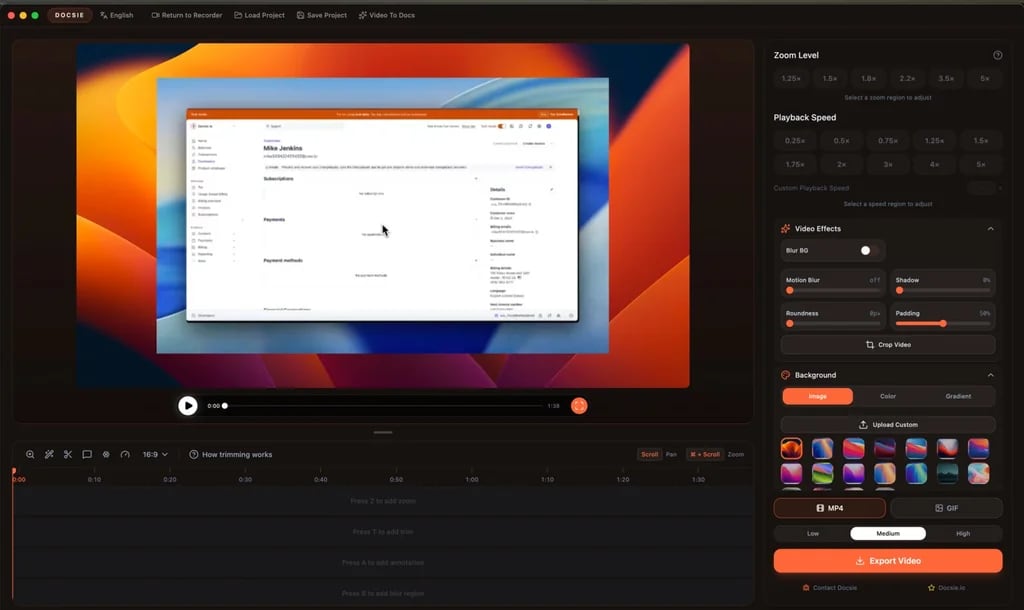
Docsie product interface.
HelpCenter.io: Contextual, Grounded Answers
HelpCenter.io emphasizes grounded AI answers tied to your existing help content. Its AI Widget proactively suggests relevant articles based on the page a user is viewing, which keeps customers in flow instead of forcing them to open a separate help center. This contextual approach reduces friction because the answer appears exactly where the question arises.
For support teams, this means fewer interruptions: users get help inside the product or checkout page without submitting a ticket. The platform also supports importing existing content from Zendesk, Intercom, or Notion, so the AI has a solid knowledge foundation from day one.
Docsie: Semantic Search Across Mixed Content
Docsie positions its AI around transforming raw content into AI-ready answers. Its semantic search works across documentation, training materials, and knowledge bases, which is useful when your team stores knowledge in multiple formats. The AI chatbot can answer questions from structured docs, videos converted to text, and workflow captures.
This breadth matters for compliance-heavy or training-focused teams. Instead of maintaining separate systems for onboarding guides, release notes, and customer help, Docsie centralizes the source material and lets AI answer from the unified pool.
HelpLook: AI Search Plus Chatbot for Self-Service Portals
HelpLook combines AI-driven search with a built-in chatbot for customer and employee portals. The platform integrates with leading AI models such as OpenAI, ERNIE Bot, and Azure, giving teams flexibility in the underlying language model. For businesses that want a polished, public-facing help center with SEO value, HelpLook's search and chatbot work together to deflect tickets while also driving organic traffic.
HelpLook's advantage shows most clearly when the knowledge base doubles as a marketing asset. The SEO optimization features, QR code access, and PDF downloads support customer education beyond the support ticket queue.
Content Creation and Management
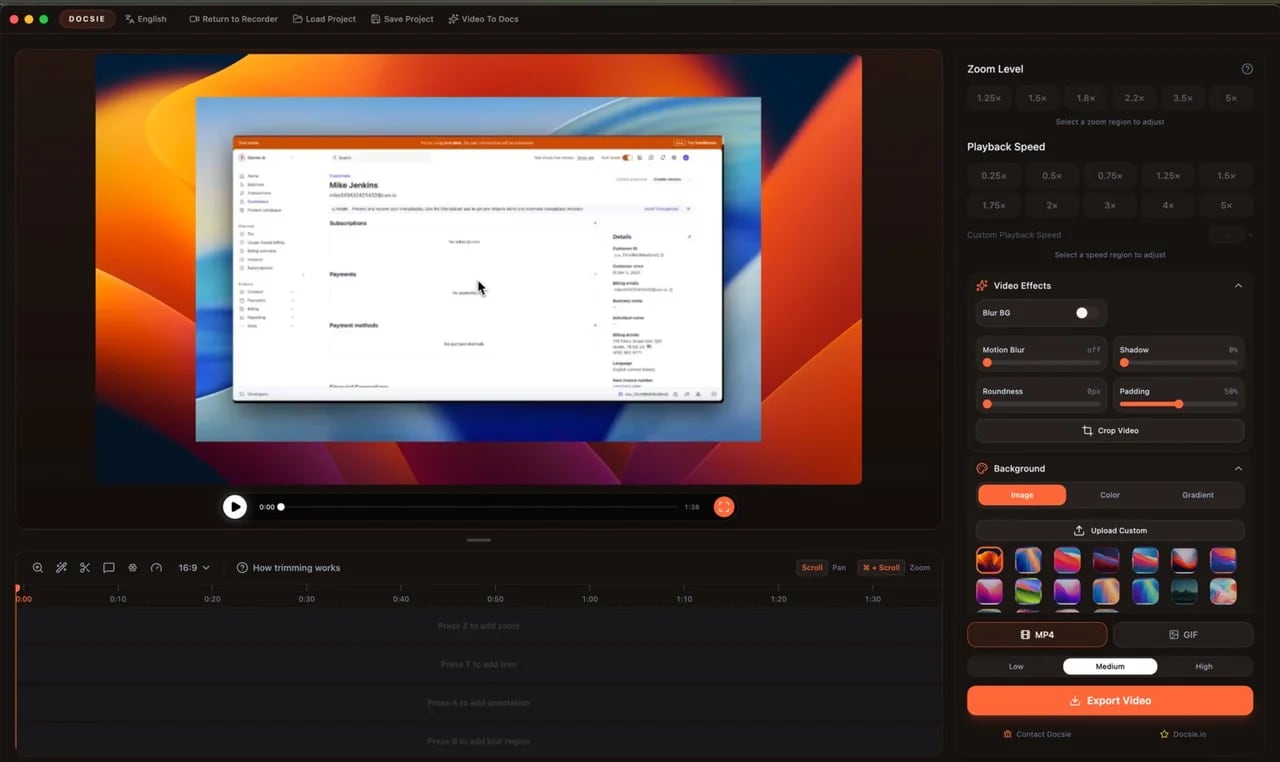
Docsie product interface.
HelpCenter.io: No-Code Visual Editor with Approval Workflows
HelpCenter.io offers a no-code visual template editor that lets non-technical teams build and update help content without engineering support. Approval workflows add a layer of governance, which is valuable for regulated industries or larger teams where multiple stakeholders review content before publication.
The dynamic FAQ embed feature is a practical differentiator. Teams can embed FAQs directly into product pages or checkout flows, and updates propagate automatically wherever the embed lives.
Docsie: Video-to-Docs and AI Content Generation
Docsie's standout capability is converting training recordings, videos, and workflow captures into structured documentation. For teams that already produce video content or record SOPs, this removes a major documentation bottleneck. Instead of manually transcribing and formatting, Docsie generates drafts that teams can review, version, and publish.
The platform also includes AI-driven content generation, multi-language translation across 40+ languages, and granular permissions. Version control is a core strength, making Docsie a strong fit for product teams that ship frequent releases and need changelogs tied to documentation versions.
HelpLook: No-Code Creation with SEO and Branding Controls
HelpLook enables businesses to build self-service portals without coding, with customizable site branding and SEO optimization built in. For companies that want their help center to look like a native extension of their website, the branding controls reduce the need for custom CSS or developer time.
The platform supports multiple use cases from a single interface: customer support knowledge bases, e-commerce product manuals, enterprise blogs, and internal knowledge bases. This flexibility is useful for small teams that would otherwise stitch together multiple tools.
Pricing and Value
HelpCenter.io: Flat-Rate, Predictable Costs
HelpCenter.io explicitly positions itself as a flat-rate alternative to per-seat pricing models like Zendesk. This matters for growing teams: your cost does not multiply every time you add an agent or author. The 14-day free trial with no credit card and a 100% money-back guarantee lower the risk of trying the platform.
For budget-conscious support teams, predictable pricing simplifies forecasting and avoids the surprise invoices that per-seat models often produce.
Docsie: AI Credit Model for Growing Teams
Docsie uses an AI credit model rather than strict per-seat pricing, which it positions as better value for growing teams compared to platforms like 360Learning and Document360. The starting price of $39 per month (annual) makes it accessible for smaller teams, while enterprise features scale for larger deployments.
The credit model means you pay for AI usage rather than headcount, which can be economical if many team members need read access but only a few generate AI-heavy content.
HelpLook: Free Tier Through Enterprise Plans
HelpLook offers subscription plans ranging from a free tier to enterprise-level pricing, with AI credits and scalable resources. The free tier gives teams a low-commitment way to test the platform before upgrading. For organizations with fluctuating AI usage, the credit-based approach provides flexibility across plan levels.
Ease of Use and Onboarding
HelpCenter.io: Fast Setup for Support Teams
HelpCenter.io emphasizes an easy-to-build help center with a visual editor and seamless import from existing tools. Teams coming from Zendesk, Intercom, or Notion can migrate content without rebuilding from scratch. The Capterra tracking integration also helps teams measure the impact of their help center on support metrics.
Docsie: Structured Onboarding for Documentation Teams
Docsie offers a Docsie Pilot onboarding program and optional training for paid plans, which reflects its focus on documentation-heavy workflows. The platform's WYSIWYG editor, Markdown import/export, and SwaggerAPI import make it approachable for technical writers and developers. The guided tour builder adds an in-app help layer that technical documentation teams will appreciate.
HelpLook: No-Code Portal Building for Non-Developers
HelpLook's no-code interface targets teams without dedicated engineering resources. The ability to launch a branded, SEO-optimized portal without coding lowers the barrier for marketing, support, and operations teams. Third-party integrations extend functionality without requiring custom development.
When Each Platform Makes the Most Sense
Choose HelpCenter.io if:
- You need contextual in-app help that follows users across your product or website.
- Predictable flat-rate pricing is a priority for your budget.
- You want to embed dynamic FAQs directly into product pages or checkout flows.
- Your team already uses Zendesk, Intercom, or Notion and wants a smooth migration path.
Choose Docsie if:
- Your documentation includes videos, PDFs, SOPs, and workflow captures that need conversion into structured content.
- Version control, multi-language translation, and approval workflows are critical.
- You serve regulated industries or need granular permissions for compliance.
- You want to manage release notes, changelogs, and training materials in one platform.
Choose HelpLook if:
- You want a customer-facing portal that also performs well in search engines.
- Your use cases span customer support, e-commerce manuals, blogs, and internal knowledge bases.
- You need QR code access, PDF downloads, and flexible AI model integrations.
- You prefer a free tier to start and scale through enterprise plans.
For teams evaluating HelpLook against other alternatives, see our HelpLook vs HelpCenter.io vs Zendesk comparison or the HelpLook vs KnowledgeBase vs Zendesk breakdown.
Feature Comparison at a Glance
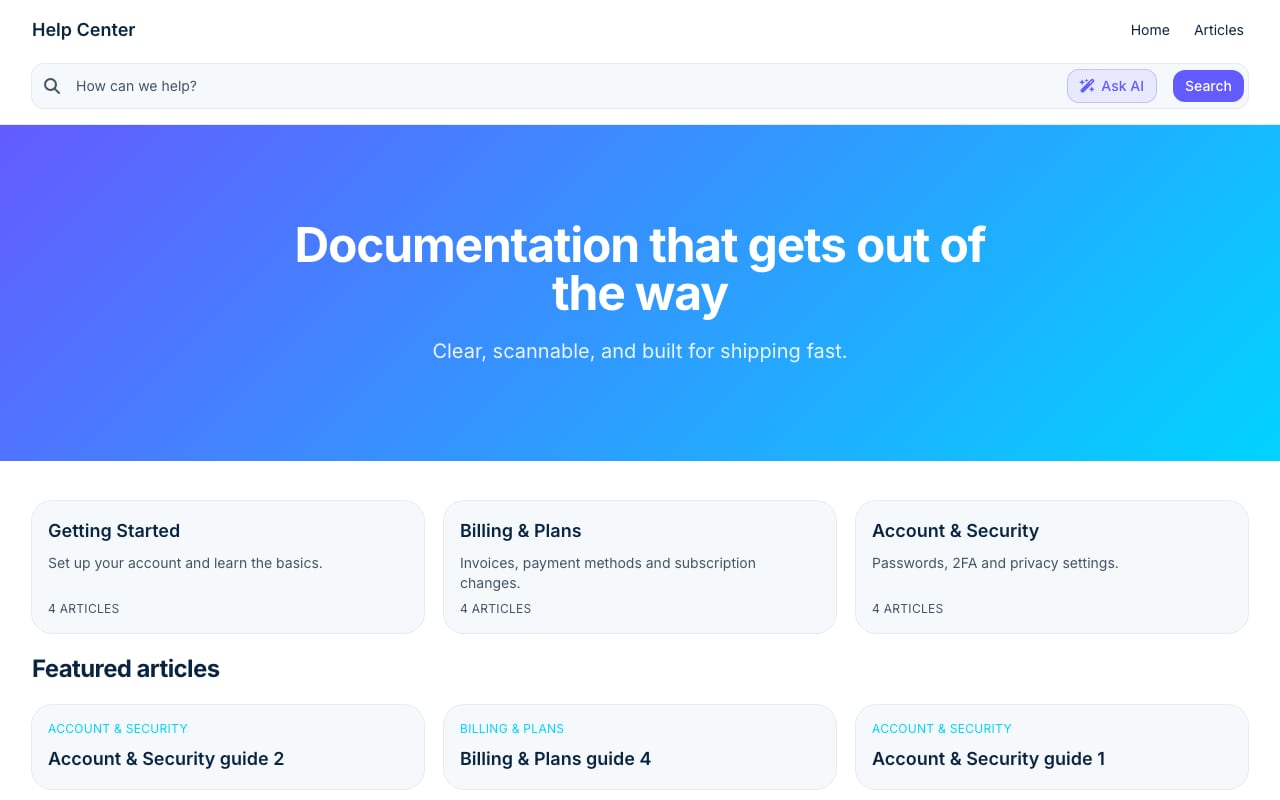
Stripe Clean help center template.
| Capability | HelpLook | HelpCenter.io | Docsie |
|---|---|---|---|
| AI search and chatbot | Yes, with flexible model integrations | Yes, grounded answers plus proactive widget | Yes, semantic search across mixed content |
| No-code content creation | Yes | Yes, visual template editor | Yes, WYSIWYG plus Markdown import |
| Video-to-docs conversion | No | No | Yes |
| Multi-language support | Yes | Yes | Yes, 40+ languages |
| Version control | Basic | Approval workflows | Strong versioning and changelogs |
| Custom domain and branding | Yes | Yes | Yes |
| Pricing model | Free tier to enterprise, AI credits | Flat-rate subscription | AI credit model, from $39/month |
| Best for | SEO-friendly customer portals | Contextual in-app support | Documentation and training teams |
Related reading
- HelpLook vs Mintlify vs Zendesk: 2026 Comparison - Compare HelpLook, Mintlify, and Zendesk on AI capabilities, knowledge base features, pricing, and ease of use. Find the right platform for your support or docs team.
- HelpLook vs HelpCenter.io vs Docmost: 2026 Comparison - Compare HelpLook, HelpCenter.io, and Docmost on AI search, deployment, security, pricing, and ease of use. Find the right knowledge base for your team.
Sources and further reading
- Best AI Knowledge Base Software in 2026 | Techreviewer - Find the best AI knowledge base software of 2026. Compare search, automation, verified reviews, and pricing to give your team instant answers.
- Best AI Knowledge Base Software of 2026 - Reviews & Comparison - Compare the best AI Knowledge Base software of 2026 for your business. Find the highest rated AI Knowledge Base software pricing, reviews, free demos, trials, and more.
- In-App Help & Context Sensitive Help Guide 2026 | 10 Key Implementation Factors | For Technical Writers & Developers | Measuring Effectiveness | UX Design Best Practices - In this article we will unravel Top 10 Key Factors to Consider When Building Context Sensitive Help & In-app Guidance
Frequently Asked Questions
Which platform is best for reducing support tickets?
All three platforms aim to reduce tickets through self-service. HelpCenter.io's contextual widget is particularly effective at deflecting tickets before they start, because users see relevant articles on the page they are already viewing. HelpLook's SEO-optimized portal catches users who search externally, while Docsie's semantic search works well for complex documentation sets.
Can I migrate my existing knowledge base to these platforms?
Yes. HelpCenter.io supports import from Zendesk, Intercom, and Notion. Docsie offers Markdown import/export and SwaggerAPI import. HelpLook provides third-party integrations to bring in existing content. Migration effort varies based on your current platform and content structure.
Which platform offers the best value for small teams?
HelpLook's free tier provides the lowest entry point. HelpCenter.io's flat-rate pricing keeps costs predictable as you grow. Docsie's $39 per month starting price with AI credits is competitive for documentation-focused teams. The best value depends on whether you prioritize AI usage, headcount, or feature depth.
Do these platforms support internal knowledge bases?
Yes. HelpLook explicitly supports internal knowledge bases alongside customer-facing portals. Docsie manages internal and external portals with granular permissions. HelpCenter.io focuses primarily on customer-facing help centers but can serve internal documentation needs depending on your workflow.
Which platform is easiest for non-technical teams?
HelpLook and HelpCenter.io both emphasize no-code interfaces. HelpLook's no-code portal builder and HelpCenter.io's visual template editor require minimal technical skill. Docsie is approachable but includes more advanced documentation features that may require a learning curve for non-technical users.
Conclusion
HelpLook, HelpCenter.io, and Docsie each solve a distinct version of the knowledge base problem. HelpCenter.io excels at contextual, in-app support with predictable flat-rate pricing. Docsie shines when documentation is complex, versioned, and derived from mixed media like videos and SOPs. HelpLook offers a balanced, no-code platform for SEO-friendly customer portals and internal knowledge bases with flexible AI integrations.
Your choice should follow your primary workflow. If support deflection inside your product is the goal, start with HelpCenter.io. If documentation and training content are the bottleneck, Docsie is the stronger fit. If you need a branded, search-optimized portal that serves customers and employees alike, HelpLook deserves a close look. For a broader view of how HelpLook compares with other documentation platforms, see our HelpLook vs Document360 vs GitBook comparison.