
HelpLook vs HelpCenter.io vs Docmost: Which Knowledge Base Fits Your Team in 2026?
Choosing between HelpLook, HelpCenter.io, and Docmost comes down to one central question: how much control do you need over your data, and how much AI assistance do you want built into the experience? HelpLook and HelpCenter.io are both cloud-first platforms aimed at customer-facing support teams, while Docmost takes a self-hosted, security-first approach for internal documentation. This comparison breaks down the strengths of each so you can match the tool to your use case.
Quick Verdict: Who Should Pick What
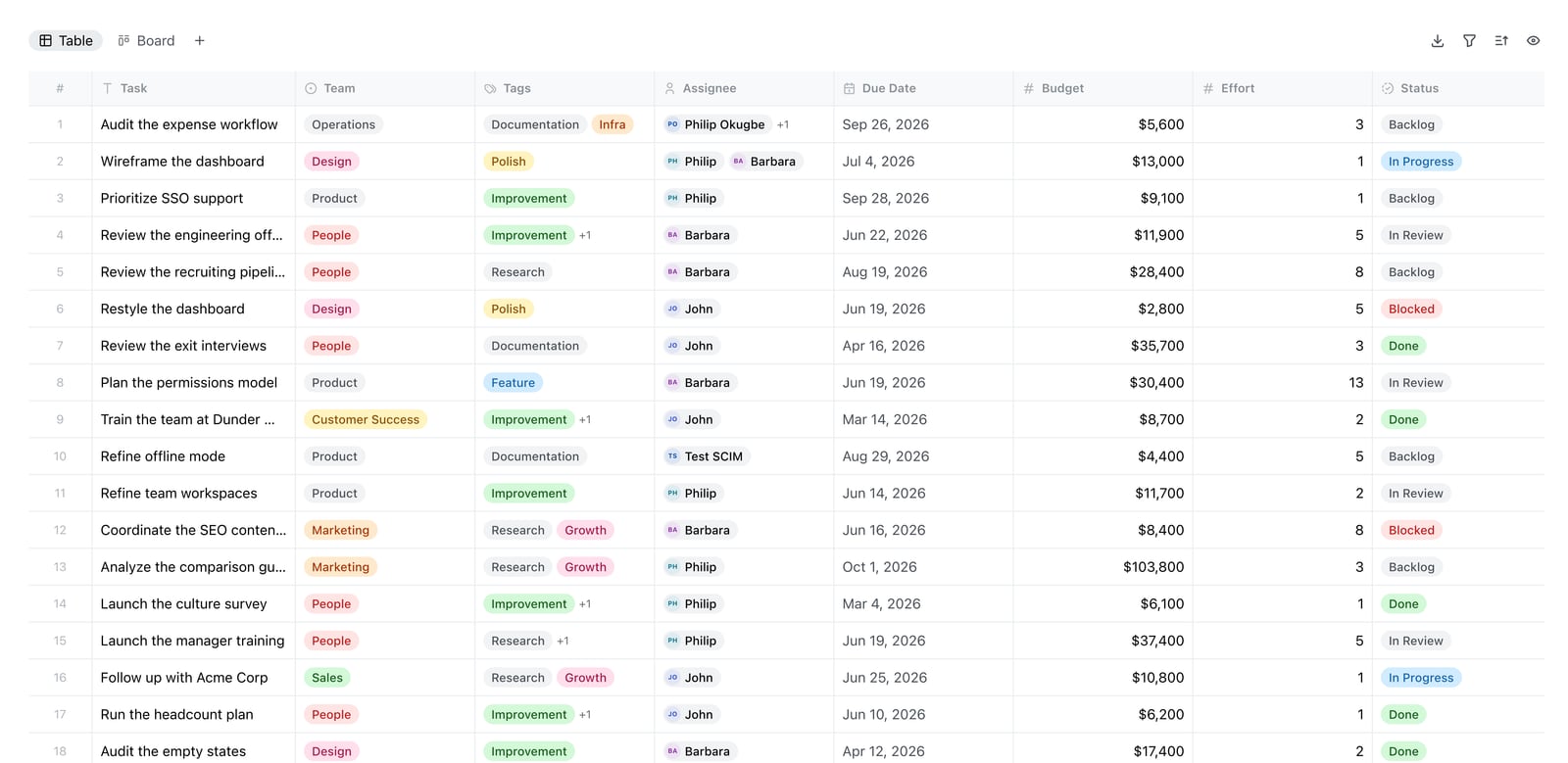
Docmost Bases table view.
- HelpLook fits teams that want a no-code, AI-powered customer knowledge base with built-in chatbot support and SEO-friendly public portals.
- HelpCenter.io fits support teams that want grounded AI answers, contextual help widgets, and predictable flat-rate pricing without per-seat fees.
- Docmost fits IT, security, and compliance teams that need a self-hosted, open-source wiki with full data control and enterprise-grade access management.
Search Intent Behind This Comparison
Most people searching for "HelpLook vs HelpCenter.io vs Docmost" are evaluating knowledge management tools and fall into one of three camps:
- Support leaders who want to deflect tickets with AI-powered self-service.
- Product or docs teams who need a fast, no-code way to publish help content.
- IT or security teams who need on-premises documentation with strict compliance requirements.
Each product serves one of these groups better than the others, so the right choice depends on which problem you are solving first.
HelpCenter.io: Grounded AI Answers and Contextual Help
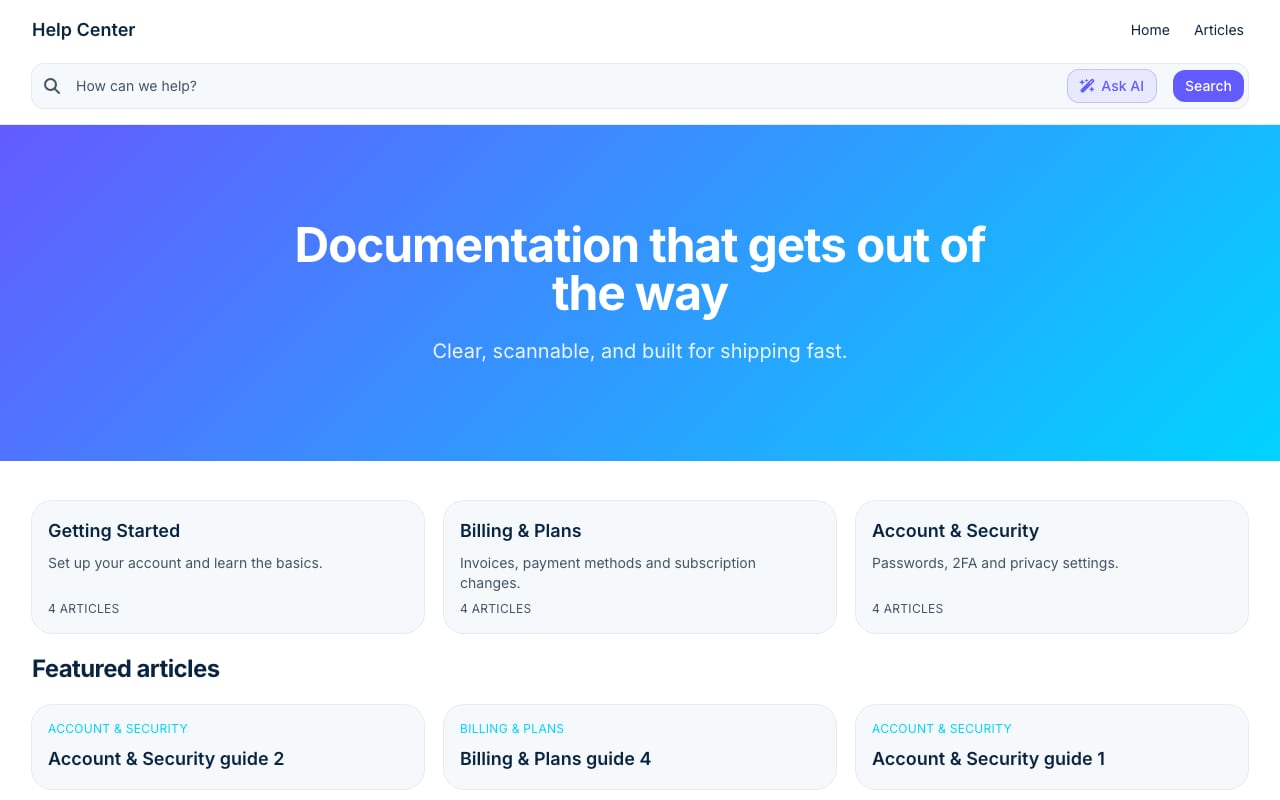
Stripe Clean help center template.
HelpCenter.io positions itself as a knowledge base that combines an easy-to-build help center with grounded AI answers. Instead of generic chatbot responses, its AI pulls from your published articles to answer customer questions accurately. The platform also offers an AI Widget that proactively suggests relevant help articles based on the page a visitor is viewing.
Key Strengths
- No-code visual template editor for building branded help centers without engineering support.
- AI Widget that keeps users in flow by surfacing contextual help articles on any page.
- Multi-language support and dynamic FAQ embeds for global audiences.
- Approval workflows so content teams can review changes before publishing.
- Flat-rate pricing as an alternative to per-seat models, making costs predictable as your team grows.
- Import tools for migrating existing content from Zendesk, Intercom, or Notion.
HelpCenter.io is a strong choice for ecommerce, SaaS, and mobile app teams that want to reduce support tickets while keeping customers inside their product experience. The 14-day free trial with no credit card required makes it easy to test before committing.
Docmost: Self-Hosted Security and Enterprise Control
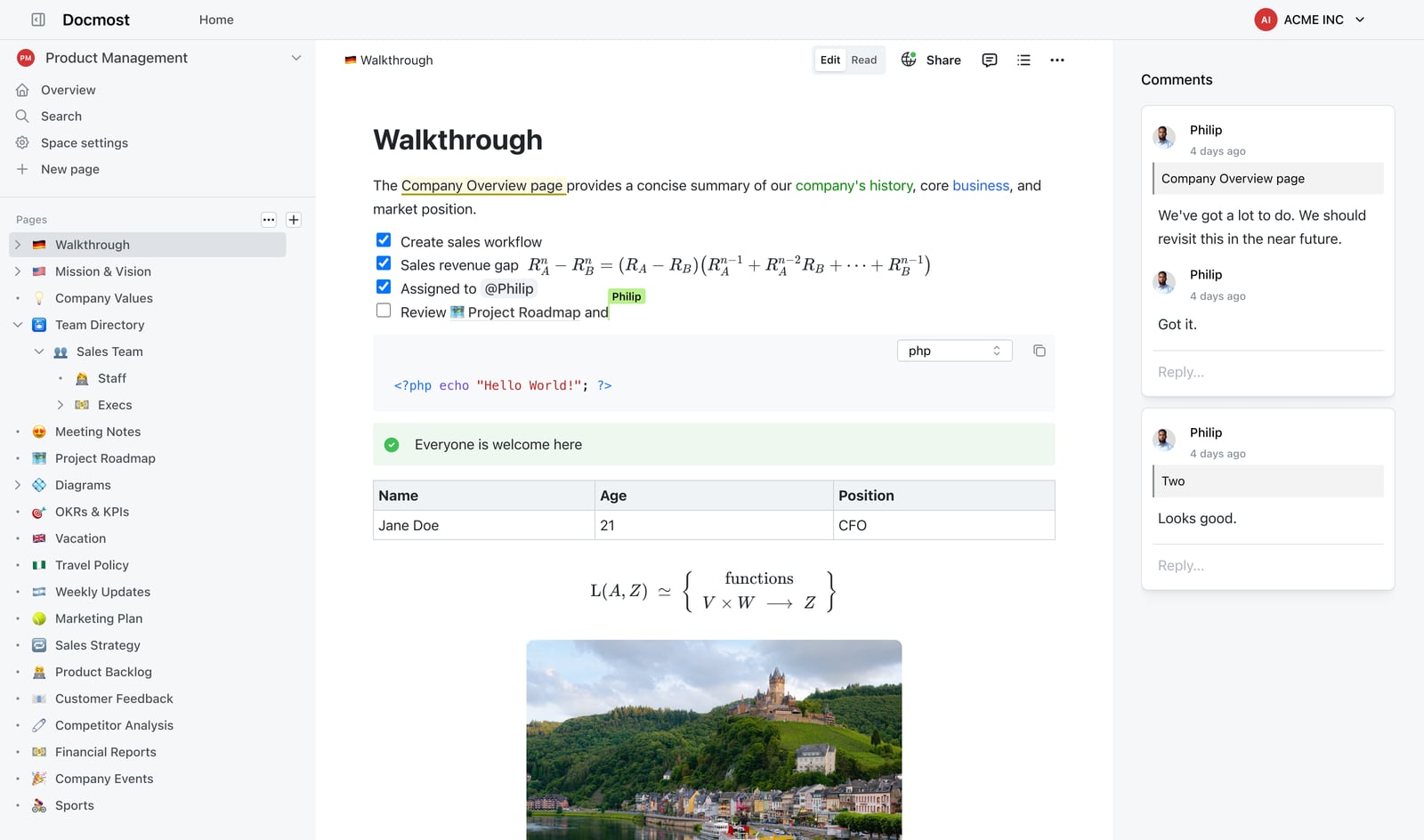
Powerful Editor.
Docmost is an open-source, enterprise-ready wiki built for organizations that cannot or will not put sensitive documentation in a third-party cloud. It is a direct alternative to Confluence and Notion for teams that need on-premises deployment, air-gapped environments, and full data ownership.
Key Strengths
- Self-hosted deployment with full control over where data lives.
- Real-time collaborative editing for teams working on shared documentation.
- AI assistant with self-hosted LLM support, including Ollama, vLLM, and OpenAI integrations.
- RBAC permissions, page verification workflows, and team spaces for structured knowledge governance.
- SSO/SAML/OIDC/LDAP, MFA, audit logs, and SCIM provisioning for enterprise identity management.
- Compliance support for ITAR, FedRAMP, GDPR, SOC 2, and ISO 27001 environments.
- Kanban and database views (Bases) that extend the wiki into lightweight project management.
Docmost is the clear pick for regulated industries, government contractors, and security-conscious enterprises. With over 3 million downloads and adoption by leading organizations, it has proven reliability in demanding environments. The trade-off is that you need technical resources to deploy, maintain, and upgrade the platform.
HelpLook: AI-First Knowledge Base for Customer Self-Service
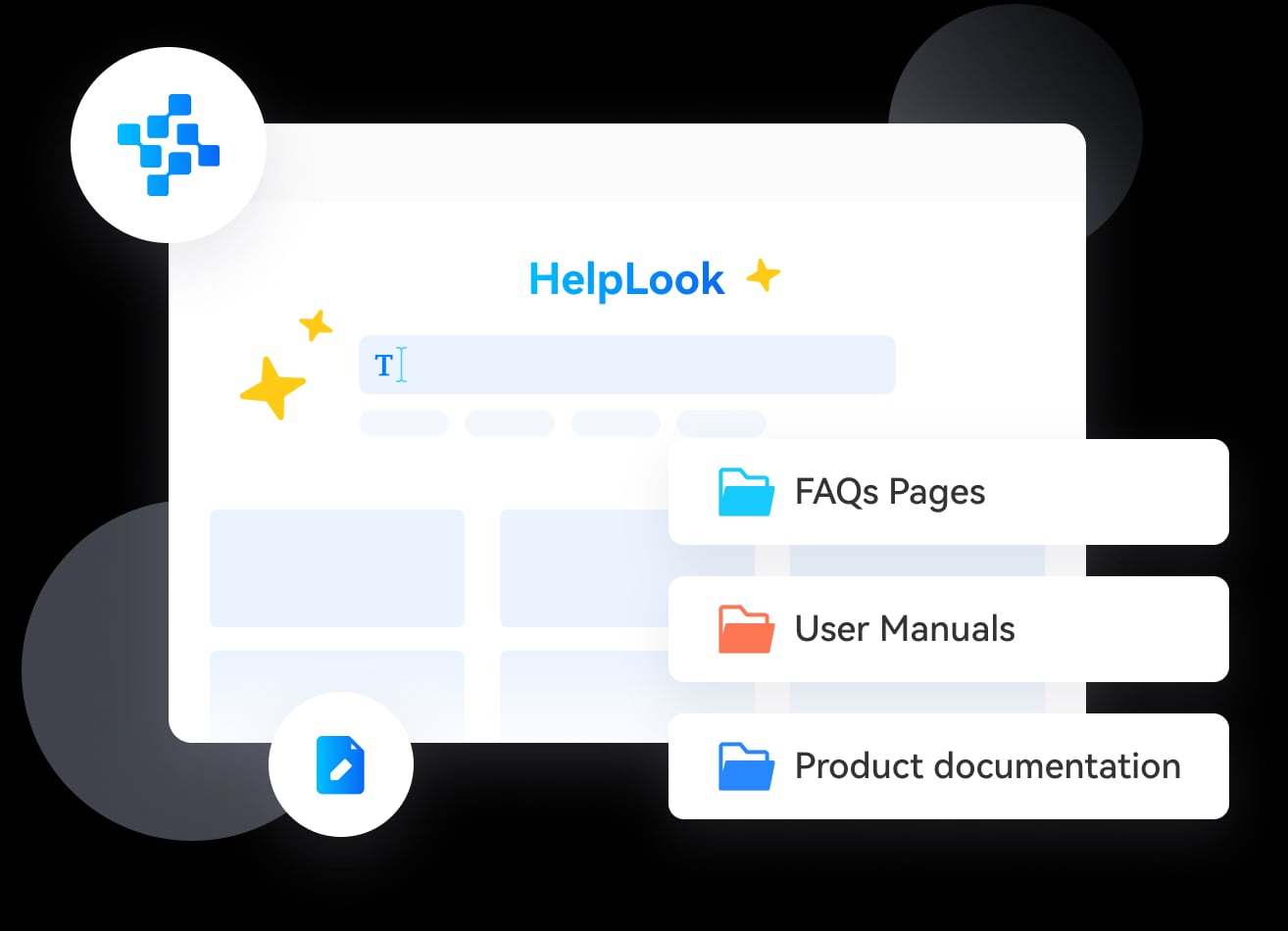
HelpLook product interface.
HelpLook is an AI-powered knowledge base and help desk platform that lets businesses build self-service portals without writing code. It combines a no-code content editor with AI-driven search, chatbot capabilities, and analytics to track how customers use your documentation.
Where HelpLook Has a Supported Advantage
- No-code content creation and site customization make it accessible to non-technical teams that want a branded portal quickly.
- Built-in SEO optimization helps public knowledge bases rank in search engines and attract organic traffic.
- AI-driven search and chatbot features reduce the need for human support intervention.
- Multiple AI model integrations, including OpenAI, ERNIE Bot, and Azure, give teams flexibility in their AI stack.
- QR code access and PDF downloads support offline and mobile-first audiences.
- Analytics provide visibility into search behavior, article performance, and content gaps.
HelpLook is used by over 10,000 global brands and supports use cases ranging from customer support portals to e-commerce product manuals and internal knowledge bases. Its subscription model ranges from a free tier to enterprise pricing with scalable AI credits.
Head-to-Head Comparison
| Criteria | HelpLook | HelpCenter.io | Docmost |
|---|---|---|---|
| Primary use case | Customer self-service portals | Support ticket deflection | Internal enterprise wiki |
| Deployment | Cloud | Cloud | Self-hosted / on-premises |
| AI capabilities | AI search, chatbot, multiple LLM integrations | Grounded AI answers, contextual AI Widget | AI assistant with self-hosted LLM support |
| No-code editor | Yes | Yes | Yes, but more technical setup |
| Multi-language | Supported | Supported | Supported |
| Custom domain | Yes | Yes | Yes |
| Analytics | Usage tracking and search insights | Analytics with Capterra tracking integration | Audit logs and activity tracking |
| Security focus | Standard cloud security | Standard cloud security | Enterprise-grade: SSO, MFA, air-gapped, compliance |
| Pricing model | Free tier to enterprise subscription | Flat-rate, no per-seat fees | Open-source, self-managed |
| Best for | Teams wanting AI-first customer portals | Support teams wanting contextual help | IT and compliance teams needing data control |
How to Choose: Decision Framework
Choose HelpLook if...
- You need a customer-facing knowledge base that ranks in search engines.
- You want AI chatbot and search capabilities without building them yourself.
- Your team lacks engineering resources and needs a true no-code experience.
- You want flexible AI model options, including OpenAI, ERNIE Bot, or Azure.
Choose HelpCenter.io if...
- Your primary goal is reducing support tickets with grounded AI answers.
- You want to embed contextual help directly into your product or website.
- You are migrating from Zendesk, Intercom, or Notion and want a simpler import path.
- You prefer flat-rate pricing over per-seat costs.
Choose Docmost if...
- You need self-hosted or air-gapped deployment for compliance reasons.
- Your organization requires SSO, SAML, audit logs, and SCIM provisioning.
- You want an open-source alternative to Confluence or Notion.
- You have IT resources to manage infrastructure and upgrades.
Practical Example: Three Teams, Three Choices
Scenario 1: A SaaS startup wants to cut support tickets. The support team of 15 receives hundreds of repetitive questions weekly. They choose HelpCenter.io because the grounded AI answers pull directly from their existing help articles, and the contextual AI Widget surfaces relevant content inside the app. Flat-rate pricing keeps costs predictable as the team grows.
Scenario 2: A fintech company needs a public knowledge base. The marketing and support teams want a branded portal that ranks in Google and includes an AI chatbot. They choose HelpLook because of its built-in SEO optimization, no-code customization, and AI search capabilities that work out of the box.
Scenario 3: A defense contractor needs internal documentation. The IT team cannot use cloud services due to ITAR requirements. They choose Docmost for its self-hosted deployment, air-gapped support, RBAC permissions, and audit logging. The open-source license means no vendor lock-in.
Pricing Considerations
HelpLook offers a free tier with paid plans scaling to enterprise levels, with AI credits as a key resource metric. HelpCenter.io uses flat-rate pricing, which appeals to teams tired of per-seat fees that balloon as headcount grows. Docmost is open-source, so the software itself is free, but you bear infrastructure, maintenance, and support costs internally.
For a deeper look at how HelpLook and HelpCenter.io compare against other platforms, see our HelpLook vs HelpCenter.io vs Zendesk comparison and the HelpLook vs HelpCenter.io vs Archbee breakdown. If you are evaluating Docmost against other self-hosted options, the HelpLook vs Stonly vs Docmost comparison offers additional context.
Related reading
- HelpLook vs Document360 vs GitBook: 2026 Comparison - Compare HelpLook, Document360, and GitBook on AI search, content creation, pricing, and ease of use. Find the best knowledge base platform for your team.
- HelpLook vs Document360 vs Archbee: 2026 Comparison - Compare HelpLook, Document360, and Archbee on AI search, content creation, pricing, and ease of use. Find the best knowledge base for your team.
Sources and further reading
- Episcopalians on Facebook | Since 2020 I’ve been delivering for a food delivery service and my “home base” is near the entrance to a Walmart parking lot | Facebook - Since 2020 I’ve been delivering for a food delivery service and my “home base” is near the entrance to a Walmart parking lot. I’ll accept a delivery, do it and then return to my normal parking place....
- What is the role of user experience (UX) in software design ... - Quora - Answer (1 of 2): UX seeks to deeply understand the users of the system, both how they think on a rational level and on emotional level. It takes into account the users skills and training and sometimes breaks them into different user groups called persona. The role of the UX designer is first to ...
- Project Management - DOKUMEN.PUB - Why Do Most StartupS Fail? Chapter ... This process is used often in lean environments to help look at and design flows for the system level.
Frequently Asked Questions
Is Docmost better than HelpLook for customer support?
Not necessarily. Docmost is designed for internal, security-focused documentation, while HelpLook is built for customer-facing self-service portals with SEO and AI chatbot features. If your goal is reducing customer support tickets, HelpLook or HelpCenter.io are more purpose-built. If your goal is secure internal knowledge management, Docmost is the stronger choice.
Can HelpCenter.io replace Zendesk?
For many teams, yes. HelpCenter.io offers import tools from Zendesk and positions itself as a flat-rate alternative to per-seat pricing models. However, if you need advanced ticketing workflows, omnichannel support, or deep CRM integrations, you may still need a dedicated help desk platform alongside your knowledge base.
Does HelpLook support self-hosted deployment?
HelpLook is a cloud-based platform and does not offer self-hosted deployment. If you need on-premises or air-gapped deployment, Docmost is the better fit among these three options.
Which platform is easiest to set up for non-technical teams?
HelpLook and HelpCenter.io both offer no-code editors and are designed for non-technical users. Docmost requires more technical expertise for installation, server management, and updates, even though its editing interface is user-friendly once deployed.
Can I use Docmost for public-facing documentation?
Yes, Docmost supports public sharing, but it is primarily optimized for internal wikis and knowledge bases. If your primary goal is a public, SEO-optimized help center, HelpLook or HelpCenter.io offer more built-in features for that use case.
Conclusion
HelpLook, HelpCenter.io, and Docmost each solve a distinct problem. HelpLook is the AI-first choice for customer-facing knowledge bases that need to rank in search and deflect tickets through chatbot automation. HelpCenter.io excels at grounded AI answers and contextual help that keeps users inside your product. Docmost is the security-first, self-hosted option for enterprises that cannot compromise on data control.
The right decision starts with your primary constraint: Is it customer experience, support efficiency, or data sovereignty? Answer that question first, and the platform choice becomes clear.