
HelpLook vs HelpCenter.io vs Document360: Which Knowledge Base Fits Your Team?
Choosing between HelpLook, HelpCenter.io, and Document360 can feel overwhelming. All three promise AI-powered search, no-code editors, and self-service portals, but they solve different problems for different teams. This comparison breaks down where each platform genuinely excels, where they fall short, and how to match them to your support, documentation, or product workflows.
Search Intent: What Buyers Actually Want to Know
Most people searching this comparison are evaluating knowledge base software for the first time or switching from a legacy tool. They typically want answers to four questions:
- Which platform has the strongest AI search and chatbot capabilities?
- What does each actually cost, including hidden per-seat fees?
- How fast can a non-technical team launch a branded help center?
- Which tool fits a specific use case: customer support, internal docs, or product documentation?
This guide addresses all four, with a focus on practical decision-making rather than feature-list marketing.
Quick Verdict

Gradient.
| Criteria | Best Fit |
|---|---|
| Predictable flat-rate pricing | HelpCenter.io |
| Enterprise-grade documentation and security | Document360 |
| Affordable AI knowledge base with strong SEO | HelpLook |
| Fastest setup for small teams | HelpCenter.io |
| Advanced API and developer documentation | Document360 |
HelpCenter.io: Contextual Help Without the Per-Seat Tax
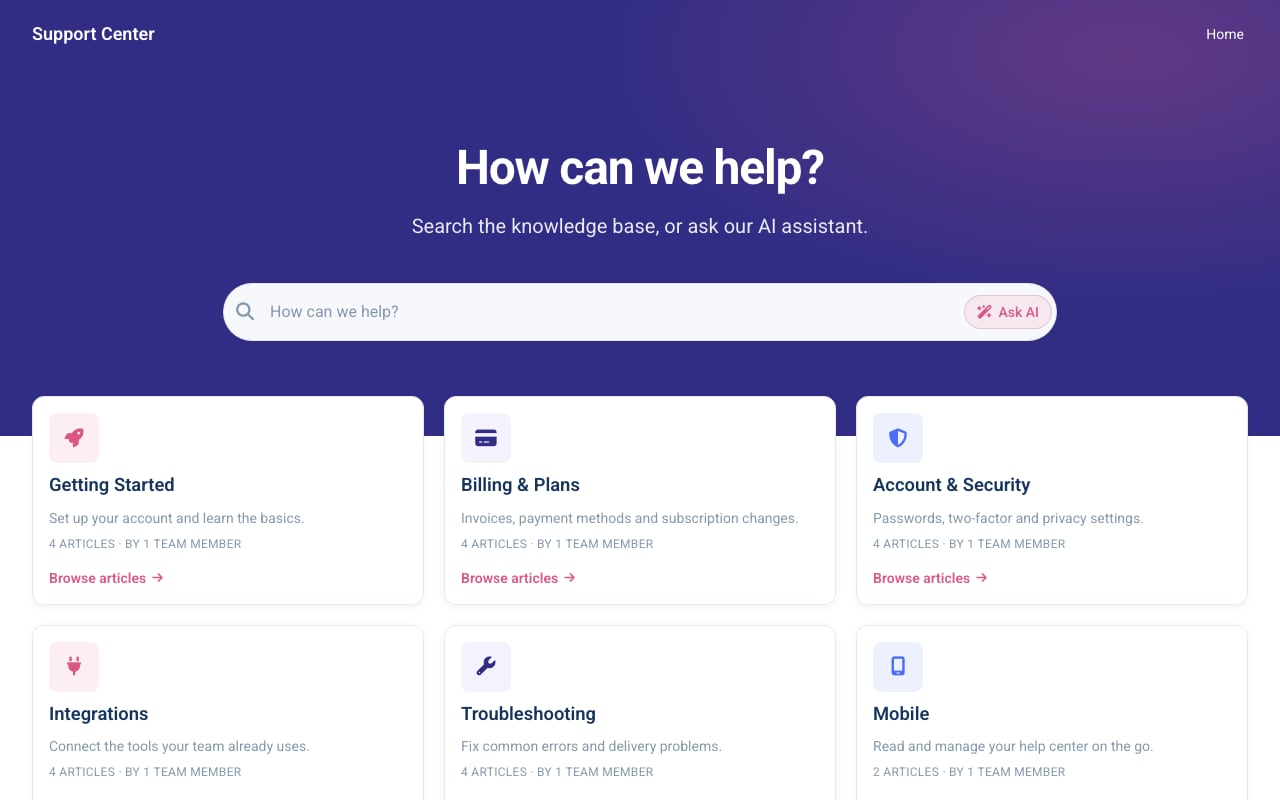
Aurora Support help center template.
HelpCenter.io takes a different philosophical approach than most knowledge base tools. Instead of building a standalone portal that users must visit, it embeds help directly where customers already are.
Grounded AI Answers and the AI Widget
The standout feature is the AI Widget. It sits on any page of your product or website and proactively suggests relevant help articles based on the page context. A customer stuck on a checkout screen sees answers about payment methods without searching. A user on a settings page sees troubleshooting articles for that specific feature. This "in-flow" help model reduces friction in ways a traditional portal cannot.
HelpCenter.io also offers grounded AI answers, meaning responses are sourced from your actual documentation rather than hallucinated. For support teams tired of generic chatbot responses, this is a meaningful distinction.
Flat-Rate Pricing
HelpCenter.io positions itself as an alternative to per-seat pricing models like Zendesk. You pay a flat rate regardless of how many team members access the platform. For growing support teams, this creates predictable costs and avoids the "success penalty" of paying more as your team expands.
Where It Shines
- Ecommerce and SaaS onboarding: The contextual widget keeps users in your product instead of bouncing them to a separate help site.
- Small to mid-size support teams: Flat-rate pricing and a no-code visual template editor mean you can launch quickly without engineering help.
- Teams migrating from Zendesk, Intercom, or Notion: Built-in import tools reduce migration friction.
Where It Falls Short
HelpCenter.io is less suited for organizations that need deep API documentation, advanced version control, or enterprise compliance frameworks. Its strength is contextual customer help, not complex technical documentation.
Document360: Enterprise-Grade Documentation with AI Muscle
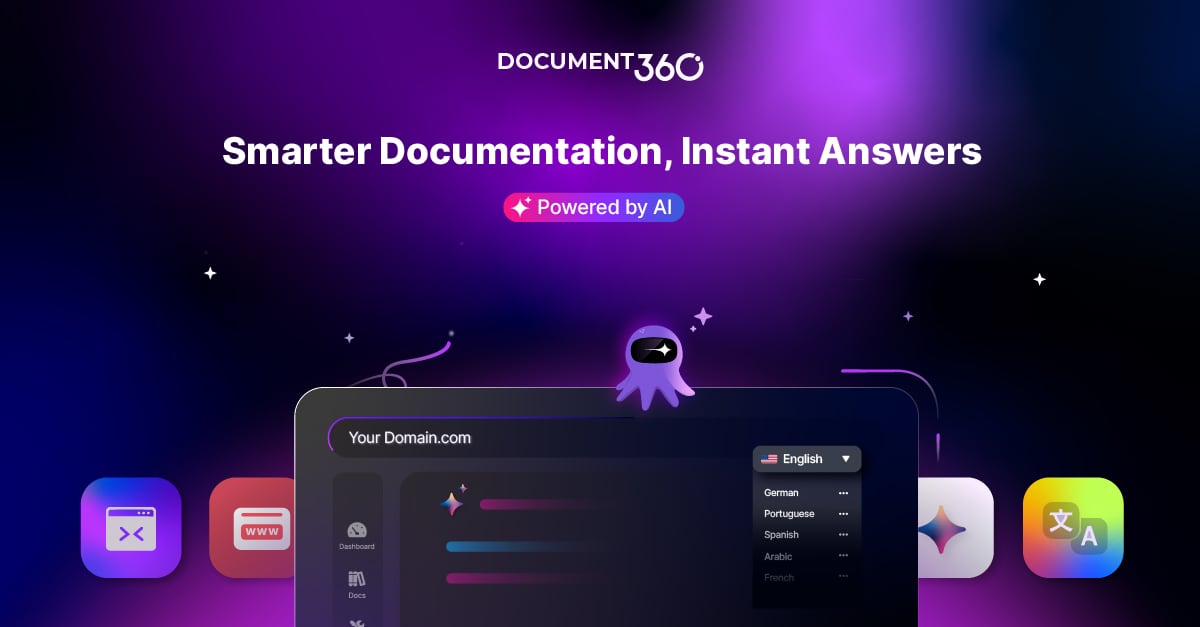
Document360 product interface.
Document360 is the heavyweight in this comparison. It serves thousands of businesses across 150+ countries and carries a 4.7/5 G2 rating with over 3,000 reviews. If your documentation needs are complex, Document360 is built for that complexity.
AI-Powered Search, Chatbot, and Writing Agent
Document360 layers AI across the entire content lifecycle. The AI-powered search understands intent rather than just matching keywords. The AI chatbot answers questions from your knowledge base. The AI writing agent helps draft and refine articles. For teams producing large volumes of documentation, these features compound into significant time savings.
Advanced Features for Technical Teams
Document360 offers over 100 features, including an MCP server for AI integrations, a workflow builder for approval processes, and robust API documentation support. The platform also holds SOC 2, ISO 27001, and GDPR certifications, making it viable for finance, healthcare, and other regulated industries.
Where It Shines
- Product documentation and user manuals: The markdown editor, version control, and workflow builder support rigorous documentation processes.
- Regulated industries: SOC 2 and ISO 27001 compliance matter when security audits are part of procurement.
- Large support organizations: Integration with Zendesk and Freshdesk means your knowledge base feeds directly into your ticketing workflow.
Where It Falls Short
Document360's pricing is higher than the alternatives, and setup requires a work email address for signup. The platform's depth also means a steeper learning curve. For a small team that needs a simple FAQ portal, Document360 may be more tool than necessary.
HelpLook: Affordable AI Knowledge Base with SEO Built In

HelpLook product interface.
HelpLook targets a specific gap: teams that want AI-powered knowledge management without enterprise pricing or technical overhead. It combines a no-code content editor with AI search, chatbot capabilities, and SEO optimization.
SEO Optimization for Public-Facing Documentation
One area where HelpLook has a supported advantage is search engine visibility. The platform streamlines TDK (Title, Description, Keywords) setup, offers URL customization, and generates sitemaps. For businesses that rely on organic search traffic to their documentation or help center, this is a practical benefit that Document360 and HelpCenter.io address less directly.
AI Search and Chatbot with Flexible Model Integration
HelpLook integrates with leading AI models including OpenAI, ERNIE Bot, and Azure. This flexibility lets teams choose their preferred AI provider rather than being locked into a single model. The AI search understands user queries and returns instant answers from your knowledge base, while the chatbot provides round-the-clock assistance.
Multi-Language Support
HelpLook includes built-in translation features that simplify converting articles into Portuguese, Russian, Vietnamese, German, French, Spanish, and other languages. For businesses serving international audiences, this reduces the manual work of maintaining localized documentation.
Where It Shines
- Budget-conscious teams: Starting at $7 per month for a single project, HelpLook is the most affordable entry point in this comparison.
- Public-facing help centers: SEO tools, custom domains, and sitemap generation support organic visibility.
- Multi-language documentation: Built-in translation features simplify localization.
Where It Falls Short
HelpLook does not match Document360's depth in areas like workflow automation, API documentation, or enterprise compliance. Teams with complex documentation governance needs should evaluate Document360 for those specific requirements.
Head-to-Head Comparison
AI Search and Chatbot Capabilities
All three platforms offer AI-powered search and chatbot features, but they approach them differently.
- Document360 provides the most comprehensive AI suite: search, chatbot, writing agent, and MCP server for custom AI integrations.
- HelpCenter.io focuses on grounded AI answers and contextual suggestions through its AI Widget, prioritizing in-product help over standalone search.
- HelpLook offers flexible AI model integration and document-based search, with chatbot support available across plans.
For teams that need AI embedded throughout the documentation workflow, Document360 leads. For teams that want AI to reduce support tickets by helping users in context, HelpCenter.io is compelling. For teams that want AI search at an accessible price point, HelpLook delivers.
Pricing Structure
Pricing is where these platforms diverge most sharply.
- HelpCenter.io uses flat-rate pricing, avoiding per-seat fees entirely. This predictability appeals to growing teams.
- Document360 uses tiered subscription pricing, which scales with features and usage. It is the most expensive option but includes the most functionality.
- HelpLook offers a free tier and paid plans starting at $7 per month per project, with all features available across plans. This makes it the most budget-friendly option for smaller teams.
For a detailed look at how HelpLook compares to other tools on pricing and features, see our HelpLook vs GitBook vs Zendesk comparison.
Ease of Setup
- HelpCenter.io offers a no-code visual template editor and import tools from Zendesk, Intercom, and Notion. Setup is fast for non-technical teams.
- HelpLook provides ready-made knowledge base templates and simplified registration, allowing quick deployment without coding.
- Document360 has the steepest learning curve due to its feature depth, but offers robust onboarding for enterprise customers.
Customization and Branding
All three platforms support custom domains and branding. HelpLook and HelpCenter.io emphasize no-code customization, while Document360 offers more granular control for teams with specific design requirements.
Analytics
- Document360 provides advanced analytics with workflow integration.
- HelpCenter.io includes Capterra tracking integration and standard usage analytics.
- HelpLook offers analytics to track content performance and user engagement.
Decision Guide: Which Should You Choose?
Choose HelpCenter.io if...
- You want contextual help embedded in your product or website.
- You are tired of per-seat pricing and want flat-rate predictability.
- Your team needs to launch quickly without engineering support.
- You are migrating from Zendesk, Intercom, or Notion.
Choose Document360 if...
- You need enterprise-grade security certifications (SOC 2, ISO 27001).
- Your documentation includes complex API references or technical specifications.
- You serve regulated industries like finance or healthcare.
- You want AI features across the full content lifecycle, from writing to search.
Choose HelpLook if...
- You need an affordable AI knowledge base with a free tier to start.
- SEO visibility for your public documentation is a priority.
- You serve international audiences and need multi-language support.
- You want flexibility in AI model selection (OpenAI, ERNIE Bot, Azure).
For a broader comparison of HelpLook against other knowledge base platforms, check out our HelpLook vs KnowledgeBase vs Stonly comparison or the HelpLook vs HelpCenter.io vs Helpjuice comparison.
Practical Example: Choosing for a 30-Person SaaS Company
Imagine a 30-person SaaS company with a support team of five. They need a customer-facing help center, an internal wiki, and AI-powered search.
If budget is the primary constraint, HelpLook's $7 per month entry point and free tier make it attractive. The team can launch a branded help center, enable AI search, and add multi-language support as they expand internationally.
If support ticket deflection is the primary goal, HelpCenter.io's AI Widget keeps users in the product with contextual answers, potentially reducing tickets before they are filed. Flat-rate pricing means adding support agents later does not increase the bill.
If the company is scaling toward enterprise, Document360's security certifications, workflow builder, and helpdesk integrations provide a foundation that grows with the organization. The higher cost is justified by reduced risk and deeper functionality.
Related reading
- HelpLook vs Documentation.AI vs HelpCenter.io: 2026 Comparison - Compare Documentation.AI and HelpCenter.io with HelpLook on AI search, pricing, and ease of use. Find the best AI knowledge base for support, docs, or product teams.
- HelpLook vs KnowledgeBase vs Bloomfire: 2026 Comparison - Compare HelpLook, KnowledgeBase, and Bloomfire on AI search, content creation, and knowledge management. Find the best self-service or enterprise KM platform for your team.
Sources and further reading
- HelpLook VS Document360: Which is Better for Knowledge Base Management? - Knowledge Base Management: HelpLook vs. Document360. Explore features, pricing, and more. HelpLook offers affordability, versatility, SEO optimization, AI search, and multi-language support.
- The 15 Best Knowledge Base Software Tools in 2024 - Revitalize your customer support and knowledge management strategies with our expert insights into 2024's top knowledge base software, designed to optimize your service operations.
- The second number · sourcey - Exact startup software offers, eligibility, and provenance for every vendor discount, credit scheme, and startup tier.
Frequently Asked Questions
Is HelpLook cheaper than Document360?
Yes. HelpLook starts at $7 per month for a single project with a free tier available, while Document360 uses tiered enterprise pricing that is significantly higher. HelpLook also provides all features across all plans, whereas Document360 gates advanced features behind higher tiers.
Does HelpCenter.io offer a free trial?
Yes. HelpCenter.io offers a 14-day free trial with no credit card required and a 100% money-back guarantee.
Which platform has the best AI chatbot?
Document360 offers the most comprehensive AI chatbot with deep integration into its search and writing tools. HelpCenter.io's grounded AI answers are strong for contextual in-product help. HelpLook provides flexible AI model integration with chatbot support across plans.
Can I migrate from Zendesk to any of these platforms?
HelpCenter.io explicitly supports import from Zendesk, Intercom, and Notion. Document360 integrates with Zendesk and Freshdesk for ongoing helpdesk workflows. HelpLook supports third-party integrations but does not advertise a dedicated Zendesk migration tool.
Which platform is best for SEO?
HelpLook has a supported advantage in SEO, with streamlined TDK setup, URL customization, sitemap generation, and free SEO plugins. If organic search visibility for your documentation is a priority, HelpLook addresses this need most directly.
Does Document360 require a work email to sign up?
Yes. Document360 requires a work email address for account creation and free trial access. Personal email addresses are not accepted.
Conclusion
HelpLook, HelpCenter.io, and Document360 each serve distinct needs. HelpCenter.io excels at contextual, in-product help with predictable flat-rate pricing. Document360 delivers enterprise-grade documentation with deep AI integration and security certifications. HelpLook offers an affordable, SEO-friendly AI knowledge base with flexible model integration and multi-language support.
The right choice depends on your budget, documentation complexity, and whether your priority is reducing support tickets, scaling documentation, or maximizing organic visibility. Evaluate each platform against your specific workflow, and take advantage of free trials where available before committing.