
HelpLook vs HelpCenter.io vs KnowledgeOwl: Which Knowledge Base Fits Your Team in 2026?
Choosing a knowledge base platform in 2026 means weighing more than just article editors and search bars. AI capabilities, pricing models, and the specific use case—customer-facing help centers versus internal documentation—now drive most buying decisions. HelpLook, HelpCenter.io, and KnowledgeOwl all promise to reduce support tickets and make knowledge accessible, but they approach the problem from different angles.
This comparison breaks down each platform's strengths, limitations, and ideal use cases so you can make a confident decision without sitting through three separate sales demos.
Quick Verdict: Who Should Choose What?

KnowledgeOwl product interface.
| Platform | Best For | Pricing Model | Standout Strength |
|---|---|---|---|
| HelpCenter.io | Ecommerce and SaaS teams wanting contextual, in-app help | Flat-rate, per-site | AI Widget that suggests articles based on page context |
| KnowledgeOwl | Internal teams needing compliance, permissions, and version control | Per-author, not per-reader | Granular access controls and typo-tolerant search |
| HelpLook | Teams wanting an AI-first knowledge base with chatbot and analytics | Subscription tiers with AI credits | AI search, chatbot, and multi-model AI integration |
HelpCenter.io: Contextual Help That Meets Users Where They Are
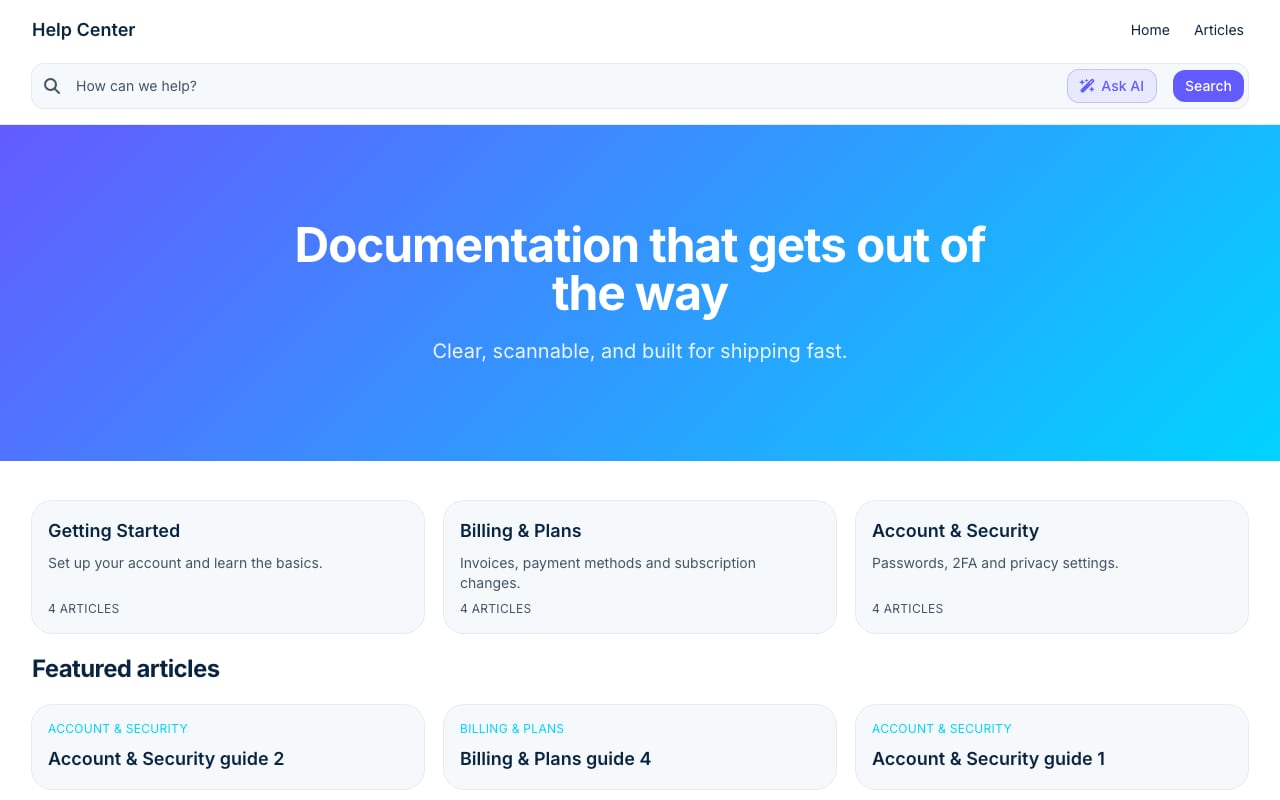
Stripe Clean help center template.
HelpCenter.io positions itself as an easy-to-build help center with a distinctive twist: an AI Widget that proactively surfaces relevant articles based on the page a visitor is currently viewing. This contextual approach is a meaningful differentiator for product teams that want to keep users in flow rather than sending them to a separate help portal.
Key Strengths of HelpCenter.io
Contextual AI widget. The platform's signature feature embeds help content directly into your product or website. When a user lands on a pricing page, the widget can show pricing-related FAQs automatically. This reduces friction and can lower ticket volume before users even think about contacting support.
Flat-rate pricing. HelpCenter.io markets itself as an alternative to per-seat pricing models. For teams frustrated by costs that scale with every new support agent, a predictable flat rate is genuinely attractive. The platform offers a 14-day free trial with no credit card required and a 100% money-back guarantee, which lowers the risk of trying it.
Fast content import. Teams migrating from Zendesk, Intercom, or Notion can import existing content seamlessly. This is a practical advantage for organizations that already have a knowledge base but want to switch without rebuilding from scratch.
No-code visual editor. The template editor lets non-technical teams create branded help centers without involving engineering. Custom domains and multi-language support are included, which matters for global ecommerce and SaaS products.
Where HelpCenter.io Falls Short
HelpCenter.io's analytics and reporting are functional but less deep than dedicated analytics platforms. Teams that need advanced usage insights, content gap analysis, or detailed reader journey tracking may find the reporting layer limiting. Its market footprint is also smaller than established players—6sense data shows a 0.08% market share in the internal knowledge base category, which may matter for enterprises evaluating vendor longevity.
KnowledgeOwl: Purpose-Built for Internal Documentation and Compliance
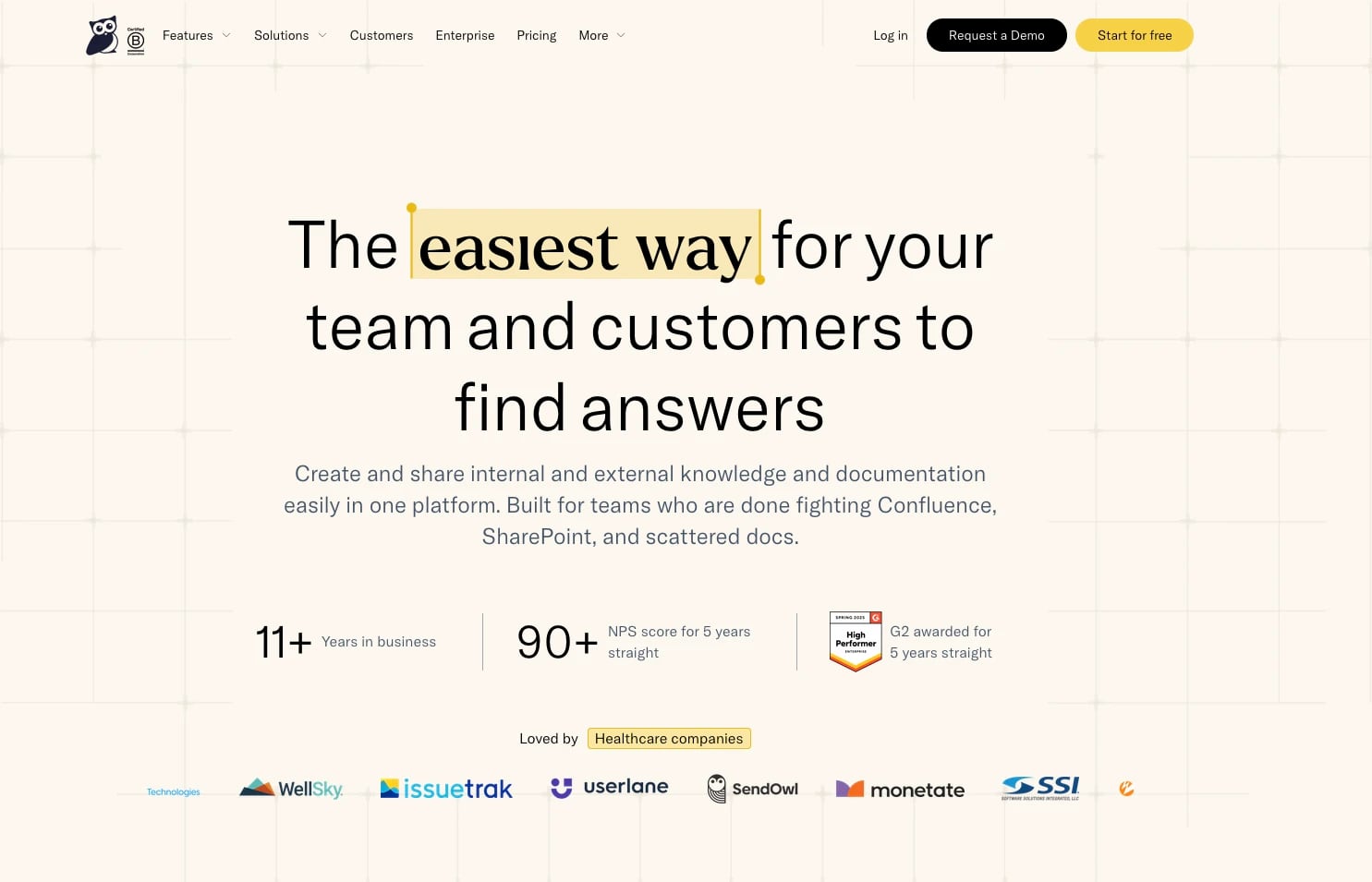
KnowledgeOwl product interface.
KnowledgeOwl takes a fundamentally different approach. While HelpCenter.io optimizes for customer-facing contextual help, KnowledgeOwl is built for teams that need controlled, compliant, and deeply searchable internal documentation.
Key Strengths of KnowledgeOwl
Granular access controls. KnowledgeOwl lets you restrict content at the article, category, or reader level. For healthcare organizations, credit unions, insurance providers, and IT teams, this is not a nice-to-have—it's a compliance requirement. The platform's use in CAPRA accreditation workflows for parks and recreation departments demonstrates how seriously it takes controlled access.
Typo-tolerant search. KnowledgeOwl's search engine is designed to handle misspellings and partial queries, which is especially valuable for internal teams where users may not know exact terminology. A call center agent searching for "refund polciy" should still find the right article.
Author-based pricing. KnowledgeOwl charges based on the number of authors, not readers. For organizations with hundreds or thousands of internal readers but only a handful of content creators, this pricing model can be dramatically more cost-effective than per-seat alternatives.
Version control and AI assistance. The platform includes version history, AI article creation, AI summaries, and an AI chatbot. The combination of controlled editing workflows with AI-assisted content production is well-suited to regulated industries that need both speed and oversight.
Proven customer satisfaction. KnowledgeOwl reports an NPS score above 90 for five consecutive years and G2 awards for five years. One customer testimonial cites a 92% reduction in response time after implementation—a meaningful proof point for teams focused on internal efficiency.
Where KnowledgeOwl Falls Short
KnowledgeOwl is less optimized for customer-facing, marketing-style help centers. Its branding and customization options are functional but not as polished as platforms built primarily for public-facing content. Teams that want a visually rich, SEO-optimized customer portal may find KnowledgeOwl's design capabilities more utilitarian.
HelpLook: AI-First Knowledge Management for Customer and Employee Portals

KnowledgeOwl product interface.
HelpLook is an AI-powered knowledge base and help desk platform that supports both customer-facing self-service portals and internal knowledge bases. Its positioning centers on AI-driven search, chatbot capabilities, and analytics, with a no-code interface that lets teams build branded sites without engineering support.
Key Strengths of HelpLook
Multi-model AI integration. HelpLook integrates with leading AI models including OpenAI, ERNIE Bot, and Azure. This flexibility lets teams choose the AI backend that best fits their data governance, language, or cost requirements—an advantage over platforms locked into a single AI provider.
AI search and chatbot. The platform's AI-driven search and chatbot capabilities are designed to answer user questions directly rather than just returning a list of articles. For teams that want to reduce support costs through self-service, this conversational layer can handle a meaningful portion of routine inquiries.
Built-in SEO optimization. HelpLook includes SEO features for public-facing knowledge bases, including customizable site branding and optimized page structures. For ecommerce product manuals, enterprise blogs, and customer help centers, this makes the knowledge base itself a discoverable marketing asset.
Analytics and content distribution. HelpLook tracks content usage and supports QR code access and PDF downloads, which is useful for product documentation that needs to travel beyond the website—printed manuals, packaging inserts, or field service documentation.
Free tier and scalable plans. HelpLook offers a free tier alongside paid subscription plans with AI credits and scalable resources. This makes it accessible for small teams while providing an upgrade path for enterprises.
Where HelpLook Is Less Competitive
HelpLook's per-user or subscription-based pricing with AI credits may become less predictable than HelpCenter.io's flat-rate model for larger teams. Teams that prioritize flat, predictable costs over AI feature depth should weigh this carefully. Additionally, HelpLook's granular access controls and compliance-oriented workflows are not as deeply developed as KnowledgeOwl's, making it a weaker fit for heavily regulated internal documentation scenarios.
Head-to-Head Comparison
Pricing and Cost Predictability
HelpCenter.io wins on pricing predictability with its flat-rate model. You pay per site, not per user, which makes budgeting straightforward. The $19 per month starting price and money-back guarantee reduce financial risk.
KnowledgeOwl wins for large internal teams because pricing is based on authors, not readers. A 500-person company with 10 content authors pays for 10 authors, not 500 seats.
HelpLook offers a free tier and scalable subscription plans with AI credits. This is flexible, but teams should model their expected AI usage to avoid unpredictable overage costs.
AI Capabilities
All three platforms now include AI features, but the depth differs. HelpLook's multi-model AI integration and chatbot capabilities are the most flexible. HelpCenter.io's AI is focused on contextual article suggestions through its widget—narrower in scope but highly practical. KnowledgeOwl's AI chatbot and article creation tools are strong for internal documentation, but its AI is not the primary selling point.
Search Quality
KnowledgeOwl's typo-tolerant search is a standout for internal teams where users may not know exact terms. HelpLook's AI search aims to answer questions directly. HelpCenter.io's search is solid but its differentiator is contextual suggestions rather than raw search power.
Access Control and Compliance
KnowledgeOwl is the clear leader here. Granular access controls, version control, and approval workflows make it the default choice for healthcare, finance, insurance, and other regulated industries. HelpCenter.io offers approval workflows but is not built for deep compliance scenarios. HelpLook supports multiple use cases but does not match KnowledgeOwl's depth in permissions and versioning.
Ease of Setup and Content Creation
All three platforms offer no-code editors. HelpCenter.io's visual template editor and import tools make migration fast. KnowledgeOwl emphasizes ease of use and quick implementation, with white-glove migration available. HelpLook's no-code interface and WYSIWYG editor are designed for non-technical teams, with automatic saving and live previews.
Decision Guide: How to Choose
Choose HelpCenter.io if:
- You run an ecommerce store or SaaS product and want contextual in-app help
- You're frustrated with per-seat pricing and want predictable flat-rate costs
- You need to embed FAQs dynamically across multiple pages
- You're migrating from Zendesk, Intercom, or Notion and want a fast import
Choose KnowledgeOwl if:
- You're building an internal knowledge base for a regulated industry
- You need granular reader-level access controls and version history
- You have many readers but few authors, making author-based pricing attractive
- Search quality for non-expert users is a top priority
Choose HelpLook if:
- You want an AI-first platform with chatbot capabilities and multi-model AI integration
- You need both customer-facing and internal knowledge bases from one platform
- SEO optimization for your public help center matters to your marketing strategy
- You want analytics, QR code access, and PDF distribution built in
For a deeper look at how HelpLook compares with other platforms, see our HelpLook vs HelpCenter.io vs Zendesk comparison or the HelpLook vs Document360 vs GitBook analysis.
Related reading
- HelpLook vs Document360 vs Stonly: 2026 Comparison - Compare HelpLook, Document360, and Stonly on AI search, interactive guides, pricing, and ease of use. Find the right knowledge base for your support team.
- HelpLook vs HelpCenter.io vs Docsie: 2026 Comparison - Compare HelpLook, HelpCenter.io, and Docsie on AI search, content creation, pricing, and ease of use. Find the right knowledge base for your team.
- HelpLook vs KnowledgeBase vs Zendesk: 2026 Comparison - Compare HelpLook, KnowledgeBase, and Zendesk on AI search, knowledge base features, pricing, and ease of use. Find the right platform for your support team.
Sources and further reading
- HelpLook vs. KnowledgeOwl Comparison - SourceForge - Compare HelpLook vs. KnowledgeOwl using this comparison chart. Compare price, features, and reviews of the software side-by-side to make the best choice for your business.
- Compare HelpCenter.io vs. HelpLook in 2026 - What’s the difference between HelpCenter.io and HelpLook? Compare HelpCenter.io vs. HelpLook in 2026 by cost, reviews, features, integrations, and more
- KnowledgeOwl vs HelpCenter.io: Internal Knowledgebase Comparison - Compare KnowledgeOwl vs HelpCenter.io 2026. KnowledgeOwl has 141 and HelpCenter.io has 10 customers in Internal Knowledgebase industry. Know more.
Frequently Asked Questions
Is HelpCenter.io cheaper than KnowledgeOwl?
It depends on your team structure. HelpCenter.io uses flat-rate pricing starting around $19 per month, which is predictable regardless of team size. KnowledgeOwl charges per author, not per reader, so a large organization with few content creators may find KnowledgeOwl more cost-effective. Compare both models against your actual author and reader counts.
Does HelpLook offer a free plan?
Yes, HelpLook offers a free tier alongside paid subscription plans. The free tier is suitable for small teams or pilot projects, while paid plans add AI credits, additional resources, and advanced features.
Which platform is best for internal documentation?
KnowledgeOwl is purpose-built for internal documentation, with granular access controls, version control, and typo-tolerant search. It is widely used in regulated industries like healthcare, insurance, and credit unions. HelpLook also supports internal knowledge bases, but KnowledgeOwl's compliance-oriented features are deeper.
Can I migrate my existing knowledge base to these platforms?
HelpCenter.io supports seamless import from Zendesk, Intercom, and Notion. KnowledgeOwl offers white-glove migration services. HelpLook provides third-party integrations that can support content migration. Check each platform's current import tools before committing.
Which platform has the best AI chatbot?
HelpLook's AI chatbot integrates with multiple AI models including OpenAI, ERNIE Bot, and Azure, offering the most flexibility. KnowledgeOwl includes an AI chatbot focused on internal documentation. HelpCenter.io's AI is primarily focused on contextual article suggestions through its widget rather than a standalone chatbot.
Conclusion
HelpLook, HelpCenter.io, and KnowledgeOwl each serve distinct needs within the knowledge base market. HelpCenter.io excels at contextual, customer-facing help for ecommerce and SaaS teams that value predictable pricing. KnowledgeOwl is the strongest choice for internal documentation in regulated industries where access control and search quality are non-negotiable. HelpLook offers an AI-first approach with multi-model integration, chatbot capabilities, and SEO optimization for teams that want a versatile platform spanning customer and employee use cases.
The right choice depends less on feature checklists and more on your primary use case: customer-facing contextual help, controlled internal documentation, or AI-driven self-service across both. Define that use case first, and the platform decision becomes much clearer.