
HelpLook vs KnowledgeBase vs Helpjuice: Which AI Knowledge Base Fits Your Team?
Choosing an AI knowledge base platform is no longer a simple feature checklist exercise. The right tool changes how quickly customers find answers, how much repetitive work your support agents handle, and how easily your team maintains documentation over time. HelpLook, KnowledgeBase, and Helpjuice all promise AI-powered self-service, but they approach the problem from different angles.
This comparison breaks down the three platforms across the criteria that matter most in real-world deployments: AI search quality, content creation workflow, customization, pricing, and the use cases each platform serves best. By the end, you should have a clear sense of which tool matches your support volume, team size, and budget.
Quick Verdict
Helpjuice product interface.
- Choose KnowledgeBase if you already use LiveChat, ChatBot, or HelpDesk and want a tightly integrated knowledge layer that reduces ticket volume without a steep learning curve.
- Choose Helpjuice if you need a heavily customized, brand-matched knowledge base with advanced AI writing, 40+ language translation, and a proven track record at enterprise scale.
- Choose HelpLook if you want a no-code, SEO-friendly self-service portal with flexible AI model options and a free entry tier, especially for product documentation, e-commerce manuals, and internal wikis.
How We Evaluated the Platforms
This comparison focuses on five practical criteria:
- AI search and answer quality
- Content creation and editing experience
- Customization and branding
- Pricing and scalability
- Integrations and ecosystem fit
Each platform has credible strengths. The goal is to match those strengths to your specific operating context rather than declare a single universal winner.
AI Search and Answer Quality

KnowledgeBase product interface.
AI search is the core promise of any modern knowledge base. The difference lies in how each platform retrieves and presents information.
KnowledgeBase: QuickAnswer for Instant Tailored Responses
KnowledgeBase positions its AI around speed and agent efficiency. Its QuickAnswer feature generates instant, tailored responses from your existing articles, which is particularly useful for support teams handling high ticket volumes. The platform also uses AI to generate article titles, keywords, and full drafts, reducing the time agents spend on documentation.
A notable advantage is how KnowledgeBase connects to the broader Text, Inc. ecosystem. If your team already runs LiveChat or HelpDesk, the AI can pull knowledge directly into the chat interface, giving agents answers without switching tools. This tight coupling is a genuine strength for teams that prioritize response speed over deep customization.
Helpjuice: AI Search That Works Out of the Box
Helpjuice has built its reputation on search quality. The platform emphasizes AI-powered search that works immediately after setup, without extensive configuration. Customers report measurable outcomes: up to 75% reduction in support tickets, 40% fewer phone calls and emails, and 26x faster ticket resolution.
Helpjuice also includes AI article writing and translation across 40+ languages, which is a material advantage for global support teams. The ability to convert support tickets into articles automatically helps teams capture institutional knowledge as it emerges, rather than letting it disappear in closed tickets.
HelpLook: Flexible AI Model Integration
HelpLook takes a different approach by integrating with multiple AI models, including OpenAI, ERNIE Bot, and Azure. This flexibility lets teams choose the model that best fits their language requirements, data policies, or cost constraints. The AI chatbot can be embedded on your site using an AI token, and the search engine provides natural language answers drawn from your knowledge base content.
For teams that want AI assistance without being locked into a single provider, HelpLook's model-agnostic design is a supported advantage. The platform also reports that 80% of questions are resolved without escalation, indicating strong self-service performance in production.
Bottom line: Helpjuice offers the most battle-tested AI search with impressive customer metrics. KnowledgeBase excels when AI is embedded in a chat-first support workflow. HelpLook stands out for AI model flexibility and no-code chatbot deployment.
Content Creation and Editing Experience

Helpjuice product interface.
KnowledgeBase: Centralized Article Management
KnowledgeBase provides a centralized platform for creating, managing, and sharing knowledge articles. The AI-generated articles, titles, and keywords features help teams produce content faster, especially when support volume is high and documentation is constantly evolving. The interface is designed for support teams rather than technical writers, which means less formatting overhead and faster article publishing.
The platform supports both internal and external knowledge bases, so the same tool can serve customer-facing documentation and agent-only resources. This dual-use capability is practical for growing teams that want to avoid managing separate systems.
Helpjuice: Real-Time Collaboration and Localization
Helpjuice offers real-time collaboration, which matters when multiple authors edit the same documentation simultaneously. The AI writing assistant can draft articles from scratch or from existing support tickets, and the translation feature supports 40+ languages, making it a strong choice for companies with international customer bases.
The platform's focus on turning documents into fast answers means the content workflow is optimized for searchability from the start. Articles are structured to be retrieved quickly, not just published neatly.
HelpLook: No-Code Editor with SEO Controls
HelpLook emphasizes a no-code content creation experience with a WYSIWYG and Markdown editor. Teams can insert text, images, and videos without technical expertise, and the platform automatically generates article URLs and SEO metadata. This SEO optimization is a supported advantage for businesses that want their knowledge base to attract organic search traffic, not just serve existing customers.
The editor supports code blocks, tables, and article history restoration, which makes it suitable for technical documentation and product manuals. For e-commerce businesses publishing product guides, the combination of SEO-friendly URLs and QR code access creates a practical bridge between physical products and digital documentation.
Bottom line: HelpLook offers the strongest no-code, SEO-aware content workflow. Helpjuice leads on collaboration and localization. KnowledgeBase keeps content creation simple and tightly connected to support workflows.
Customization and Branding
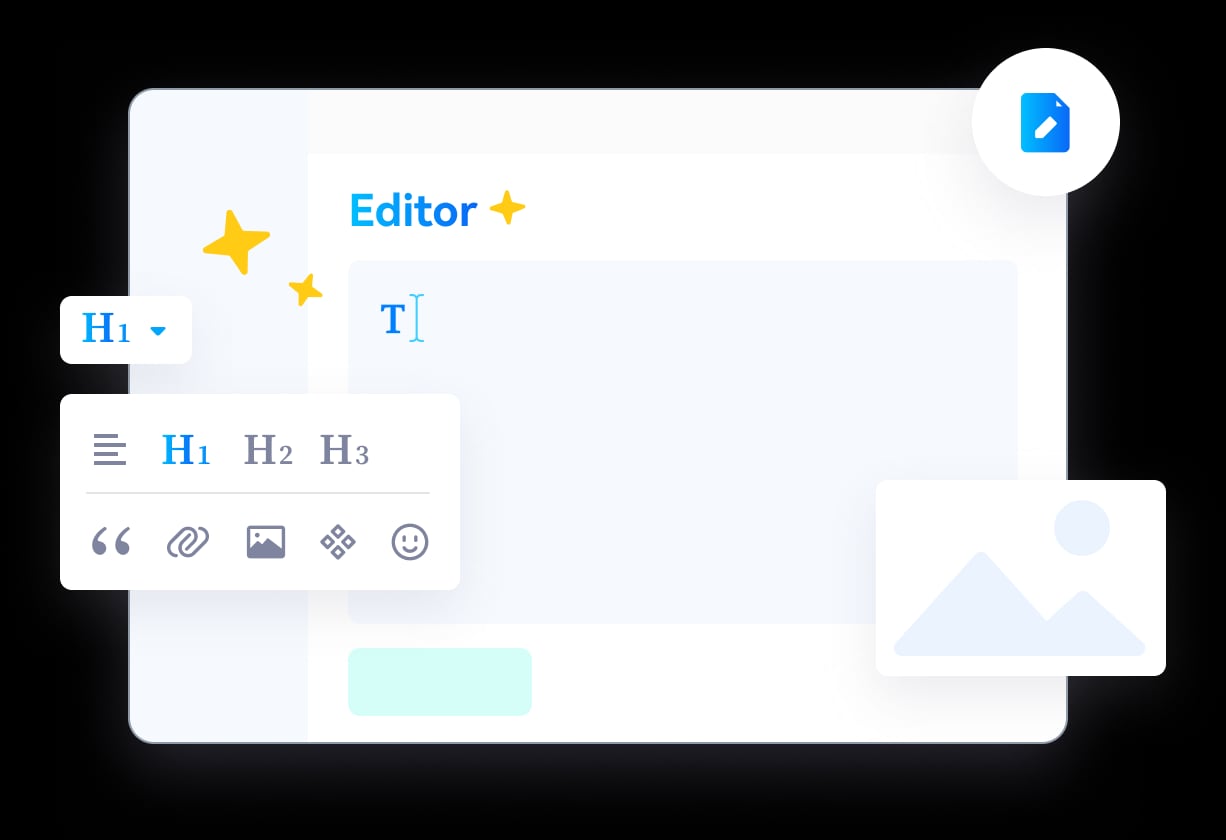
HelpLook product interface.
Helpjuice: Fully Customized Design Service
Helpjuice is the clear leader here. The platform offers a fully customized knowledge base design service, ensuring the final product matches your brand's look and feel. This is not just theme selection; Helpjuice will design the knowledge base to your specifications. For companies where brand consistency is non-negotiable, this is a material advantage.
KnowledgeBase: Customizable Help Centers
KnowledgeBase offers customizable help centers, allowing teams to adjust the look and structure of their knowledge base. The customization options are solid but not as extensive as Helpjuice's bespoke design service. For most support teams, the available themes and layout controls will be sufficient.
HelpLook: Customizable Site Branding
HelpLook provides customizable site branding and a home page builder, giving teams control over how their knowledge base looks without requiring design resources. The platform is used by over 10,000 global brands, which suggests the customization options are flexible enough for a wide range of use cases.
Bottom line: Helpjuice wins on deep customization. HelpLook and KnowledgeBase both offer practical branding controls that will satisfy most teams.
Pricing and Scalability
Pricing transparency varies across the three platforms, and this is where the decision often gets made.
KnowledgeBase: Low-Friction Entry
KnowledgeBase offers a 14-day free trial with no credit card required. This low-friction entry point is ideal for teams that want to test the platform before committing. The backing of Text, Inc., which serves tens of thousands of businesses worldwide, provides stability for growing teams.
Helpjuice: Premium Pricing with Proven ROI
Helpjuice pricing starts at $249/month for 30 users with essential features, and $449/month for 100 users with advanced AI capabilities. This is a premium price point, but the platform's customer metrics—75% reduction in support tickets, 50% reduction in training sessions—suggest the ROI can justify the cost for teams with meaningful support volume. Helpjuice is trusted by over 7,000 companies including Amazon, Hertz, and Shipt.
HelpLook: Free Tier to Enterprise
HelpLook offers subscription plans ranging from a free tier to enterprise-level pricing, with AI credits and scalable resources. This range makes it accessible for small teams and startups while still supporting larger deployments. The free tier is a supported advantage for businesses that want to validate the platform before investing.
Bottom line: HelpLook offers the most accessible entry point with its free tier. KnowledgeBase provides a risk-free trial. Helpjuice commands premium pricing but delivers enterprise-grade results.
Integrations and Ecosystem Fit
KnowledgeBase: Native LiveChat, ChatBot, and HelpDesk Integration
KnowledgeBase integrates natively with LiveChat, ChatBot, and HelpDesk. For teams already using these tools, the integration is seamless and eliminates the need for third-party connectors. This ecosystem fit is a genuine strength that competing platforms cannot easily replicate.
Helpjuice: Popular Tool Integrations
Helpjuice integrates with popular tools across the support and documentation stack. The platform's focus is on being a single source of truth, so integrations are designed to pull information from other systems into the knowledge base rather than push knowledge out to other channels.
HelpLook: Third-Party Integrations and Open Ecosystem
HelpLook supports third-party integrations and allows teams to bind content sites or AI chatbots across multiple channels. The open ecosystem approach gives teams flexibility to connect HelpLook with their existing stack. For a deeper look at how HelpLook compares with other platforms in this space, see our HelpLook vs KnowledgeBase vs Zendesk comparison.
Bottom line: KnowledgeBase wins for teams in the Text, Inc. ecosystem. Helpjuice and HelpLook both offer solid integration options for general use.
Decision Guide: Which Platform Should You Choose?
| Scenario | Recommended Platform | Why |
|---|---|---|
| You use LiveChat, ChatBot, or HelpDesk | KnowledgeBase | Native integration reduces setup time and keeps AI answers inside your existing chat workflow |
| You need a fully branded, enterprise-grade knowledge base | Helpjuice | Custom design service and proven results at scale |
| You want a no-code, SEO-friendly portal with a free tier | HelpLook | Accessible pricing, SEO optimization, and flexible AI model options |
| You support customers in 40+ languages | Helpjuice | Built-in AI translation across 40+ languages |
| You publish product manuals and e-commerce guides | HelpLook | QR code access, PDF downloads, and SEO-friendly article URLs |
| You need to reduce ticket volume quickly | KnowledgeBase or Helpjuice | Both platforms report significant ticket deflection |
For teams still evaluating options, our HelpLook vs Helpjuice vs Zendesk comparison adds Zendesk to the mix, while the HelpLook vs KnowledgeBase vs Archbee comparison explores a documentation-focused alternative.
Related reading
- HelpLook vs HelpCenter.io vs KnowledgeOwl: 2026 Comparison - Compare HelpLook, HelpCenter.io, and KnowledgeOwl on AI search, pricing, content creation, and ease of use. Find the right knowledge base for your team.
- HelpLook vs Document360 vs Stonly: 2026 Comparison - Compare HelpLook, Document360, and Stonly on AI search, interactive guides, pricing, and ease of use. Find the right knowledge base for your support team.
Sources and further reading
- Best AI Knowledge Base Software in 2026 | Techreviewer - Find the best AI knowledge base software of 2026. Compare search, automation, verified reviews, and pricing to give your team instant answers.
- Customize and Optimize Your AI-Powered Knowledge Base - HelpLook is a tool for quickly building a free help desk and knowledge base system, providing comprehensive support and assistance for your products. Help you create product manuals, blogs, FAQs, user guides, troubleshooting, and other content without coding, solving various problems for your users. By using HelpLook, you can add SEO optimized keywords to your official product website, helping more users discover and utilize your product. The fast, simple, and free user experience allows you to focus on product development and operations without worrying about the construction of the help center and knowledge base.
- Best Help Center Software & Knowledge Base 2025 - Start collaborating, publishing, and maintaining customer knowledge with our all-in-one documentation platform to boost customer satisfaction.
Frequently Asked Questions
What is the main difference between HelpLook, KnowledgeBase, and Helpjuice?
HelpLook is a no-code AI knowledge base with SEO optimization and flexible AI model integration. KnowledgeBase is an AI-powered knowledge platform tightly integrated with LiveChat, ChatBot, and HelpDesk. Helpjuice is an enterprise-focused knowledge base with custom design services, 40+ language translation, and premium pricing.
Which platform is best for a small team on a budget?
HelpLook offers a free tier, making it the most accessible option for small teams or startups. KnowledgeBase provides a 14-day free trial with no credit card required, which is also low-risk. Helpjuice starts at $249/month, which may be steep for very small teams.
Does Helpjuice really reduce support tickets by 75%?
Helpjuice reports that customers have achieved up to 75% reduction in support tickets. Individual results depend on content quality, search configuration, and how actively the knowledge base is promoted to customers.
Can I use these platforms for internal knowledge bases?
Yes. All three platforms support internal knowledge bases. HelpLook supports internal wikis and employee self-service portals. KnowledgeBase supports internal and external knowledge bases. Helpjuice is used for SOPs, documentation, and new hire onboarding.
Which platform has the best AI chatbot?
Helpjuice offers a customizable AI chatbot with strong out-of-the-box performance. KnowledgeBase's AI is integrated into chat workflows through QuickAnswer. HelpLook offers an embeddable AI chatbot with flexible model options including OpenAI, ERNIE Bot, and Azure.
Conclusion
HelpLook, KnowledgeBase, and Helpjuice each serve distinct needs in the AI knowledge base market. KnowledgeBase is the natural choice for teams already invested in the Text, Inc. ecosystem who want AI answers inside their existing chat tools. Helpjuice delivers enterprise-grade customization and proven results for organizations that can justify premium pricing. HelpLook offers an accessible, SEO-aware, no-code platform that works well for product documentation, e-commerce guides, and teams that want AI model flexibility without vendor lock-in.
The right choice depends on your support volume, existing tooling, budget, and how much customization you actually need. Start with a clear picture of your current support bottlenecks, then match the platform that addresses those specific constraints rather than the one with the longest feature list.