
HelpLook vs Zendesk vs DocsBot: Which AI Support Tool Wins?
Choosing between HelpLook, Zendesk, and DocsBot is really a question about what kind of support operation you are building. HelpLook is a no-code AI knowledge base and help desk aimed at teams that want a branded self-service portal fast. Zendesk is a full customer service platform built for omnichannel support at scale. DocsBot is a focused AI chatbot builder that turns your existing docs into answer engines. Each one solves a different problem well, so the right pick depends on your support volume, team size, and how much of your workflow you want to automate.
This comparison breaks down the three platforms across the criteria that matter most: AI capabilities, knowledge base features, ease of use, pricing, and ideal use cases.
Quick Comparison Table
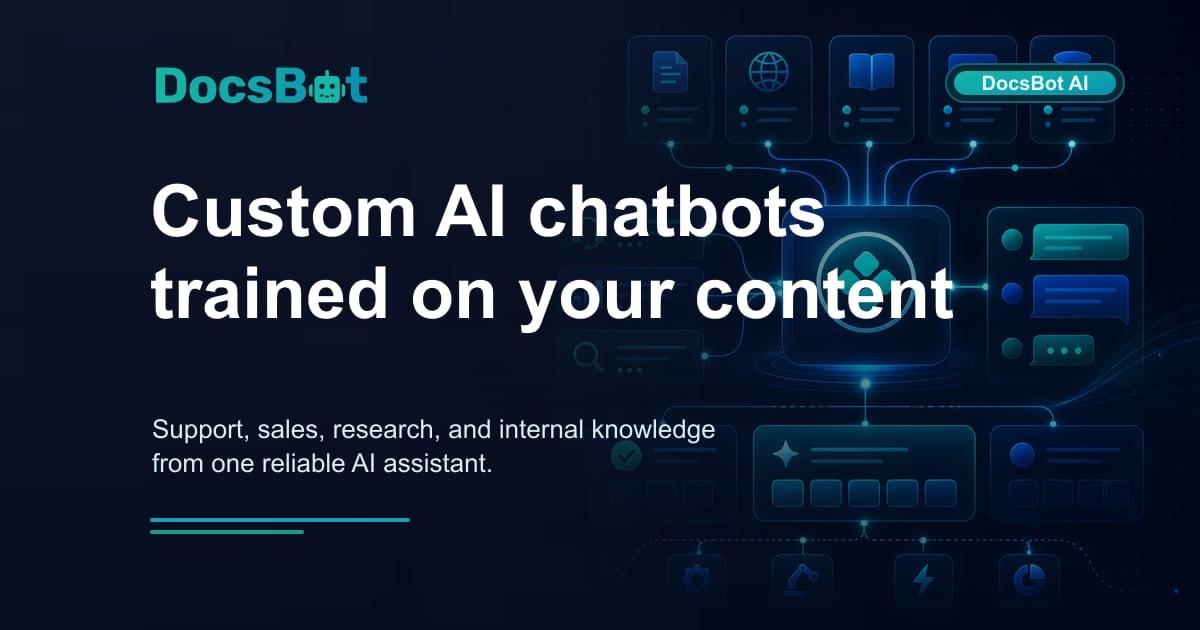
DocsBot product interface.
| Criteria | HelpLook | Zendesk | DocsBot |
|---|---|---|---|
| Primary focus | AI knowledge base and self-service portal | Omnichannel customer service platform | AI chatbots trained on your docs |
| Best for | Fast, branded help centers without coding | Mid-size to enterprise support teams | Automating repetitive Q&A and lead capture |
| AI chatbot | Built-in AI search and chatbot | Advanced AI agents with Resolution Learning Loop | Custom AI agents trained on 28+ source types |
| No-code setup | Yes | Partial, more configuration required | Yes |
| Integrations | Third-party integrations and AI models like OpenAI, ERNIE Bot, Azure | Large marketplace plus CRM, voice, and workforce tools | 7000+ apps via Zapier and APIs |
| Pricing model | Free tier to enterprise subscription | Per-agent subscription, higher entry cost | Free plan to $499/month business plans |
| Scale | 10,000+ brands | 22,000+ AI customers, 4.8B resolutions | 75k+ users, 3,000+ businesses |
AI Capabilities: How Each Platform Uses AI

DocsBot product interface.
AI is the headline feature in all three tools, but they apply it differently.
Zendesk: AI Agents That Learn and Resolve
Zendesk has moved beyond simple chatbot deflection. Its AI agents are designed to resolve customer issues end to end, not just answer FAQs. The Resolution Learning Loop means every interaction feeds back into the model, so the AI improves over time. Zendesk reports up to 80% automation on eligible requests, and its unified Resolution Platform connects data and workflows across systems so agents and AI work from the same context.
This is a meaningful advantage for teams with high ticket volume and complex workflows. If you need AI to handle password resets, order lookups, and refund requests across email, chat, and voice, Zendesk is built for that. The trade-off is setup complexity and cost.
DocsBot: Custom AI Trained on Your Content
DocsBot takes a simpler approach: train an AI agent on your own knowledge base, documentation, and support content, then deploy it as a chat widget. It supports training on more than 28 source types, including websites, documents, helpdesk tickets, Notion, and Confluence. Smart escalation routes unanswered questions to human agents, and multilingual support lets one bot serve global customers.
DocsBot also supports pre-sales chatbots that capture leads, which makes it useful beyond support. The platform's Zapier integration connects it to 7000+ apps, so the bot can trigger actions in your CRM, email, or project tools. For a small team that wants a capable AI chatbot without building a full help desk, DocsBot is a strong fit.
HelpLook: AI Search and Chatbot for Self-Service
HelpLook embeds AI-driven search and chatbot capabilities directly into the knowledge base experience. Because the platform integrates with leading AI models such as OpenAI, ERNIE Bot, and Azure, teams can choose the model that fits their language and cost needs. The AI helps visitors find answers inside a branded portal rather than forcing them through a separate chat interface.
HelpLook's advantage is the combination of AI search with a no-code content creation workflow. You build the knowledge base, customize the branding, and the AI search layer makes the content discoverable. This works well for product documentation, e-commerce manuals, and internal knowledge bases where self-service is the primary goal.
Knowledge Base and Content Creation

Brian D. Avery avatar image.
HelpLook: Fastest Path to a Branded Help Center
HelpLook is designed for teams that need a polished knowledge base without developer resources. The no-code content creation interface, customizable site branding, and SEO optimization let you publish a customer-facing portal quickly. Features like QR code access and PDF downloads add practical distribution options for product manuals and internal docs.
For e-commerce brands, SaaS companies, and enterprises that want a self-service portal that looks like their own product, HelpLook's branding controls are a differentiator. The analytics dashboard also tracks usage so you can see which articles actually reduce support tickets.
Zendesk: Knowledge Base Inside a Larger Platform
Zendesk includes a knowledge base, but it is one module inside a larger customer service suite. The advantage is that articles, AI agents, and human agents all share the same platform. A customer who starts with self-service can escalate to chat or email without leaving the Zendesk ecosystem. The disadvantage is that the knowledge base experience is less customizable than a dedicated tool, and you are paying for the full platform even if you only need help center features.
DocsBot: Knowledge Base as Training Data, Not a Portal
DocsBot does not position itself as a traditional knowledge base builder. Instead, your existing docs, helpdesk tickets, and website content become training data for AI agents. This is efficient if you already have content scattered across Notion, Confluence, or a helpdesk. The limitation is that DocsBot does not offer the same level of branded portal customization or SEO-optimized public documentation as HelpLook.
Ease of Use and Setup Time

Zach Katz avatar image.
HelpLook and DocsBot both emphasize fast, no-code setup. HelpLook's content creation interface is built for non-technical teams, and the free tier lets you test the platform before committing. DocsBot's onboarding is similarly quick: connect sources, train the bot, embed the widget. Most teams can have a working chatbot live within a day.
Zendesk is more powerful but also more involved. Setting up AI agents, routing rules, and omnichannel workflows takes planning. Larger teams often need a dedicated administrator or implementation partner. That investment pays off at scale, but it is overkill for a small team that just wants a help center and a chatbot.
Pricing: Free Tiers vs Enterprise Budgets
Pricing is where the three platforms diverge most sharply.
HelpLook offers a free tier and scales through subscription plans to enterprise-level pricing. AI credits and scalable resources are included, which makes it accessible for startups and small teams while still serving larger organizations.
DocsBot starts with a free plan and tops out at $499/month for business plans, with annual discounts available. That predictable pricing is attractive for small to mid-size teams that want AI chat without per-agent fees.
Zendesk uses a per-agent subscription model with a higher entry cost. The platform's value is clear for companies with dozens or hundreds of agents, but the total cost of ownership is significantly higher than either HelpLook or DocsBot for small teams.
Decision Guide: Which Platform Should You Choose?
Choose HelpLook if...
- You need a branded, SEO-optimized knowledge base or help center quickly
- Your team is non-technical and wants a no-code content workflow
- You want AI search and chatbot features without building a full help desk
- You are creating product manuals, e-commerce guides, or internal knowledge bases
- Budget predictability matters and you want a free tier to start
Choose Zendesk if...
- You run a mid-size to enterprise support operation with omnichannel needs
- You need AI agents that resolve tickets across email, chat, voice, and social
- Workforce management, QA, and deep analytics are part of your workflow
- You have the budget and team to configure a full customer service platform
- Compliance and enterprise security certifications are non-negotiable
Choose DocsBot if...
- You already have documentation and want to turn it into an AI chatbot fast
- Your primary goal is deflecting repetitive support questions
- You want pre-sales chatbots that capture leads
- You rely on Zapier and need the bot to trigger actions in other tools
- You prefer flat monthly pricing over per-agent fees
Practical Example: A SaaS Startup's Decision
Imagine a 15-person SaaS startup with 400 support tickets per month. The team has product docs in Notion and wants to reduce repetitive questions.
- HelpLook would give them a branded help center with AI search and a chatbot, plus analytics to track which articles reduce tickets. The free tier lets them validate before paying.
- DocsBot would let them train a bot on their Notion docs and embed it in the app within a day. The $499/month ceiling keeps costs predictable.
- Zendesk would provide more than they need at this stage. The per-agent cost and setup effort would be hard to justify at 400 tickets per month.
At 5,000 tickets per month with a 30-person support team, the calculus flips. Zendesk's AI agents, omnichannel routing, and workforce tools start to deliver measurable ROI, while HelpLook and DocsBot remain better suited to self-service and chatbot automation rather than full help desk operations.
For a deeper look at how HelpLook compares with other knowledge base tools, see our HelpLook vs Document360 vs Zendesk comparison and HelpLook vs Helpjuice vs Zendesk comparison.
Related reading
- HelpLook vs Documentation.AI vs Bloomfire: 2026 Comparison - Compare HelpLook, Documentation.AI, and Bloomfire on AI search, content creation, publishing, pricing, and ideal use cases. Find the right knowledge platform.
- HelpLook vs KnowledgeBase vs Helpjuice: 2026 Comparison - Compare HelpLook, KnowledgeBase, and Helpjuice on AI search, content creation, pricing, and ease of use. Find the right knowledge base for your support team.
Sources and further reading
- Knowledge Base Creation - Explore the top 20+ Knowledge Base Creation AI, including knowledge base enhancer, knowledge base builder, startup knowledge base, automated knowledge base creator, centralized knowledge base and more
- All Stores Coupons, Offers & Promo Codes, Aug 2026 - GrabOn is the premier destination for the latest coupons and hottest offers from Myntra, Flipkart, Snapdeal, Amazon India, redBus, Foodpanda.
- Mobile Knowledge Base - Explore the top 20+ Mobile Knowledge Base AI, including team knowledge base search tool, mobile ai, knowledge base builder, startup knowledge base, automated knowledge base creator and more
FAQ
Is HelpLook a full help desk like Zendesk?
No. HelpLook focuses on AI-powered knowledge bases, self-service portals, and chatbots. Zendesk is a complete customer service platform with ticketing, omnichannel routing, workforce management, and QA tools. If you need a full help desk, Zendesk is the stronger fit; if you need a branded self-service portal, HelpLook is purpose-built for that.
Can DocsBot replace Zendesk?
DocsBot can replace the chatbot and deflection layer of Zendesk for small teams, but it does not offer the full ticketing, voice, and workforce management capabilities. Many teams use DocsBot alongside a lightweight helpdesk rather than as a complete Zendesk replacement.
Which platform is best for a non-technical team?
HelpLook and DocsBot are both designed for no-code setup. HelpLook's content creation interface is especially friendly for teams building a knowledge base, while DocsBot's strength is quickly training a bot on existing content.
Does Zendesk offer a free plan?
Zendesk offers a free trial but not a permanent free tier. HelpLook and DocsBot both offer free plans, which makes them easier to evaluate without budget approval.
Which platform handles multilingual support best?
DocsBot supports multilingual answers out of the box, and HelpLook's integration with multiple AI models supports multilingual knowledge bases. Zendesk also supports multilingual content, but configuration depends on your plan and setup.
Conclusion
HelpLook, Zendesk, and DocsBot serve three different needs. HelpLook is the fastest way to launch a branded, AI-powered knowledge base and self-service portal without code. Zendesk is the enterprise-grade customer service platform for teams that need omnichannel support, AI agents, and workforce tools at scale. DocsBot is the focused AI chatbot builder for teams that want to turn existing documentation into an answer engine quickly and affordably.
Start with your support volume and team structure. Small teams prioritizing self-service and branding will find HelpLook the most direct path. Teams that need a full help desk with AI resolution should evaluate Zendesk. And teams that just want a smart chatbot trained on their docs will get the fastest value from DocsBot.