
How to Use HelpLook with Context Link: AI Meets Your Business
Your help articles live in HelpLook. Your CRM, tickets, and internal docs live somewhere else. When a customer asks ChatGPT or Claude a question about your product, the AI has no idea any of it exists — so it guesses, or says it can't help.
Context Link changes that. It connects your business systems once, then lets ChatGPT, Claude, and AI agents query across all of them and return source-backed answers. Pair it with HelpLook, and your published knowledge base becomes a first-class source that AI can actually cite.
This article walks through what each tool does, how they fit together, the setup workflow, practical examples, and where the combination still has limits.
What HelpLook and Context Link each do

Monday.
Before wiring anything together, it helps to be precise about the division of labor.
HelpLook: the source of truth
HelpLook is an all-in-one, AI-powered platform for building knowledge bases, help desks, and self-service support experiences. Teams use it to create customer-facing help centers, internal knowledge repositories, product manuals, FAQs, user guides, and troubleshooting content — without writing code. It includes AI-powered search, a WYSIWYG and Markdown editor, real-time collaboration, customizable portals, embeddable widgets, SEO optimization, and analytics. Over 10,000 companies use it across SaaS, e-commerce, legal, healthcare, financial services, and education.
In other words: HelpLook is where your answers are written, organized, and published.
Context Link: the connector layer
Context Link — Give AI a way to talk to your business — is AI knowledge base software built around a simple premise: your business lives in many places, so connect them once and let AI query across everything. ChatGPT, Claude, and AI agents can then ask questions across your connected sources and receive source-backed answers instead of plausible-sounding guesses.
In other words: Context Link is how external AI reaches your answers.
Why the pairing matters
A knowledge base without an AI access layer stays locked inside its own portal. An AI access layer without a well-maintained knowledge base returns confident nonsense. Together, they give you a maintained corpus (HelpLook) plus a retrieval path (Context Link) that AI assistants and agents can use directly.
The problem this combination solves
Most support and documentation teams hit the same three walls.
1. Answers are trapped in silos. A customer asks an AI assistant about your return policy. The policy is in HelpLook. The order status is in your commerce platform. The warranty terms are in a PDF. The AI sees none of it.
2. AI hallucinates when it lacks context. Large language models fill gaps with plausible text. Without a grounded source, an AI agent may invent a shipping window, a refund rule, or a feature that does not exist. That is worse than saying "I don't know."
3. Internal teams repeat the same searches. Support agents, sales reps, and onboarding staff all hunt for the same answers across the same disconnected tools. Every search is manual, and every result is unverified.
Context Link addresses the retrieval problem by connecting sources once. HelpLook addresses the content problem by giving you a structured, searchable, SEO-optimized place to publish and maintain those answers. Neither fully solves the other's half.
How the integration works
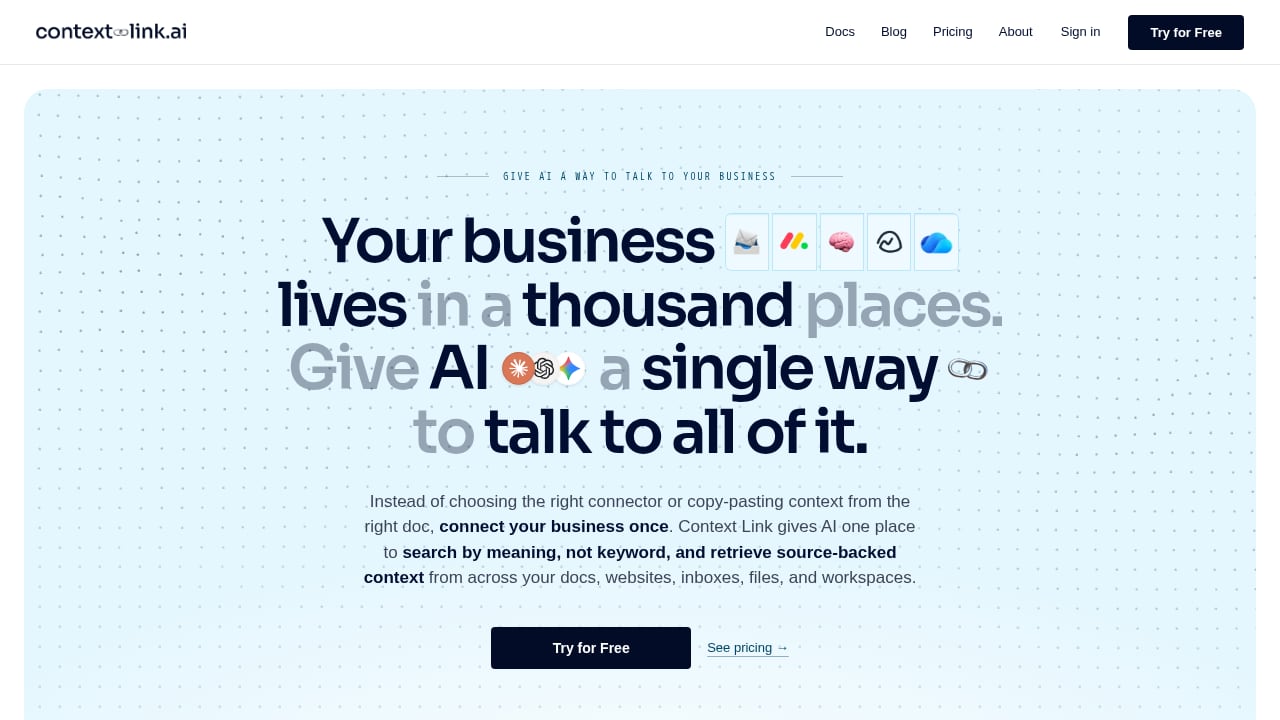
First viewport screenshot of Context Link — Give AI a way to talk to your business.
At a high level, the flow looks like this:
- You author and publish content in HelpLook. Articles, FAQs, manuals, and troubleshooting guides live in your HelpLook portal, organized by category and permissions.
- You register HelpLook as a source in Context Link. Context Link connects to your business systems so AI can query across them.
- An AI assistant or agent sends a question. A user asks ChatGPT, Claude, or an internal agent something like "Can I return a used item after 45 days?"
- Context Link retrieves and grounds the answer. It queries the connected sources — including HelpLook — and assembles a response with citations back to the original article.
- The user gets a source-backed answer. Instead of a guess, they get the policy, the link, and the exact passage it came from.
For teams already running AI agents for support, this is the missing grounding layer. If you want a deeper look at how agents differ from scripted chatbots, Chatbot.com's explainer on AI agents covers the perception–reasoning–action loop well.
Setup: step by step
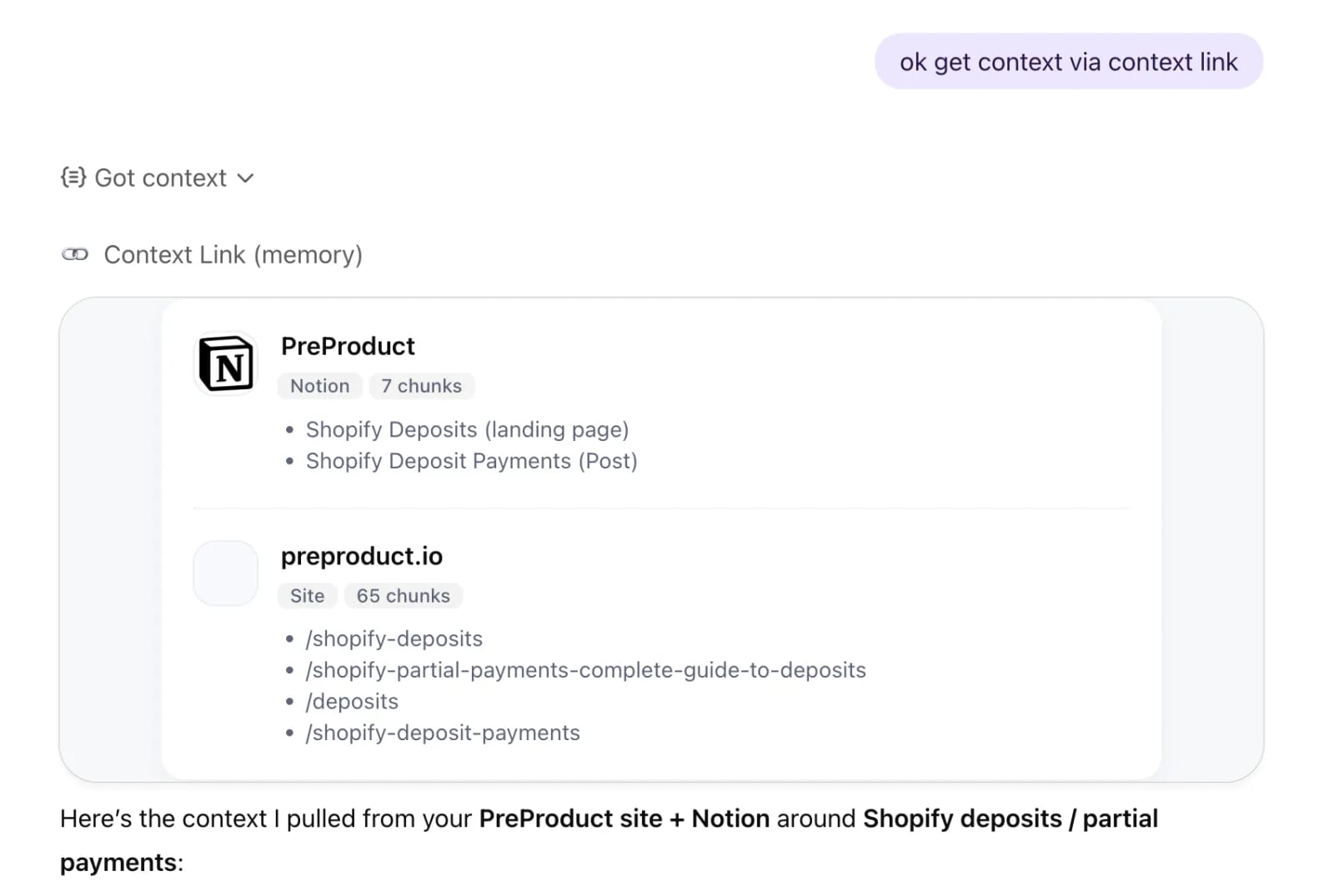
Getting context in ChatGPT.
Exact UI labels change between releases, so treat this as a workflow rather than a click-by-click script. The order matters more than the button names.
Step 1: Audit and clean your HelpLook content
AI retrieval is only as good as the corpus behind it. Before connecting anything:
- Remove or archive outdated articles. Stale content is the fastest way to get a confidently wrong AI answer.
- Consolidate duplicates. If three articles explain refunds differently, the AI will pick one at random.
- Add clear titles and headings. Retrieval systems lean heavily on structure.
- Use HelpLook's analytics to find gaps — searches with no results are your priority writing list.
Step 2: Decide what should be exposed
Not everything belongs in an AI-queryable source. Internal onboarding notes, draft policies, and confidential pricing should stay behind permissions. HelpLook supports customizable permission settings, so map out which spaces are public-facing and which are internal-only before you connect.
Step 3: Connect HelpLook as a source in Context Link
In Context Link, add HelpLook as a connected source. Depending on your plan and setup, this may be an API-based connection, a connector, or an MCP-style server that exposes your knowledge base as a tool AI can call. You will typically need:
- Your HelpLook portal or workspace identifier
- An API token or access credential generated from HelpLook
- A scope that matches the content you decided to expose in Step 2
Step 4: Verify retrieval quality
Run test queries before anyone else does. Ask questions whose answers you already know, and check whether the response cites the correct HelpLook article. Try three categories:
- Direct lookups: "What is the warranty period for product X?"
- Multi-source questions: "Does the return window differ for enterprise customers?"
- Edge cases: "What happens if I miss the return deadline by one day?"
If the AI answers an edge case without a citation, your source coverage has a hole.
Step 5: Roll out to the right surfaces
Once retrieval is reliable, expose it where people actually ask questions: your website widget, an internal Slack or Teams assistant, a ChatGPT or Claude workspace, or an AI agent handling first-line support. HelpLook's widgets and AI chatbot make the customer-facing side straightforward; Context Link handles the cross-system grounding.
Practical examples
Example 1: Customer-facing returns question
A shopper asks an AI assistant on your site: "I bought boots 40 days ago and wore them once. Can I return them?"
- HelpLook holds the return policy and the exceptions list.
- Context Link queries HelpLook plus your order system.
- The AI responds with the policy, the 45-day window, the worn-item exception, and a link to the HelpLook article.
Without the integration, the assistant would either deflect or invent a rule.
Example 2: Internal onboarding
A new support hire asks an internal agent: "How do we handle a chargeback on a subscription renewal?"
- HelpLook holds the internal SOP and the escalation matrix.
- Context Link pulls from HelpLook and your ticketing system.
- The agent returns the procedure plus two recent tickets that followed it.
This is where the combination beats a plain knowledge base search: the answer is grounded in both documentation and live examples.
Example 3: Sales enablement
A rep preparing for a call asks: "What are the differences between our Pro and Enterprise plans, and what do customers usually ask about each?"
- HelpLook holds the plan comparison and FAQ.
- Context Link pulls from HelpLook and your CRM notes.
- The agent returns a comparison table and the three most common objections logged by the sales team.
Where the combination fits — and where it does not
| Need | HelpLook alone | Context Link alone | Both together |
|---|---|---|---|
| Publish and maintain help content | Yes | No | Yes |
| SEO-optimized public help center | Yes | No | Yes |
| AI answers grounded in your docs | Partial (HelpLook AI) | No source content | Yes |
| Cross-system queries (CRM, tickets, docs) | No | Yes | Yes |
| Source citations for every answer | Limited | Yes | Yes |
| Internal + external content separation | Yes | Depends on sources | Yes |
If your only goal is a public help center with built-in AI search, HelpLook alone is enough. If your only goal is letting an AI agent reach multiple business systems, Context Link is the layer you need. The combination is for teams that want both: a maintained knowledge base and an AI that can actually cite it.
If you are still evaluating the broader category, our comparison of HelpLook, Helpjuice, and AI support platforms and our roundup of the top 10 AI knowledge management software products both cover where each tool sits in the stack.
Common pitfalls and how to avoid them
First viewport screenshot of Context Link.
- Connecting dirty data. AI retrieval amplifies whatever is in your knowledge base, including contradictions. Clean first, connect second.
- Exposing internal content by accident. Set permissions in HelpLook before you connect the source, not after.
- Skipping citation checks. Always verify that answers link back to a real article. An uncited answer is an unverified answer.
- Treating it as a one-time setup. Knowledge bases drift. Schedule quarterly reviews and use HelpLook analytics to catch gaps.
- Expecting the AI to replace your help center. Context Link gives AI access to your content; it does not replace the SEO value, structure, or self-service experience of a published portal.
Related reading
- HelpLook vs Helpjuice vs AI Support Platforms: 2026 Guide - Compare HelpLook, Helpjuice, and AI customer service platforms on AI search, self-service, SEO, and cost to pick the right support stack for 2026.
- HelpLook vs Mintlify: Which Docs Platform Fits Your Team? - Compare HelpLook and Mintlify for AI-powered documentation. See how AI search, no-code help centers, SEO, and self-updating docs differ for your team.
- Stonly Review 2026: Knowledge Management for Customer Service - Evidence-based Stonly review for 2026: interactive guides, decision trees, AI answers, pricing signals, setup, strengths, limits, and who it fits.
Sources and further reading
- Customize and Optimize Your AI-Powered Knowledge Base - HelpLook is a tool for quickly building a free help desk and knowledge base system, providing comprehensive support and assistance for your products. Help you create product manuals, blogs, FAQs, user guides, troubleshooting, and other content without coding, solving various problems for your users. By using HelpLook, you can add SEO optimized keywords to your official product website, helping more users discover and utilize your product. The fast, simple, and free user experience allows you to focus on product development and operations without worrying about the construction of the help center and knowledge base.
FAQ
Does Context Link replace HelpLook's built-in AI search?
No. HelpLook's AI search serves users inside your portal and widgets. Context Link extends access to external AI assistants and agents — ChatGPT, Claude, and internal agents — that need to query across multiple systems, not just your knowledge base.
Do I need to migrate my content out of HelpLook?
No. HelpLook remains the source of truth. Context Link connects to it as one of several sources, so your content stays where your team already writes and maintains it.
Can I limit which HelpLook articles AI can see?
Yes, in practice. HelpLook supports permission settings, and you control the scope of the connection in Context Link. Map your public and internal spaces before connecting.
How do I know the AI is giving accurate answers?
Look for citations. Context Link is designed to return source-backed answers, so every response should point to the specific HelpLook article or system record it drew from. If it does not, treat the answer as unverified.
Is this only useful for customer support?
No. The same setup serves internal onboarding, sales enablement, IT troubleshooting, and compliance questions — anywhere an AI assistant needs grounded access to company knowledge.
What if my HelpLook content is outdated?
Fix it before connecting. Outdated articles are the single biggest cause of wrong AI answers, and no connector layer can compensate for a stale corpus.
Conclusion
HelpLook gives you a structured, searchable, SEO-ready place to publish the answers your business runs on. Context Link gives AI a way to reach those answers — alongside your CRM, tickets, and other systems — and return them with citations.
Set up in the right order: clean your HelpLook content, decide what to expose, connect the source, test retrieval quality, then roll out to the surfaces where people ask questions. Do that, and your AI stops guessing about your business and starts quoting it.
If you are comparing knowledge platforms before you commit, our HelpLook vs Mintlify comparison is a useful next read for teams weighing documentation-first tools against a full help center.