
KnowledgeOwl Review: Transparent Pricing & AI Knowledge Base Tested
Most knowledge base tools hide costs, bury you in setup complexity, or force you to pay for readers instead of creators. KnowledgeOwl takes the opposite approach. It bets on simplicity, author-based pricing, and a legendary onboarding experience. In this HelpLook review, we test those claims against real user data, pricing signals, and hands-on use cases to help you decide if KnowledgeOwl is the right tool for your team.
Who Should Use KnowledgeOwl?
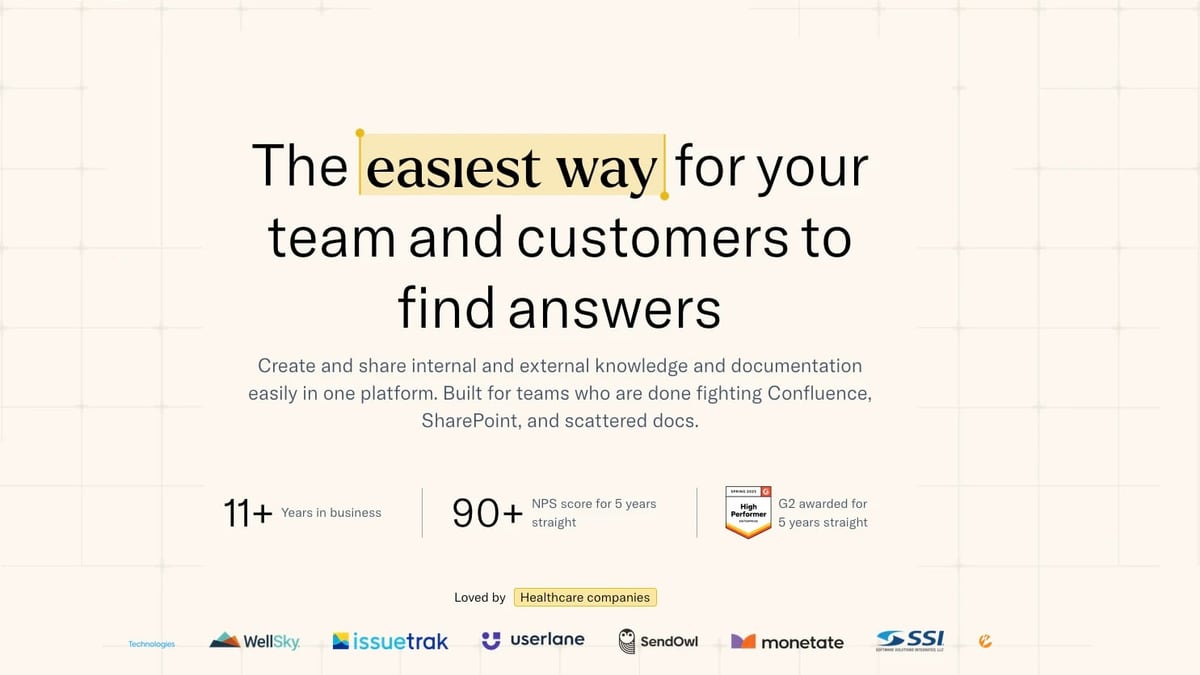
KnowledgeOwl Review: Transparent Pricing & AI Knowledge Base Tested product interface and feature overview.
KnowledgeOwl isn't for everyone, but it fits several scenarios extremely well.
Ideal users and industries:
- Customer support and call centers that want to slash ticket volume and agent response time. One customer reported a 92% reduction in response time after switching.
- Credit unions, banks, and financial services that need compliance‑friendly, airtight knowledge bases with granular permission controls.
- Healthcare organizations handling HIPAA‑sensitive documentation. KnowledgeOwl offers compliant, sign‑in‑required private articles and full security access controls.
- Internal IT and HR teams drowning in scattered SharePoint folders, Confluence spaces, and PDF dumps. KnowledgeOwl's white‑glove migration moves you to a single source of truth in days, not months.
- EdTech and parks & recreation (including CAPRA accreditation) that need fast implementation and easy content updates for staff and external stakeholders.
Common use cases:
- Employee onboarding and policy handbooks
- External customer help centers that reduce support tickets
- Agent‑facing SOP libraries for faster, more accurate responses
- Accreditation documentation that must be audit‑ready
- Replacing outdated, hard‑to‑search internal wikis
If you need a developer‑focused API documentation portal or a tool that doubles as a project management wiki, you might be better served by alternatives like Document360 or Archbee—we'll touch on those later.
Key Features That Matter (Backed by Evidence)
KnowledgeOwl doesn't try to do everything. It focuses on the features that knowledge base teams actually use every day, and it executes them well.
Semantic Search That Just Works
Traditional search requires you to tag every article, manage synonyms, and hope users type the right keywords. KnowledgeOwl's semantic search uses natural language understanding out of the box. No configuration, no librarian mindset. Users find what they mean, not just what they type.
A G2 reviewer in financial services confirmed: "The navigation and search are reliable, so agents trust that if an article exists, they can find it, which is critical for adoption."
AI Chatbot with a Closed System (Zero Hallucinations)
This is a standout. Most AI chatbots will invent answers when they don't know. KnowledgeOwl's chatbot only answers from your content, always cites sources, and says “I don't know” when it can't find an answer. It never trains on your data and respects article access permissions. That's why government agencies, credit unions, and enterprise compliance teams trust it for frontline use.
During a trial, one credit union reported: "It hits the correct procedure and process every time."
Granular Access Controls & Version History
You can create unlimited private and public readers, set custom author roles, and enforce logins via SAML SSO, Salesforce SSO, or remote authentication. Full version history and rollback are included. For compliance teams, every change is traceable.
Built‑In Analytics (No Extra Tools)
Track which articles deflect tickets, what searches return zero results, and what the chatbot gets asked most. No need to wrestle with Google Analytics. The data helps you prove ROI and spot content gaps quickly.
White‑Glove Migration & Custom Themes (Included)
Every plan includes a real person migrating your content from Confluence, Zendesk, SharePoint, or wherever it lives. They also build a custom branded theme before you write your first article. Combined with unlimited nested categories, drag‑and‑drop reordering, and a table of contents, you get a polished knowledge base up fast.
Hands‑On Setup & Onboarding: What to Expect
KnowledgeOwl's 30‑day implementation framework is more than marketing fluff. Here's how it typically unfolds:
- Day 1: You bring your existing docs, request a custom theme, and set up your account. Migration starts immediately.
- Day 10: You have a fully set up, beautiful knowledge base to show your team. Most users report instant buy‑in because the interface feels intuitive.
- Day 30: Your team and customers find answers up to 3x faster, and you wonder why you didn't switch years earlier.
Real users reinforce this experience. Sharon C. on G2 described the migration as “amazing” and praised the team for going “above and beyond.” Jessica H. in financial services added: “When I reach out to them I don't feel like my request is a ticket waiting to be worked—I know they have read my emails and are replying to me specifically.”
Support is human‑first, with 24/7 emergency help, no chatbot gatekeepers, and a 100% customer happiness guarantee with no time limit for refunds.
Pricing: Transparent, Author‑Based Plans
KnowledgeOwl uses a simple model: you pay for authors, not for readers. Unlimited private and public readers are included on every plan. Starting at $100/month for the Basic plan (1 author, 1 knowledge base), you can add authors for $25/month each and additional knowledge bases for $50/month each.
All plans include unlimited file storage, world‑class onboarding, white‑glove migration, custom theme, AI features, analytics, and security access controls. Higher tiers add SSO, custom author roles, API access, and dedicated account management.
Here's a snapshot (prices are in USD, billed annually):
| Plan | Starting Price/month | Key Differences |
|---|---|---|
| Basic | $100 | 1 KB, 1 author, all core features, AI included, onboarding calls monthly |
| Pro | $200 | API access, bi‑weekly onboarding calls, same as Basic plus Salesforce SSO |
| Business | $300 | Weekly calls, SAML SSO, granular permissions, HIPAA/GDPR agreements |
| Enterprise | Custom | Custom terms, dedicated account management, priority SLAs |
A 30‑day free trial is available with no credit card required. KnowledgeOwl also offers a 25% discount for nonprofits, B Corps, and purpose‑driven organizations through its “KnowledgeOwl for Good” program.
For exact, up‑to‑date pricing, check the official pricing page.
Where KnowledgeOwl Falls Short

KnowledgeOwl Review: Transparent Pricing & AI Knowledge Base Tested product interface and feature overview.
No tool is perfect. Here are the limitations we identified from user feedback and product analysis:
- Author‑based pricing adds up for large teams. If you have 20 content contributors, the cost jumps to $575+/month. For small author counts, it's affordable; for larger writing teams, alternatives with unlimited author pricing may offer better value.
- No native mobile app. Users and authors rely on the responsive web interface, which works well on mobile but lacks a dedicated app experience.
- Limited workflow automation and integrations. KnowledgeOwl doesn't try to be a project management hub or a full‑fledged intranet. If you need complex ticketing integration or deep API customization, you may hit a ceiling.
- AI is intentionally closed. The chatbot can't be trained on external data sources or pull from multiple knowledge bases beyond what you give it. That's a feature for compliance, but a limitation if you need a more open, generative AI.
- Customization beyond CSS/JS requires effort. While branded themes are included, teams wanting pixel‑perfect design control might need to invest in custom code.
These aren't dealbreakers for the right use case, but they're important to weigh before buying.
KnowledgeOwl vs. Alternatives: A Quick Comparison

KnowledgeOwl Review: Transparent Pricing & AI Knowledge Base Tested product interface and feature overview.
If you're evaluating multiple tools, here's how KnowledgeOwl stacks up against two popular competitors in the knowledge base space.
| Feature | KnowledgeOwl | Document360 | Archbee |
|---|---|---|---|
| Starting Price | $100/mo (1 author) | $149/mo (2 users) | $150/mo (3 users) |
| Reader Pricing | Unlimited, free | Per reader charges can apply | Unlimited, free |
| AI Chatbot | Built‑in, closed system, no extra cost | Advanced AI, ticket deflection | AI assistant available |
| Onboarding | White‑glove migration & theme included | Assisted migration on higher tiers | Guided setup, API‑focused |
| Best for | Support teams, compliance, internal hubs | Large‑scale help centers, portals | Developer docs, API references |
For a deeper dive into these alternatives, read our Document360 review and Archbee review. Each platform has distinct strengths depending on your documentation maturity and budget.
Related reading
- HelpLook vs Archbee vs GitBook: AI Knowledge Base Showdown - Compare HelpLook, Archbee, and GitBook head-to-head. See which AI-powered documentation platform best fits your team's knowledge base, API docs, and self-service needs.
- HelpLook vs HelpCenter.io: AI Knowledge Base Showdown 2026 - Compare HelpLook and HelpCenter.io AI knowledge bases. See why HelpLook's advanced AI, free plan, and SEO tools outshine HelpCenter.io for self-service support.
- Docmost Review: Self-Hosted Wiki & Notion Alternative (2026) - Evidence-based Docmost review covering self-hosting, AI, Notion-like bases, SSO, pricing, and setup. See if this open-source wiki fits your team in 2026.
Sources and further reading
- Knowledge Base Software You Can Rely On | KnowledgeOwl - KnowledgeOwl provide easy to use software to share information quickly with your customers and staff.
Frequently Asked Questions
Can I use KnowledgeOwl for both internal and external knowledge bases? Yes. Every plan supports internal (private, sign‑in required) and external (public) knowledge bases simultaneously, with unlimited readers for both.
Does KnowledgeOwl handle HIPAA compliance? The Business and Enterprise plans include compliance agreements for HIPAA and GDPR. Private articles with sign‑in required and granular access controls help you meet regulatory needs. Always consult your compliance officer.
What counts as an “author” in KnowledgeOwl pricing? An author is anyone with permission to create, edit, or manage content. Readers—whether employees or customers—are always unlimited and free.
How fast can I migrate my existing content? White‑glove migration typically gets you fully set up within 30 days. The KnowledgeOwl team moves your content from Confluence, Zendesk, SharePoint, or other sources at no extra charge.
Is there a free plan? No permanent free plan, but a 30‑day free trial (no credit card) lets you test everything, including AI features, migration, and custom themes. If you're unsatisfied, they offer a happiness guarantee with no time limit for refunds.
What do real users say? KnowledgeOwl holds an NPS score of 90+ for five consecutive years and a 4.6 average on G2. Users consistently highlight responsive support, intuitive interface, and rapid time‑to‑value. See the latest G2 reviews.
The Bottom Line: Is KnowledgeOwl Worth It?

KnowledgeOwl Review: Transparent Pricing & AI Knowledge Base Tested product interface and feature overview.
KnowledgeOwl earns its reputation as a refreshingly human‑centric knowledge base. It strips away complexity, delivers genuinely helpful AI that doesn't make things up, and backs it all with white‑glove service you rarely see from SaaS companies.
Choose KnowledgeOwl if:
- You need a compliant, easy‑to‑manage hub for support agents, internal teams, or external customers.
- Transparent, author‑based pricing and unlimited readers are non‑negotiable.
- You want a done‑with‑you migration that gets you live in weeks, not months.
- You're in a regulated industry and require airtight, hallucination‑free AI answers.
Look elsewhere if:
- You have a large team of authors and need an unlimited‑author pricing model.
- Your documentation is highly developer‑centric and requires built‑in API playgrounds or code‑heavy authoring (consider Archbee).
- You need open‑ended AI that can consume multiple data sources beyond your knowledge base.
For the right team, KnowledgeOwl isn't just a tool—it's a partner that actually answers emails and builds your theme before you ask. That's a rare find in knowledge management software.