
Chatbase Review 2026: An Evidence-Based Look at the AI Customer Support Platform
Chatbase has become one of the most visible names in AI customer support, but visibility is not the same as fit. This review examines what Chatbase actually does, where it performs well, where it falls short, and how to decide whether it belongs in your support stack.
The analysis draws on vendor documentation, independent testing published in 2026, and aggregated user feedback from review platforms. The goal is not to crown a winner but to help you make a defensible buying decision.
What Chatbase Is and Who It Serves
First viewport screenshot of www.chatbase.co.
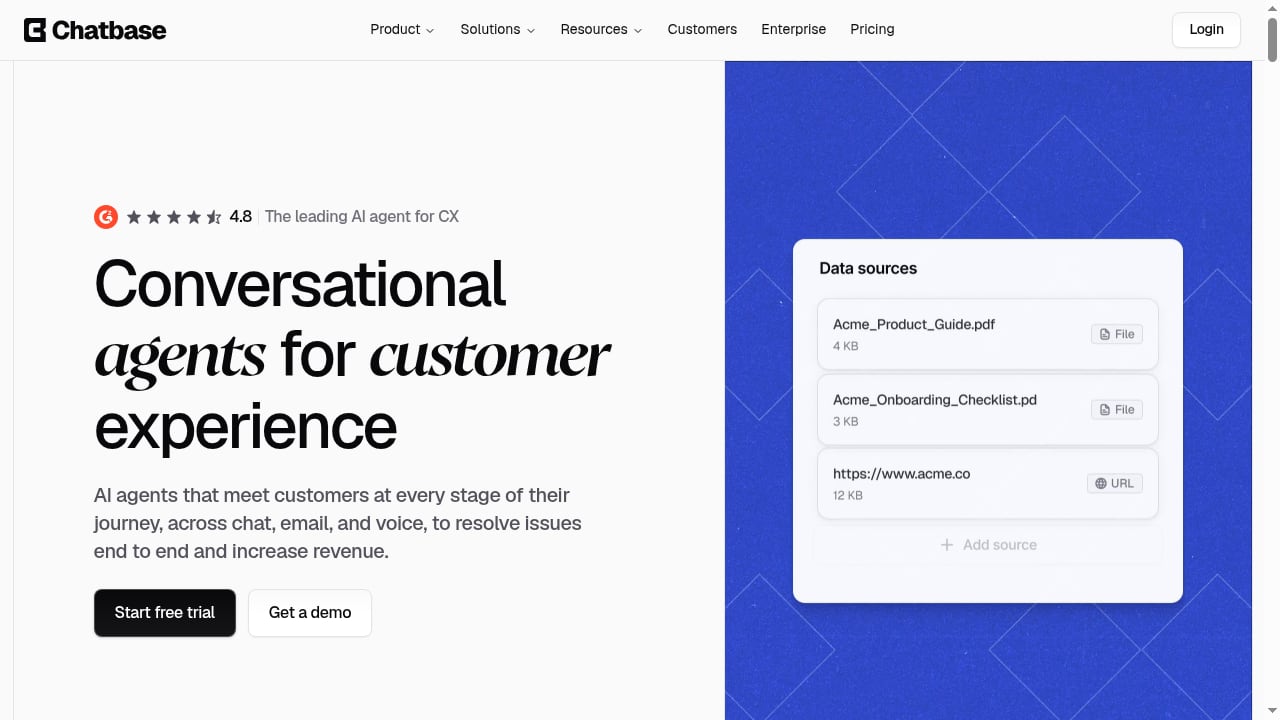
Chatbase is an AI customer experience platform for building and deploying conversational agents across chat, email, voice, and messaging channels. The company positions its product as "the leading AI agent for CX" and reports serving more than 10,000 businesses.
The platform supports three primary agent types:
- Customer Support agents resolve queries across live chat, email, phone, and Slack.
- Sales agents engage prospects and guide conversations toward revenue outcomes.
- Product Guidance agents help customers find information in an on-brand voice.
This focus on customer-facing work is both Chatbase's strength and its boundary. Teams looking for a general-purpose AI assistant that automates internal operations across many business tools will find the product narrower than they expect.
Ideal users
Chatbase tends to fit best with:
- Small to mid-sized support teams that want an AI agent live quickly without engineering resources.
- Ecommerce stores, particularly Shopify merchants, that need product questions, order tracking, and shopping assistance handled around the clock.
- SaaS companies with a substantial help center or documentation set that can be connected as a knowledge source.
- Teams that want a no-code builder plus testing and analytics rather than a raw API-first framework.
Less ideal users
- Organizations that need one AI system to orchestrate work across sales operations, internal tools, and back-office workflows.
- Enterprises with strict data residency requirements that are not covered by the vendor's compliance posture.
- Teams with very large knowledge bases that exceed plan-level training limits.
Core Features That Matter in Practice
First viewport screenshot of www.chatbase.co.
No-code agent builder and knowledge training
Setup starts by connecting data sources: website pages, files, text snippets, and Q&As. On higher plans, past support tickets from systems such as Zendesk or Salesforce can also be ingested. Chatbase says agents can be trained on up to 33 million characters of data, though plan limits apply.
The builder lets you define the agent's role, tone, and guardrails without writing code. Automatic retraining keeps sources current as they change, and the platform can flag gaps or conflicting information that may be degrading answers.
Model choice
Users can select from multiple AI models, including OpenAI, DeepSeek, Gemini, and Cohere. In practice, model choice matters most for cost, latency, and how well the agent handles nuanced or multilingual queries. Treat it as a tuning lever, not a headline feature.
Actions and procedures
Agents can take actions such as collecting information, creating tickets, looking up account data, or calling your own APIs through Custom Actions. Procedures add structure when a request requires multiple steps, which is a meaningful improvement over relying on a single prompt to handle complex flows.
Plan limits apply to the number of Actions and Procedures available, so map your intended workflows before choosing a tier.
Testing, rollout, and analytics
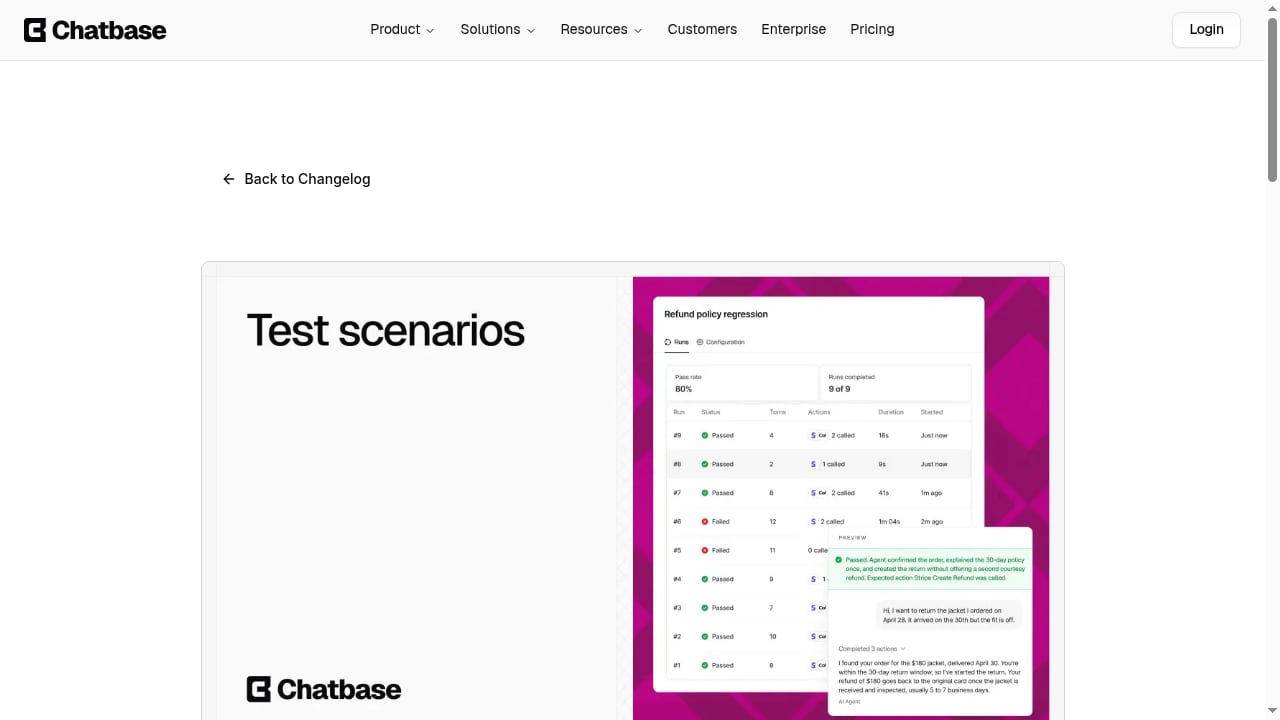
Chatbase includes automated testing and A/B testing for gradual rollout, which is useful for comparing agent configurations before a full launch. Conversation history and helpdesk analytics help teams spot recurring questions and weak spots in the knowledge base.
Human handoff and built-in helpdesk
Agents can pass conversations to a human inside Chatbase or through connected tools such as Zendesk, Salesforce, Gorgias, and Help Scout. The built-in helpdesk provides saved views, statuses, and routing so human agents can manage escalations alongside the AI.
Deployment channels
Deployment options include a chat bubble, a branded full-page Agent Page, and integrations with Slack, iMessage, WhatsApp, and other channels. For Shopify merchants, the app store listing highlights product recommendations, order tracking, cart actions, and human handoff.
Security and compliance
Chatbase emphasizes enterprise-grade security with SOC 2 and GDPR commitments, agent-level permissions for team collaboration, audit logs, and a Trust Portal for compliance transparency. These are table stakes for enterprise buyers, but their presence shortens security review cycles.
Pricing Signals and Cost Behavior
Chatbase offers a free trial and paid plans named Hobby, Standard, Pro, and Enterprise. Plans include monthly test credits and team member access, with limits increasing by tier.
Public reporting in 2026 indicates that the free tier includes a small message credit allowance and paid plans start around $40 per month, with usage-based message credits on self-serve tiers. Enterprise offers more flexible billing.
The practical takeaway: credit-based pricing is the main cost risk as support volume grows. Model a realistic monthly conversation volume, including peak-season spikes, before committing. If your traffic is highly seasonal, ask about overage behavior and whether credits roll over.
Setup: What to Expect
A typical first deployment follows this path:
- Connect knowledge sources. Start with your help center, key product pages, and a curated Q&A set. Avoid dumping an entire website; quality of source material drives answer quality.
- Define the agent's role and guardrails. Specify tone, what the agent must not answer, and when it should stop and hand off.
- Configure actions and procedures. Add ticket creation, order lookup, or account data retrieval only for flows you have tested.
- Test before launch. Use automated testing and A/B rollout to compare prompt and knowledge configurations.
- Deploy to one channel first. A chat bubble or a single messaging channel limits blast radius while you learn.
- Review conversations weekly. Use analytics and conversation logs to find gaps, then update sources rather than patching prompts repeatedly.
Most teams report getting an agent live quickly. The longer work is knowledge maintenance, which is true of every retrieval-based support agent.
Strengths and Limitations
Strengths
- Fast time to value. Non-technical teams can launch a working agent without a long implementation project.
- Clear customer-facing focus. The product is built around support and sales conversations rather than generic automation.
- Structured workflows. Actions and Procedures let agents do things, not just answer questions.
- Operational tooling. Testing, A/B rollout, analytics, and a built-in helpdesk reduce the need for separate tools.
- Compliance transparency. SOC 2 and GDPR commitments plus a Trust Portal help enterprise buyers move faster.
Limitations
- Narrow scope by design. It is not a general business automation platform; work that continues beyond the customer conversation needs other tools.
- Credit-based costs can be hard to predict. Usage growth directly affects spend on self-serve plans.
- Knowledge quality is the ceiling. Thin or outdated sources produce drifting answers, and auto-resync only helps if the underlying content is accurate.
- Plan-gated capabilities. Actions, Procedures, and training volume vary by tier, so feature comparisons must be done at the plan level.
- Training data limits on lower tiers. Some merchants have reported hitting data limits quickly, even with modest catalogs.
How Chatbase Compares to Alternatives
First viewport screenshot of www.chatbase.co.
Chatbase is not the only option, and the right choice depends on where the work happens.
- If most of your automation happens behind the scenes across internal tools, a broader AI teammate platform may fit better than a customer-facing agent.
- If your priority is a structured, AI-maintained knowledge base that feeds both self-service and agents, compare dedicated knowledge platforms. Our review of the top AI documentation and knowledge base platforms covers maintenance, agent-readable output, and governance.
- If you are weighing helpdesk-first tools with AI layers, a three-way comparison such as HelpLook vs Hesk vs Korra can clarify tradeoffs in knowledge management and on-premise requirements.
- If you run Shopify, Chatbase's app store presence and merchant feedback make it a credible shortlist candidate, but validate order-tracking and cart actions against your theme and fulfillment setup.
For teams that need enterprise search across many systems rather than a single support agent, the enterprise search and relevance platform comparison is a more appropriate starting point.
What Real Users Say
Aggregated feedback across review platforms shows a consistent pattern. On Trustpilot, reviewers frequently highlight responsive customer service and a positive user experience. On the Shopify App Store, the app holds a high average rating with the large majority of reviews at five stars, and merchants repeatedly mention easy setup, fast responses, accurate product information, and reduced repetitive support work.
Negative or mixed feedback clusters around two themes: training data limits on lower plans and costs that become harder to predict as usage scales. One merchant noted that a 20 MB training data limit felt small even for a modest catalog. Treat these as configuration and planning issues rather than product failures, but do not ignore them.
Decision Criteria: Is Chatbase Right for You?
First viewport screenshot of Add Team Members on Any Plan.
Use these questions as a scorecard:
- Is the work customer-facing? If yes, Chatbase is a strong fit. If the work is internal and cross-functional, look elsewhere.
- Do you have a solid knowledge base? If your help content is thin or outdated, fix that first. No agent can compensate for bad sources.
- Can you forecast conversation volume? If not, start on a lower tier and measure before upgrading.
- Do you need multi-step actions? Check plan limits on Actions and Procedures against your intended flows.
- What are your compliance requirements? Confirm SOC 2 and GDPR coverage meet your procurement standards, and review the Trust Portal.
- Which channels matter? Verify the channels you need are supported on your plan, especially voice and messaging apps.
- Who maintains the agent? Assign clear ownership for weekly conversation reviews and source updates.
Related reading
- How to Use HelpLook with Aircall: Workflow & Setup - Connect HelpLook's AI knowledge base with Aircall to speed up call resolution, automate ticket creation, and give agents instant answers. Setup steps inside.
- HelpLook vs Document360 vs eGain: AI Knowledge Base Guide - Compare HelpLook, Document360, and eGain for AI knowledge bases and customer service automation. See strengths, tradeoffs, and which fits your team.
- HelpLook vs WordPress: AI Knowledge Base or CMS? - Compare HelpLook and WordPress for help centers, AI search, and self-service support. See strengths, tradeoffs, and which fits your team in 2026.
Sources and further reading
- Read Customer Service Reviews of chatbase.co - Trustpilot - Chatbase Reviews · Customer service. Customers consistently note positive experiences with customer service, frequently highlighting quick... · User experience.
- Chatbase Review 2026: Features, Pros, Cons, and Pricing - I tested Chatbase in 2026, breaking down its features, pricing, pros and cons, and real limits. Find out when it fits and when teams may need an option like Lindy.
- Reviews: Chatbase - AI agent for support and sales | Shopify App Store - AI customer support for Shopify stores with product recommendations, order tracking and creation, shopping assistance, cart actions, and human handoff.
FAQ
Is Chatbase good for customer support?
Yes, for teams with a solid knowledge base and customer-facing support needs. It is purpose-built for support and sales conversations, with human handoff and a built-in helpdesk. It is less suited to internal, cross-functional automation.
How much does Chatbase cost?
Chatbase offers a free trial and paid plans named Hobby, Standard, Pro, and Enterprise. Public reporting in 2026 indicates paid plans start around $40 per month, with usage-based message credits on self-serve tiers. Confirm current pricing on the vendor's site before budgeting.
Does Chatbase work with Shopify?
Yes. Chatbase has a Shopify app that supports product recommendations, order tracking, shopping assistance, cart actions, and human handoff. Merchant reviews are largely positive, with setup ease cited frequently.
What are the main limitations of Chatbase?
The main limitations are its customer-facing focus, credit-based costs that scale with usage, plan-gated features, and dependence on the quality of your knowledge sources. Training data limits on lower tiers can also be restrictive.
Can Chatbase agents take actions, not just answer questions?
Yes. Actions let agents collect information, create tickets, look up data, or call your own APIs. Procedures structure multi-step requests. Availability depends on your plan.
Is Chatbase secure enough for enterprise use?
Chatbase states SOC 2 and GDPR commitments, offers agent-level permissions and audit logs, and maintains a Trust Portal. Enterprise buyers should still complete their own security review.
Conclusion
Chatbase earns its reputation as a fast, focused way to deploy AI agents for customer support and sales. Its no-code builder, multi-channel deployment, structured actions, and operational tooling make it a credible choice for small and mid-sized teams, especially in ecommerce.
The decision hinges on three factors: whether your work is customer-facing, whether your knowledge base is strong enough to ground answers, and whether you can forecast usage costs. Get those right, and Chatbase is a sensible addition to your support stack. Get them wrong, and you will spend more time maintaining prompts than improving customer experience.
Before you commit, run a short pilot on one channel, measure deflection and cost per conversation, and compare the results against at least one alternative. That is the most reliable way to know whether Chatbase fits your team in 2026.