
How to Use HelpLook with Aircall: Workflow & Setup
Aircall handles the conversation. HelpLook handles the answer. When a customer calls, your agent needs the right article, policy, or troubleshooting step in seconds — not after a five-minute hold. Connecting HelpLook's AI-powered knowledge base to Aircall's cloud communications platform gives agents instant access to approved content during live calls, while also feeding self-service options that reduce call volume over time.
This guide explains how the two tools complement each other, walks through a practical setup, and shows real examples of the workflow in action.
Why pair HelpLook with Aircall?
First viewport screenshot of www.helplook.net.
Aircall is built for team-led customer conversations across voice, SMS, and messaging, with AI Voice Agents that can answer and resolve calls in 38 languages. HelpLook is built for structured, searchable knowledge — a Portal for authors, a Site for customers and employees, and a Widget for embedding content into web pages and apps.
Used separately, each tool is useful. Together, they close a common gap: the agent who has the customer on the line but not the answer on screen. The combination solves three recurring problems:
- Slow first-call resolution. Agents hunt through folders or chat history while the caller waits.
- Inconsistent answers. Different agents give different explanations of the same policy.
- Rising call volume for repeat questions. Customers call because the help center is hard to search or doesn't exist.
Aircall's open API and webhooks make it possible to push call context into HelpLook and pull knowledge back into the agent's workflow. HelpLook's AI search and low-code site builder make the knowledge layer fast to maintain without engineering support.
How the two platforms fit together
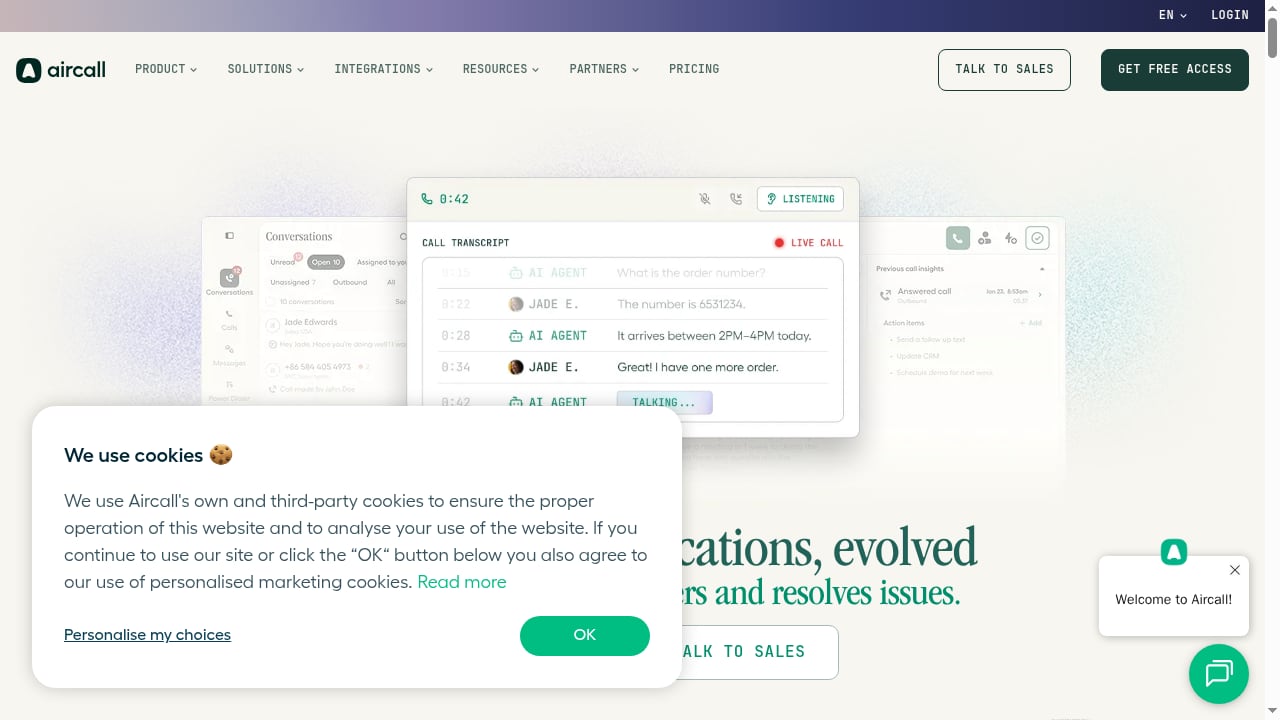
First viewport screenshot of aircall.io.
Think of the integration as two directions of information flow.
Direction 1: Knowledge into the call
When a call connects, the agent can search HelpLook from a browser tab, a HelpLook Widget embedded in the Aircall workspace, or a linked help center. HelpLook's AI search returns the most relevant article rather than a list of keyword matches. The agent reads the answer aloud, shares a link by SMS through Aircall, or pastes the steps into the call notes.
Direction 2: Call context into knowledge
Aircall can send call events — call ended, tag added, transcript ready — to HelpLook or an intermediary automation tool via webhooks. That context can trigger a draft article, flag a knowledge gap, or create a follow-up task. Over time, the knowledge base reflects what customers actually ask, not what the team assumed they would ask.
What each product contributes
| Capability | Aircall | HelpLook |
|---|---|---|
| Live voice, SMS, messaging | Yes | No |
| AI Voice Agents for routine calls | Yes | No |
| Call routing, IVR, warm transfers | Yes | No |
| Structured, versioned knowledge articles | No | Yes |
| AI-powered search across documentation | No | Yes |
| Embeddable help widget | No | Yes |
| Call recordings and transcripts | Yes | No |
| Public help center with SEO | No | Yes |
Neither tool replaces the other. Aircall is the conversation layer; HelpLook is the answer layer.
Prerequisites before you start
First viewport screenshot of www.helplook.com.
Before connecting anything, confirm the following:
- An active HelpLook site with at least a starter set of articles — ideally your top 20 support questions. A knowledge base with three articles won't demonstrate value.
- An Aircall account with admin access to manage integrations, webhooks, and tags.
- A defined tagging scheme in Aircall, such as
billing,onboarding,bug, orhow-to. These tags become the bridge between calls and content. - An automation layer if you want bidirectional sync. Aircall's native integrations cover 250+ tools including CRM and helpdesk platforms; for custom HelpLook workflows, a webhook receiver or automation platform is usually the simplest path.
- A named owner for the knowledge base. Integrations decay when no one maintains the articles behind them.
Step-by-step setup
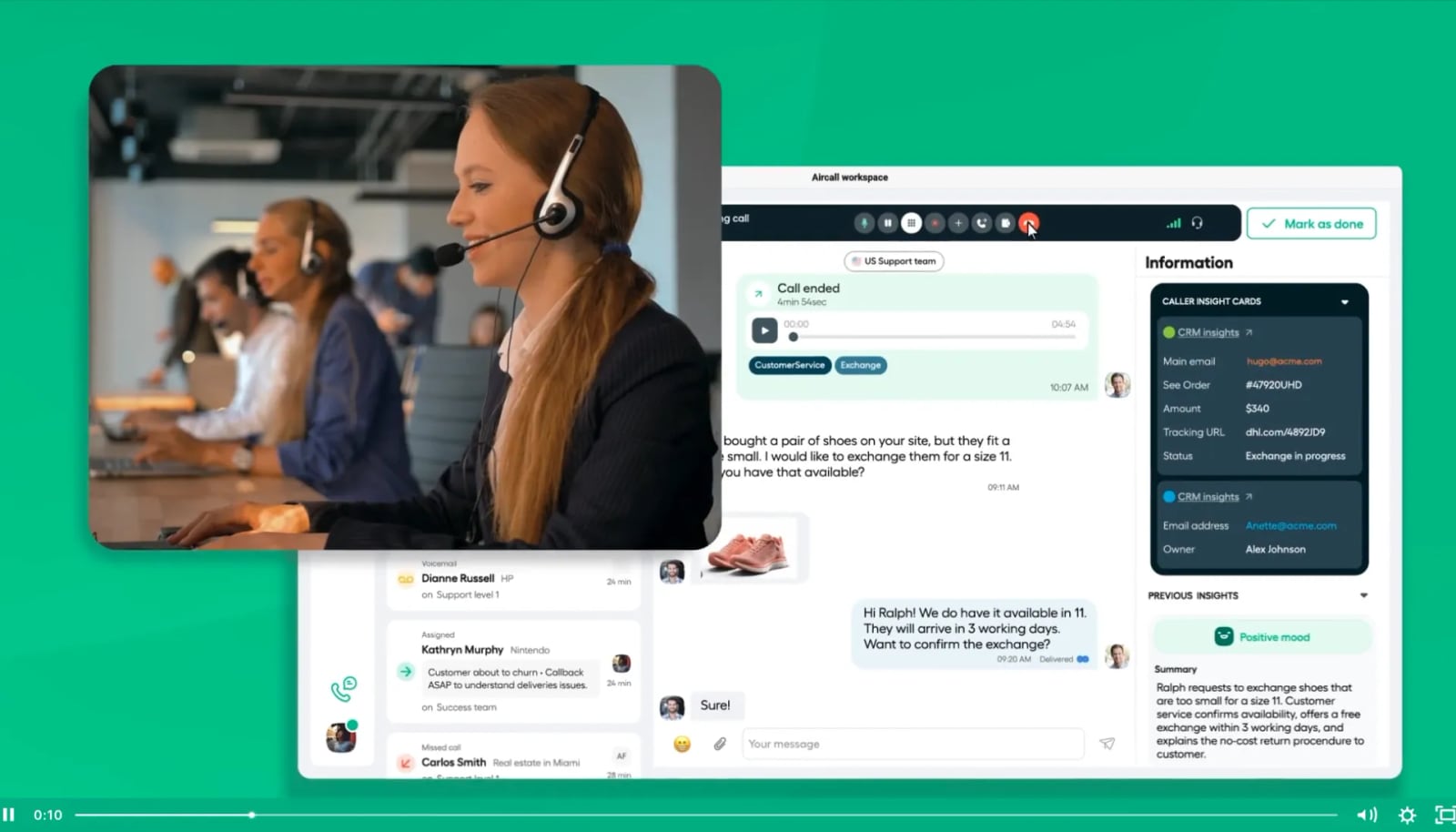
What is Aircall Video.
Step 1: Build the core knowledge set in HelpLook
Start in the HelpLook Portal. Create a site for customer-facing help content and, if needed, a separate internal site for agent-only material such as escalation scripts or refund policies.
Organize articles by the same categories your call tags will use. If Aircall tags calls as billing, technical, and account, mirror those categories in HelpLook. This alignment is what makes search fast under call pressure.
Use HelpLook's AI features to draft and refine articles from existing tickets, macros, or call notes. Review every AI-generated draft before publishing — accuracy matters more than speed when an agent is reading the answer to a paying customer.
Step 2: Embed HelpLook where agents already work
Agents should not have to switch context mid-call. Two placement options work well:
- HelpLook Widget inside the agent's browser workspace. Embed the widget in a pinned tab or an internal tools dashboard so search is one click away while Aircall runs in another tab.
- Direct links from Aircall call notes or tags. Add a link to the relevant HelpLook category in your call-handling playbook so agents can jump straight to the right section.
If your team uses a CRM alongside Aircall, consider embedding the widget in the CRM record view. That keeps the knowledge base adjacent to the customer profile.
Step 3: Configure Aircall tags and webhooks
In Aircall, define the tags agents will apply during or after calls. Then set up a webhook that fires when a call ends or when a tag is added.
The webhook payload typically includes call metadata such as duration, direction, tags, and participant details. Route it to your automation layer, which can then:
- Create a draft article request in HelpLook when a tag appears frequently without a matching article.
- Append the call summary to an internal knowledge note.
- Notify a content owner in Slack or email that a gap needs filling.
Aircall's API and webhooks are documented for developers, so confirm the exact event names and payload fields in the current API reference before building.
Step 4: Connect AI Voice Agents to self-service content
If you use Aircall's AI Voice Agents, point routine intents — order status, password reset, business hours — at answers that already exist in HelpLook. The voice agent handles the call; HelpLook remains the source of truth for the wording.
This is where the economics improve. Aircall's AI Voice Agents start at $100 per month minimum, so the investment pays off when they deflect calls that would otherwise consume agent time. The knowledge base is what makes deflection accurate rather than frustrating.
Step 5: Close the loop with reporting
Review two reports monthly:
- Aircall call activity and tags to see which topics drive volume.
- HelpLook search logs and article analytics to see which answers agents and customers actually use.
Where the two disagree — high call volume on a topic with low article traffic — you have found a discoverability problem. Fix the article title, add synonyms, or surface the link earlier in the call flow.
Practical examples
Example 1: Billing dispute call
A customer calls about a duplicate charge. The agent opens the HelpLook widget, searches "duplicate charge policy," and reads the approved refund timeline. The agent applies the billing tag in Aircall and sends the customer a link to the full refund policy by SMS before ending the call. The call ends with a resolution and a written reference the customer can keep.
Example 2: Onboarding question
A new customer asks how to invite teammates. The agent finds the HelpLook article on user management, walks through the steps, and tags the call onboarding. The tag triggers a weekly report showing onboarding calls are rising. The content team adds a short video to the article and links it from the welcome email. Call volume on that topic drops the following month.
Example 3: Knowledge gap detection
Three agents tag calls api-rate-limits in one week, but no HelpLook article exists. The webhook creates a draft request. A technical writer publishes an article within two days. The next time the topic comes up, the agent answers in under a minute instead of escalating.
Where the combination fits — and where it doesn't
This pairing suits teams that already handle a meaningful volume of inbound calls and have, or can build, a structured knowledge base. It fits SaaS support, e-commerce after-sales, financial services, and healthcare help desks — industries where consistent, approved answers matter.
It is less useful if:
- Your call volume is very low and a shared inbox is sufficient.
- You have no content owner and no plan to maintain articles.
- You need deep native ticketing inside Aircall; in that case, evaluate dedicated help desk tools first. For a broader comparison of knowledge base platforms, see our HelpLook vs Document360 vs eGain guide.
If you are also investing in in-app onboarding, the same knowledge base can power guided tours — see how HelpLook works with Product Fruits for a parallel workflow.
Best practices for a maintainable integration
- Keep article titles in customer language. Agents search with the words callers use, not internal jargon.
- Limit the widget to approved content. Internal notes and draft articles should not appear in customer-facing search.
- Review tags monthly. A tagging scheme with 60 tags is a tagging scheme nobody uses.
- Assign a knowledge owner per category. Shared ownership is no ownership.
- Test the webhook path before launch. Send a test call event and confirm the automation creates the expected record.
- Measure resolution time, not just deflection. Faster answers on live calls are as valuable as fewer calls.
Related reading
- HelpLook vs WordPress: AI Knowledge Base or CMS? - Compare HelpLook and WordPress for help centers, AI search, and self-service support. See strengths, tradeoffs, and which fits your team in 2026.
- Instructio Review 2026: AI Documentation Tool Tested - Evidence-based Instructio review: AI guide generation, ideal users, use cases, limitations, pricing signals, setup, and decision criteria for 2026.
- Top 10 AI-Powered Enterprise Search and Relevance Platforms 2026 - Compare the top 10 AI-powered enterprise search and relevance platforms for 2026, evaluated on relevance, connectors, security, and generative AI.
Sources and further reading
- The heart of the internet - Not directly answering your question, but it may be useful... Lets view this from the other side, and apologies for being a bit arrogant and making a point: I am your technical cofounder dream come true. Experienced software engineer and architect. Enormous working capacity. Business savvy. Can pitch and land deals from a technical PoV. Can save bad customer relationships. Listen to customers and ensure product delivers. Frequently coding through the night to save the day. Have taken teams from solo-dev to CTO building a big org. Have successful startups and projects behind me.
- 201 REASONS WHY YOU SHOULD KNOW ABOUT LDN low dose ... - Oct 24, 2010 ... and I made use of Aircall, working mainly at night or at weekends, when regular GPs ... I was able to prepare our small house and help look after ...
Frequently asked questions
Does HelpLook have a native Aircall integration?
HelpLook and Aircall connect through Aircall's open API and webhooks plus HelpLook's embeddable Widget and site links. Teams that need deeper automation typically use an automation platform as the bridge. Check both vendors' current integration directories before assuming a one-click connector exists.
Can Aircall AI Voice Agents use HelpLook content directly?
Not automatically. The voice agent needs its intents and responses configured, and those responses should be written from approved HelpLook articles. Treat HelpLook as the source of truth and the voice agent as a delivery channel.
How much does this setup cost?
HelpLook offers a free plan and paid tiers starting at $19 per month per site for Starter and $59 per month per site for Professional, with custom Enterprise pricing. Aircall pricing starts at $30 per license per month in the US, with AI Voice Agents available from $100 per month minimum. Budget for an automation layer if you need bidirectional sync.
Will this reduce call volume?
It can, but not immediately. Deflection comes from better self-service content and accurate AI voice handling. The first measurable win is usually faster handling time on existing calls.
What if my team already uses a different phone system?
Aircall's value here is its open API, webhooks, and 250+ native integrations. If your current provider offers comparable webhook access, a similar workflow is possible, though the setup effort will differ. For a comparison of cloud telephony options, see this cloud telephony provider comparison.
Conclusion
HelpLook and Aircall solve different halves of the same problem. Aircall gives your team a reliable, AI-assisted conversation channel. HelpLook gives every conversation a trustworthy answer. The integration is not a single switch — it is a workflow: align your categories and tags, embed search where agents work, push call context back into the knowledge base, and review both sides monthly.
Teams that treat knowledge as part of the call flow resolve faster, answer consistently, and gradually need fewer calls for the same questions. Start with your top 20 questions, connect the tags, and let the data tell you where to expand next.