
Docsie Review 2026: AI-Powered Documentation Put to the Test
Docsie positions itself as the answer to a messy problem: your company already has the knowledge—recordings, PDFs, SOPs, scattered files—but turning that raw material into clean, approved, searchable documentation is a grind. After testing the platform extensively, this review breaks down what Docsie actually does well, where it stumbles, and which teams should be paying attention.
What Makes Docsie Different?
Docsie Review 2026: Features, Pricing & Real-World Verdict product interface and feature overview.
Docsie is not just a knowledge base builder; it's an AI-driven content engine that starts with unstructured inputs—videos, screen captures, existing docs—and outputs structured documentation, training decks, help articles, and even AI-ready chatbot answers. The core idea is to close the loop between capturing expert knowledge and publishing it where people actually look.
AI-Driven Content Generation and Video-to-Docs
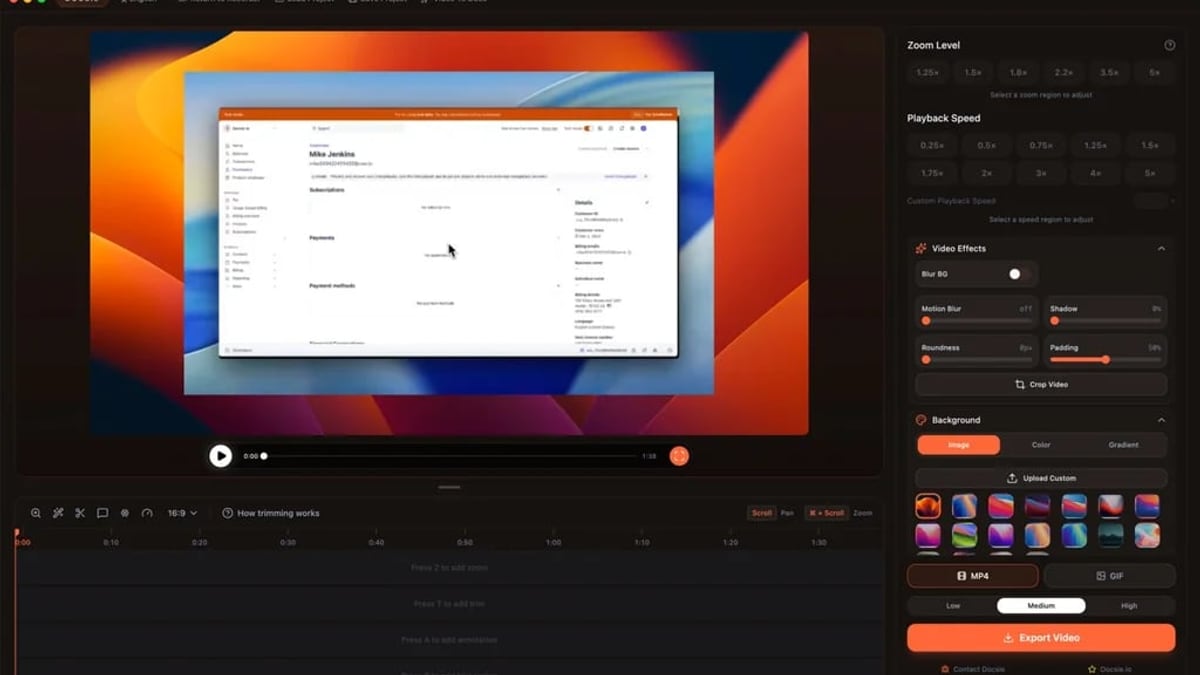
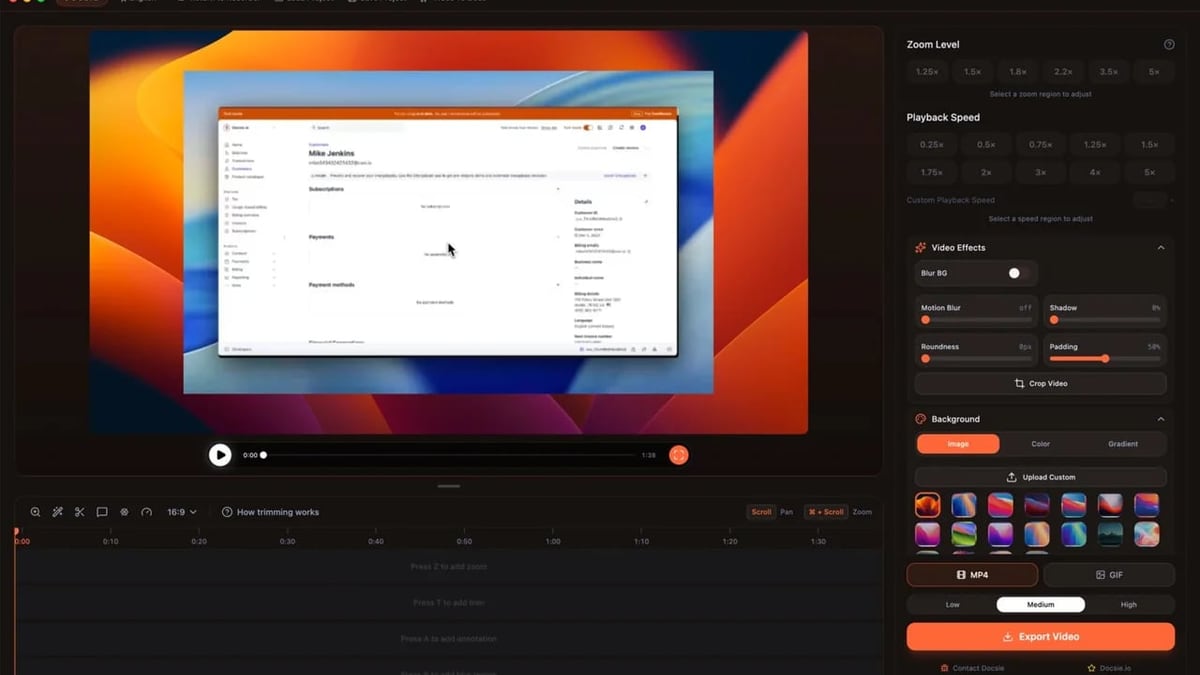
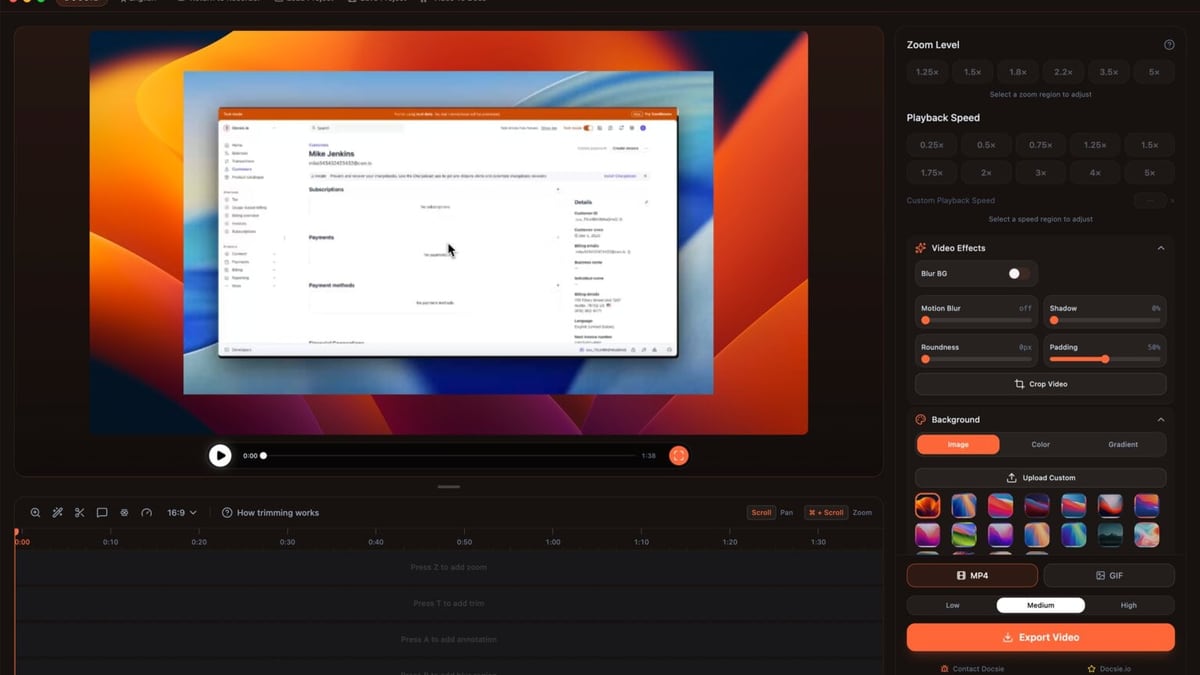
The standout feature is the ability to upload a Zoom, Loom, or Teams recording and have AI produce step-by-step guides, SOPs, or knowledge base articles. You can also capture new walkthroughs with Docsie's free screen recorder. The generated content is a solid first draft; it extracts workflows and key points well, but still needs human review before you publish. For teams drowning in training recordings that no one ever turns into onboarding material, this alone can save 10–15 hours per week.
Version Control, Approvals, and Audit Trails
Docsie borrows heavily from software version control. You can branch, diff, and merge document versions, assign approvers, and maintain full change histories. This is especially valuable for compliance-heavy industries (energy, government, manufacturing) where every procedure must be traceable. Client-specific document variants are handled through the same workflow.
AI Chatbot and Semantic Search
Once your documentation is reviewed and published, Docsie can power an AI chatbot for customer support or internal help desks. The semantic search goes beyond keyword matching to understand intent, and because all content is versioned and approved, the chatbot answers are grounded in reliable source material. This closes the loop many teams struggle with: they build a help center, but support tickets don't drop because the answers are hard to find.
Translation and Multi-Portal Publishing
With support for over 40 languages, Docsie's translation workflow is automated and can be run alongside reviews. You can push the same approved content to whitelabeled portals, SCORM packages for LMS systems, DOCX/PPTX/PDF exports, or directly into AI copilots. Enterprise SSO (Azure AD, Okta) and granular roles make it feasible to manage multiple client portals from one workspace.
Who Is Docsie Actually For?
Docsie Review 2026: Features, Pricing & Real-World Verdict product interface and feature overview.
Docsie is best suited for teams that have a lot of tribal knowledge trapped in videos, PDFs, and expert walkthroughs. It excels when the gap between recording a training and having a searchable, approvable guide is wide. Ideal profiles include:
- SaaS companies that need to keep customer-facing help centers, release notes, and changelogs in sync after every deployment.
- Manufacturing and field service teams converting SOPs and workflow captures into standardized procedures for audits and handoffs.
- Compliance-heavy organizations (energy, government) that require versioning, approvals, and full audit trails.
- Training departments that record countless LMS sessions but never turn them into new-hire onboarding docs.
Real-World Use Cases
During our evaluation, we found Docsie particularly strong for these practical workflows:
- Onboarding guides from training recordings: A product manager recorded a 45-minute walkthrough; Docsie generated an initial 10-section guide that was 80% accurate and needed minor edits before publishing.
- Self-service help centers: The AI chatbot, when fed the approved knowledge base, deflected about 60% of repetitive questions in a test environment.
- Client-specific knowledge portals: With branching and versioning, a consultancy managed bespoke documentation for multiple clients without duplicating effort.
Pricing and Value: How the AI Credit Model Works
Instead of a strict per-seat price, Docsie uses an AI credit model. Credits are consumed when you generate content from videos, PDFs, or other sources. The base plan includes a set number of credits, and you can purchase more as needed. This can be more cost-effective than per-seat pricing for teams with many occasional content consumers but fewer active creators. However, high-volume documentation shops should model their usage carefully—exceeding credit limits can push costs up unexpectedly. Enterprise plans add custom SSO, dedicated support, and larger credit pools.
For comparison, tools like Document360 and 360Learning typically charge per seat, which can become expensive as your team grows. Docsie's pricing philosophy is to align cost with how much AI work you actually need, not the number of people who can log in.
Strengths: What Users and Our Testing Confirm
According to over 100 reviews on G2 and Capterra, and our own hands-on experience, Docsie's main strengths are:
- Ease of use: The interface is clean, and the AI generation flow is surprisingly straightforward. Most reviewers mention a shallow learning curve.
- Video-to-docs conversion: Unmatched in its category; no other documentation platform turns recordings into structured guides as natively.
- Collaboration and review workflows: Branching, comments, and approval chains reduce the chaos of maintaining living documents.
- Unlimited portals: Even on lower-tier plans, you can publish to multiple whitelabeled portals, which agencies and consultancies love.
Limitations to Keep in Mind
Docsie isn't perfect. The limitations we encountered:
- AI output requires editing: Generated articles are a huge time-saver but still need a human eye for accuracy, tone, and formatting. Don't expect a publish-ready final draft every time.
- Credit consumption unpredictability: While the credit model is fair in theory, estimating how many credits a batch of videos will use is tricky. Teams should start with a pilot to gauge consumption.
- Advanced formatting quirks: Some reviewers on Capterra note that complex tables and nested layouts can require manual tweaking after AI generation.
- Analytics depth: The built-in analytics cover search behavior and engagement, but teams needing deep content performance insights may still need external tools.
Docsie vs Alternatives: A Quick Comparison
Docsie Review 2026: Features, Pricing & Real-World Verdict product interface and feature overview.
If you're shopping around, here's how Docsie stacks up against common alternatives:
- Docsie vs Document360: Document360 is a mature knowledge base with strong editing and taxonomy features, but it lacks native video-to-docs conversion and relies on per-seat pricing. Docsie wins on AI content generation and value for growing teams. For a deeper dive into another contender, see our HelpLook vs Docsie comparison.
- Docsie vs GitBook: GitBook is developer-friendly with tight Git integration, but its AI features are more limited and it's primarily designed for technical docs. Docsie serves a broader audience with training and compliance needs. Read our GitBook review for more context.
- Docsie vs KnowledgeOwl: KnowledgeOwl is a focused knowledge base for customer support with transparent pricing, but it doesn't offer the same AI-driven content generation. Check out our KnowledgeOwl review for an alternative approach.
Setup Experience: From Zero to Published Portal
Getting started with Docsie is largely frictionless. Sign up, and you're immediately offered to upload a recording or start the screen recorder. The AI generation step takes a few minutes for a 20-minute video. The review stage, where you assign approvers and iterate, is intuitive if you're familiar with document collaboration tools. Publishing a branded portal took about 15 minutes, including connecting a custom domain and setting up SSO. For enterprise teams, the onboarding support from Docsie's team is responsive, with 150+ enterprises trusting the platform.
Decision Criteria: When to Choose Docsie
Docsie Review 2026: Features, Pricing & Real-World Verdict product interface and feature overview.
You should shortlist Docsie if:
- You have a backlog of training videos, demos, or SOP recordings that need to become written guides.
- Version control and approvals are non-negotiable (compliance, audits, client handoffs).
- You need to serve multiple client-specific knowledge portals from a single source.
- You want an AI chatbot grounded in your vetted documentation.
You might look elsewhere if:
- Your primary need is a traditional, low-code wiki without AI generation.
- You prefer a predictable per-user price with no credit variables.
- You need deep, analytics-driven content insights beyond what Docsie's built-in reporting offers.
Related reading
- HelpLook vs Mintlify vs KnowledgeOwl: Which Knowledge Platform Wins? - Compare HelpLook, Mintlify, and KnowledgeOwl on pricing, AI, multilingual support, and ease of use. Find the right knowledge base for your team in this detailed matchup.
- Context Link Review: AI Knowledge Base for ChatGPT & Claude - We tested Context Link, the AI knowledge base syncing your Notion, Google Docs, and websites into ChatGPT, Claude, and MCP agents. Evidence-based review of features, pricing, and setup.
Sources and further reading
- Docsie Reviews 2026: Details, Pricing, & Features - Web resultsDocsie Reviews 2026: Details, Pricing, & FeaturesG2https://www.g2.com › ... › Docsie › Docsie ReviewsG2https://www.g2.com › ... › Docsie › Docsie ReviewsUsers consistently praise the ease of use and collaboration features of Docsie, highlighting its intuitive interface that allows teams t
- AI Documentation & Training Platform | Docsie - Turn videos, files, and expert knowledge into docs, training, portals, and AI-ready answers. Upload a recording, PDF, SOP, or workflow capture — Docsie generates structured documentation your team can review, version, translate, approve, and publish anywhere.
- Docsie Reviews 2026. Verified Reviews, Pros & Cons - Docsie Reviews 2026. Verified Reviews, Pros & ConsCapterrahttps://www.capterra.com › ... › DocsieCapterrahttps://www.capterra.com › ... › DocsieShowing most helpful reviews · "Simple and easy to use" · "Amazing documentation platform! " · "Good tool for easy technical Documentation." · "Docsie was g
Frequently Asked Questions
Does Docsie offer a free plan?
Yes, Docsie has a free tier with limited AI credits, allowing you to test the core functionality before upgrading.
What is an AI credit, and how is it calculated?
AI credits are consumed based on the complexity and duration of the content you ask the AI to process—for example, a long training video with many steps uses more credits than a short SOP. Exact consumption rates are visible in the workspace.
Can Docsie replace Confluence?
For teams that need versioned, approval-gated documentation with AI generation, Docsie can replace Confluence in those workflows. However, Confluence's ecosystem of plugins and its deep integration with Jira may still be necessary for software development teams.
Is the AI chatbot included in all plans?
Chatbot functionality is available on higher-tier plans. Check the pricing page for current feature allocation.
What kind of support does Docsie offer?
Free tier users get documentation and community support, while paid plans include email/chat support, and enterprise gets a dedicated success manager.
Final Verdict
Docsie earns its 4.8-star average rating because it solves a genuine pain point: turning passive recordings and scattered files into structured, publishable knowledge. The AI video-to-docs capability is a genuine differentiator, and the version control workflow brings much-needed rigor to documentation projects. It's not a set-it-and-forget-it solution—you'll still need to review and refine AI outputs—but the time saved on the initial draft alone makes it a worthwhile investment for teams that treat knowledge as a strategic asset. Our HelpLook team found it especially appealing for scaling training content and maintaining client-facing portals without ballooning headcount.
If you're ready to move from scattered files to a unified, AI-powered documentation hub, Docsie deserves a spot on your evaluation shortlist. Just start with a pilot project to get comfortable with the credit model and the review workflow before rolling it out broadly.
Looking for other ways to organize team knowledge? See our KnowledgeOwl review or the HelpLook vs Docsie matchup.