
HelpLook vs Docmost vs Zendesk: A Detailed 2026 Comparison
Choosing between a dedicated knowledge base, a secure enterprise wiki, and a full-scale customer service platform is harder than it sounds. HelpLook, Docmost, and Zendesk all promise to organize and deliver information—but they come from entirely different angles. HelpLook is an AI-powered, no‑code knowledge platform for self‑service help centers and internal docs. Docmost is an open‑source, self‑hosted wiki built for teams that demand airtight data control. Zendesk is an AI‑driven customer service suite with knowledge base features as part of a much larger ecosystem.
This comparison breaks down the real differences. We’ll look at deployment, AI capabilities, content creation, multilingual support, pricing, and the scenarios where each one excels. By the end, you’ll know exactly which tool matches your team’s priorities—without the marketing fluff.
At a Glance: HelpLook, Docmost, and Zendesk

HelpLook vs Docmost vs Zendesk: Which Is Right for You? product interface and feature overview.
| HelpLook | Docmost | Zendesk | |
|---|---|---|---|
| Best for | Customer‑facing knowledge bases, internal help centers, e‑commerce manuals | Secure internal wikis, compliance‑heavy documentation, developer‑led teams | Omnichannel customer support, AI‑driven help desks, large support teams |
| Deployment | Cloud (SaaS) | Self‑hosted (on‑premises or private cloud) | Cloud (SaaS) |
| AI | Built‑in AI search, chatbot (OpenAI, ERNIE, Azure) | Self‑hosted LLM assistant (Ollama, vLLM, OpenAI compat.) | Autonomous AI agents, resolution learning loop, copilot |
| Ease of setup | No‑code, minutes to launch a site | Requires server infrastructure and technical setup | Moderate to complex; extensive training often needed |
| Pricing model | Free plan; paid from $7/project/month | Free (open source); you pay for hosting | From $19/agent/month; enterprise add‑ons |
| Data control | Cloud‑hosted; standard security | Full data sovereignty; ITAR, FedRAMP, air‑gap ready | Cloud‑hosted; SOC 2, ISO 27001, enterprise compliance |
Deployment and Data Control: Where Your Data Lives
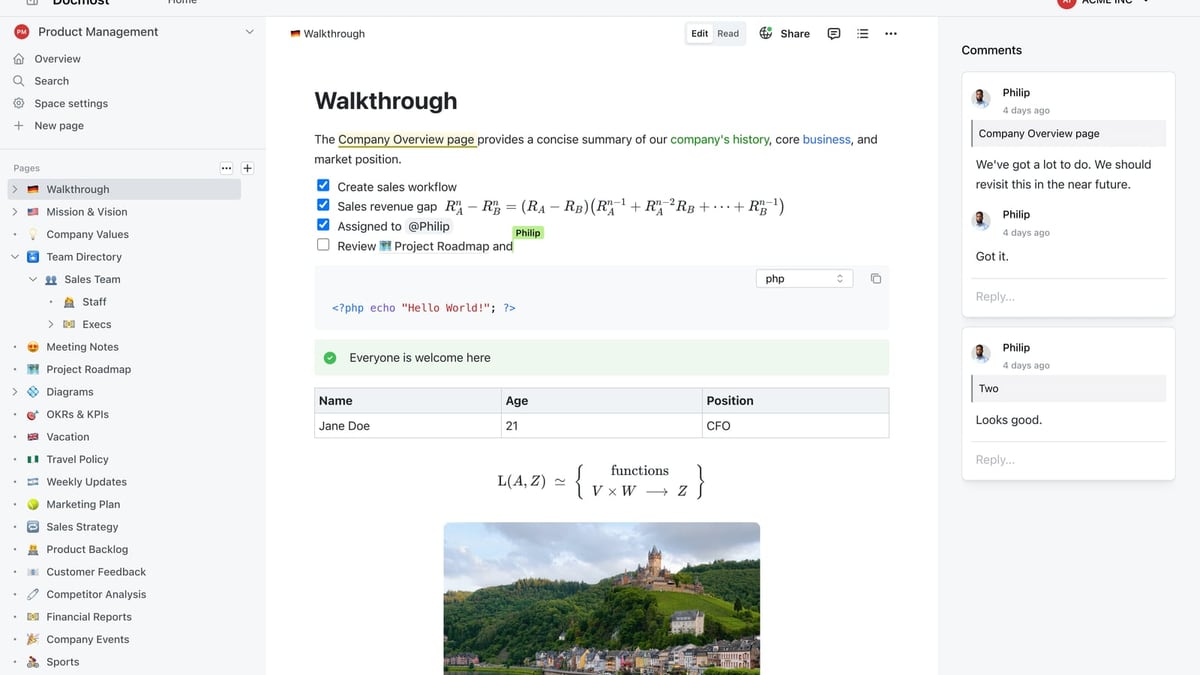
HelpLook vs Docmost vs Zendesk: Which Is Right for You? product interface and feature overview.
For many teams, the single biggest differentiator is whether the software runs on your infrastructure or someone else’s.
Docmost: Full On‑Premises Control
Docmost was built for organizations that cannot—or will not—store data outside their own walls. It is a truly self‑hosted, open‑source wiki. You deploy it on your own servers, inside your own network, with no external data processing unless you explicitly configure a remote AI model. The platform supports air‑gapped installations for military‑grade isolation, full RBAC, SSO/SAML/OIDC/LDAP, MFA, and even SCIM provisioning. Organizations handling ITAR, FedRAMP, GDPR, or SOC 2 workloads often choose Docmost because they can audit every line of code and lock down every data flow. For more on compliance‑ready knowledge solutions, our guide on HelpLook vs Zendesk touches on how cloud platforms tackle similar concerns.
Zendesk: Enterprise‑Grade Cloud with Strong Compliance
Zendesk is a cloud‑based platform trusted by global enterprises. It holds SOC 2, ISO 27001, and other certifications, and it offers advanced admin controls, encryption, and audit logs. While you don’t have root access to the servers, Zendesk’s security posture is sufficient for most regulated industries that accept SaaS models. Its true strength, however, lies in the integrated support suite that sits around the knowledge base—something neither HelpLook nor Docmost aims to match.
HelpLook also runs in the cloud and is designed for rapid setup, but it does not offer a self‑hosted option. That’s fine for the majority of businesses, but if data sovereignty is non‑negotiable, Docmost is the clear winner.
AI and Automation: Intelligence Without the Overhead
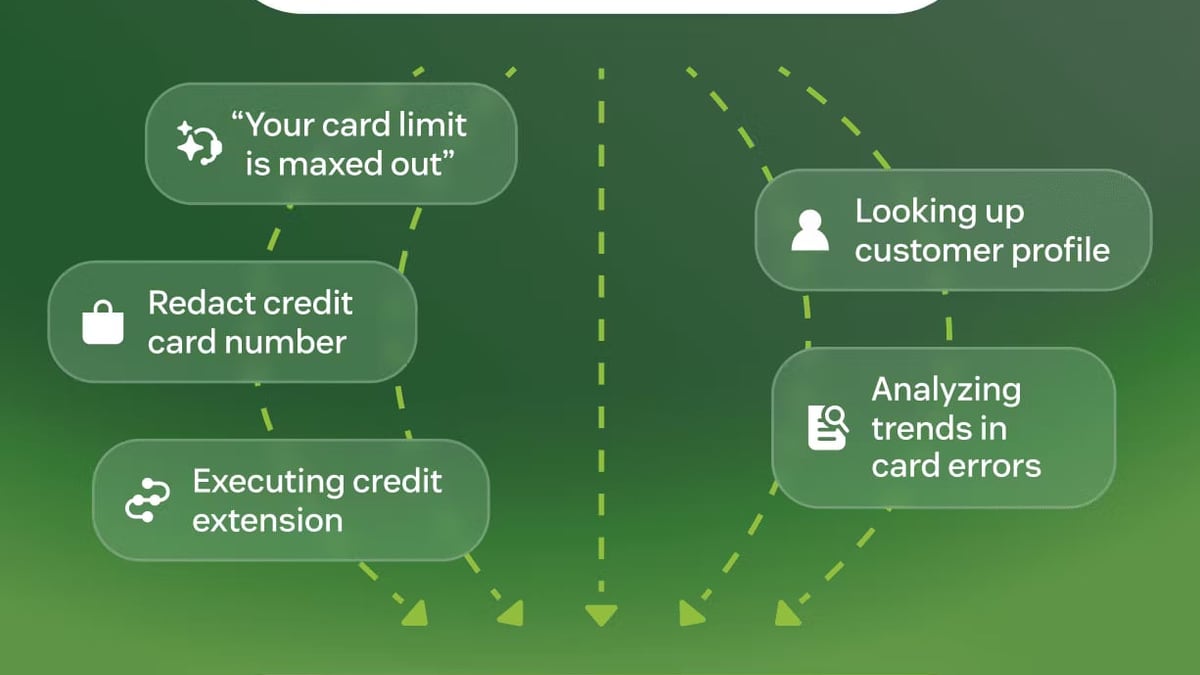
HelpLook vs Docmost vs Zendesk: Which Is Right for You? product interface and feature overview.
All three platforms have an AI story, but each tells it very differently.
Zendesk: AI Agents That Resolve Issues Autonomously
Zendesk’s AI isn’t just a search bar. Its AI agents can understand intent, hold multi‑turn conversations, and actually resolve customer inquiries—not merely deflect them. The Resolution Learning Loop means the AI improves from every interaction. Features like intelligent triage, agent copilot (auto‑generated replies, summaries), and no‑code automation builder (Action Builder) let teams automate up to 80% of routine requests. A detailed third‑party feature breakdown shows how Zendesk’s automation goes far beyond simple ticket rules. For contact centers and high‑volume support teams, this is the most mature AI on the list.
Docmost: Self‑Hosted AI for the Privacy‑First Enterprise
Docmost takes a uniquely flexible approach. Its AI assistant can run against completely self‑hosted models—Ollama, vLLM, or any OpenAI‑compatible endpoint—so no data ever leaves your infrastructure. That matters enormously for defense, legal, and financial teams. The AI can summarize pages, answer questions from your documentation, and assist with writing right inside the collaborative editor, all while respecting your security boundaries. It’s not an autonomous agent, but it’s a powerful, private AI helper embedded in a wiki.
HelpLook: No‑Code AI Search and Chatbot for Instant Answers
HelpLook comes with AI built directly into the core experience—no configuration of external models required. Its HelpLook AI component delivers both an AI‑powered search engine and a customizable chatbot (powered by models like OpenAI, ERNIE Bot, and Azure) that understands your content and responds to user questions instantly. The advantage here is speed and simplicity: you connect a knowledge base, and the AI starts working immediately. For smaller teams or businesses that want to offer a modern self‑service experience without hiring developers, HelpLook’s AI is a standout. You also get keyword search and AI search unified in one interface, which often reduces customer frustration. If you’re curious how HelpLook’s AI stacks up against other dedicated knowledge tools, see our HelpLook vs KnowledgeOwl comparison.
Building Your Content: Editors, Collaboration, and Workflows
HelpLook vs Docmost vs Zendesk: Which Is Right for You? product interface and feature overview.
How you create and maintain content directly affects whether your team will keep the knowledge base alive.
Docmost: Real‑Time Co‑Editing and Structured Wikis
Docmost shines when multiple people need to work on the same page at once. Its real‑time collaborative editor feels closer to Notion or Confluence than a traditional knowledge base. Beyond text, you can embed Kanban boards, database views (Bases), and checklists, which makes it suitable for project documentation and operational playbooks. Version history and verification workflows mean you never lose a change, and approvals can be enforced before a page goes live.
HelpLook: Visual, No‑Code Editor with Multimedia Support
While HelpLook doesn’t offer simultaneous real‑time co‑editing, its block‑based visual editor is exceptionally easy to use. Non‑technical team members can structure articles, add images, embed videos, insert callouts, and format everything with a few clicks. HelpLook’s focus is on fast, polished content creation that looks professional the moment you publish. For companies that need to build a customer‑facing help center quickly—complete with custom branding—this simplicity is a genuine advantage.
Zendesk: AI‑Generated Articles and Robust Publishing Workflows
Zendesk’s knowledge base (part of Zendesk Guide) includes a major differentiator: it can generate draft articles from historical ticket data using generative AI. This dramatically reduces the time to populate a help center. It also supports team publishing, article versioning, content scheduling, and an integrated feedback loop. The editor recently received a modern overhaul with markdown support, table editing, and raw HTML. For teams already using Zendesk’s ticketing, the tight integration between agent workspace and knowledge retrieval is invaluable.
Multilingual Support and SEO: Reaching a Global Audience
If your audience speaks more than one language, or if you need your help articles to rank on Google, this section matters.
HelpLook: Built‑In SEO and Multi‑Language Ready
HelpLook treats SEO as a first‑class feature, not an afterthought. It automatically generates clean URLs, meta tags, sitemaps, and schema markup, so search engines can index your content with minimal effort. Multilingual support lets you serve content in multiple languages, which is essential for SaaS companies, e‑commerce brands, and any business with a global customer base. Because HelpLook is purpose‑built for customer‑facing knowledge bases, SEO and multi‑language publishing are baked in from day one.
Zendesk: Over 40 Languages and AI Translation
Zendesk Guide supports more than 40 languages and can display content based on the visitor’s locale. It also offers AI‑powered translation features that make maintaining multilingual help centers less manual. While SEO‑related customizations are available, they require a bit more configuration compared to a platform that’s entirely focused on public documentation.
Docmost is primarily an internal collaboration tool, so public‑facing SEO isn’t a priority. If search visibility and global customer self‑service are your goals, HelpLook and Zendesk are the relevant choices.
Pricing and Total Cost of Ownership
| HelpLook | Docmost | Zendesk | |
|---|---|---|---|
| Entry price | Free plan; paid from $7/project/month | Free (open source); you pay only for hosting | From $19/agent/month (Suite Team plan) |
| AI included | AI search & chatbot on all plans | Self‑hosted LLM (your infrastructure cost) | AI agents require higher‑tier plans or add‑ons |
| Hidden costs | Minimal; fully transparent tiers | Server, DevOps, backup, and maintenance effort | Per‑agent billing, add‑ons for advanced AI, WFM, QA |
HelpLook: Start Free and Scale Affordably
HelpLook’s pricing is deliberately accessible. The free tier gives you a working knowledge base, and even the paid tiers unlock all features—including AI chatbot and search—without restrictive add‑ons. For startups or teams with tight budgets, the per‑project pricing model (as low as $7/month) makes it one of the most cost‑effective AI‑powered knowledge platforms.
Docmost: Open‑Source, Pay Only for Infrastructure
Docmost itself is free and licensed openly. If your organization already runs a Kubernetes cluster or a set of VMs, the marginal cost of hosting Docmost is negligible. The true investment is in the technical staff to deploy, maintain, secure, and back up the instance. For enterprises that already manage their own infrastructure and demand data sovereignty, this is a powerful value proposition.
Zendesk: Per‑Agent Pricing for the Full Suite
Zendesk’s per‑agent model scales predictably but can become expensive quickly. The basic Suite plan starts at $19 per agent per month, and advanced AI, workforce management, and quality assurance features all layer on extra cost. The upside is that you’re paying for a complete, integrated customer service platform—not just a knowledge base. For teams that will use all those capabilities, the ROI is there.
When to Choose Each Platform
- Choose HelpLook if your primary goal is to launch a beautiful, SEO‑friendly, AI‑powered help center or internal knowledge base quickly. It’s ideal for SaaS companies, legal firms, healthcare organizations, and e‑commerce businesses that need an all‑in‑one self‑service platform without heavy IT involvement.
- Choose Docmost if data control, security compliance, and self‑hosted infrastructure are non‑negotiable. It’s the right pick for defense contractors, government agencies, financial institutions, and any team that already manages its own servers and wants a Confluence/Notion alternative that stays completely inside their perimeter.
- Choose Zendesk if you want a full customer service suite that goes far beyond a knowledge base. If you need ticketing, omnichannel messaging, AI agents that resolve inquiries autonomously, and deep analytics, Zendesk is the enterprise heavyweight.
For a deeper dive into how HelpLook compares specifically against Zendesk when it comes to knowledge base features, see our HelpLook vs Zendesk showdown.
Related reading
- HelpLook vs HelpCenter.io vs Bloomfire: Which AI Knowledge Base Wins? - Compare HelpLook, HelpCenter.io, and Bloomfire on AI, pricing, and ease of use. Find which AI knowledge platform fits your self-service or enterprise needs.
- HelpLook vs Helpjuice vs GitBook: AI Knowledge Base Compared - Compare HelpLook, Helpjuice, and GitBook on AI search, pricing, ease of use, and target audience. See which knowledge base platform fits your business in 2025.
- HelpLook vs Stonly vs KnowledgeOwl: Which AI KB Is Right for You? - Compare HelpLook, Stonly, and KnowledgeOwl on AI search, pricing, multilingual support, and SEO. Find the best AI knowledge base for your team in 2026.
Sources and further reading
- HelpLook VS Zendesk: Which Knowledge Base Software is Better Suited for Your Business - Explore Zendesk vs HelpLook for effective knowledge management solutions.
- Zendesk Vs Autotask: Who Wins On Features [Updated 2026] - 31West - Zendesk vs Autotask - Detailed comparison on features like ticketing, AI, SLAs, RMM & more to help you pick the right IT help desk platform.
Frequently Asked Questions
Can I use Docmost as a customer‑facing help center?
Technically yes, but it is not designed for that. Docmost lacks built‑in SEO tools, customizable public portals, and the structured reader experience that customer‑facing knowledge bases require. It excels as an internal wiki. For public help centers, HelpLook or Zendesk Guide are far more appropriate.
Does HelpLook support self‑hosted deployment?
No, HelpLook is a cloud‑only SaaS platform. If self‑hosting is a hard requirement, Docmost is the closest fit among the three.
How does Zendesk’s AI compare to HelpLook’s AI?
Zendesk’s AI is focused on resolving customer support inquiries—it can autonomously handle conversations, triage tickets, and assist agents. HelpLook’s AI is focused on delivering instant answers through intelligent search and a chatbot that understands your knowledge base content. The two complement different workflows: Zendesk for managing support queues, HelpLook for empowering self‑service.
Is Docmost difficult to set up?
You need familiarity with Docker, server administration, and optionally SSL configuration. The documentation is thorough, but a non‑technical user will struggle. HelpLook and Zendesk are both managed services that require no server expertise.
The Bottom Line
HelpLook, Docmost, and Zendesk are each leaders in their respective domains. The best choice depends entirely on what “knowledge management” means to your organization. If it means a fast, no‑code public help center with built‑in AI and SEO, HelpLook is the streamlined pick. If it means a secure, self‑hosted wiki where sensitive documentation never leaves your network, Docmost is purpose‑built for that. And if it means a comprehensive customer service suite where the knowledge base is one piece of a much larger automation and support puzzle, Zendesk stands alone.
At HelpLook, we specialize in pragmatic comparisons that help teams pick the right tools. Whichever direction you lean, we hope this guide clarifies the trade‑offs so you can spend less time evaluating and more time building a knowledge experience your users will love.