
HelpLook vs Docsie vs Mintlify: Which AI Knowledge Platform Fits Your Team?
Choosing between an AI-powered knowledge base, a documentation platform, and an agent-native knowledge stack can feel like comparing apples to oranges. Yet for many growing teams, HelpLook, Docsie, and Mintlify all land on the same shortlist. Each promises to centralize knowledge, reduce support tickets, and harness AI—but they serve different primary users and workflows.
This comparison breaks down where each tool shines, where they overlap, and how to match a platform to your actual content and support needs, whether you are building a customer help center, training materials, or developer docs that update themselves.
Quick Comparison: HelpLook vs Docsie vs Mintlify
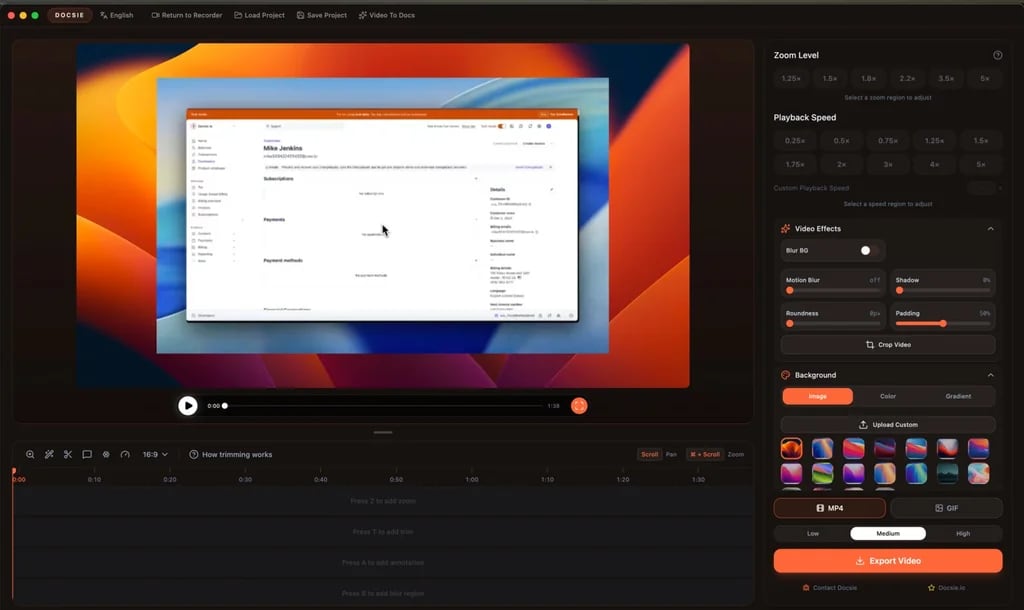
Docsie product interface.
| Criteria | HelpLook | Docsie | Mintlify |
|---|---|---|---|
| Primary use case | Customer and employee self-service portals, help desks | Structured documentation, training, and AI answers from raw content | Agent-native, self-updating documentation for developers and AI agents |
| Ideal user | Support teams, non-technical content creators, growing businesses | Technical writers, L&D teams, compliance-heavy industries | Developer teams, startups, enterprises building for AI agents |
| Content creation | No-code visual editor, rich text, customizable branding | AI video-to-docs, SOP conversion, multi-format ingestion | Markdown and Git-sync workflow, visual editor with branching |
| AI capabilities | AI search, AI chatbot (OpenAI, ERNIE Bot, Azure) | AI content generation, semantic search, AI chatbot | AI writing agent, self-updating knowledge, MCP server support |
| Languages | Multi-language support | 40+ languages with AI translation | English, Spanish, French, Chinese |
| Publishing | Custom domains, SEO optimization, QR codes, PDF downloads | Custom domains, version control, granular permissions, publish anywhere | Custom domains, access control, API for programmatic deployment |
| Analytics | Usage tracking and search analytics | Content performance insights | Page-level engagement metrics |
| Pricing model | Free tier, subscription plans with AI credits | AI credit model, positioned as scalable alternative to per-seat pricing | Free Hobby plan, Pro at $250/mo (billed annually), Enterprise custom |
| Compliance | Enterprise-grade security | SOC 2, suited for government and compliance sectors | SOC 2 Type II, ISO 27001 in progress |
When Docsie Outperforms the Alternatives
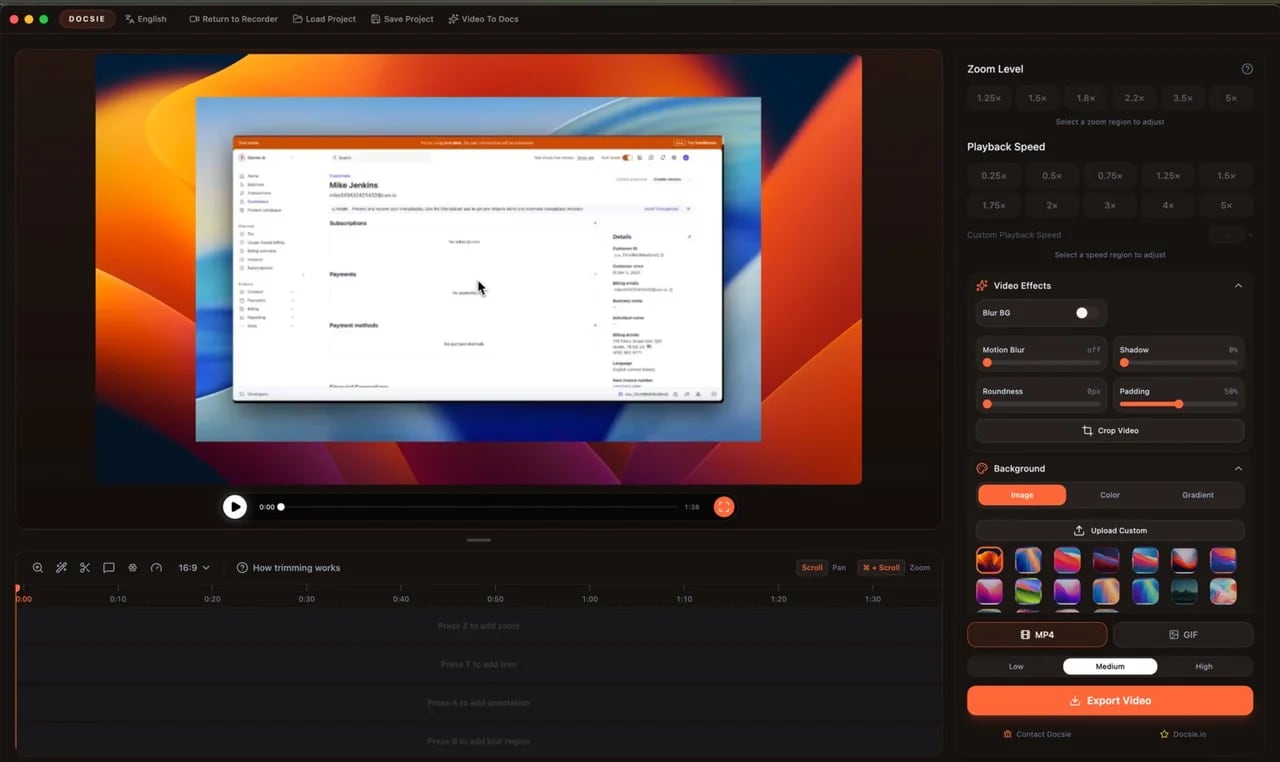
Docsie product interface.
Docsie excels when your starting point is a messy collection of raw content—videos, PDFs, SOPs, workflow recordings—that needs to become structured, multilingual documentation fast. Its AI doesn’t just help you write; it transforms existing assets into onboarding guides, knowledge base articles, and training modules.
Key Docsie Advantages
- AI-driven content transformation: Convert a training recording directly into a step-by-step guide with AI, rather than writing from scratch. This is a distinct workflow that neither HelpLook nor Mintlify replicates out of the box.
- Built-in version control and translation: Manage multiple versions of a document and publish in over 40 languages without leaving the platform. For manufacturing, energy, or compliance teams operating globally, this reduces the toolchain significantly.
- Granular permissions and approval flows: Docsie’s permission system supports complex review and approval processes before content goes live, a requirement for regulated industries that goes deeper than basic role-based access.
- Scalable AI credit pricing: Instead of charging per user, Docsie uses an AI credit model. For teams with many occasional contributors, this can offer better value than per-seat subscriptions.
Docsie is trusted by over 1,000 companies that report saving 15+ hours per week on documentation tasks, with a 4.8-star rating from more than 100 reviews.
When Mintlify Leads the Pack

Mintlify product interface.
Mintlify is purpose-built for a world where documentation is consumed by both humans and AI agents. If your audience includes developers who expect fast, API-reference-heavy docs, and you want those docs to update themselves as your codebase changes, Mintlify is the most specialized option here.
Key Mintlify Advantages
- Agent-native platform: Mintlify treats AI agents as first-class consumers of your knowledge. Its Visibility component lets you author separate content for human readers and AI agents, a capability neither Docsie nor HelpLook currently matches.
- Self-updating knowledge: Documentation stays current automatically by connecting to your systems. This reduces the drift between what your product does and what your docs say, a common pain point for fast-shipping engineering teams.
- Enterprise scale and reliability: Powering documentation for Anthropic, Coinbase, HubSpot, and over 20,000 companies, Mintlify handled 300M+ visitors and 2B+ agent requests in the past year with 99.99% uptime.
- Developer-first collaboration: With Git sync, a visual editor that supports drafts and branch locking, and an API for programmatic deployment, Mintlify fits neatly into existing engineering workflows.
Mintlify’s Pro plan starts at $250 per month (billed annually) with 10,000 AI credits. For teams whose primary documentation contributors are developers, this workflow feels natural. However, as noted in a GitBook analysis of Mintlify alternatives, non-technical contributors can face friction in a code-editor-first environment, which may slow down documentation velocity as your team grows beyond engineering.
Where HelpLook Has a Supported Advantage

Mintlify product interface.
HelpLook carves out its niche by focusing on the complete self-service experience for customers and employees—without requiring any coding. For support-driven teams that need a branded portal, AI chatbot, and analytics dashboard out of the box, HelpLook offers a more accessible on-ramp than Docsie or Mintlify.
No-Code Portal Creation with Built-in SEO
HelpLook’s no-code interface lets support teams build a fully branded knowledge base, complete with custom domains, SEO optimization, and QR code access. While Docsie and Mintlify offer customization, HelpLook packages these as consumer-friendly features rather than technical configuration steps. For businesses prioritizing organic discovery of help content, this is a meaningful advantage.
Unified AI Search and Chatbot
HelpLook integrates AI models from OpenAI, ERNIE Bot, and Azure to power both in-portal search and a customer-facing chatbot. This dual AI layer aims to deflect tickets before they reach your support queue. Docsie and Mintlify each offer AI chatbots and semantic search, but HelpLook’s tight coupling with help desk workflows makes it a natural fit for teams whose primary metric is support ticket deflection.
Multi-Use-Case Flexibility
HelpLook explicitly supports customer support knowledge bases, e-commerce product manuals, enterprise blogs, and internal knowledge bases from a single platform. This breadth suits organizations that want one tool for multiple content types, rather than stitching together a docs platform, a blog, and a help desk.
For a deeper look at how HelpLook stacks up against other knowledge base tools, see our comparisons with Document360 and Docmost or Helpjuice and Document360.
How to Choose the Right Platform for Your Team
Your decision hinges less on feature checklists and more on who creates your content and who consumes it.
Choose Docsie if:
- You have a large volume of raw content (videos, PDFs, SOPs) that needs to become structured documentation.
- You operate in a regulated industry requiring version control, audit trails, and multi-language publishing.
- You want to avoid per-seat pricing and prefer an AI credit model for a growing contributor base.
Choose Mintlify if:
- Your primary audience is developers, and your docs include extensive API references.
- You need documentation that updates automatically and serves both human readers and AI agents.
- Your documentation workflow lives in Git and code editors, and you need enterprise-grade uptime and scale.
Choose HelpLook if:
- You need a customer-facing self-service portal with a built-in AI chatbot, without touching code.
- Your team includes non-technical content creators who need a visual, SEO-friendly editor.
- You want one platform for knowledge bases, product manuals, blogs, and internal wikis.
For teams weighing HelpLook against interactive guide or ticketing-focused tools, our HelpLook vs Stonly vs Zendesk comparison offers additional context.
Related reading
- HelpLook vs Stonly vs Zendesk: Which Platform Fits Your Team? - Compare HelpLook, Stonly, and Zendesk on AI search, interactive guides, ticketing integration, pricing, and ease of use. Find the best knowledge base and help desk for your support team.
- HelpLook vs KnowledgeBase vs GitBook: AI Knowledge Base Comparison - Compare HelpLook, KnowledgeBase, and GitBook on AI search, pricing, ease of use, and documentation features. Find the best AI knowledge base for your support or dev team.
- HelpLook vs Document360 vs Docmost: 2026 Comparison - Compare HelpLook, Document360, and Docmost on AI search, self-hosting, pricing, and ease of use. Find the best knowledge base or wiki for your team in 2026.
Sources and further reading
- Mintlify - The Knowledge Platform Built for Agents - Self-updating documentation for startups, enterprises, and agents.
- ReadMe vs Mintlify: How Teams Choose an API Documentation Platform in 2026 - What actually matters for API adoption and how to make the right call.
Frequently Asked Questions
Can I migrate my existing documentation into these platforms?
All three platforms support content migration, though the experience differs. HelpLook offers a no-code import process suited to support articles. Docsie ingests raw formats like videos and PDFs directly. Mintlify’s markdown-first approach makes migration straightforward for teams already working in Markdown or Git.
Which platform offers the best AI chatbot for customer support?
HelpLook’s AI chatbot is purpose-built for customer support deflection, integrating directly with its knowledge base and supporting multiple AI models. Docsie and Mintlify also offer AI chatbots, but they are designed more for answering documentation questions than functioning as a full help desk deflection tool.
How does pricing compare for small teams?
HelpLook offers a free tier to get started. Docsie’s AI credit model can be cost-effective for small teams with moderate AI usage. Mintlify’s free Hobby plan suits individual developers, with the Pro plan at $250/month targeting professional teams. Evaluate based on your expected AI usage volume and number of contributors.
Is Mintlify suitable for non-developer teams?
Mintlify’s code-editor and Git-sync workflow is optimized for developers. While it includes a visual editor, non-technical contributors may find the overall workflow less intuitive than HelpLook’s no-code interface or Docsie’s content transformation approach.
The Bottom Line
Docsie, Mintlify, and HelpLook each solve a distinct problem well. Docsie turns raw, unstructured content into polished, multilingual documentation with strong version control—ideal for training and compliance teams. Mintlify delivers self-updating, agent-native documentation at scale for developer-first organizations. HelpLook provides the most accessible path to a fully branded, AI-powered self-service portal for support teams that need to reduce tickets and improve customer satisfaction without engineering effort.
Match the platform to the people who will build and maintain your knowledge base, and the audience who will use it. That alignment matters more than any single feature.