
HelpLook vs Documentation.AI vs GitBook: Which AI Knowledge Base Fits Your Team?
Modern support and product teams are rapidly moving from static manuals to intelligent, self-service knowledge bases. Three names often surface in that shift: HelpLook, Documentation.AI, and GitBook. Each brings a different philosophy to AI-assisted documentation, and the right choice depends on who will create and consume that content. At HelpLook, we’ve compared these platforms across the criteria that matter most in real-world use—AI capabilities, content workflows, pricing, analytics, and more—so you can pick the one that aligns with how your team actually works.
Quick Decision Guide

HelpLook vs Documentation.AI vs GitBook: 2025 Comparison product interface and feature overview.
- HelpLook is ideal for businesses that want a no-code, all-in-one knowledge base with an embeddable AI chatbot, built-in SEO, multilingual support, and flexible payment options.
- Documentation.AI suits product teams looking for an AI‑agent‑driven platform that actively generates, updates, and explains documentation with minimal manual effort.
- GitBook is the go‑to for developer‑centric teams that need polished public docs, optional Git‑sync workflows, and a rich editor that supports both Markdown and block‑based authoring.
AI‑Powered Search and Answers
HelpLook vs Documentation.AI vs GitBook: 2025 Comparison product interface and feature overview.
GitBook includes an AI assistant that can brainstorm, apply changes, and answer reader questions directly inside published documentation. It’s a helpful layer for users who need quick, context‑aware explanations without leaving the docs.
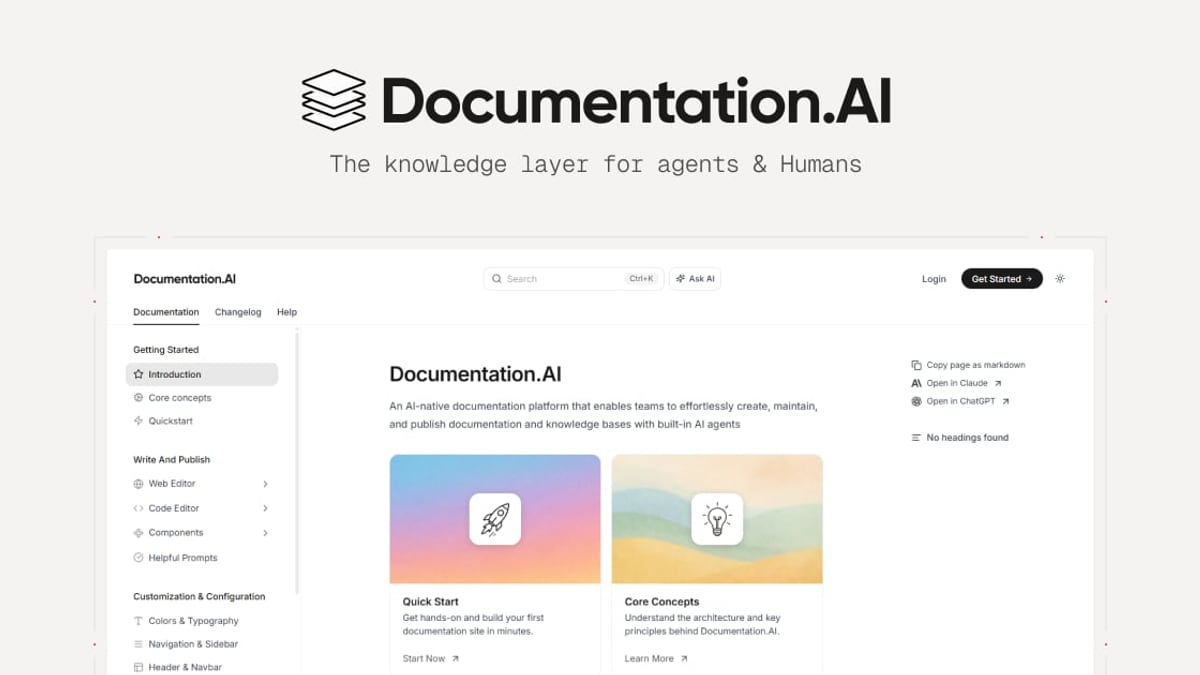
Documentation.AI offers an Ask AI feature—a user‑facing assistant that delivers cited answers pulled from your live documentation. This reduces support tickets by giving readers instant, trustworthy responses at the point of need.
HelpLook goes a step further with its HelpLook AI engine, which autonomously extracts keywords from user questions and consolidates relevant content to generate precise answers. The AI is not limited to a single model; it integrates with OpenAI, ERNIE Bot, Azure, and other large language models, allowing businesses to choose the backend that meets their security or performance requirements. HelpLook also packages this capability into a standalone Widget that can be embedded into websites and apps, extending AI-powered search beyond the knowledge base itself.
For a deeper look at AI search across platforms, see our HelpLook vs Documentation.AI vs Docsie comparison.
Content Creation and Long‑Term Maintenance

HelpLook vs Documentation.AI vs GitBook: 2025 Comparison product interface and feature overview.
Documentation.AI is built around an AI Documentation Agent that works alongside the editor. It can suggest new sections, improve clarity, restructure content, and even generate missing areas—such as troubleshooting guides or security notes—without requiring a developer. The platform also automatically generates a complete documentation structure during onboarding and publishes a live site in minutes, making it practical for teams with mixed technical skills.
GitBook delivers a block‑based WYSIWYG editor with slash commands and reusable content blocks, supported by an optional Git‑sync workflow. Developers can work in Markdown or MDX, open pull requests, and merge changes without leaving their IDE, while non‑technical contributors can use the visual editor. The change‑request flow mirrors a code review process, adding editorial control but also more formality for simple updates. This flexibility makes GitBook a strong choice when documentation lives in a code repository but needs to be accessible to a broader audience.
Onboarding and Ease of Use
HelpLook vs Documentation.AI vs GitBook: 2025 Comparison product interface and feature overview.
GitBook impresses with a clean onboarding that does not force a Git repository connection. Users can start writing immediately in the web editor, and Git‑based workflows can be connected later. This staged approach brings non‑developer contributors on board quickly while still supporting advanced docs‑as‑code practices.
Documentation.AI shortens the journey from signup to live documentation even further. After choosing a Quick Setup or Developer Flow path, the platform auto‑generates a full navigation structure and publishes a shareable URL within minutes. This zero‑friction experience is especially valuable for startups that need customer‑facing docs live before their first product launch.
HelpLook matches this speed with its no‑code, ready‑to‑use philosophy. Users select from templates for help centers, knowledge bases, or enterprise blogs, and customize everything visually. The interface is intentionally sleek and structured, enabling teams to build a branded self‑service portal without any technical background—an advantage for business units, marketing departments, or customer success teams that want to own the content experience.
Pricing and Payment Flexibility
Documentation.AI offers a free tier and gradually scales pricing based on team size and usage, avoiding per‑site fees that can add up as your documentation grows (source). This approach keeps costs predictable for expanding teams.
GitBook provides a free plan for individuals and paid tiers for teams; however, its payment process has historically required a credit card, which can be a hurdle for teams or businesses in regions where alternative methods are preferred (source).
HelpLook addresses this friction head‑on by supporting both credit card and PayPal payments, alongside flexible plans that start with a free tier. For global teams or those that mandate specific payment channels, this expanded flexibility simplifies procurement.
Analytics for Data‑Driven Knowledge Bases
HelpLook stands out with built‑in document analytics that go beyond basic page views. It tracks six key metrics—page views, unique visitors, likes, dislikes, article feedback, and recent visits—giving content owners a clear picture of what’s working and where users struggle. These insights enable continuous improvement of help center articles and blogs, directly tied to business outcomes like reduced support tickets and higher product adoption.
Documentation.AI includes advanced analytics (available on higher tiers) that reveal how users interact with documentation, which articles drive ticket deflection, and where content gaps exist. GitBook provides page‑level analytics as well, though the depth is typically focused on readership rather than satisfaction signals. For teams that treat their knowledge base as a product and need feedback loops to optimize it, HelpLook’s built‑in sentiment and engagement data provide a more actionable view.
SEO and Multilingual Capabilities
HelpLook places SEO optimization and multilingual support at the core of its platform. Site owners can configure custom domains, meta tags, and structured content that helps search engines index knowledge base articles effectively. The platform also supports multiple languages, enabling companies to serve global audiences with localized help centers—a critical feature for e‑commerce brands, SaaS companies, and educational institutions that operate across borders.
While GitBook and Documentation.AI offer basic SEO controls and can host content in different languages, neither matches HelpLook’s out‑of‑the‑box combination of SEO tooling and native multilingual publishing. For businesses that rely on organic search to drive self‑service adoption, this makes HelpLook a particularly strong candidate.
When to Choose Each Platform
Choose HelpLook if:
- You need an embeddable AI chatbot and a full knowledge base, not just static docs.
- Payment flexibility via PayPal and credit card is important for your team.
- Built-in analytics with sentiment tracking will inform your content strategy.
- You serve a global audience and require seamless multilingual management.
- You want a no‑code solution that your customer success or marketing team can own end‑to‑end.
Choose Documentation.AI if:
- You want an AI agent to proactively write, format, and maintain your documentation.
- Your team includes product managers, founders, or support agents who need to contribute without learning Git.
- Rapid time‑to‑live is critical—you need a structured documentation site up in minutes.
- You prefer pricing that scales with team size rather than per site.
Choose GitBook if:
- Your documentation must live alongside code with Git branch‑based workflows.
- You need a polished, customizable public documentation site with built‑in AI chat for readers.
- Your team is comfortable with a review‑driven, change‑request workflow.
- You value a mature editor that supports both Markdown power users and visual builders.
For an alternative angle, see how HelpLook compares with interactive‑guide platforms in HelpLook vs Documentation.AI vs Stonly: 2025 AI KB Showdown.
Related reading
- HelpLook vs Docsie vs Stonly: AI Knowledge Base Showdown - Compare HelpLook, Docsie, and Stonly on AI search, interactive guides, content creation, integrations, pricing, and more. See which AI knowledge platform fits your self-service needs.
- HelpLook vs Document360 vs Bloomfire: AI Knowledge Base Showdown - Compare HelpLook, Document360, and Bloomfire for AI-powered knowledge management. See strengths in AI search, documentation, enterprise intelligence, pricing, and more. Find your best fit.
- HelpLook vs Docsie vs Bloomfire: AI Knowledge Base Comparison - Compare HelpLook, Docsie, and Bloomfire for AI-powered knowledge bases. See where each shines in AI search, multilingual support, pricing, and more. Find your best fit.
Sources and further reading
- Notion vs. GitBook: Which is Better for Documentation? - Compare Notion and GitBook for documentation management. Discover which platform is better for organizing and sharing information. Read the article now!
Frequently Asked Questions
Can I use GitBook without connecting a Git repository?
Yes. GitBook allows you to start writing in its web editor without any Git setup. Git‑based workflows can be added later when your team is ready.
Does Documentation.AI require developers to maintain documentation?
No. Documentation.AI is designed for mixed teams. Non‑technical users can edit and reorganize content through a visual interface, while developers can opt into a docs‑as‑code flow if they prefer.
What makes HelpLook different from a typical knowledge base tool?
HelpLook combines a no‑code site builder with an embeddable AI chatbot, multilingual publishing, and detailed analytics—all in one platform. It’s built to be a full self‑service portal rather than just a documentation editor.
Which platform is most affordable for a small team?
All three offer free tiers. HelpLook and Documentation.AI include flexible paid plans that scale gradually, and HelpLook’s PayPal support adds payment convenience. GitBook’s free plan is generous for individuals, but team pricing may require a credit card.
Can I embed the AI search from these tools into my own website?
HelpLook provides a dedicated Widget for embedding its AI search and chatbot anywhere. GitBook and Documentation.AI offer API access and customizable public sites, but HelpLook’s widget is purpose‑built for off‑site embedding.
Conclusion
HelpLook, Documentation.AI, and GitBook each solve the same core problem—helping users find answers quickly—but they approach it from different angles. Documentation.AI leads with an AI agent that reduces the burden of manual content upkeep, while GitBook gives developer teams the version‑control depth they need with a polished reader experience. HelpLook carves out its niche by blending an AI‑powered knowledge base with multilingual SEO, flexible payments, and analytics that turn reference content into a measurable self‑service channel.
At HelpLook, we believe the best tool is the one that fits your team’s daily workflow. If you’re still weighing options, explore our additional comparisons for a wider view of the AI knowledge base landscape.