
HelpLook vs Documentation.AI vs Helpjuice: Which AI Knowledge Base Fits Your Team?
Choosing an AI knowledge base is no longer just about storing articles. The right platform should reduce support tickets, help customers find answers instantly, and keep documentation fresh without constant manual upkeep. HelpLook, Documentation.AI, and Helpjuice all promise that outcome, but they approach it from different angles.
This comparison breaks down where each platform excels, where it falls short, and which use cases each one serves best. Whether you run a customer support team, manage product documentation, or need an internal knowledge hub, you will find a clear path forward.
Quick Verdict
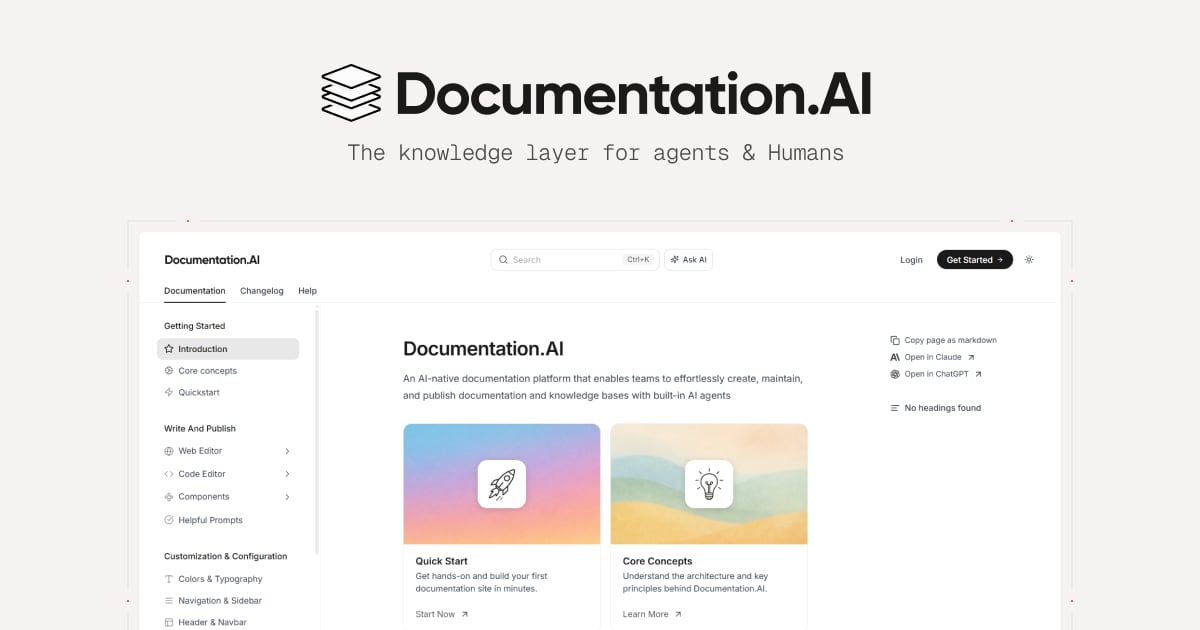
Documentation.AI product interface.
- Documentation.AI is the strongest choice for product and developer teams that need API references, docs-as-code workflows, and AI-maintained documentation.
- Helpjuice is the strongest choice for support-heavy organizations that want a fully branded knowledge base, advanced AI search, and proven ticket-deflection results out of the box.
- HelpLook is a practical fit for businesses that want a no-code, all-in-one help center with AI search and chatbot features without a steep learning curve.
How Each Platform Approaches AI Knowledge Management
Helpjuice product interface.
Documentation.AI: Built for Product and Developer Teams
Documentation.AI positions itself as an AI-native documentation platform rather than a general-purpose help desk. That distinction matters. The platform includes an AI Documentation Agent that suggests, writes, and formats content, plus an Ask AI assistant that gives cited answers directly inside the docs.
Two features set it apart for technical teams:
- Docs-as-code with Git integration. Teams can manage documentation through a Git-based workflow, which fits naturally into existing developer processes.
- Structured for AI agents and LLMs. The platform is designed so that AI systems can consume the documentation directly, a forward-looking feature for teams building AI-powered products.
Customer stories from Datafiniti and Videograph highlight a common migration path: teams moving away from ReadMe because they want AI-powered search, better analytics, and less manual maintenance. Documentation.AI also offers a free tier, making it easy to test before committing.
Helpjuice: Proven Ticket Deflection and Brand Customization
Helpjuice has built its reputation on one core promise: a knowledge base that actually gets used. With over 7,000 customers including Amazon, Hertz, and Shipt, the platform has a strong track record in support-heavy environments.
The standout capabilities include:
- AI-powered search that surfaces answers quickly across large documentation sets
- AI article writing and translation supporting 40+ languages
- A customizable AI chatbot that can be embedded directly into the knowledge base
- A fully customized design service so the knowledge base matches your brand exactly
Helpjuice reports concrete results from its customers: up to 75% reduction in support tickets, 50% reduction in training sessions, and 26x faster ticket resolution. Those numbers reflect a platform optimized for support efficiency rather than developer documentation workflows.
Pricing starts at $249 per month for 30 users, which positions Helpjuice as a premium option. For teams that need advanced AI capabilities, the $449 per month tier unlocks more functionality.
HelpLook: No-Code Simplicity with AI Search and Chatbot
HelpLook takes a broader, more accessible approach. It is a zero-code platform for building help centers, knowledge bases, product manuals, and internal wikis. The emphasis is on speed: businesses can launch a branded self-service portal without involving developers.
Key strengths include:
- A no-code content creation interface with WYSIWYG and Markdown editing
- Customizable site branding so the portal matches your company identity
- AI-driven search and chatbot capabilities powered by integrations with OpenAI, ERNIE Bot, and Azure
- Built-in analytics covering page views, unique visitors, likes, dislikes, and search behavior
- Flexible payment options including PayPal, which is not always available on competing platforms
HelpLook is used by over 10,000 global brands and offers a free tier, making it accessible for small teams and startups. The platform also supports QR code access and PDF downloads, which are useful for product manuals and offline distribution.
Feature Comparison: Where Each Platform Wins
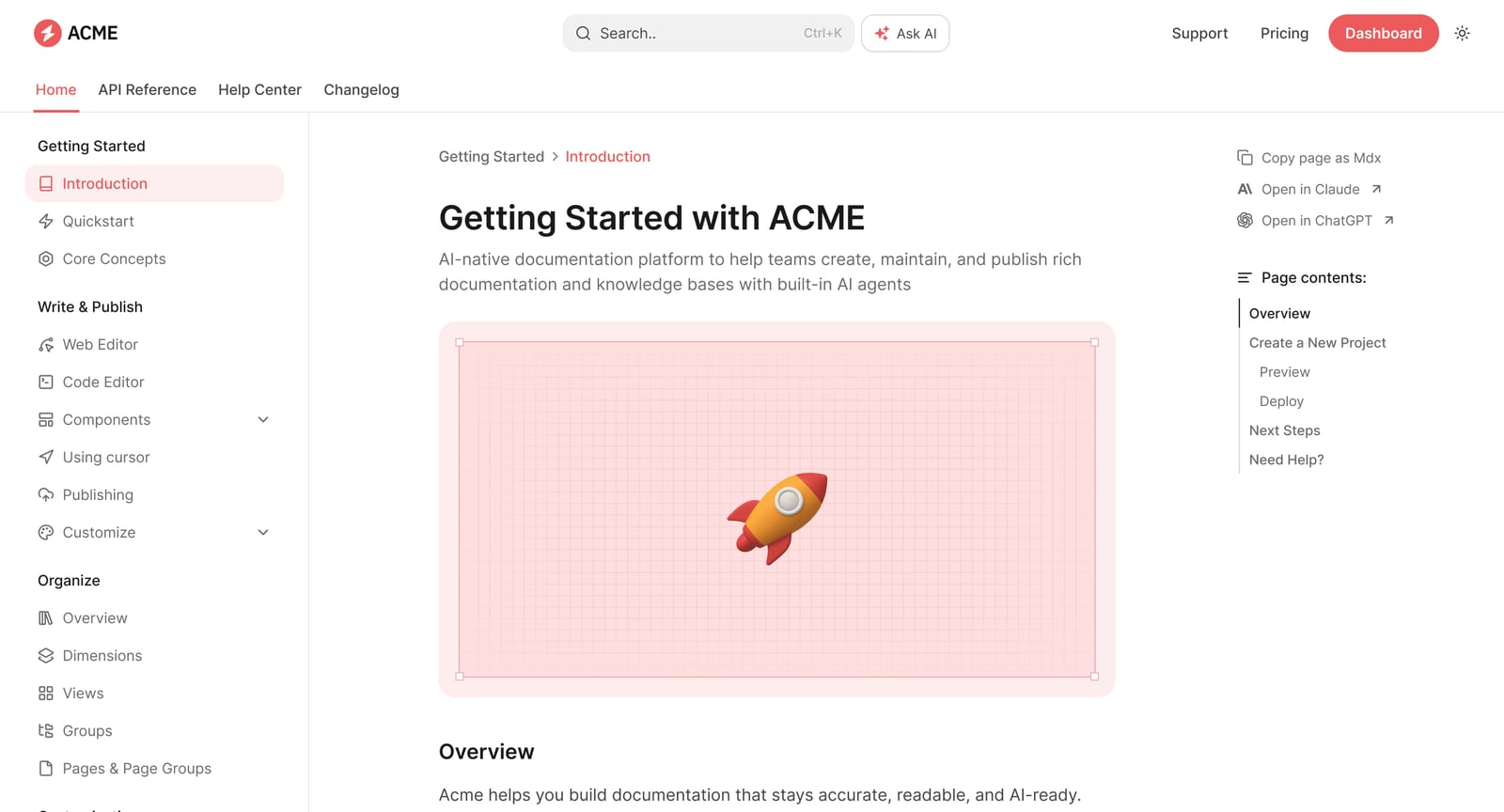
Documentation.AI product interface.
AI Search and Answer Quality
Helpjuice has the deepest track record here. Its AI search is built to handle large, messy documentation sets and still return relevant answers. The platform's reported 26x faster ticket resolution is a direct result of that search quality.
Documentation.AI takes a different approach with cited answers. When the Ask AI assistant responds, it includes references to the source documentation. This is especially valuable for technical users who need to verify information before acting on it.
HelpLook provides AI search and chatbot features through integrations with leading AI models. The platform extracts relevant keywords from user queries and consolidates related content into a precise answer. It is capable, though the depth of search tuning is less mature than Helpjuice's specialized focus.
Content Creation and Maintenance
Documentation.AI leads in automated content maintenance. The AI Documentation Agent actively suggests updates and keeps documentation fresh, which reduces the long-term burden on teams that struggle to keep docs current.
Helpjuice offers AI article writing and translation across 40+ languages. For global support teams, the translation capability alone can justify the cost. The platform also converts support tickets into articles, turning real customer questions into documentation.
HelpLook provides a polished editing experience with both WYSIWYG and Markdown support, keyboard shortcuts, and real-time collaboration. It does not emphasize automated content updates to the same degree as Documentation.AI, but the editor is approachable for non-technical teams.
Customization and Branding
Helpjuice is the clear winner for brand customization. The fully customized design service ensures the knowledge base matches your company's look and feel, which matters for customer-facing support portals.
HelpLook also offers customizable site branding, though the level of design control is less extensive than Helpjuice's dedicated service.
Documentation.AI prioritizes functional publishing over visual customization. Teams can publish through a web editor or Git workflow, but the emphasis is on documentation quality rather than brand-specific design.
Analytics and Insights
HelpLook provides six data metrics with practical value: page views, unique visitors, likes, dislikes, article feedback, and recent visits. These metrics help teams understand which articles perform well and where gaps exist.
Documentation.AI includes analytics as part of its platform, with customer stories highlighting improved visibility into documentation performance after migrating from ReadMe.
Helpjuice includes analytics as a core feature, though the platform's primary value proposition centers on search quality and ticket deflection rather than deep content analytics.
Integrations and Ecosystem
Documentation.AI integrates with Git, which is essential for developer-focused teams. The docs-as-code workflow means documentation lives alongside code and follows the same review processes.
HelpLook integrates with third-party applications and supports binding content sites or AI chatbots across multiple channels. The platform also supports leading AI models including OpenAI, ERNIE Bot, and Azure.
Helpjuice offers integrations with popular tools, though the platform's strength lies in its built-in capabilities rather than an extensive integration marketplace.
Pricing Comparison
Helpjuice product interface.
| Platform | Starting Price | Free Tier | Best For |
|---|---|---|---|
| HelpLook | Free tier available; paid plans scale with resources | Yes | Startups and small teams testing AI knowledge base features |
| Documentation.AI | Free tier available; scales to enterprise | Yes | Product and developer teams |
| Helpjuice | $249/month for 30 users; $449/month for 100 users with advanced AI | Free trial | Support teams needing proven ticket deflection |
Helpjuice's pricing is significantly higher than the other two platforms, but the reported results justify the cost for teams where support ticket volume is a major expense. Documentation.AI and HelpLook both offer free tiers, making them easier to evaluate without budget approval.
When to Choose Each Platform
Choose Documentation.AI if:
- Your team manages API references or developer documentation
- You want a docs-as-code workflow with Git integration
- You need AI to actively maintain and update documentation
- Your primary users are developers or technical product teams
- You want cited answers that users can verify
Choose Helpjuice if:
- Support ticket volume is a major business cost
- You need a fully branded, customer-facing knowledge base
- Your team serves users in multiple languages
- You want proven results from a platform trusted by enterprise brands
- You have budget for a premium solution
Choose HelpLook if:
- You need a no-code help center that launches quickly
- Your team includes non-technical content creators
- You want AI search and chatbot features without complexity
- You need flexible payment options including PayPal
- You are building product manuals, FAQs, or internal knowledge bases
For a deeper look at how HelpLook compares with other platforms in the developer documentation space, see our HelpLook vs Documentation.AI vs Mintlify comparison. If you are evaluating HelpLook alongside HelpCenter.io and Document360, the HelpLook vs HelpCenter.io vs Document360 comparison provides additional context.
Real-World Scenarios
Scenario 1: A SaaS company with a growing support queue
The support team spends hours answering the same questions about billing, account setup, and integrations. Helpjuice is the strongest fit here. Its AI search and ticket-deflection track record directly address the problem, and the customized design ensures the knowledge base feels like a natural extension of the product.
Scenario 2: A developer tools company with API documentation
The documentation team struggles to keep API references current as the product evolves. Documentation.AI is the clear choice. The Git integration fits the existing workflow, and the AI Documentation Agent reduces the manual burden of keeping docs fresh.
Scenario 3: A small e-commerce business launching a help center
The team needs a branded FAQ and product manual site but has no developers on staff. HelpLook's no-code interface and free tier make it the most accessible starting point. The platform's QR code and PDF download features are also useful for including documentation with physical products.
Related reading
- HelpLook vs HelpCenter.io vs Mintlify: 2026 Comparison - Compare HelpLook, HelpCenter.io, and Mintlify on AI search, knowledge base features, pricing, and ease of use. Find the best fit for support, docs, or dev teams.
- HelpLook vs GitBook vs Zendesk: 2026 Comparison - Compare HelpLook, GitBook, and Zendesk on AI search, knowledge base features, pricing, and use cases. Find the best fit for support, docs, or dev teams.
- HelpLook vs KnowledgeBase vs Stonly: 2026 Comparison - Compare HelpLook, KnowledgeBase, and Stonly on AI search, interactive guides, pricing, and ease of use. Find the best knowledge base for your support team.
Sources and further reading
- HelpLook VS GitBook:A Side-by-Side Comparison - In this article, we will take a closer look at both Gitbook and HelpLook and examine their strengths and weaknesses to help you make the right decision for your company.
- Best AI Knowledge Base Software in 2026 | Techreviewer - Find the best AI knowledge base software of 2026. Compare search, automation, verified reviews, and pricing to give your team instant answers.
- Customize and Optimize Your AI-Powered Knowledge Base - HelpLook is a tool for quickly building a free help desk and knowledge base system, providing comprehensive support and assistance for your products. Help you create product manuals, blogs, FAQs, user guides, troubleshooting, and other content without coding, solving various problems for your users. By using HelpLook, you can add SEO optimized keywords to your official product website, helping more users discover and utilize your product. The fast, simple, and free user experience allows you to focus on product development and operations without worrying about the construction of the help center and knowledge base.
Frequently Asked Questions
Which platform has the best AI search?
Helpjuice has the strongest track record for AI search quality, with reported results including 26x faster ticket resolution. Documentation.AI offers cited answers that are valuable for technical users. HelpLook provides capable AI search through integrations with leading AI models.
Is Helpjuice worth the higher price?
For support-heavy organizations, yes. The reported 75% reduction in support tickets can translate into significant cost savings that outweigh the monthly subscription. For smaller teams or those without high ticket volume, HelpLook or Documentation.AI's free tiers may be more appropriate.
Can I use Documentation.AI for non-technical documentation?
Yes, but it is not the platform's primary strength. Documentation.AI excels with API references and developer documentation. For general customer support content, Helpjuice or HelpLook may be more natural fits.
Does HelpLook support multiple languages?
HelpLook supports content creation in multiple languages, though its translation capabilities are less emphasized than Helpjuice's 40+ language AI translation feature.
Which platform is easiest for non-technical teams?
HelpLook is the most accessible for non-technical teams due to its no-code interface and WYSIWYG editor. Documentation.AI requires more technical comfort, especially when using the Git workflow.
Conclusion
HelpLook, Documentation.AI, and Helpjuice each serve distinct needs within the AI knowledge base market. Documentation.AI is the specialist for product and developer documentation. Helpjuice is the proven workhorse for support teams that need measurable ticket deflection. HelpLook is the accessible, no-code option for businesses that want AI-powered self-service without complexity.
The right choice depends on your primary users, your documentation workflow, and your budget. If you are still weighing options, the HelpLook vs Documentation.AI vs HelpCenter.io comparison explores another set of alternatives worth considering.