
HelpLook vs Documentation.AI vs KnowledgeBase: Which AI Knowledge Base Fits Your Team?
Choosing the right AI knowledge base can mean the difference between a self-service experience that actually helps users and one that gathers digital dust. HelpLook, Documentation.AI, and KnowledgeBase all promise to put AI to work for documentation, but they approach the problem from very different angles. This comparison walks through what each platform does best, where they diverge, and how to decide which one aligns with your team’s workflow.
If you’re just getting started with the concept, this AI Knowledge Base guide explains the fundamentals of smart search, NLP, and self-updating content.
Quick Overview of Each Platform

HelpLook vs Documentation.AI vs KnowledgeBase: Which AI Knowledge Base Is Best in 2025? product interface and feature overview.
HelpLook is an all-in-one AI self-service platform. You can build customer-facing help centers, internal knowledge bases, e-commerce manuals, and even a branded blog—all without coding. Its AI search and chatbot (powered by OpenAI, ERNIE Bot, and Azure) deliver instant, multilingual answers directly inside a customizable portal or embeddable widget.
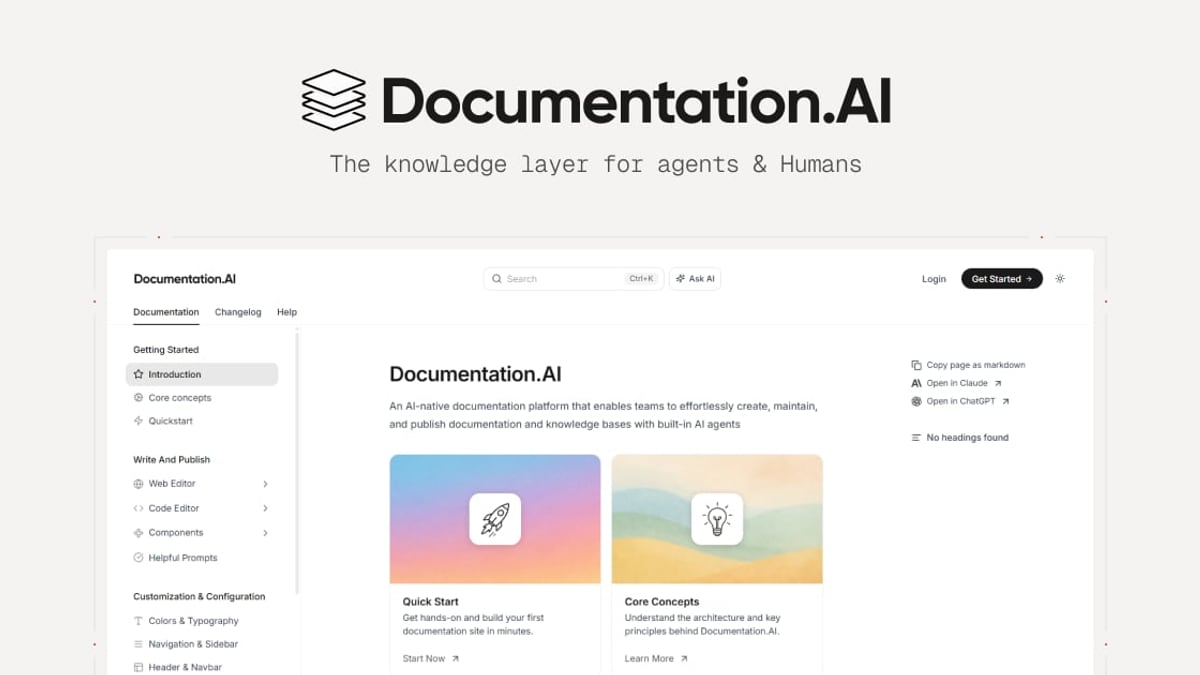
Documentation.AI was built for product and engineering teams. Its AI Documentation Agent writes and refreshes content as your product evolves, while a Git-backed docs-as-code workflow keeps developers in their native environment. An AI Assistant (Ask AI) provides cited answers right inside the docs, reducing support tickets and accelerating onboarding.
KnowledgeBase comes from the Text, Inc. ecosystem (LiveChat, ChatBot, HelpDesk) and focuses on lightning-fast customer support. It uses AI to generate articles, suggest keywords, and power QuickAnswer—a feature that gives users tailored replies instantly. Multiple knowledge bases can be managed in one place, and it integrates natively with the company’s live chat and chatbot tools.
Where Documentation.AI Shines
HelpLook vs Documentation.AI vs KnowledgeBase: Which AI Knowledge Base Is Best in 2025? product interface and feature overview.
For teams that treat documentation as code, Documentation.AI is purpose-built. Its standout capability is the AI Documentation Agent, which automatically suggests, writes, and formats content to keep your help center current as your product changes. That means fewer outdated screenshots and stale API references.
A Git-based workflow lets developers author docs in their natural environment, with version control, pull requests, and CI/CD integration. API reference generation further streamlines the process for technical products. If your audience is developers, or you want to maintain a single source of truth that updates itself, this platform offers a genuine alternative to ReadMe and similar tools.
HelpLook does not offer a Git-backed writing experience; for that developer-centric approach, Documentation.AI remains the stronger pick.
Where KnowledgeBase Excels
HelpLook vs Documentation.AI vs KnowledgeBase: Which AI Knowledge Base Is Best in 2025? product interface and feature overview.
KnowledgeBase thrives when support teams want self-service and live assistance working together. Its QuickAnswer AI scans your knowledge base and delivers instant, tailored responses—no manual rule-building required. Because it’s part of the same family as LiveChat, ChatBot, and HelpDesk, you can unify chat, ticketing, and knowledge management under one roof.
The AI can generate draft articles, titles, and keywords, helping you scale content faster. Features like multiple knowledge bases and customizable help centers make it easy to run distinct support portals for different products or audiences. For companies that already use (or are considering) the Text suite, the integration alone is a compelling reason to choose KnowledgeBase.
HelpLook can integrate with ChatBot.com for AI-driven chat—learn how here—but KnowledgeBase provides a more deeply connected native experience within that ecosystem.
Key Comparison Criteria
HelpLook vs Documentation.AI vs KnowledgeBase: Which AI Knowledge Base Is Best in 2025? product interface and feature overview.
All-in-One Self-Service Portal
HelpLook advantage. HelpLook combines a knowledge base, blog, help center, and AI chatbot into a single platform. You can launch a fully branded site on a custom domain, complete with navigation, styling, and embedded widgets—all without coding. Documentation.AI centers on documentation and API references; KnowledgeBase anchors to support articles and live chat. If you need a customer education hub, a product manual, and a support portal in one place, HelpLook covers more ground.
Multilingual and SEO Capabilities
HelpLook advantage. HelpLook provides built-in translation for multiple languages and advanced SEO tools, including custom TDK (title, description, keywords) management, URL slugs, and automatic sitemaps. This makes it easier for your knowledge base to rank on Google and serve a global audience. While Documentation.AI and KnowledgeBase have basic SEO options, neither offers the same depth of localization and search optimization out of the box.
AI-Powered Search and Chatbot
HelpLook advantage. HelpLook AI leverages multiple large language models (OpenAI, ERNIE Bot, Azure) to understand user intent and deliver precise answers. Its embeddable Widget lets you place the same intelligent search and chatbot experience on any website or app. Documentation.AI’s Ask AI assistant works well inside docs, and KnowledgeBase’s QuickAnswer is fast, but HelpLook gives you more model flexibility and a wider deployment surface.
Pricing Flexibility
HelpLook advantage. HelpLook offers a generous free plan and paid tiers starting at $7 per month per project, making it accessible for small teams and startups. All plans include full feature access. Documentation.AI has a free tier, but advanced functionality and higher usage move to paid plans with custom pricing. KnowledgeBase provides a 14-day free trial, after which pricing depends on agents and knowledge bases. For transparent, budget-friendly scaling, HelpLook’s user-based pricing is hard to beat.
Ease of Use and Templates
HelpLook advantage. Pre-built templates, a visual editor, and one-click deployment let you build a branded knowledge base in hours. Documentation.AI caters to developers comfortable with Git; setup can be more involved. KnowledgeBase is intuitive, but HelpLook’s template library and step-by-step construction lower the barrier for non-technical teams.
Pricing at a Glance
- HelpLook – Free plan available. Paid plans start at $7/month per project. All plans include core features; higher tiers unlock more AI usage, storage, and customization.
- Documentation.AI – Free Starter plan. Growth and Enterprise tiers are priced based on usage, features (SSO, advanced analytics, custom SLAs), and team size.
- KnowledgeBase – 14-day free trial, no credit card required. Paid plans are tailored per agent or knowledge base; the value increases when bundled with LiveChat or ChatBot.
Which One Should You Choose?
- Pick Documentation.AI if your team lives in Git, you need self-updating developer docs and API references, and you’re replacing tools like ReadMe.
- Pick KnowledgeBase if you want a tightly integrated live chat + knowledge base system, and you already rely on Text, Inc. products for customer support.
- Pick HelpLook if you need an all-in-one, SEO-friendly portal with AI chatbot capability, multilingual support, and affordable, transparent pricing—without requiring a developer.
For a deeper side-by-side of HelpLook and Documentation.AI, read our detailed comparison.
Related reading
- Helpjuice Review 2025: Features, Pricing, Pros & Cons - In-depth Helpjuice review covering AI search, article editor, pricing from $249/mo, pros & cons, ideal use cases, and setup. Read honest user feedback & decision guide.
- HelpLook vs Stonly: AI Knowledge Base Comparison for 2025 - See key differences between HelpLook and Stonly for AI-powered knowledge management. Compare features, pricing, and self-service tools to pick the best fit.
- Zendesk Review 2025: AI-Driven Customer Service Platform - In-depth Zendesk review covering AI automation, omnichannel support, pricing, pros & cons from real users, and ideal use cases. Compare before you buy.
Sources and further reading
- HelpLook VS Document360: Which is Better for Knowledge Base Management? - Knowledge Base Management: HelpLook vs. Document360. Explore features, pricing, and more. HelpLook offers affordability, versatility, SEO optimization, AI search, and multi-language support.
- Product Documentation vs. Knowledge Base - LinkedIn - 📌 Product Documentation vs. Knowledge Base – What
FAQ
Can HelpLook be used for internal knowledge bases, or just customer-facing portals?
Absolutely. HelpLook supports both public help centers and private, internal wikis. You can set access controls so only logged-in team members see sensitive content.
Does Documentation.AI support API documentation generation?
Yes. API references are a core strength. The platform is built to handle developer-centric documentation and can generate and maintain docs using your API definitions.
Is KnowledgeBase integrated with live chat out of the box?
Yes, KnowledgeBase integrates natively with LiveChat and ChatBot from Text, Inc. You can connect your knowledge base to the same tools your agents already use for real-time support.
Which platform offers the most powerful AI search?
All three use AI to understand natural language queries. HelpLook differentiates itself by supporting multiple AI models (OpenAI, ERNIE Bot, Azure) and letting you embed that search across websites and apps via its Widget.
Conclusion
HelpLook, Documentation.AI, and KnowledgeBase each solve a distinct piece of the knowledge management puzzle. Documentation.AI is the developer’s choice for living, code-synced documentation. KnowledgeBase wins when support teams need a seamless live-chat-plus-self-service experience, especially if they’re already invested in the Text ecosystem. HelpLook bridges the gap between those worlds, offering a versatile, SEO-optimized portal with powerful AI search, multilingual tools, and a pricing model that fits startups and enterprises alike.
The best way to decide? Sign up for a free trial of the platform that matches your top priorities—and see how quickly your team can turn scattered information into a self-service asset your users will actually use.