
HelpLook vs Documentation.AI vs Zendesk: AI Knowledge Showdown 2026
AI is reshaping how teams create, share, and serve knowledge. From support agents to software developers, the right platform can slash ticket volumes, speed up onboarding, and make your institutional knowledge instantly accessible. But not all AI‑powered platforms serve the same audience. HelpLook, Documentation.AI, and Zendesk represent three distinct philosophies: one for no‑code knowledge bases, one for developer‑native documentation, and one for enterprise‑grade customer service automation.
In this comparison, we’ll break down what each tool does best—without forcing a "one‑size‑fits‑all" verdict. You’ll see where Documentation.AI outshines traditional knowledge bases, how Zendesk leads on omnichannel AI agents, and where HelpLook delivers unmatched value for teams that need a fast, affordable, and SEO‑friendly self‑service hub.
Who Are They? A Quick Overview

HelpLook vs Documentation.AI vs Zendesk: AI Knowledge Showdown 2026 product interface and feature overview.
HelpLook is a no‑code, AI‑powered knowledge platform built for creating customer help centers, internal wikis, product manuals, and e‑commerce content. It bundles a visual editor, customizable site, embeddable widget, and ChatGPT‑class AI search into one toolkit—all from $7/month per project. Over 10,000 companies use it to reduce support load and improve self‑service.
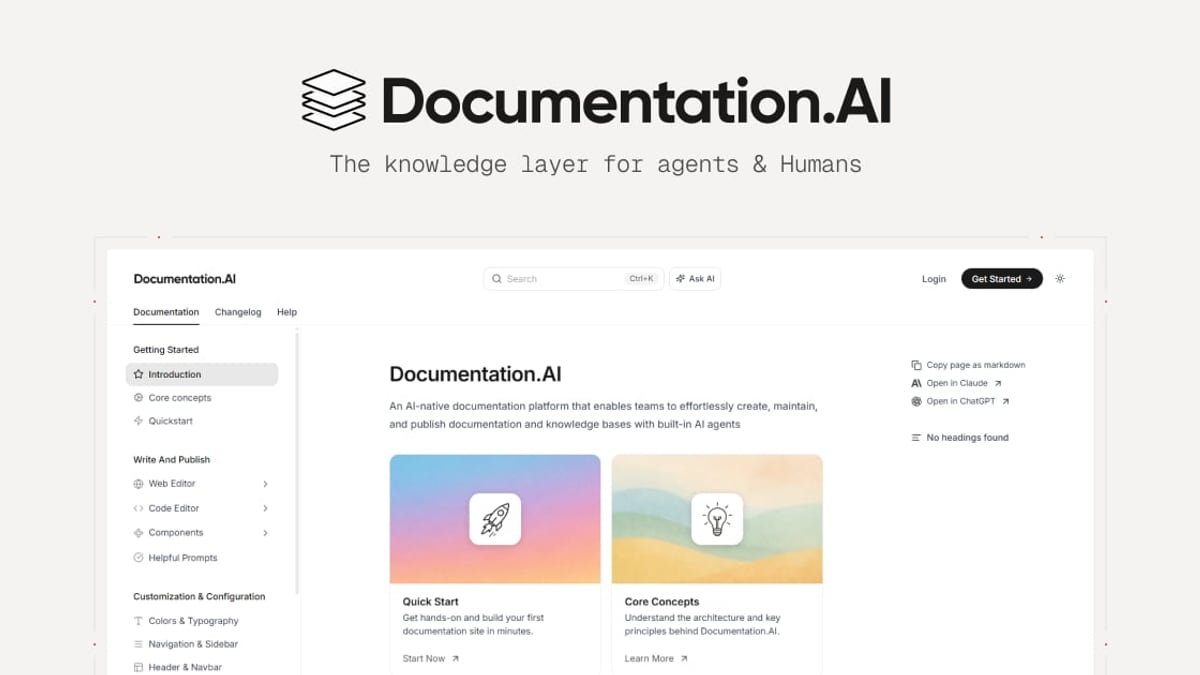
Documentation.AI is purpose‑built for product teams, developers, and technical writers who live in docs‑as‑code workflows. Its AI Documentation Agent suggests updates and generates content, while an assistive "Ask AI" widget delivers instant, cited answers inside your docs. Git integration keeps everything version‑controlled, and the platform is structured to be consumed by LLMs and AI agents.
Zendesk is a complete customer service platform that layers AI agents on top of a unified ticketing and messaging system. Its Advanced AI agents (powered by OpenAI models) can resolve up to 80% of inquiries autonomously across email, chat, voice, and social channels, all while learning from every interaction.
Head‑to‑Head: Where Each Platform Shines
HelpLook vs Documentation.AI vs Zendesk: AI Knowledge Showdown 2026 product interface and feature overview.
1. Developer Docs & API References: Documentation.AI
The standout strength of Documentation.AI is its native understanding of developer workflows. Unlike general‑purpose knowledge bases, it supports docs‑as‑code via Git, automatically keeps content fresh with an AI agent that suggests and formats updates, and structures outputs for LLM consumption. If your team ships API references, SDK guides, or developer portals, Documentation.AI’s ability to self‑update product docs and embed AI search tailored to technical audiences makes it a natural fit.
Why it matters: Traditional knowledge tools often treat developer documentation as an afterthought. Documentation.AI flips this, treating docs as a product asset that evolves alongside your code, not a separate project.
2. Enterprise Customer Service Automation: Zendesk
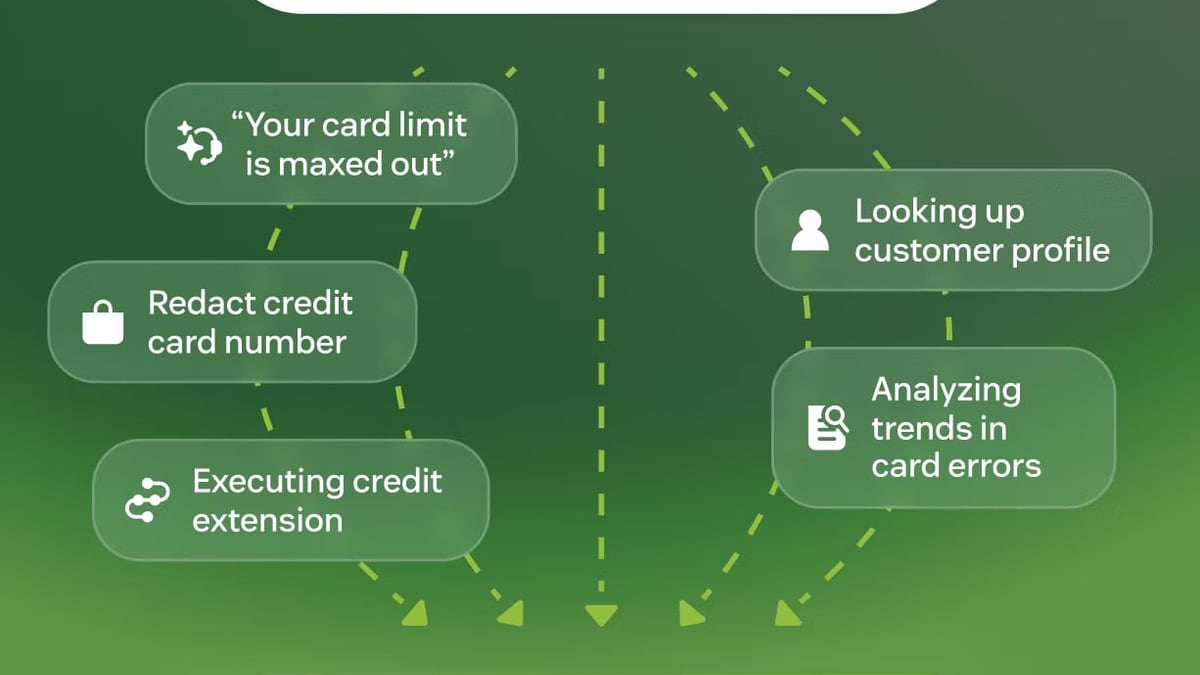
Zendesk’s AI‑first approach goes far beyond a simple FAQ bot. Its Resolution Platform connects every channel—email, voice, messaging, social media—under a single AI brain that plans and executes multi‑step resolutions. With features like the Resolution Learning Loop, AI agents improve autonomously by analyzing past interactions. The platform also brings workforce management, quality assurance, and a deep analytics suite that help large teams scale support without scaling headcount.
According to an in‑depth Zendesk AI guide, the Advanced AI add‑on supports hybrid conversation flows, API actions, and complex dialogue building. A case study by OpenAI highlights how Zendesk’s agentic AI moves beyond static intent bots to adaptive reasoning, hitting an 80% automation target.
Who it’s for: Companies that need a full‑stack service platform—not just a knowledge base—and have the budget and implementation resources to configure sophisticated AI workflows.
3. Rapid, No‑Code Knowledge Bases: HelpLook
HelpLook’s advantage is simplicity and speed without sacrificing power. You can launch a fully branded, multilingual help center in minutes, not weeks. The platform combines:
- Visual drag‑and‑drop editor — no coding needed to build a polished knowledge site.
- AI‑powered search & chatbot — integrated with OpenAI, Azure, and ERNIE Bot models, giving visitors fast, conversational answers from your content.
- SEO optimization built in — clean URL structure, meta controls, and fast‑loading pages help your help articles rank in search engines.
- Flexible pricing from free to $7/month — all plans include AI chatbot functionality, making advanced self‑service accessible to small teams and startups.
HelpLook’s focus on content discoverability and ease of use makes it ideal for organizations that want to reduce support tickets with a beautifully structured knowledge base, without dragging in a heavy CRM or complex developer toolchain.
Pricing & Scale at a Glance
HelpLook vs Documentation.AI vs Zendesk: AI Knowledge Showdown 2026 product interface and feature overview.
| Platform | Starting Price | AI Features Included | Best‑Fit Organization Size |
|---|---|---|---|
| HelpLook | Free → $7/month/project | Yes (AI search, chatbot) | Startups to mid‑market |
| Documentation.AI | Free tier → Enterprise | Yes (AI Doc Agent, Ask AI) | Product & dev teams |
| Zendesk AI | Suite from $19/agent/month; Advanced AI on Enterprise $115/agent/month | AI agents – Essential in Suite; Advanced AI add‑on | Mid‑market to Fortune 500 |
Note: Zendesk’s true automation capabilities unlock at the Advanced AI tier, which requires the Enterprise plan and bills based on automatic resolutions.
How to Choose the Right Platform for Your Team
HelpLook vs Documentation.AI vs Zendesk: AI Knowledge Showdown 2026 product interface and feature overview.
- You’re a product or engineering team shipping public API docs → Documentation.AI is purpose‑built for your workflow. Its Git‑based docs‑as‑code and AI that keeps references fresh will save hours of manual maintenance.
- You run a customer service organisation that needs omnichannel AI resolution and deep operational analytics → Zendesk remains the enterprise pick, with AI agents that can reason, trigger APIs, and improve over time.
- You want an affordable, SEO‑optimised knowledge base that anyone on your team can manage → HelpLook delivers the fastest time‑to‑value. Its no‑code editor, built‑in AI search, and multilingual support make it the pragmatic choice for reducing support volume with a self‑service portal.
For a broader look at how HelpLook ranks among other top AI knowledge bases—including Bloomfire and KnowledgeBase—take a look at our complete 2026 ranking and the detailed HelpLook vs Documentation.AI vs KnowledgeBase comparison. If you’re comparing HelpLook with a social‑knowledge tool like Bloomfire, this head‑to‑head analysis can help.
Related reading
- HelpCenter.io Review 2026: AI Knowledge Base Worth It? - In-depth HelpCenter.io review: flat-rate pricing, AI Widget, analytics, and setup. See strengths, limitations, and best use cases for support teams.
- How to Use HelpLook with Context Link: A Step-by-Step Guide - Learn to connect HelpLook's AI knowledge base with Context Link to give ChatGPT, Claude, and MCP agents access to your help articles. Step-by-step setup and practical examples.
Sources and further reading
- HelpLook VS Zendesk: Which Knowledge Base Software is Better Suited for Your Business - Explore Zendesk vs HelpLook for effective knowledge management solutions.
- Zendesk AI: Complete Guide to Features, Pricing & Limitations (2026) - Zendesk AI is powerful — if you can navigate the pricing tiers. We broke down exactly what you get, what's locked behind upgrades, and what's missing.
- Zendesk uses OpenAI to build adaptive service agents focused on resolutions - Moving from intent-based bots to proactive AI agents.
Frequently Asked Questions
1. Is Zendesk only for customer support teams?
Not exclusively. While Zendesk’s core is customer service, its help center and AI agent can also serve as an internal knowledge base. However, the platform’s strength and pricing are designed around ticketing and omnichannel support; if you only need a standalone knowledge base, a native tool like HelpLook often provides a simpler and more cost‑effective path.
2. Can Documentation.AI be used for non‑developer content?
Yes. Although Documentation.AI excels at API docs and developer portals, you can also create help centers and product guides. Its AI assistant helps any user find answers. But if your primary need is a traditional knowledge base with SEO features and no Git dependency, HelpLook might offer a smoother authoring experience out of the box.
3. Is HelpLook suitable for enterprise‑scale deployments?
Absolutely. HelpLook serves over 10,000 businesses worldwide, including those in healthcare, financial services, and education. With private knowledge bases, custom domains, analytics, and AI models that can be configured to use Azure, it meets enterprise security and customisation requirements while staying intuitive for non‑technical teams.
The Bottom Line
There’s no universal “best” AI knowledge platform—only the best fit for your team’s skills, budget, and goals. Documentation.AI wins the developer‑doc race, Zendesk dominates complex customer service automation, and HelpLook bridges the gap for businesses that want a powerful, no‑code knowledge base with built‑in AI search and SEO. By focusing on what you truly need (not just the biggest brand name), you’ll get a tool that lifts productivity and actually gets used.