
HelpLook vs Helpjuice vs Docmost: Which Knowledge Base Tool Fits You?
Choosing the right knowledge base solution can feel overwhelming when every option claims to offer AI-powered search, seamless collaboration, and instant answers. HelpLook, Helpjuice, and Docmost each take a distinct path: an all-in-one platform with a generous free tier, a premium SaaS experience with hands-on design support, or an open-source, self-hosted wiki that puts security first.
In this comparison, we’ll walk through what each tool does best—objectively highlighting strengths—so you can match the right one to your team’s size, technical comfort, and budget. No fluff, no misleading claims; just a clear look at where these tools excel and where they differ.
How We Compared These Knowledge Base Solutions
We evaluated three products across criteria that matter most in day-to-day use: AI search and automated help, content creation and collaboration, customization and branding, deployment and security, and pricing transparency. The goal isn’t to declare a single winner but to show which scenario each tool serves best.
AI-Powered Search and Automated Assistance

HelpLook vs Helpjuice vs Docmost: Which Tool Fits You? product interface and feature overview.
Helpjuice: Out-of-the-Box AI That Delivers Fast Answers
Helpjuice is built around AI that works immediately after setup. Its search engine understands natural language and surfaces relevant articles without manual tuning. An AI writing assistant helps teams draft and translate content into 40+ languages, while a customizable chatbot deflects repetitive questions. Customers report up to 75% fewer support tickets and 26× faster resolution times, making it a strong pick for support teams that need instant impact.
Docmost: Self-Hosted AI You Control Completely
Docmost takes a different route. Its AI assistant can connect to local large language models (LLMs) like Ollama or vLLM, or cloud models like OpenAI—all while keeping data inside your own infrastructure. This gives security-conscious teams the benefits of AI-generated summaries and suggested answers without sending sensitive documentation to third-party services. For industries with strict compliance requirements, this control is a major advantage.
HelpLook: Accessible AI Even on a Free Plan
HelpLook also embeds AI search and a chatbot directly into the knowledge base experience. Where it stands out is accessibility: AI features are available on all plans, including the free tier. Small businesses and startups can add a smart Q&A widget to their website, let the AI filter answers strictly from existing content to reduce hallucination risks, and upgrade only when they need more power. That lowers the barrier to AI-driven self-service significantly.
For a deeper dive into AI-first knowledge base tools, see our comparison of HelpLook, Documentation.AI, and Docsie.
Content Creation and Collaboration
HelpLook vs Helpjuice vs Docmost: Which Tool Fits You? product interface and feature overview.
Helpjuice: A Refined Editor with Real-Time Co-Authoring
Community feedback on Helpjuice frequently praises its intuitive editor and responsive support team. Real-time collaboration lets multiple authors work on the same article simultaneously, while the AI-powered text generation or translation speeds up content production. For teams that write a high volume of help articles daily, these workflow improvements directly reduce the time between drafting and publishing.
Docmost: Structured Team Editing with Verification Workflows
Docmost’s real-time collaborative editor feels familiar to anyone who has used Notion or Confluence. But it adds enterprise-oriented touches like page verification workflows, roles-based access controls, and Kanban views for tracking documentation tasks. This makes it particularly effective for internal wikis that need rigorous review processes before changes go live.
HelpLook: Broad Content Types Beyond Standard Help Articles
HelpLook’s portal supports not just traditional knowledge base articles but also e‑commerce product manuals, internal knowledge bases, and company blogs—all from one no‑code editor. Built-in analytics show which content performs best, helping teams iterate on documentation that actually gets used. While it may not have the specialized workflow granularity of Docmost, its versatility suits organizations that want a single hub for customer-facing and internal content.
Customization and Branding
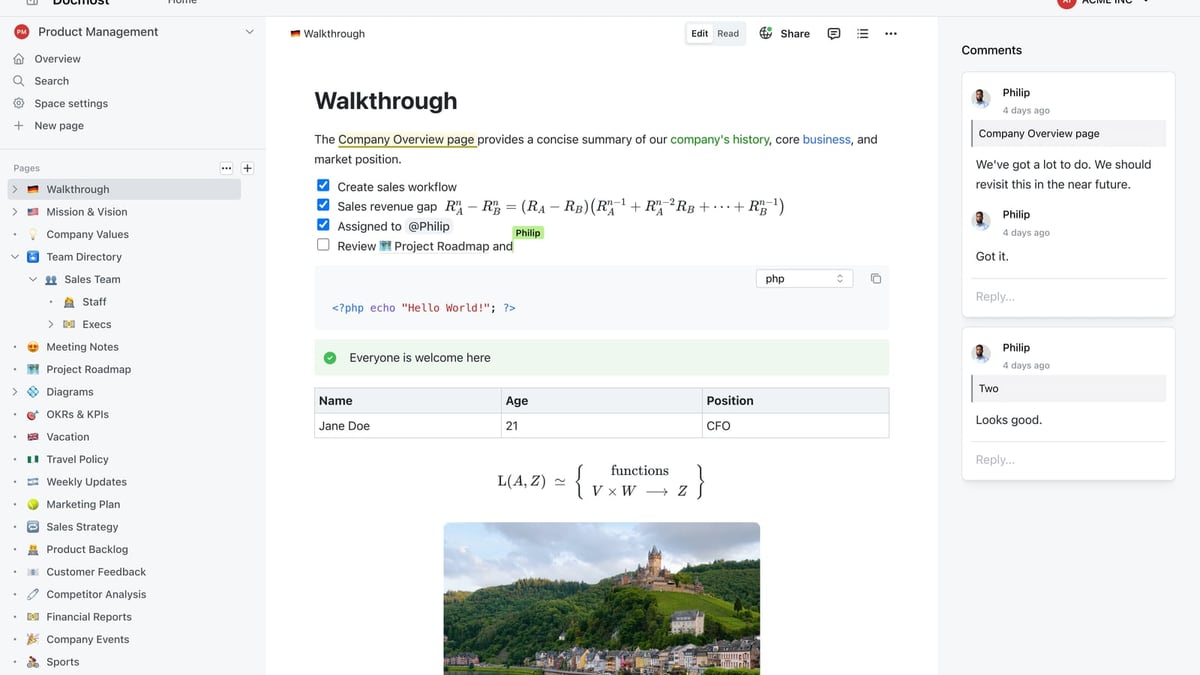
HelpLook vs Helpjuice vs Docmost: Which Tool Fits You? product interface and feature overview.
Helpjuice: White-Glove Design Service for a Bespoke Look
Helpjuice offers a fully customized design service as part of its plans, rebuilding the knowledge base interface to match your brand’s visual identity precisely. For companies where a cohesive customer experience is non-negotiable, this eliminates the friction of tweaking templates manually.
Docmost: Full Control Through Open-Source Code
Being open source, Docmost gives you unlimited freedom to alter every pixel and behavior. You can self-host a branded instance behind your own domain, adjust the layout, and even extend features through the codebase. The trade-off is that customizations require development resources rather than support tickets—a perfect fit for tech-savvy teams that already maintain internal tooling.
HelpLook: Quick Branding with Custom Domains
HelpLook supports custom domains and basic brand-color adjustments out of the box. While it does not offer the same depth of design service as Helpjuice, it lets you go from sign-up to a branded help center within minutes—ideal for teams that value speed over pixel-level control.
Deployment Options and Security
HelpLook vs Helpjuice vs Docmost: Which Tool Fits You? product interface and feature overview.
Docmost: Air-Gapped, On-Premises, Compliance-Ready
Docmost is the go-to choice when data sovereignty and regulatory compliance are critical. It supports on-premises installation, air-gapped deployments, SSO/SAML/OIDC/LDAP, multi-factor authentication, audit logs, and SCIM provisioning. Organizations chasing ITAR, FedRAMP, GDPR, SOC 2, or ISO 27001 certifications can retain full control over their documentation environment without third-party data exposure.
If you’re evaluating self-hosted tools, also check out our HelpLook, Archbee, and Docmost comparison for another take on open-source vs. SaaS trade-offs.
Helpjuice: Managed SaaS Without the Infrastructure Headache
Helpjuice is a cloud-hosted platform that handles security, uptime, and maintenance for you. While it cannot match the on-premises control of Docmost, it relieves teams from server management and security patching—a benefit for organizations that prefer to invest time in content rather than infrastructure.
HelpLook’s Position
HelpLook is also a managed SaaS solution. It does not offer a self-hosted option, so if your primary requirement is an air-gapped deployment, Docmost will be the better fit. For teams comfortable with the cloud and who value rapid onboarding, both HelpLook and Helpjuice deliver a low-maintenance experience.
Pricing and Scalability
Helpjuice: Premium Pricing with a Full Feature Set
Helpjuice plans start at $249 per month (up to 30 users) and $449 per month for up to 100 users with advanced AI. The price reflects the platform’s mature AI, design customization service, and dedicated support. For growing support teams that can justify the investment through ticket deflection, the ROI often appears quickly.
Docmost: Zero License Cost, Infrastructure Overhead
The Docmost Community Edition is free and open source. You pay only for the hardware (or cloud instances) to host it. Enterprise features like SAML and SCIM come with a paid license, but the overall software cost remains far below commercial SaaS competitors. This model appeals to organizations with existing infrastructure and DevOps skills.
HelpLook: A Free Plan That Grows With You
HelpLook stands out with a free plan that includes core knowledge base features and AI search. From there, Personal, Corporate, and Enterprise tiers scale gradually. This makes it possible for a solo founder to launch a help center at zero cost, then upgrade as the team expands—a flexibility that neither of the other two tools provides at the same entry point.
For more side-by-side pricing comparisons among AI knowledge bases, our HelpLook vs Document360 vs Bloomfire breakdown goes deeper on cost-effectiveness.
Integrations and Ecosystem
Helpjuice: Ready-Made Connectors for Popular Tools
Helpjuice integrates with a wide range of third-party apps—Slack, Salesforce, Zendesk, and more—letting teams surface knowledge where they already work. The platform’s API also allows custom connections, but most users will find the native integrations sufficient.
Docmost: Developer-Friendly Extensibility
Docmost’s REST API and open-source nature mean any integration is possible with custom development. It ships with strong authentication integrations (LDAP, SAML, OIDC) and can be embedded into internal portals, but it does not offer the out-of-the-box marketplace that SaaS platforms do.
Where HelpLook Fits
HelpLook connects to multiple AI backends and offers an embeddable widget, though its native app ecosystem is smaller than Helpjuice’s. Teams that rely heavily on pre-built integrations will find Helpjuice more immediate; those willing to build custom bridges can make any tool work.
Which One Should You Choose?
| Scenario | Best Match |
|---|---|
| You need a premium, all-inclusive KB with AI that works instantly and design customization included. | Helpjuice |
| Your organization requires on-premises deployment, data sovereignty, and compliance certifications. | Docmost |
| You’re a small to mid-sized team that wants to launch fast, keep costs low, and still offer AI-powered self-service. | HelpLook |
| You have strong DevOps capabilities and want to own every line of code without recurring license fees. | Docmost |
| You want to test a knowledge base with no upfront cost and scale as your audience grows. | HelpLook |
Related reading
- HelpLook vs Documentation.AI vs GitBook: 2025 Comparison - Compare HelpLook, Documentation.AI, and GitBook for AI-powered knowledge bases. Discover strengths in AI search, content maintenance, pricing, and more to choose the right fit.
- HelpLook vs Docsie vs Stonly: AI Knowledge Base Showdown - Compare HelpLook, Docsie, and Stonly on AI search, interactive guides, content creation, integrations, pricing, and more. See which AI knowledge platform fits your self-service needs.
Sources and further reading
- HelpLook VS Helpjuice: Comparison of Enterprise Knowledge Base Construction Tools - This blog will focus on two highly acclaimed knowledge base building tools in the market: HelpLook and Helpjuice.
Frequently Asked Questions
Does Helpjuice support multiple languages?
Yes. Helpjuice’s AI can translate articles into over 40 languages, and you can maintain localized versions of your knowledge base.
Is Docmost completely free?
The community edition is free and open source. Advanced security features like SAML, SCIM, and premium support require a paid enterprise license.
Can I migrate from another knowledge base to HelpLook?
HelpLook provides import tools and documentation to help you move content from other platforms. Their support team can assist with larger migrations on higher-tier plans.
Which tool is easiest to set up without a developer?
Both Helpjuice and HelpLook require no coding. HelpLook’s registration needs only an email or phone number, and you can publish a knowledge base in minutes. Docmost requires server setup and configuration, making it more technical to deploy.
Do these platforms comply with GDPR?
Docmost can be self-hosted in a GDPR-aligned manner with full data control. Helpjuice and HelpLook are SaaS platforms that offer GDPR compliance features; you should verify their DPA and certifications with the vendors.
The Wrap-Up
All three tools serve a clear audience. Helpjuice appeals to teams that want to write faster, deflect more tickets, and get a polished, branded knowledge base without lifting a finger. Docmost gives security-first organizations total control over their data and the freedom to extend the software as they see fit. HelpLook carves out space for cost-conscious teams that still expect modern AI search, embeddable widgets, and multiple content formats—starting for free.
The right choice depends on whether your priority is premium convenience, infrastructure control, or lean, AI-powered growth. Whichever direction you take, investing in a solid knowledge base pays off every time a customer finds an answer without opening a ticket.