
HelpLook vs KnowledgeBase vs Archbee: Which Knowledge Platform Fits Your Team in 2026?
Choosing between HelpLook, KnowledgeBase, and Archbee comes down to one question: what is your team actually trying to accomplish? All three tools help you publish and share knowledge, but they solve different problems. HelpLook is a no-code, AI-powered help center builder aimed at support and customer success teams. KnowledgeBase is an AI knowledge base tightly connected to live chat and ticketing workflows. Archbee is a documentation portal built for technical teams that need versioning, branching, and developer-friendly collaboration.
This comparison breaks down where each platform genuinely excels, where it falls short, and which use cases each one serves best.
Quick Verdict

KnowledgeBase product interface.
- Choose HelpLook if you want a no-code help center with AI search and chatbot capabilities, SEO-friendly public pages, and fast deployment for customer self-service.
- Choose KnowledgeBase if your support stack already includes LiveChat, ChatBot, or HelpDesk and you need AI-generated answers that reduce ticket volume.
- Choose Archbee if you are a technical or product team managing API docs, developer documentation, or internal knowledge that requires branching, versioning, and Git-style workflows.
How the Three Platforms Compare at a Glance
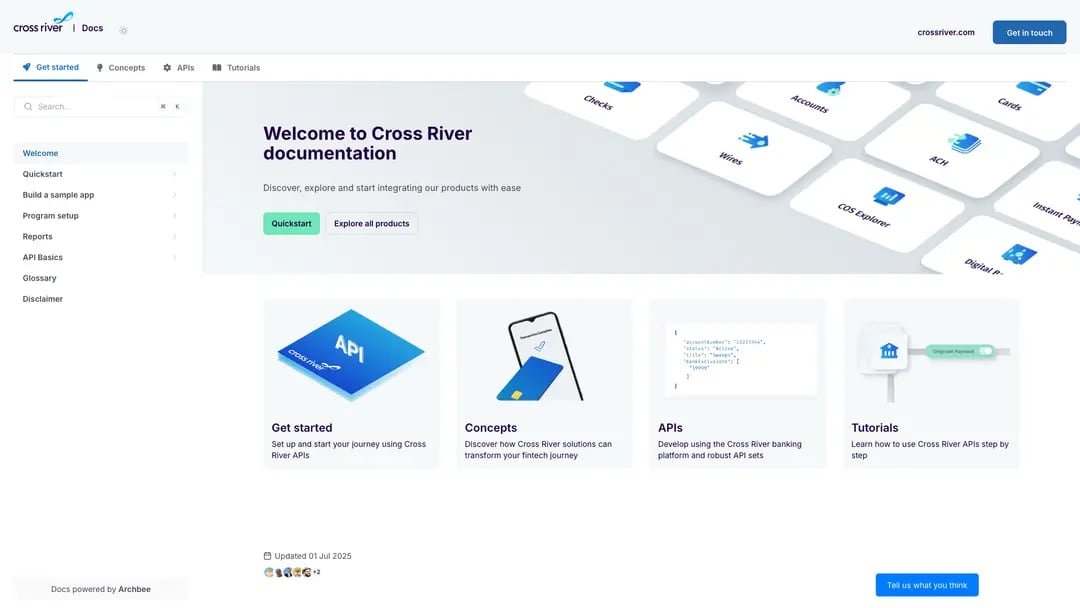
Archbee product interface.
| Capability | HelpLook | KnowledgeBase | Archbee |
|---|---|---|---|
| Primary focus | AI help center and knowledge base | AI support knowledge base | Technical documentation portal |
| No-code content creation | Yes | Yes | Yes |
| AI search and answers | Yes | Yes, QuickAnswer | Yes, AI Q&A |
| AI-generated articles | Yes | Yes | Yes |
| Custom branding and domains | Yes | Yes | Yes |
| Versioning and branching | Basic | Not a core strength | Native branching and drafts |
| API/developer documentation | Limited | Limited | Strong |
| Live chat and ticketing integrations | Third-party | Native LiveChat, ChatBot, HelpDesk | Third-party |
| Multilingual support | Yes | Yes | Yes, with localization |
| Free tier | Yes | 14-day trial | Trial available |
HelpLook: AI-Powered Help Centers Without Code
HelpLook positions itself as a zero-code platform for building customer-facing help centers, product manuals, enterprise blogs, and internal knowledge bases. The core promise is speed: upload existing content, let AI generate structured articles, and publish a branded, SEO-optimized portal in minutes.
Where HelpLook Has a Supported Advantage
SEO-friendly public knowledge bases. HelpLook explicitly builds SEO optimization into its help center output. For teams that want their documentation to rank in search engines and deflect support tickets before they start, this is a meaningful differentiator. Public-facing content is designed to be discoverable, not just functional.
AI model flexibility. HelpLook integrates with multiple AI providers, including OpenAI, ERNIE Bot, and Azure. This gives teams the option to choose a model that fits their budget, language requirements, or data residency needs rather than being locked into a single AI backend.
Fast deployment from existing content. The platform can transform uploaded documents into a fully functional help center quickly. For support teams that already have scattered PDFs, Word docs, or internal notes, this reduces the time from setup to published portal.
Built-in access options. QR code access and PDF downloads are native features, which can be useful for e-commerce product manuals, physical product documentation, and field support scenarios where customers need offline or scannable access to instructions.
Where HelpLook Is Not the Strongest Choice
HelpLook is not positioned as a developer documentation platform. Teams that need API reference generation, code-coupled documentation, or Git-based branching should look at Archbee instead. Similarly, teams that already run LiveChat or ChatBot as their primary support interface may find KnowledgeBase's native integration more seamless than connecting HelpLook through third-party integrations.
KnowledgeBase: AI Support Knowledge Base Built for Ticket Deflection

KnowledgeBase product interface.
KnowledgeBase, backed by Text, Inc., is designed specifically for customer support teams. Its value proposition is direct: reduce support ticket volume through self-service and give agents instant access to answers.
Where KnowledgeBase Excels
Native integration with the Text ecosystem. KnowledgeBase integrates directly with LiveChat, ChatBot, and HelpDesk. If your support team already uses any of these tools, KnowledgeBase plugs into your existing workflow without custom API work. Agents can access knowledge articles from within their chat interface, and customers can get AI-generated answers without leaving the chat widget.
QuickAnswer for instant tailored responses. The AI-powered QuickAnswer feature generates responses based on your knowledge base content. This is particularly valuable for live chat scenarios where speed matters: instead of searching for an article, the AI surfaces a direct answer to the customer's question.
AI-generated articles, titles, and keywords. KnowledgeBase can generate article drafts, suggest titles, and propose keywords automatically. For support teams that struggle to maintain documentation coverage, this reduces the manual effort required to keep the knowledge base current.
Multiple knowledge bases for scaling. Teams can run separate internal and external knowledge bases from one account. This is useful for companies that need agent-facing SOPs alongside customer-facing help articles without mixing the two audiences.
Where KnowledgeBase Is Not the Strongest Choice
KnowledgeBase is not built for developer documentation. It lacks the native branching, versioning, and API documentation features that technical teams expect. If your primary audience is developers consuming API references or product documentation, Archbee is the stronger fit. For teams that want a public-facing, SEO-optimized help center with flexible AI model choices, HelpLook offers capabilities that KnowledgeBase does not emphasize.
Archbee: A Knowledge Portal Platform for Technical Teams
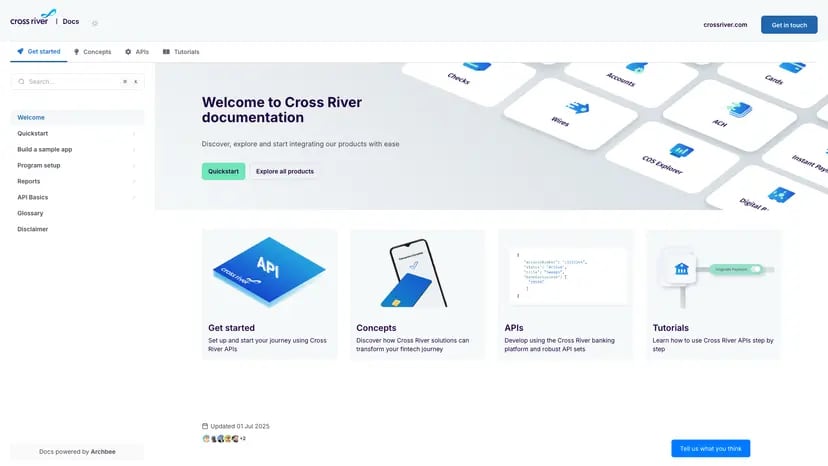
Archbee product interface.
Archbee describes itself as the first knowledge portal platform, and its feature set reflects a focus on technical documentation workflows. It is backed by Y Combinator and used by companies like Make, Rollstack, and Lemonbase.
Where Archbee Excels
Native branching and drafts. Archbee supports Git-style branching for documentation. Teams can create draft branches, collaborate on changes, and merge them when ready. This is a significant advantage for product and engineering teams that already think in terms of branches and pull requests.
Reusable content variables and display rules. Archbee lets teams define content variables that can be reused across documentation. Change a product name or API endpoint once, and it updates everywhere. Display rules allow conditional content based on audience or context, which is valuable for serving different user segments from the same documentation source.
AI-powered writing and translations. Archbee includes AI assistance for writing and translating documentation. For global products that need documentation in multiple languages, built-in localization support reduces the need for separate translation workflows.
Versioning and localization. Documentation versioning is a core feature, not an add-on. Teams can maintain documentation for multiple product versions simultaneously, which is essential for API documentation and software products with release cycles.
Developer tool integrations. Archbee integrates with GitHub, GitLab, and Changelog, making it a natural fit for teams that want documentation to live alongside code.
Where Archbee Is Not the Strongest Choice
Archbee's technical focus means it may be overkill for a support team that simply needs a customer-facing FAQ or help center. The branching and versioning features add complexity that non-technical teams may not need. For support-led use cases, KnowledgeBase's QuickAnswer and chat integrations are more directly aligned with ticket deflection goals. For no-code help center publishing with SEO optimization, HelpLook offers a simpler path.
Side-by-Side Feature Comparison
AI Search and Answering
All three platforms offer AI-powered search, but the implementation differs. KnowledgeBase's QuickAnswer is designed for support conversations and integrates with live chat. HelpLook's AI search and chatbot capabilities are built into the help center experience, with flexibility to choose from multiple AI models. Archbee's AI Q&A is designed for documentation portals, helping users find answers across large, structured documentation sets.
Content Creation
HelpLook can generate help center articles from uploaded documents, making it fast to migrate existing content. KnowledgeBase generates articles, titles, and keywords with AI, reducing the effort of maintaining support documentation. Archbee offers AI writing assistance alongside its branching and variable system, which is more powerful for structured technical documentation but requires more setup.
Branding and Customization
All three platforms support custom branding and domains. HelpLook emphasizes customizable site branding for public-facing portals. KnowledgeBase offers customizable help centers within the Text ecosystem. Archbee provides custom domains and branding with additional display rules for conditional content.
Pricing and Accessibility
HelpLook offers a free tier with paid plans starting around $7 per month, making it accessible for small teams and individuals. KnowledgeBase offers a 14-day free trial with no credit card required. Archbee offers a startup program with a 50% discount on any plan for two years, which is notable for early-stage companies.
Choosing the Right Platform for Your Use Case
Choose HelpLook if:
- You need a public, SEO-optimized help center without writing code.
- You want to convert existing documents into a searchable knowledge base quickly.
- You value flexibility in choosing AI models, including OpenAI, ERNIE Bot, or Azure.
- Your use case includes e-commerce product manuals, enterprise blogs, or internal knowledge bases.
- You want QR code access or PDF download options for offline documentation.
Choose KnowledgeBase if:
- Your support team already uses LiveChat, ChatBot, or HelpDesk.
- Ticket deflection through AI-generated answers is your primary goal.
- You need separate internal and external knowledge bases managed from one account.
- You want AI to generate article drafts, titles, and keywords automatically.
Choose Archbee if:
- You are building API documentation or developer-facing documentation.
- Your team needs branching, versioning, and draft workflows.
- You want reusable content variables to avoid duplicating information.
- You need localization and multi-version documentation support.
- Your team already works with GitHub or GitLab and wants documentation to follow the same workflow.
A Practical Decision Framework
Start by identifying your primary audience:
- Customers who need self-service support → HelpLook or KnowledgeBase.
- Developers who need API and product documentation → Archbee.
- Support agents who need fast answers during live chats → KnowledgeBase.
- A mix of public help content and internal knowledge → HelpLook or KnowledgeBase, depending on your existing support stack.
Then consider your team's technical comfort level:
- Non-technical teams that want a no-code solution → HelpLook or KnowledgeBase.
- Technical teams that want Git-style workflows → Archbee.
Finally, evaluate your existing tooling:
- Already using LiveChat or ChatBot → KnowledgeBase is the natural fit.
- Already using GitHub or GitLab for code → Archbee integrates directly.
- Starting fresh with no existing support or docs tooling → HelpLook offers the fastest path to a published help center.
Related reading
- HelpLook vs HelpCenter.io vs Docsie: 2026 Comparison - Compare HelpLook, HelpCenter.io, and Docsie on AI search, content creation, pricing, and ease of use. Find the right knowledge base for your team.
Sources and further reading
- HelpLook | Software Reviews & Alternatives - HelpLook Review: 'HelpLook is a zero-code, ready-to-use tool for creating help centers and blog websites'
- Top 10 AI Docs Generators to Create Documentations Beautifully - Explore the top 10 AI-powered and open-source documentation tools designed to simplify creating, managing, and maintaining high-quality API and project documentation. Discover features and benefits of tools like Apidog, Docusaurus, MkDocs, and more to find the best fit for your team.
- The second number · sourcey - Exact startup software offers, eligibility, and provenance for every vendor discount, credit scheme, and startup tier.
Frequently Asked Questions
Is HelpLook a good alternative to Archbee?
For customer-facing help centers and no-code knowledge bases, yes. HelpLook is simpler to set up and includes SEO optimization and AI chatbot features. However, for API documentation, versioning, and branching workflows, Archbee is the stronger choice.
Does KnowledgeBase integrate with live chat tools?
Yes. KnowledgeBase integrates natively with LiveChat, ChatBot, and HelpDesk, all part of the Text, Inc. ecosystem. This allows support agents to access knowledge articles and AI-generated answers directly within their chat interface.
Which platform is best for developer documentation?
Archbee is the best fit for developer documentation. Its native branching, versioning, reusable content variables, and GitHub/GitLab integrations are designed specifically for technical documentation workflows.
Can I try these platforms before paying?
Yes. HelpLook offers a free tier, KnowledgeBase offers a 14-day free trial with no credit card required, and Archbee offers a trial as well as a startup program with discounted pricing.
Which platform is the most affordable?
HelpLook has the lowest entry point with a free tier and paid plans starting around $7 per month. KnowledgeBase and Archbee pricing varies by plan and team size, with Archbee offering startup discounts.
Conclusion
HelpLook, KnowledgeBase, and Archbee each serve distinct needs within the knowledge management space. HelpLook is the fastest path to a no-code, SEO-optimized help center with flexible AI model options. KnowledgeBase is the strongest choice for support teams already invested in the Text ecosystem who want AI-powered ticket deflection. Archbee is the clear winner for technical teams that need branching, versioning, and developer-grade documentation workflows.
The right choice depends on your audience, your team's technical comfort level, and your existing tooling. If you are comparing HelpLook against other knowledge base platforms, see our HelpLook vs HelpCenter.io vs KnowledgeOwl comparison or the HelpLook vs Document360 vs Stonly comparison. For teams evaluating KnowledgeBase alongside Zendesk, the HelpLook vs KnowledgeBase vs Zendesk comparison provides additional context.