
Guru Review 2026: An Honest Look at the AI Knowledge Platform
Guru is an AI knowledge management platform that positions itself as the "AI Source of Truth" for enterprises. Instead of storing documents in a wiki nobody reads, it structures, governs, and verifies knowledge so that AI answers can be traced back to something trustworthy. That pitch matters more than ever in 2026, when teams are wiring AI assistants into Slack, helpdesks, and CRMs and discovering that confidently wrong answers are worse than no answers at all.
This review is based on verified user feedback, hands-on style evaluations from independent reviewers, and Guru's own product documentation. It covers who Guru actually fits, where it struggles, what it costs, and how to decide between Guru and the alternatives.
What Guru Is (and What It Is Not)
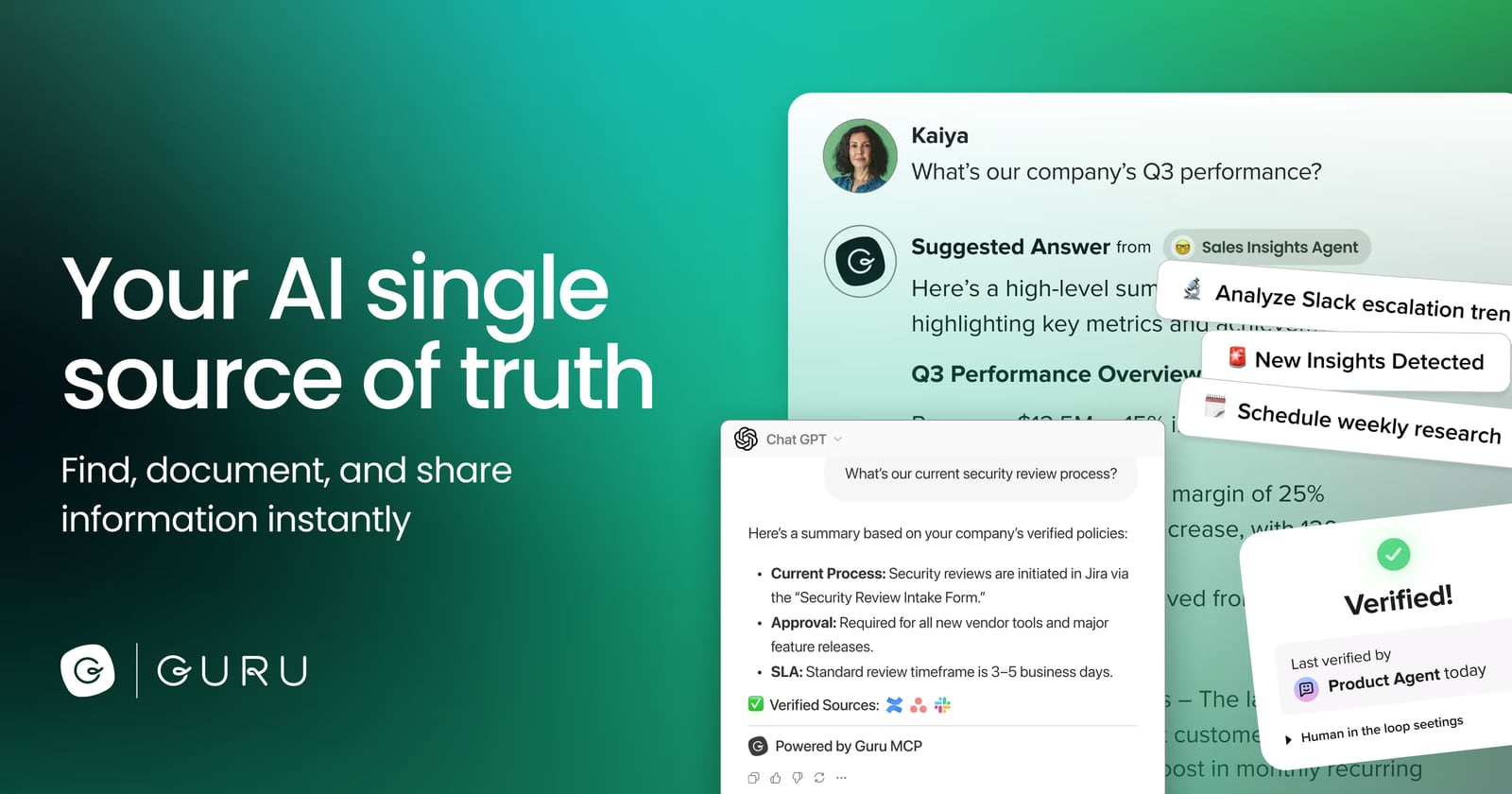
Guru product interface.
Guru is not a public-facing help center or a documentation site builder. It is an internal knowledge layer. Its job is to capture knowledge, verify it on a schedule, and surface it inside the tools people already use — Slack, Microsoft Teams, Google Workspace, Salesforce, browsers, and helpdesk tools.
Guru was founded in 2013 and is headquartered in Philadelphia. Its core building block is the "card" — a structured, bite-sized knowledge unit that can be verified, tagged, and permissioned. Cards feed into AI answers that cite their sources, which is the feature most reviewers single out as the reason they trust the platform.
If your problem is "we cannot find our own documentation," Guru is aimed at you. If your problem is "we need a public knowledge base that ranks in search," Guru is the wrong tool.
Who Guru Is Built For

First viewport screenshot of The Governed Knowledge Layer for Enterprise AI.
Customer support teams
Support is Guru's strongest use case. Agents handle repetitive questions all day, and every wrong answer costs money. Guru surfaces verified answers inside the helpdesk and browser, so agents do not have to leave their workflow to search. One verified reviewer in the travel and hospitality industry described how the platform helped new employees ramp up faster and reduced errors in fast-paced support environments.
Sales teams in tech companies
Sales needs current product details, pricing rules, and objection handling. Guru's verification workflow forces content owners to re-confirm accuracy on a cadence, which prevents the classic problem of a sales deck quoting a feature that shipped away two quarters ago.
Remote and distributed teams
Real-time updates and centralized knowledge keep distributed teams aligned without another weekly sync. The browser extension means answers appear in context rather than in a separate tab.
Who should look elsewhere
- Solo entrepreneurs and very small teams with minimal knowledge management needs will find Guru excessive.
- Teams with highly customized workflows and a wide, specialized software stack may hit integration limits, though Zapier and the API can bridge many gaps.
- Organizations that mainly need a public, SEO-friendly documentation site should evaluate a dedicated knowledge base platform instead.
- Teams that struggle with technology adoption may find the initial setup and customization time-consuming.
Core Features That Matter
Verification workflows
This is Guru's signature feature. Content owners are prompted to re-verify cards on a schedule, and unverified content can be flagged or hidden from AI answers. It is the mechanism that keeps the knowledge base from rotting.
Cited AI answers and knowledge agents
Guru's AI answers include citations back to the source card, so users can check the reasoning rather than trust a black box. Knowledge Agents are configurable assistants that pull from connected tools like Google Drive or Notion, native Guru content, and even public websites.
In-workflow delivery
The browser extension for Chrome, Edge, and Opera, plus integrations with Slack, Microsoft Teams, and helpdesk tools, means knowledge finds the user instead of the other way around.
Knowledge Triggers
When specific fields or text appear on a webpage, Guru can automatically surface the most relevant card. This is genuinely useful for support agents working inside a ticketing system.
Card Builder and search
Cards are created in a collaborative editor with a consistent structure, and search indexes the full knowledge base. Reviewers consistently call the interface intuitive and easy to adopt.
Strengths, Backed by User Evidence
Trust through verification. Across verified reviews, the verification system is the most frequently praised feature. Users say it builds real confidence in the knowledge base because stale content gets caught.
Speed in the flow of work. Reviewers repeatedly mention that answers arrive where they work — helpdesk tools, browsers, chat — eliminating time wasted searching scattered documents or asking colleagues.
Fast onboarding for new hires. Multiple support leaders report that Guru shortens ramp time because new agents can self-serve answers instead of shadowing for weeks.
Simplicity. Even critical reviewers describe the system as user-friendly and similar to others in the space, which lowers training overhead.
Limitations You Should Know Before Buying
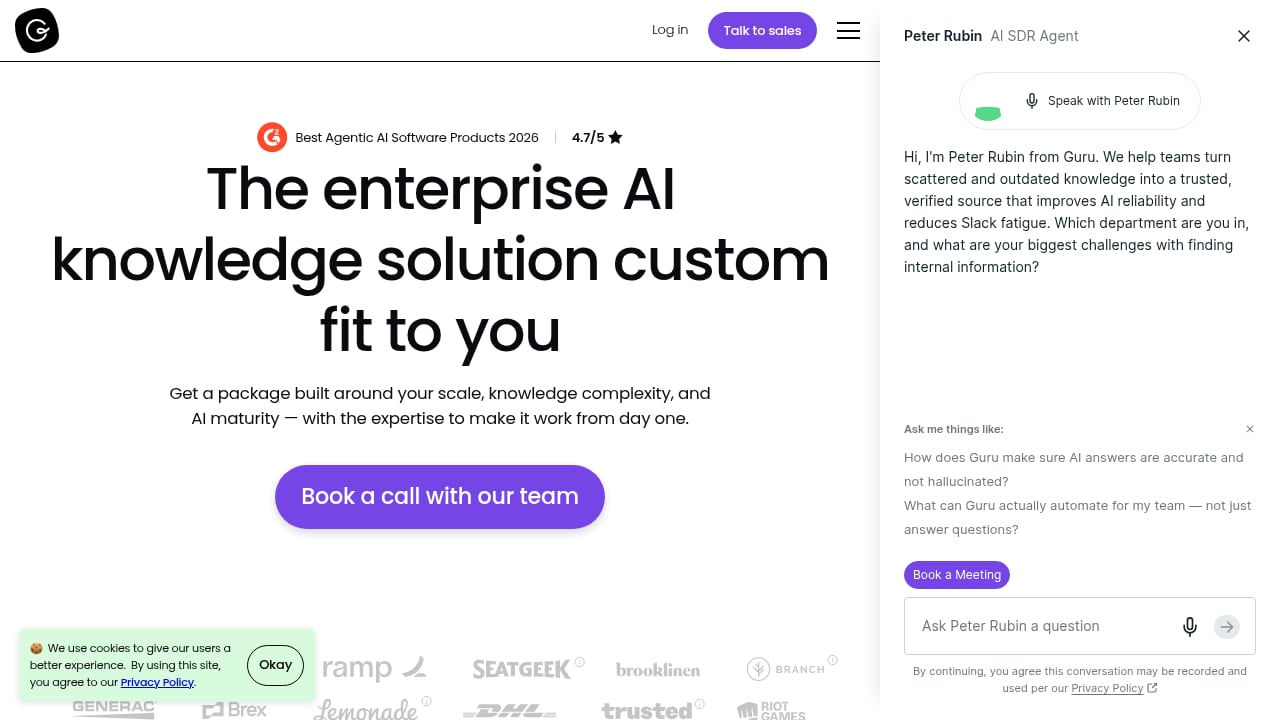
First viewport screenshot of Pricing for our AI-Powered Knowledge Management Platform.
The card format has a ceiling. A verified reviewer noted that complex or long-form documentation can feel limited in a card-based structure. If your knowledge is inherently long — deep technical runbooks, regulatory documents — you may need to pair Guru with a long-form documentation tool.
Search can get cluttered as the base grows. The same reviewer observed that search quality depends on active content management. Without governance discipline, the knowledge base becomes noisy.
Analytics are a common complaint. Reviewers describe the analytics as less robust and less user-friendly than they would like. If deep usage analytics drive your roadmap, test this area carefully during a trial.
Limited customization. Fonts and card content formatting options are constrained, and some page-style content does not surface well in search results.
Integration depth varies. Independent reviewers note that pre-built integrations can feel limited for teams with diverse software ecosystems. Zapier and the API help, but they add setup work.
Onboarding materials lag the product. At least one hands-on review flags that onboarding documentation has not kept pace with UI changes, which can slow initial setup.
Pricing Signals
Guru does not publish public list pricing; the standard signal is "pricing upon request" with a free demo available. Independent evaluations place it in the mid-to-premium tier of knowledge management tools, which is consistent with an enterprise-focused, governance-heavy product.
Practical guidance: expect per-seat pricing that scales with your headcount, and expect the real cost to include content migration and ongoing governance time. Ask vendors directly about:
- Per-seat cost at your current and projected team size
- Which features are gated behind higher tiers (verification limits, AI answer volume, analytics depth)
- Whether AI answer generation is metered separately
- Migration and onboarding support included in the contract
For a broader pricing and feature comparison across knowledge platforms, see our HelpLook vs Guru vs ProProfs Knowledge Base comparison.
Setup and Time to Value
Guru's setup follows a predictable path: connect your source systems, define card templates and verification cadences, migrate or recreate priority content, then roll out the browser extension and chat integrations.
The honest expectation is that setup is not instant. Reviewers describe initial setup and customization as time-consuming, and the effectiveness of the platform depends on active content management afterward. Teams that assign clear content owners and verification schedules see value faster than teams that treat Guru as a set-and-forget wiki.
A realistic timeline for a mid-sized support organization looks like this:
- Week 1–2: Connect integrations, define card structure, and pick the first high-value knowledge domain.
- Week 3–4: Migrate or author the top 50–100 cards and assign verifiers.
- Week 5–6: Roll out to a pilot group, watch search behavior, and prune noisy content.
- Week 7+: Expand to adjacent teams and tune Knowledge Triggers.
How Guru Compares to Alternatives
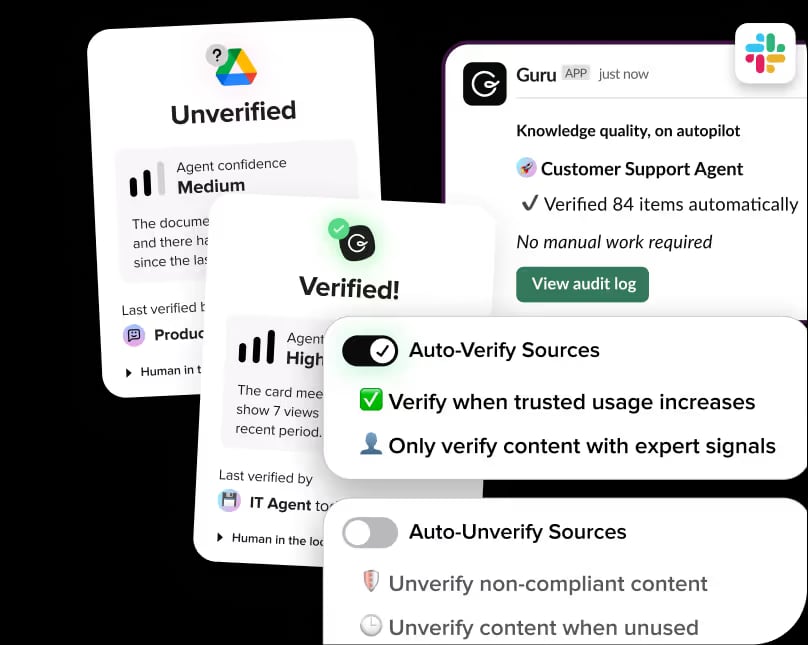
Guru product interface.
Guru competes in a crowded field. The clearest way to decide is to match the tool to your primary problem.
- If your problem is finding internal knowledge: Guru is a strong fit, especially for support and sales teams that live in chat and helpdesk tools.
- If your problem is publishing public documentation that ranks in search: a dedicated knowledge base platform is a better fit. Our Top 10 AI-Powered Documentation Platforms for 2026 breaks down that category.
- If your problem is closing the loop on customer feedback: knowledge management is only part of the stack. See our Top 10 Customer Support and Feedback Management Software 2026 for the routing and feedback side.
- If you need developer-facing API documentation: pairing a knowledge platform with an API reference tool is often the pragmatic answer, as covered in our guide to using HelpLook with ReadMe for developer-friendly API documentation.
A useful decision rule: choose Guru when answer accuracy and verification are the bottleneck. Choose a documentation-first platform when content creation and public discoverability are the bottleneck. Many mature organizations end up running both.
Decision Criteria: A Quick Checklist
Score each statement from 1 (not true) to 5 (very true). If you total 18 or higher, Guru is likely worth a trial.
- Our team repeatedly asks the same internal questions.
- Wrong answers from AI or from colleagues have caused real customer or revenue impact.
- We already work inside Slack, Teams, or a helpdesk all day.
- We can assign named content owners and verification cadences.
- Our knowledge is mostly short, structured answers rather than long documents.
- We need cited AI answers, not just a search box.
If you score low on items 4 and 5, fix your governance model or look at long-form documentation tools first.
Related reading
- HelpLook vs The Customer Service AI Platform: 2026 Comparison - Compare HelpLook and The Customer Service AI Platform for modern support teams: AI search, self-service, SEO, analytics, and the best fit for each.
FAQ
Is Guru a good knowledge management tool?
Yes, for internal knowledge management with a strong governance model. Verified reviewers consistently praise its verification workflows, in-workflow delivery, and ease of use. Its main weaknesses are card-format limits for long documents, analytics depth, and setup effort.
How much does Guru cost?
Guru does not publish public list pricing; the standard signal is pricing on request with a free demo. Expect per-seat pricing in the mid-to-premium range and confirm which features are tier-gated before signing.
Is Guru better than Confluence?
They solve different problems. Confluence is strong at creating and organizing long-form documentation. Guru is strong at verifying and surfacing short answers inside the tools people already use. If your team can write docs but cannot find them, Guru addresses the actual bottleneck.
What are Guru's main limitations?
User reviews most often cite limited analytics, constrained card customization, search clutter as the knowledge base grows, and integration depth that may require Zapier or API work for specialized stacks.
Does Guru work for small teams?
It can, but small teams and solo operators with minimal knowledge management needs may find it excessive. The value scales with headcount and question volume.
How long does Guru take to set up?
Plan for several weeks for a meaningful rollout: integrations and templates first, then content migration, then a pilot group, then expansion. Teams that skip governance work take longer to see value.
Conclusion
Guru earns its reputation as a governance-first AI knowledge platform. Its verification workflow, cited AI answers, and in-workflow delivery solve a real and expensive problem: teams acting on confidently wrong information. Verified users back this up, particularly in support and sales environments where speed and accuracy are measurable.
The trade-offs are equally clear. The card format is not built for long-form documentation, analytics are a recurring complaint, and the platform rewards teams that invest in content ownership. Setup takes real effort, and pricing requires a conversation with sales.
If your bottleneck is finding and trusting internal knowledge, Guru deserves a serious trial. If your bottleneck is publishing public documentation or managing long technical documents, start with a documentation-first platform and revisit Guru once your internal answer problem becomes the priority.
For a side-by-side view against other platforms before you decide, see Gartner Peer Insights for verified user reviews, Trustpilot for broader customer sentiment, and The Digital Project Manager's Guru review for an independent hands-on evaluation.